
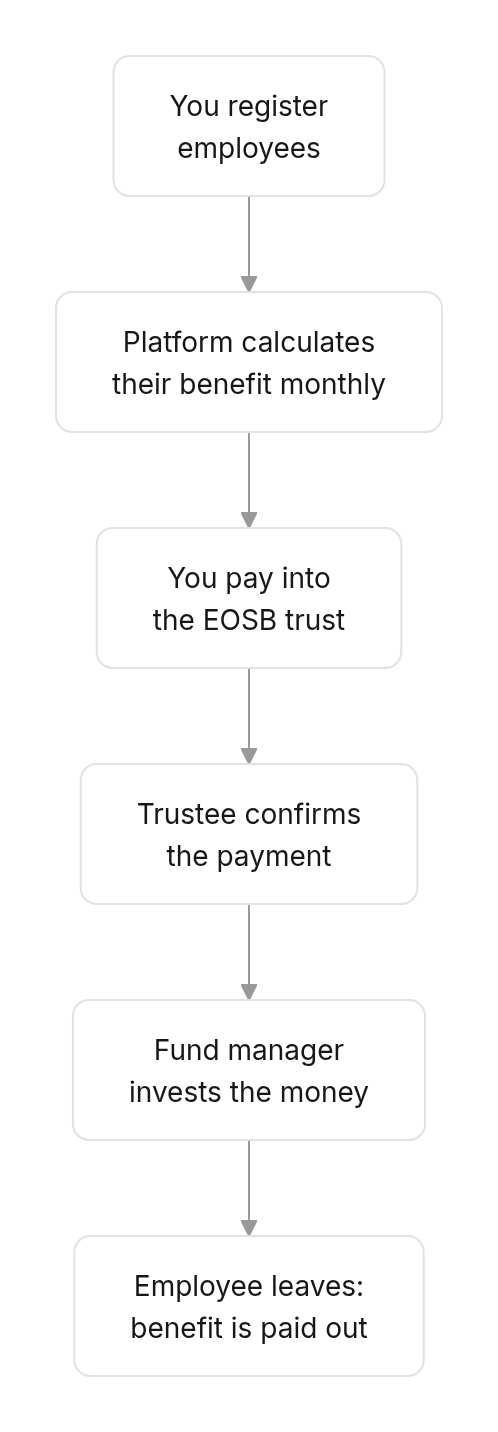
- Keep a record of every employee who earns an end-of-service benefit (EOSB).
- Pay money into your EOSB trust, the account that holds those benefits.
- Approve the budgets your fund manager asks for to run the trust.
How the pieces fit together
Find what you need
- Setting up
- Every month
- When something happens
Do these once, in order.
- Set your password from the account email.
- Sign in and learn the workspace.
- Follow your activation until your status is Active.
- Add your employees: one at a time or from a CSV file.
- Make your first payment into the trust.
How to use this guide
The guide follows the workspace from left to right: each page covers one screen. Every page has the same shape:- Where — how to reach the screen.
- Before you start — anything that must already be in place.
- Steps — numbered to match the red markers in the screenshots.
- What happens next — what the platform and the other organisations do after you act.