The trust is where your employees’ benefits are held. It is kept separate from your organisation’s own money. The platform administrator sets it up during activation; you can view it, but not change it.
Where: Employer › EOSB trust.
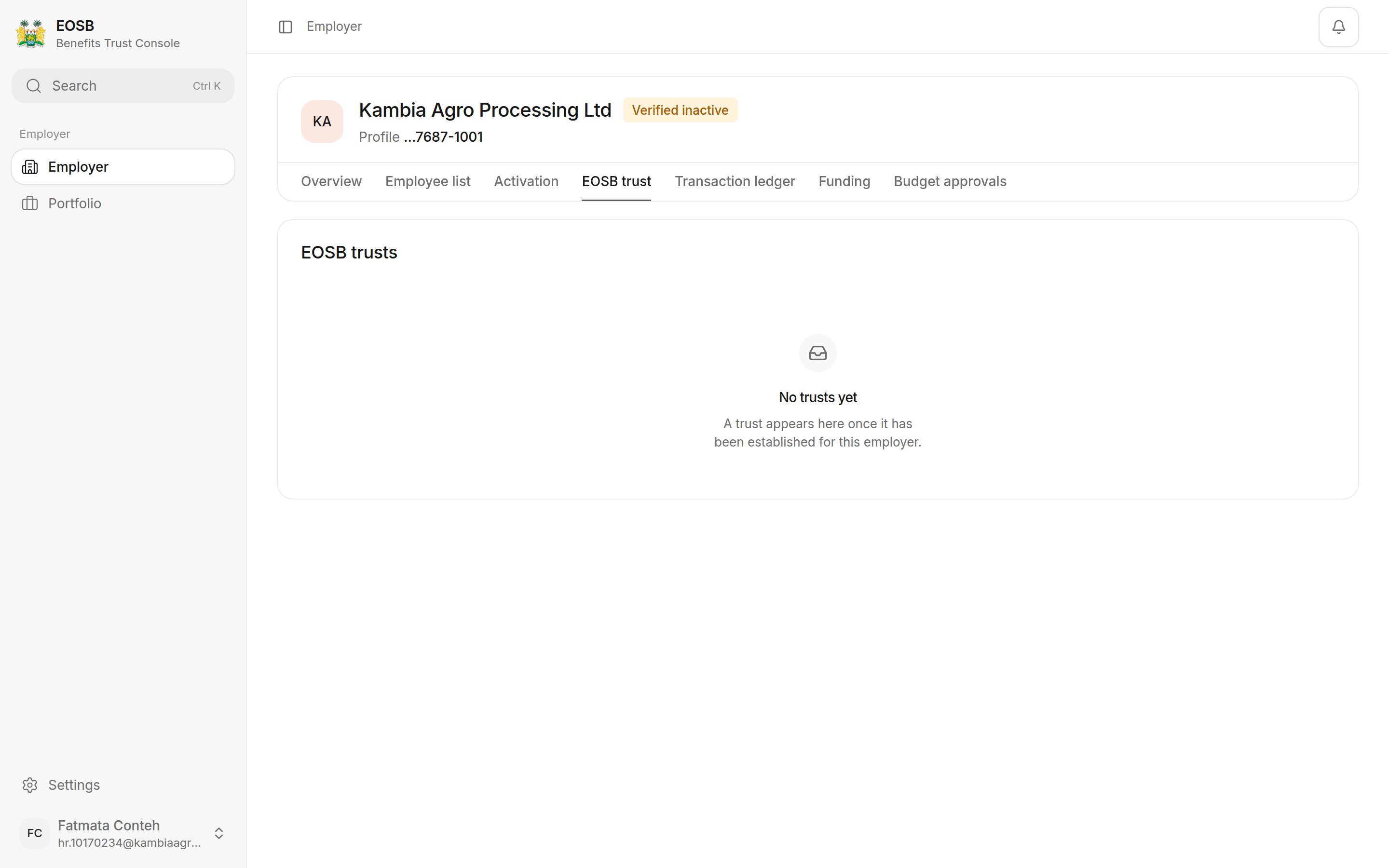
EOSB trusts with the message No trusts yet

Before a trust is established

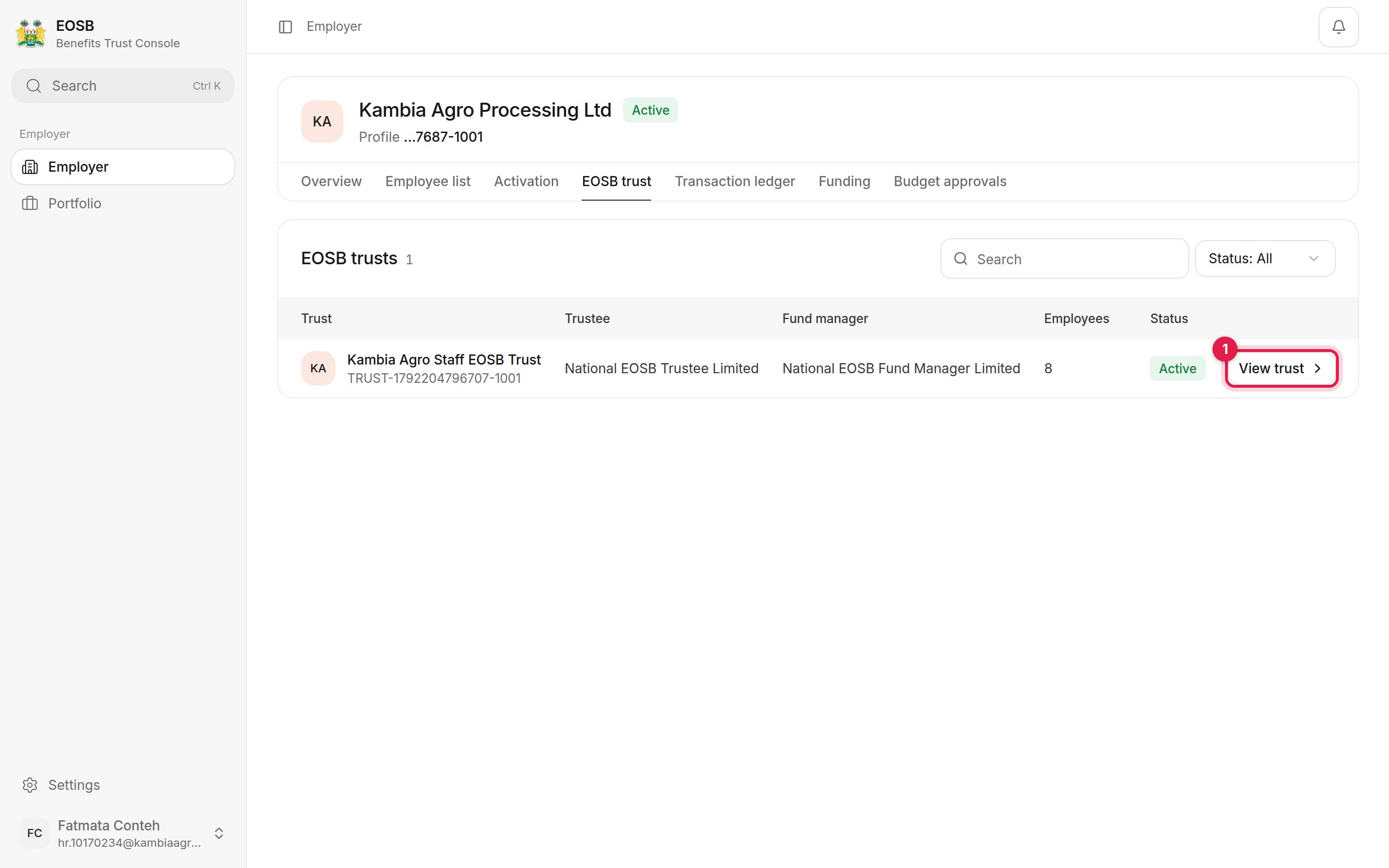
EOSB trusts table showing Kambia Agro Staff EOSB Trust with its trustee, fund manager, 8 employees, status Active, and View trust marked 1

Your trusts

Each row shows the trust’s name and code, its trustee and fund manager, how many employees are assigned and its status. Select View trust (1) for the detail.

Trust detail

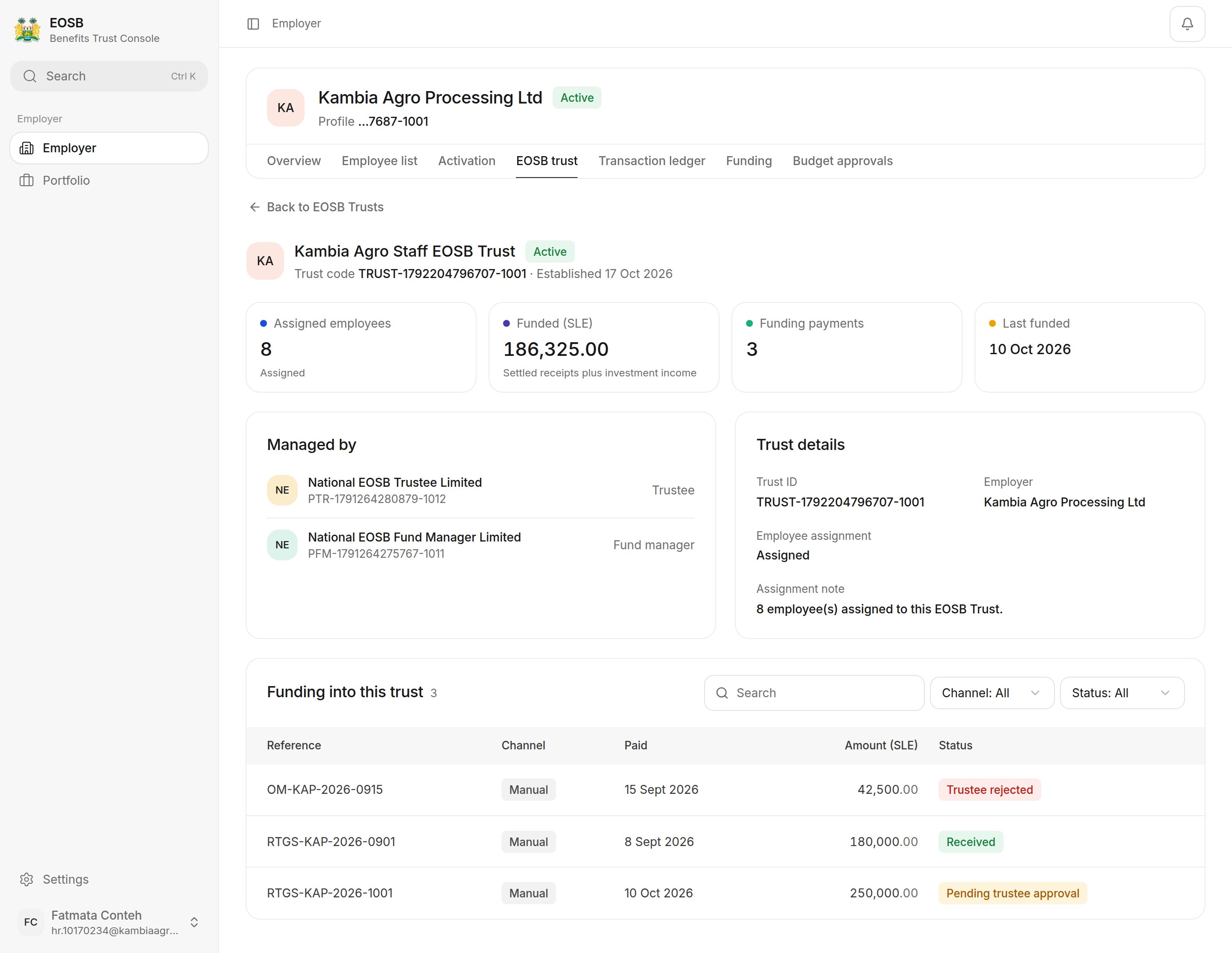
Trust detail with assigned employees, funded amount, funding payments, last funded date, the trustee and fund manager, trust details and the funding table

Trust detail

  • Assigned employees — employees whose benefits this trust holds
  • Funded (SLE) — settled payments into the trust plus investment income
  • Funding payments and Last funded — how many payments you have made and the latest payment date
  • Managed by — the trustee and fund manager, with their reference numbers
  • Funding into this trust — every payment and its status. See Funding.
Select Back to EOSB Trusts to return to the list. Next: pay into the trust.