
Where: Employer › Funding. Before you start: your account must be Active. The trust’s bank account is on the Overview tab.
- Manual proof — you have paid by bank transfer or mobile money and upload the evidence. A trustee confirms it.
- Pay from wallet — you move money from your SmartPay wallet to the trust and confirm with a one-time code.
Submit a funding proof
Make the payment to the trust’s bank account first, then record it here.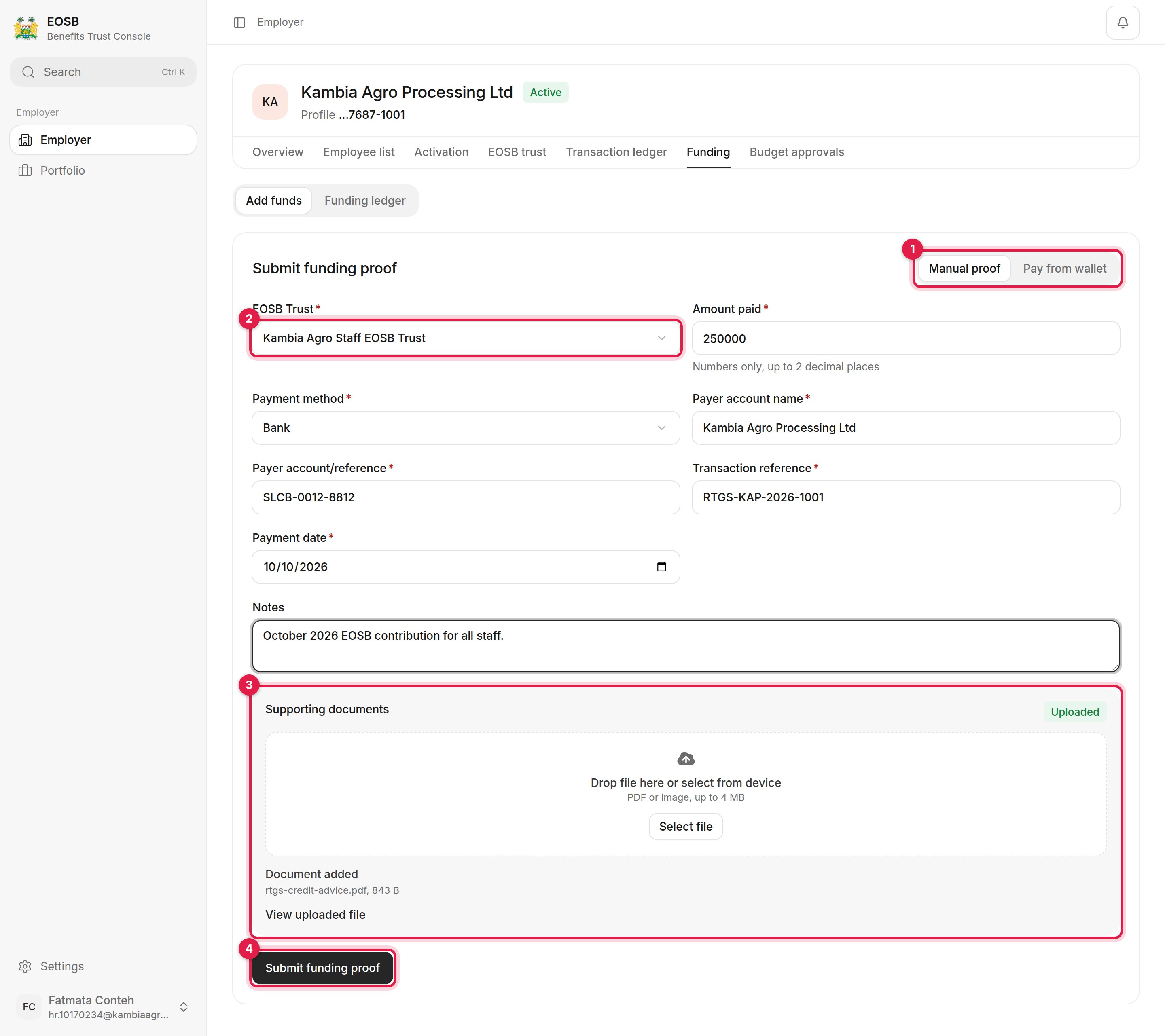
A completed funding proof
1
Make sure Manual proof is selected (1)
2
Fill in the payment details
3
Upload the evidence (3)
Drop the file onto the box or select Select file. Use a PDF or image of up to 4 MB, such as the bank’s credit advice. When it has uploaded, the box shows Uploaded and the file name.
4
Select Submit funding proof (4)
The button stays disabled until a document has uploaded. A message confirms the proof reference, starting FUND-, and that it was sent for trustee confirmation. The form then clears, ready for the next proof.
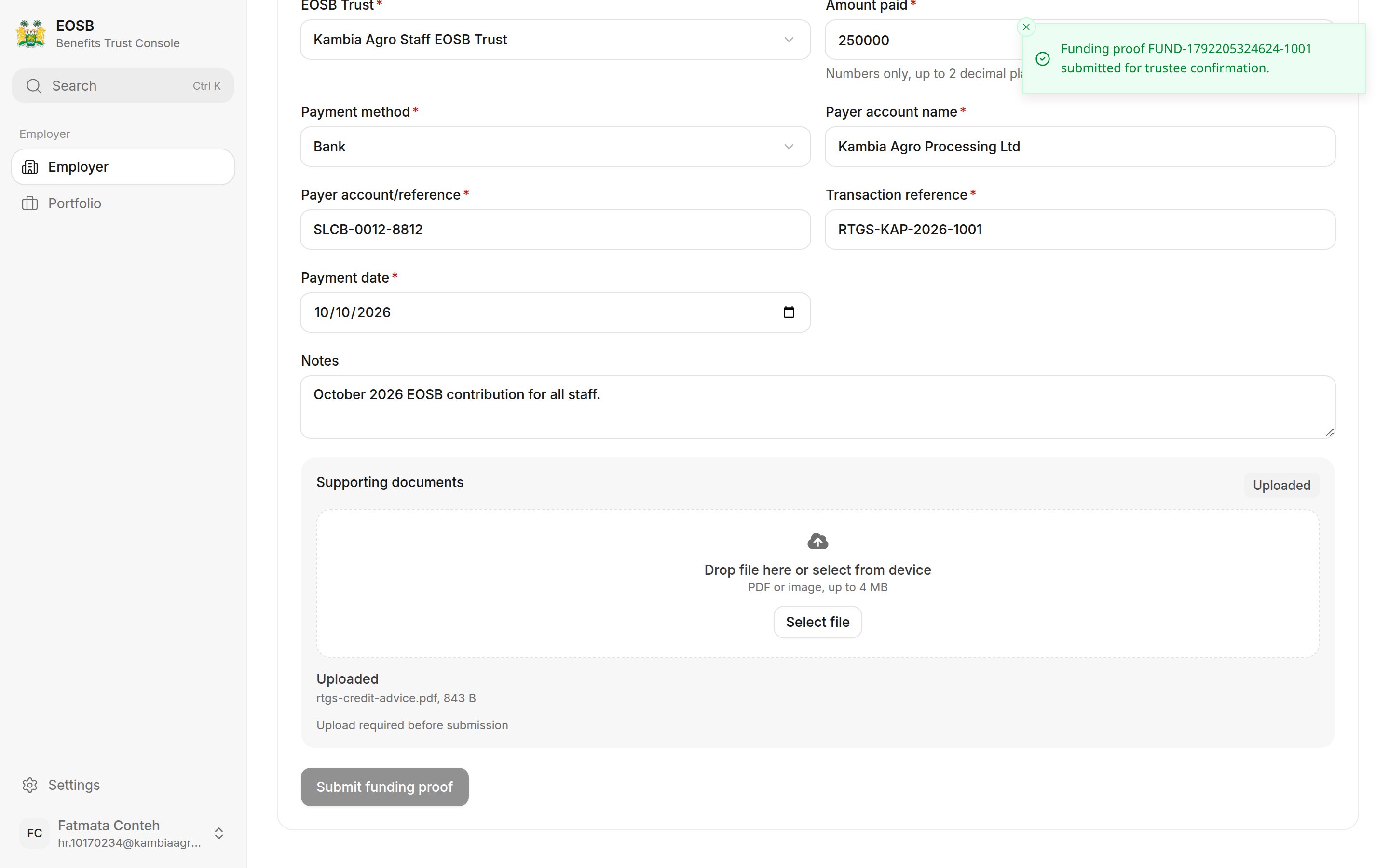
Proof submitted
What happens next
The trustee checks the proof against the trust’s bank statement. You get a notification when they decide:- Approved — the payment shows as Received, counts towards your funded amount and appears in the transaction ledger as a funding receipt.
- Rejected — the notification gives the reason, such as an amount or reference that does not match. Nothing is added. Submit a corrected proof.
Good to know: why the trustee confirms every payment
Good to know: why the trustee confirms every payment
A proof is only your evidence that money was sent. The trustee confirms it actually arrived in the trust’s account before it counts, so the funding ratio always reflects real money. Use the exact transaction reference from your bank receipt — it is what the trustee matches on.
Pay from your wallet
Select Pay from wallet, choose the trust, enter the amount and select Send OTP. Enter the one-time code sent to you and select Transfer now. Wallet payments settle without a trustee step: the payment counts once SmartPay has settled it into the trust wallet. See SmartPay e-wallets. If no wallet is linked to your organisation, the page says so. Use Manual proof instead, or ask the platform administrator to link a wallet.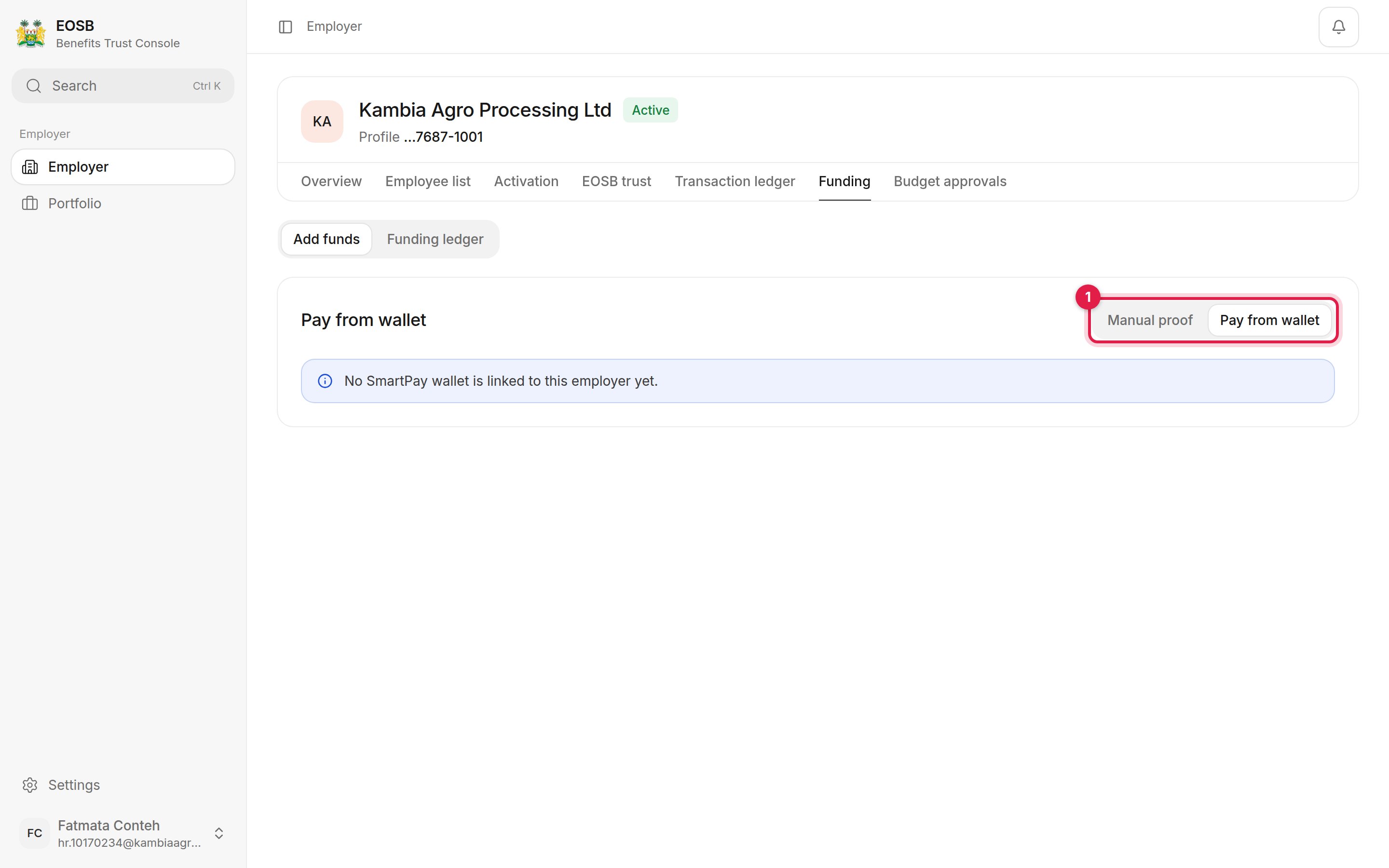
No wallet linked
Funding history
Select Funding ledger to see every payment.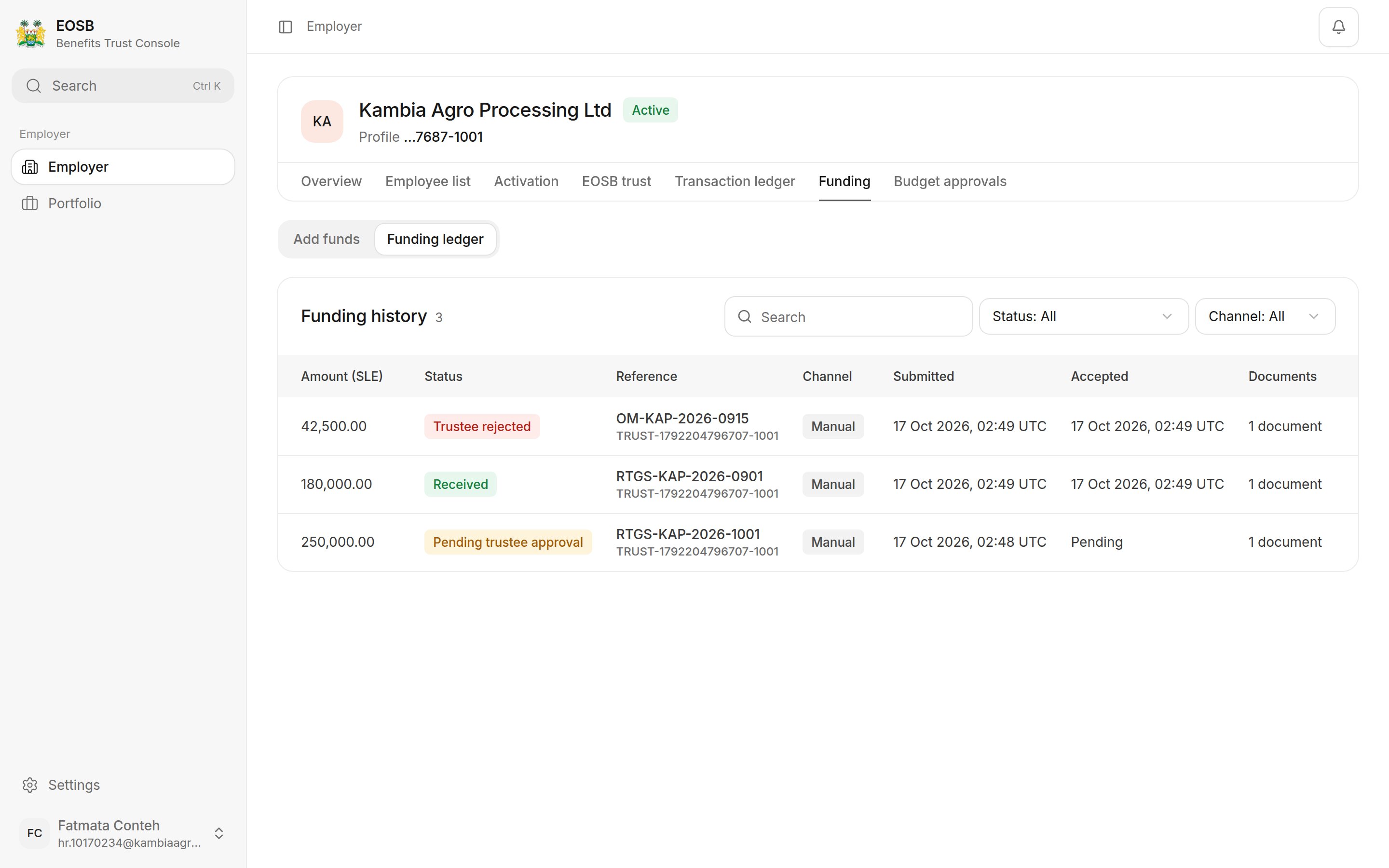
Funding history