
Where: the EOSB sign-in page. Before you start: you have set your password.
Sign in
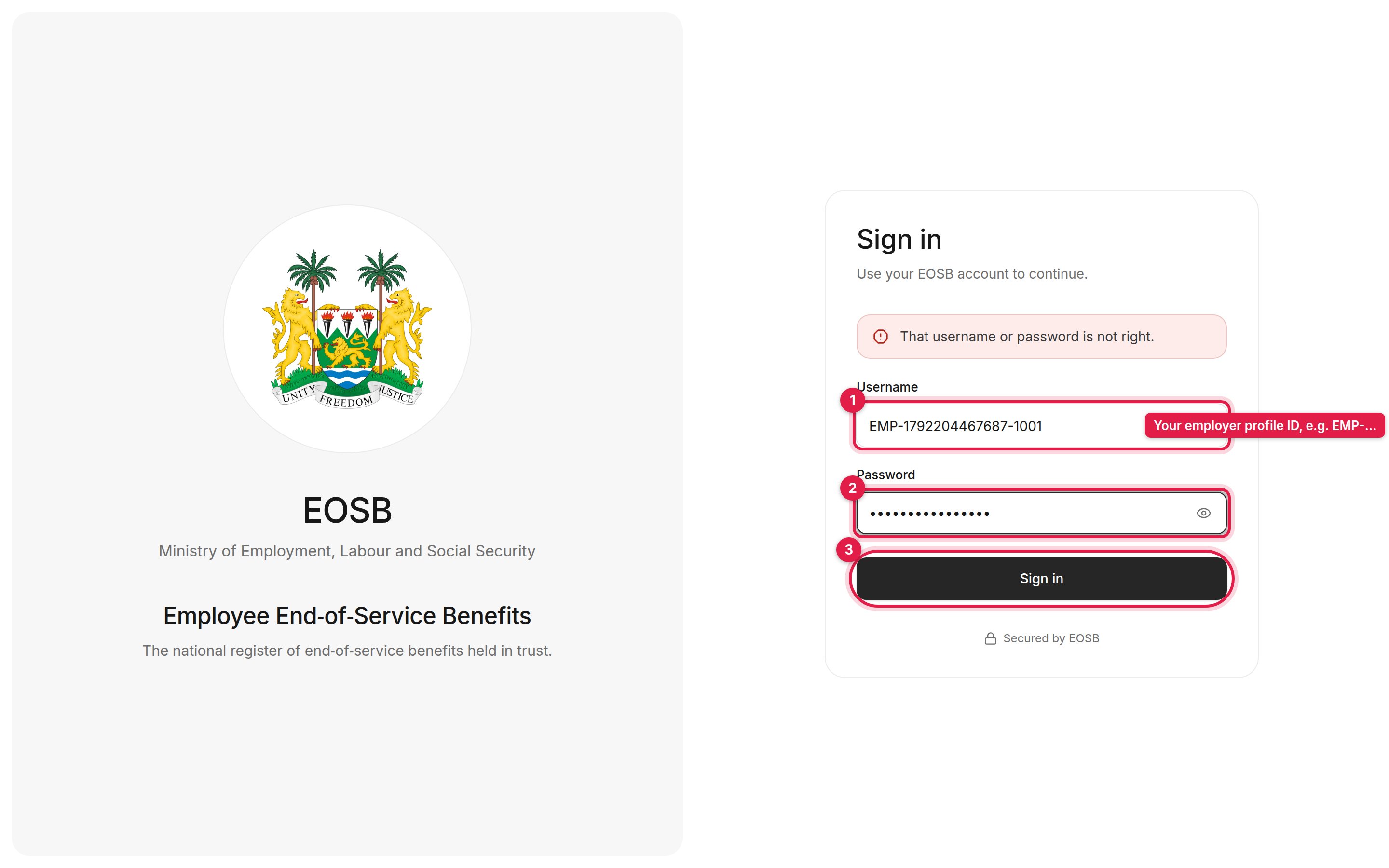
The sign-in page
1
Enter your username (1)
Your username is your employer profile ID, for example
EMP-1792204467687-1001. It is in your account email.2
Enter your password (2)
Use the password you chose on the Set your password page.
3
Select Sign in (3)
You arrive in your employer workspace.
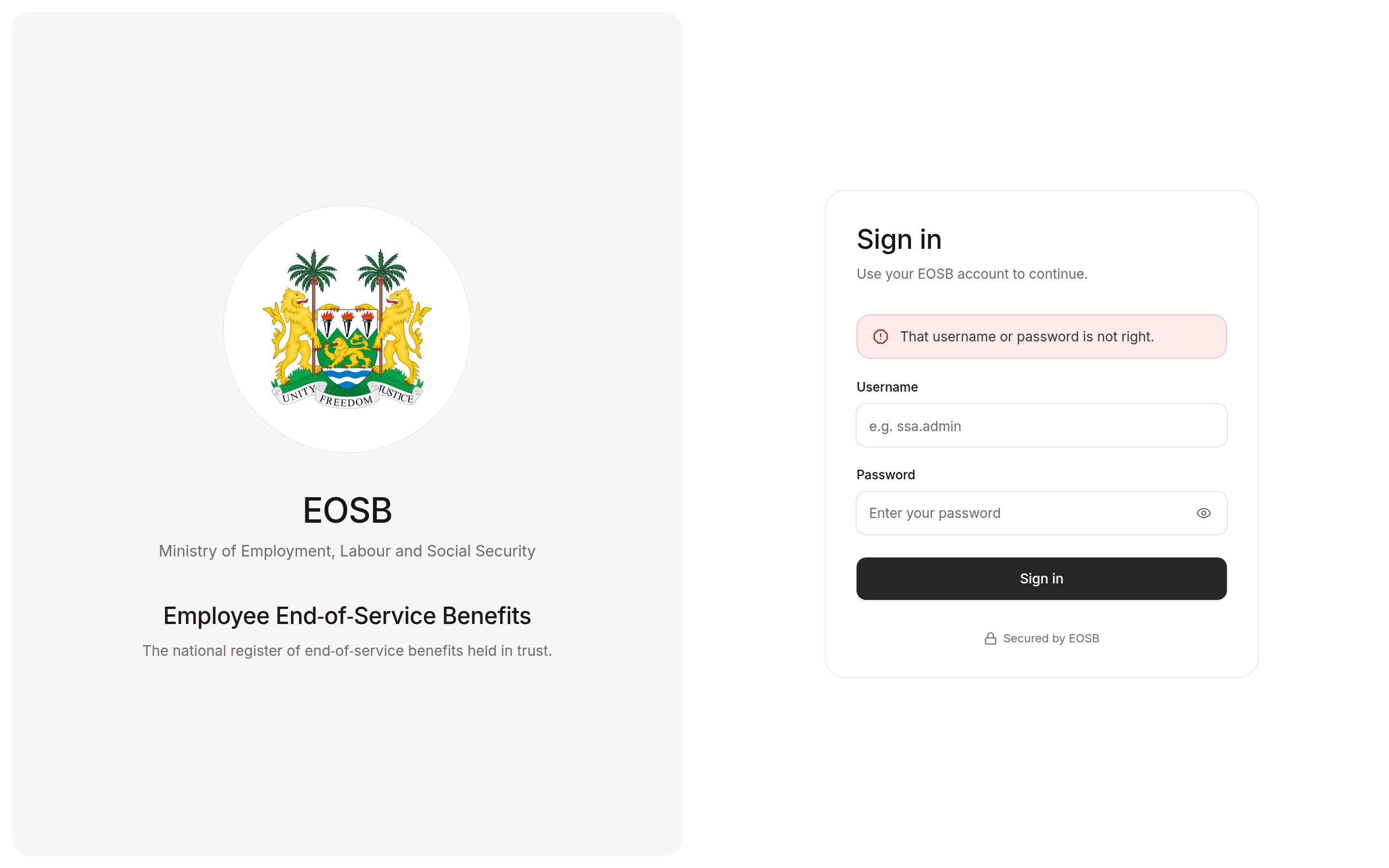
Wrong username or password
Your workspace
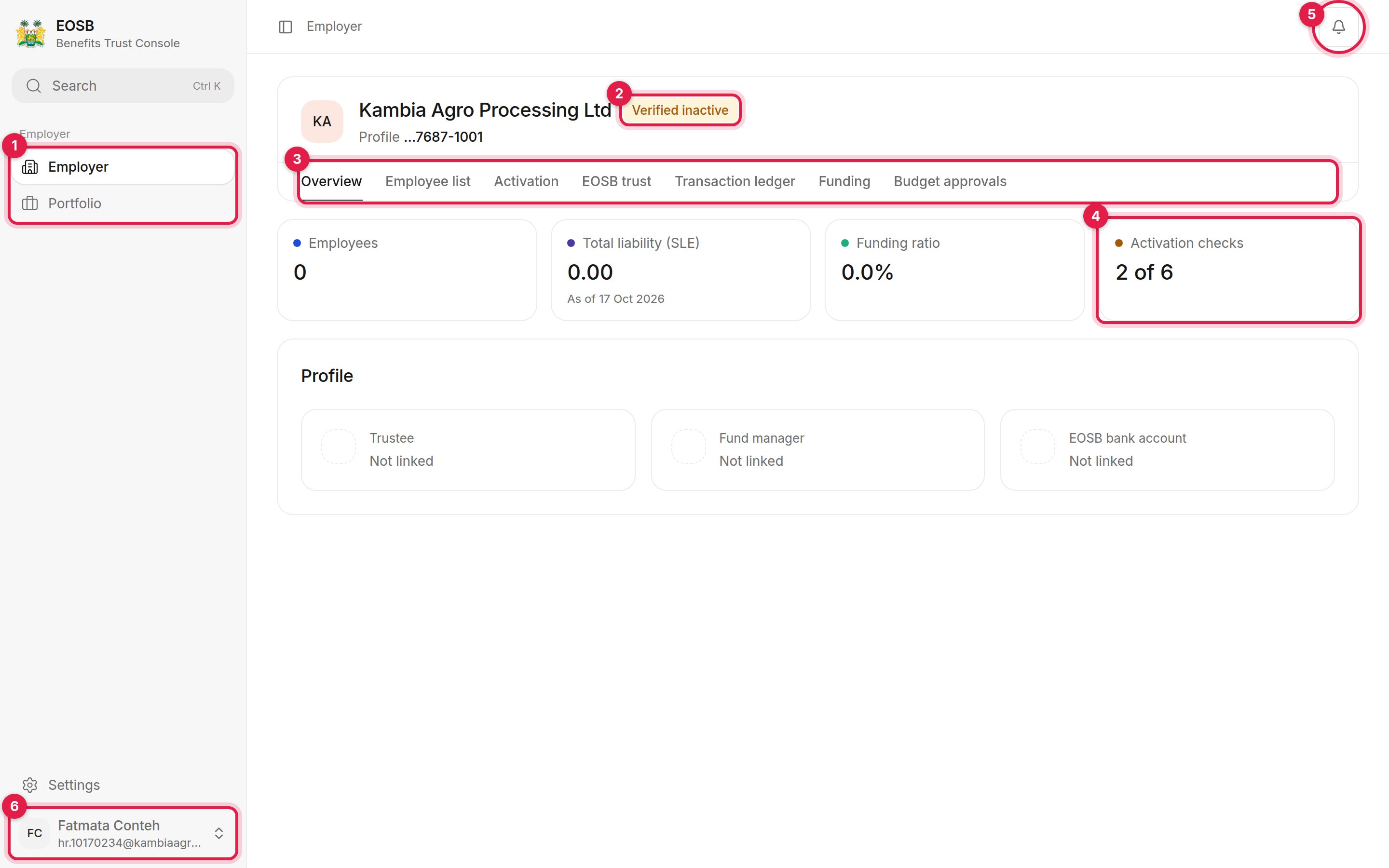
The employer workspace, Overview tab
- Navigation. Employer opens this workspace. Portfolio shows how the fund manager has invested your trust’s money.
- Your status. Shows whether your account is Verified inactive, Active or restricted. See Activation.
- Workspace tabs. Each tab is one area of work:
- Overview — headline figures and who manages your trust
- Employee list — your employees and everything you do with them
- Activation — the checks that must pass before your account is active
- EOSB trust — the trust that holds your employees’ benefits
- Transaction ledger — how your liability and funding are built up
- Funding — pay into the trust and follow your payments
- Budget approvals — fund manager budgets waiting for your decision
- Headline figures. Employees, total liability, funding ratio and activation checks.
- Notifications. A red count shows unread messages. See Your account.
- User menu. Opens Settings and Sign out.