
Where: Employer › Overview tab. It opens automatically when you sign in.
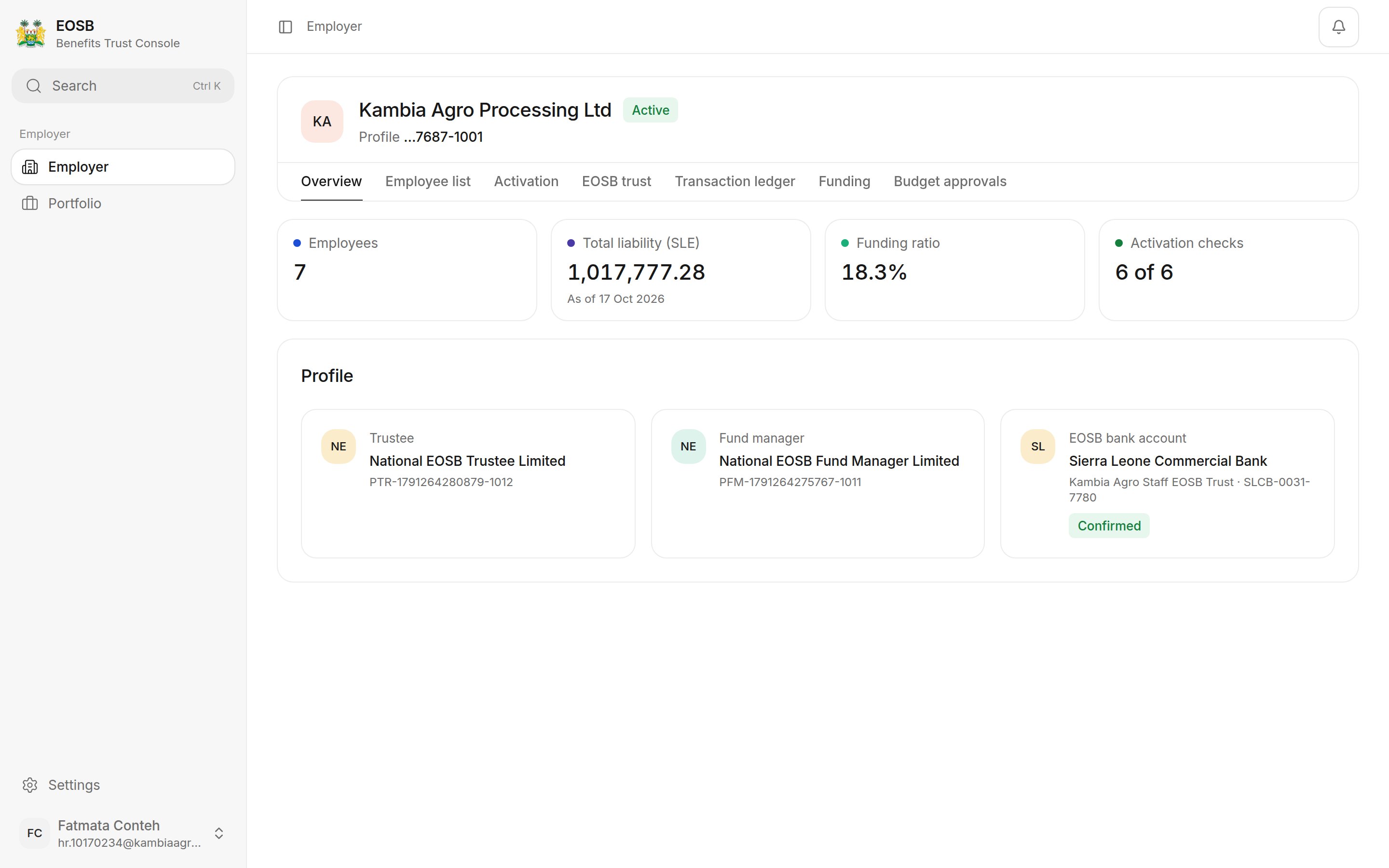
Overview of an active employer
Headline figures
Profile
The three tiles show who looks after your employees’ benefits:- Trustee — confirms your payments and approves benefit payouts.
- Fund manager — invests the trust’s money.
- EOSB bank account — the trust’s bank account. Pay into this account when you fund the trust. Confirmed means the administrator has checked it.
Good to know: reading the funding ratio
Good to know: reading the funding ratio
The funding ratio is the funded amount (payments the trustee has confirmed, plus investment income) divided by your total liability. In the example, 18.3% means the trust holds about SLE 18 for every SLE 100 owed.The ratio goes up when the trustee confirms a payment, and goes down a little after each month ends, because employees have earned another month of benefit. A payment you have submitted but the trustee has not yet confirmed does not count. See How benefits are calculated.