
Where: Trustee or Fund Manager in the menu. The two pages work the same way. Before you start: have the provider’s certificate of registration and tax evidence, and for an independent provider its MELSS accreditation details.
Official and independent providers
Each page has two tabs:- Official trustee / Official fund manager — the national providers that serve trusts on the official platform service model.
- Independent trustee / Independent fund manager — private providers accredited by MELSS. Their form also asks for the accreditation number and dates.
Register a provider
The example registers an independent fund manager. Select Fund Manager, Independent fund manager, then Register new.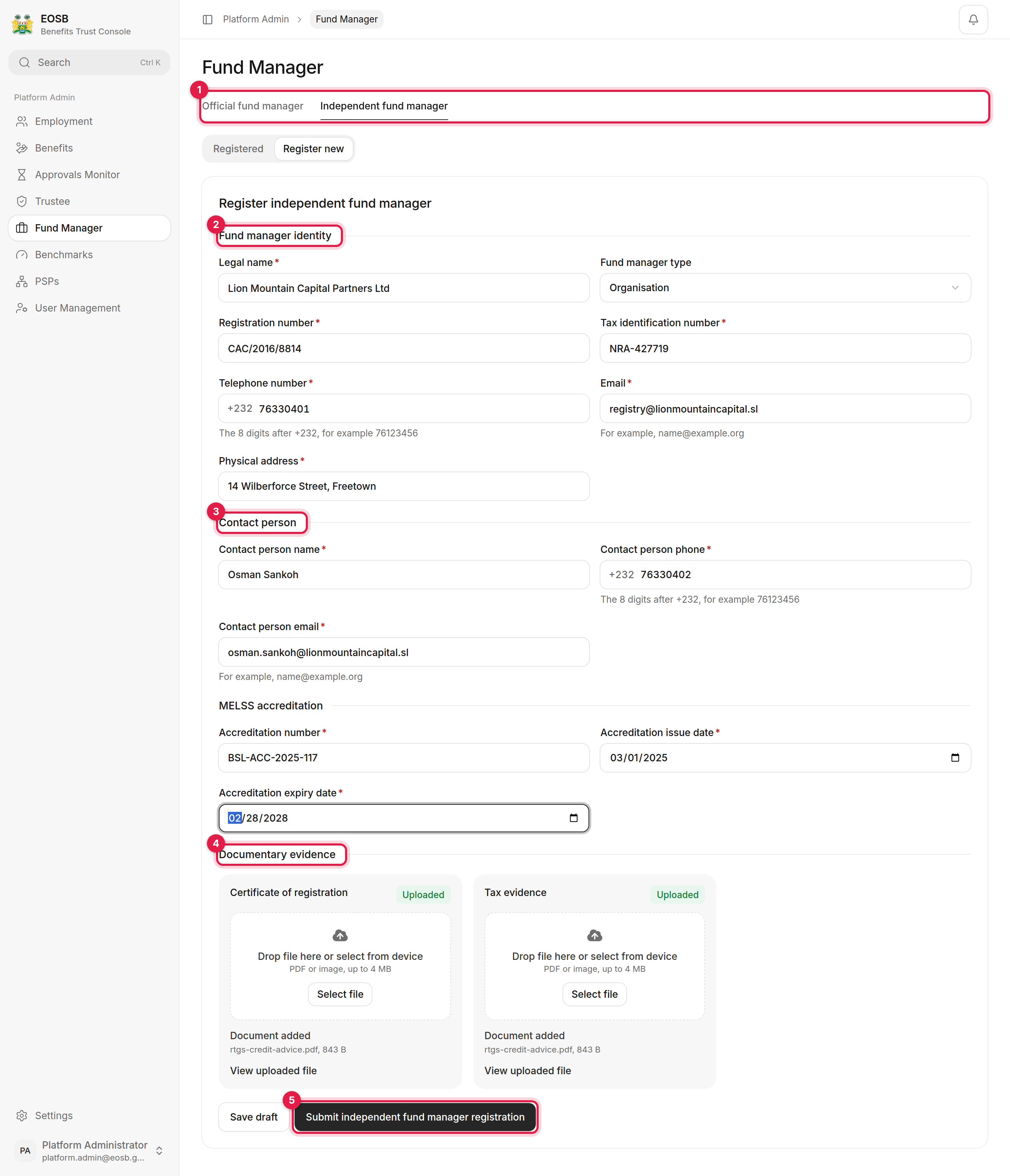
A completed independent fund manager registration
1
Pick the right tab (1)
Official or independent.
2
Identity (2)
Legal name, registration and tax identification numbers, telephone, email and physical address.
3
Contact person (3)
The person at the provider responsible for the registration.
4
Accreditation and documents (4)
For an independent provider, the MELSS accreditation number, issue date and expiry date. Then upload the Certificate of registration and Tax evidence, and wait for each card to say Uploaded.
5
Submit (5)
A message gives the new reference, for example
PFM-1792235882388-1001.After a successful submission the form keeps the phone numbers and the uploaded documents. Clear them, or reload the page, before you register another provider.
Follow the registration
Select Registered. The new provider shows as Pending verification. If it is not there, reload the page.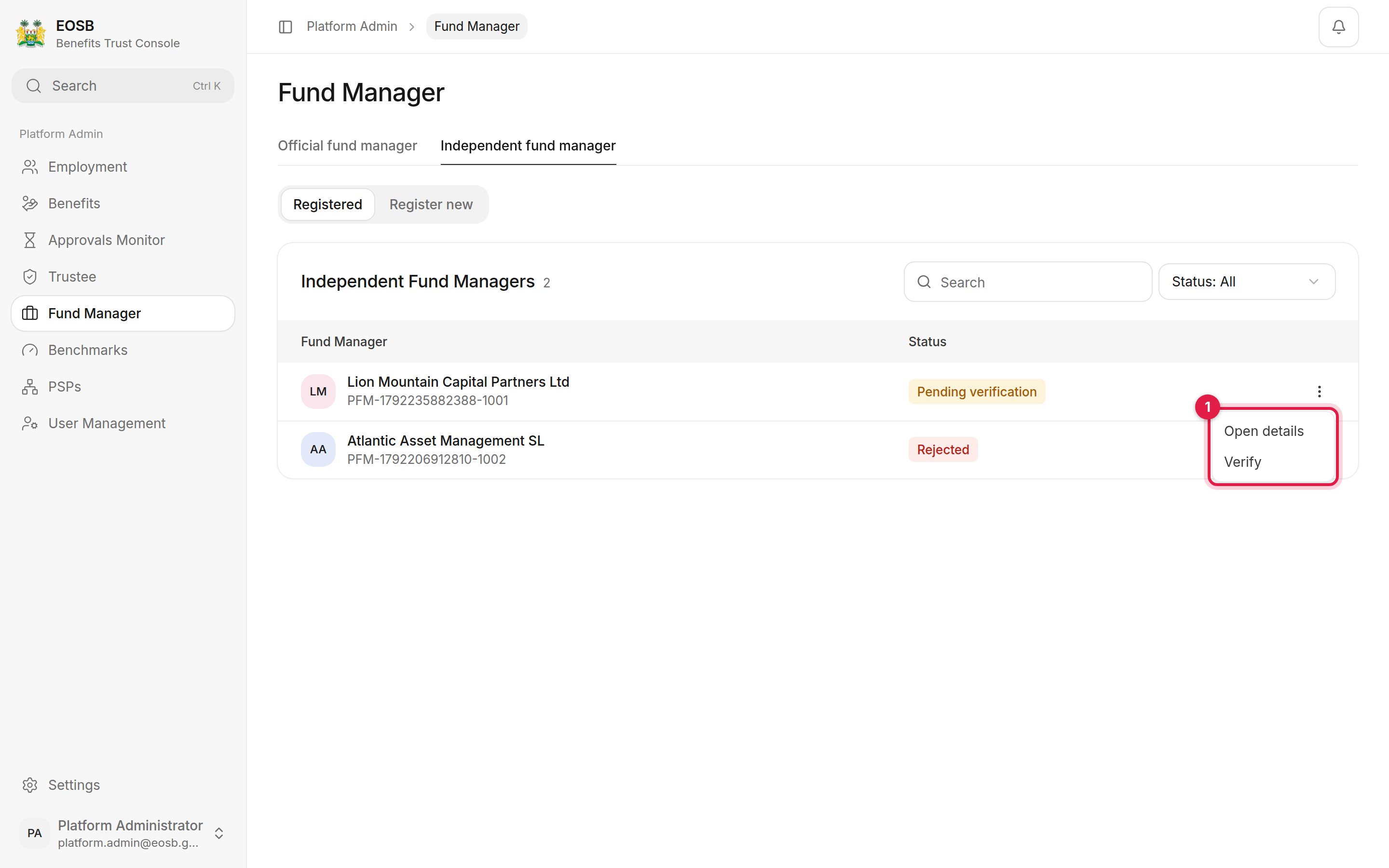
The provider's menu
- Open details — the provider and the trusts it serves.
- Verify — shown while the registration is pending. It marks the provider verified straight away, without going to the regulator. Use it only when MELSS has asked you to.
- Complete draft — shown for a saved draft.
A provider’s trusts
Open details lists every EOSB trust the provider is appointed to, with the employer, the number of employees and the provider on the other side.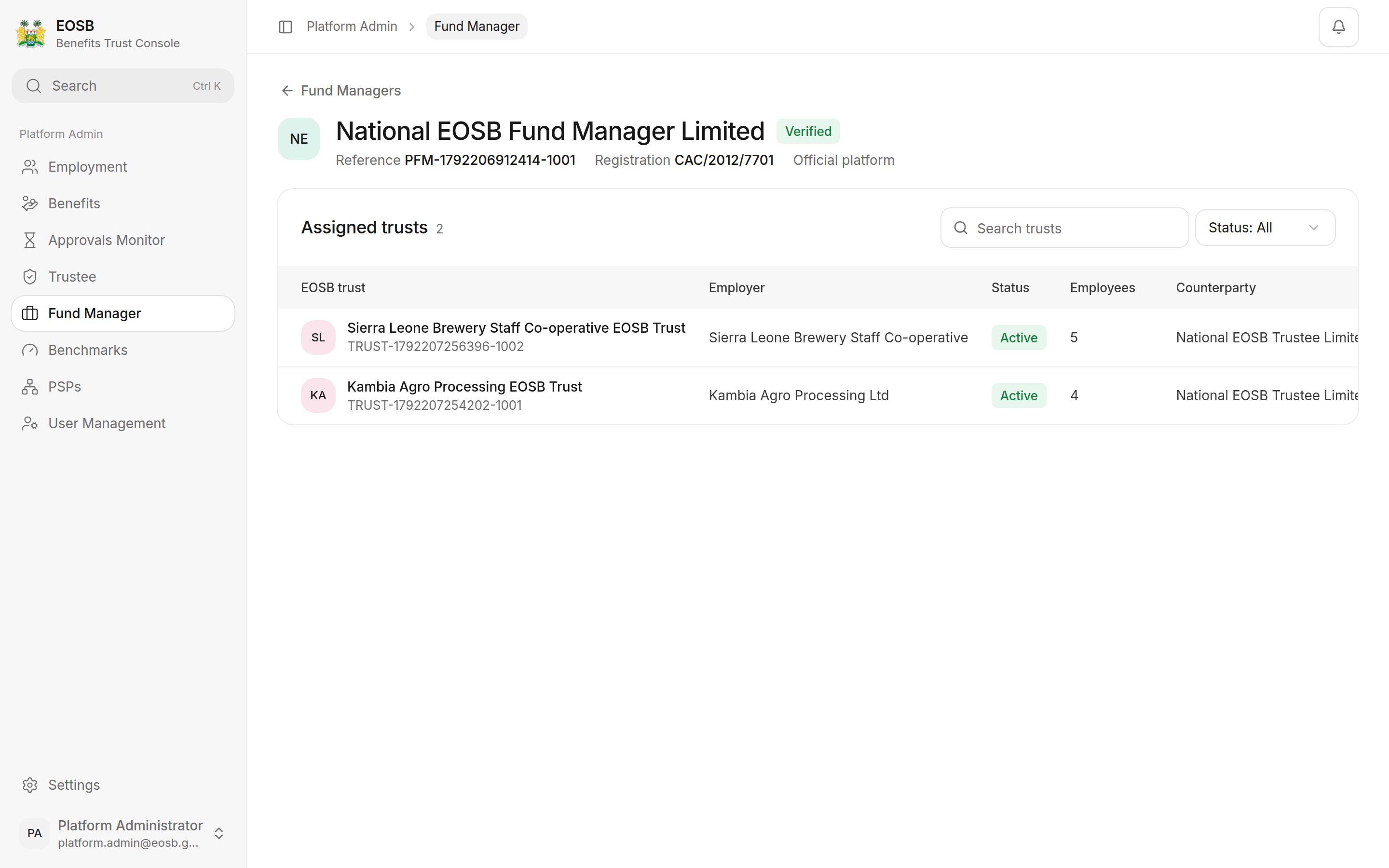
The trusts a fund manager serves
Give the provider a login
Verifying a trustee or fund manager creates its user account automatically. The username is the provider’s reference in lower case, for examplepfm-1792235882388-1001, and the contact person is emailed a link to set the password. To give the provider more logins, create them under User Management on the Trustee or Fund manager tab; see User accounts.