
Where: Employment › Overview › the employer › Open employer records. Before you start: the regulator must have approved the employer, and the trustee and fund manager you will appoint must be verified. Have the trust bank account details to hand.
Open the employer
Select Employment. Under Overview, find the employer (status Verified inactive) and select Open employer records.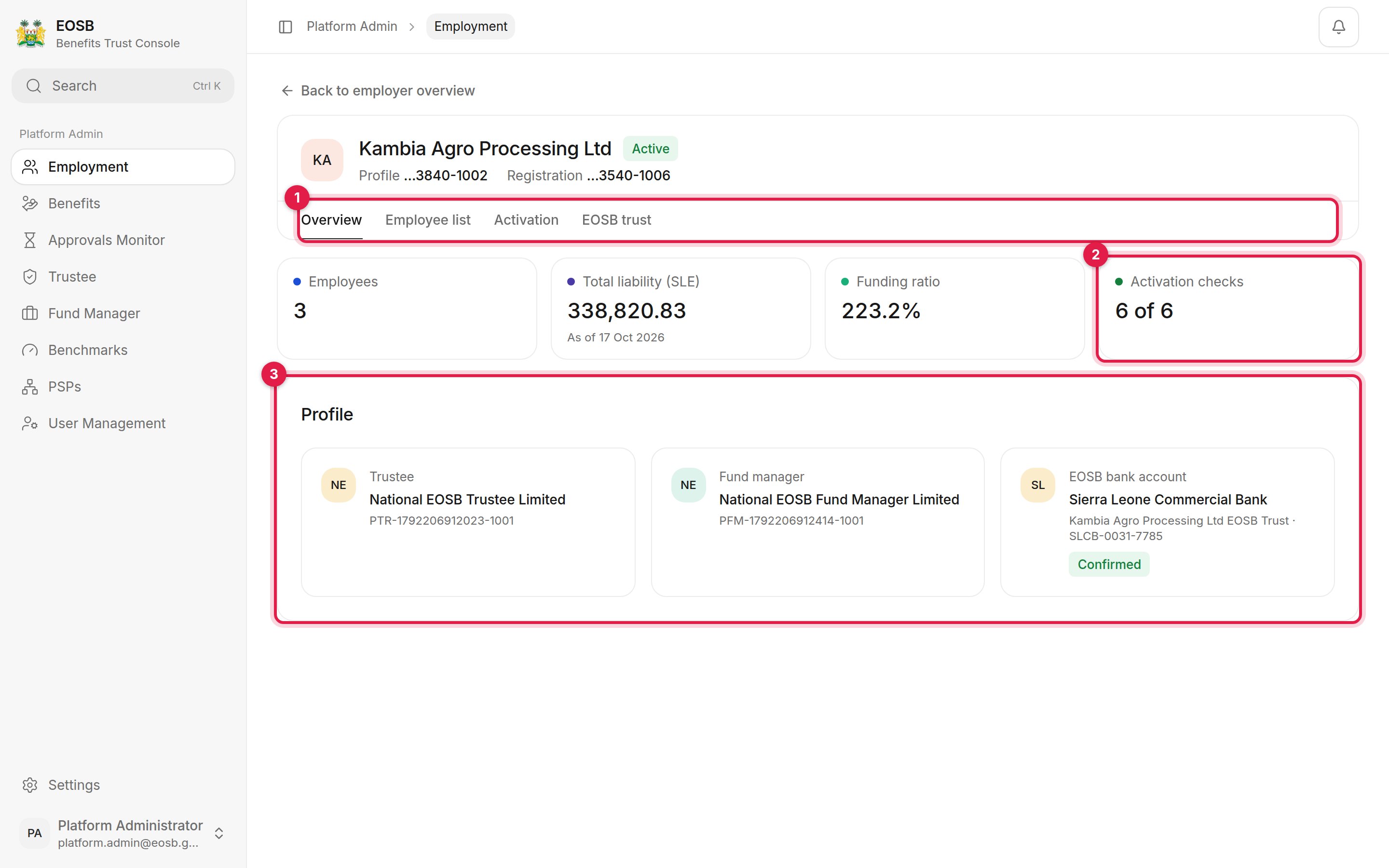
An employer's record
- The record’s tabs: Overview, Employee list, Activation and EOSB trust.
- Activation checks — how many of the six readiness checks pass.
- Profile — the appointed trustee and fund manager, and the trust bank account.
Check what is missing
Select Activation. Readiness lists the six checks.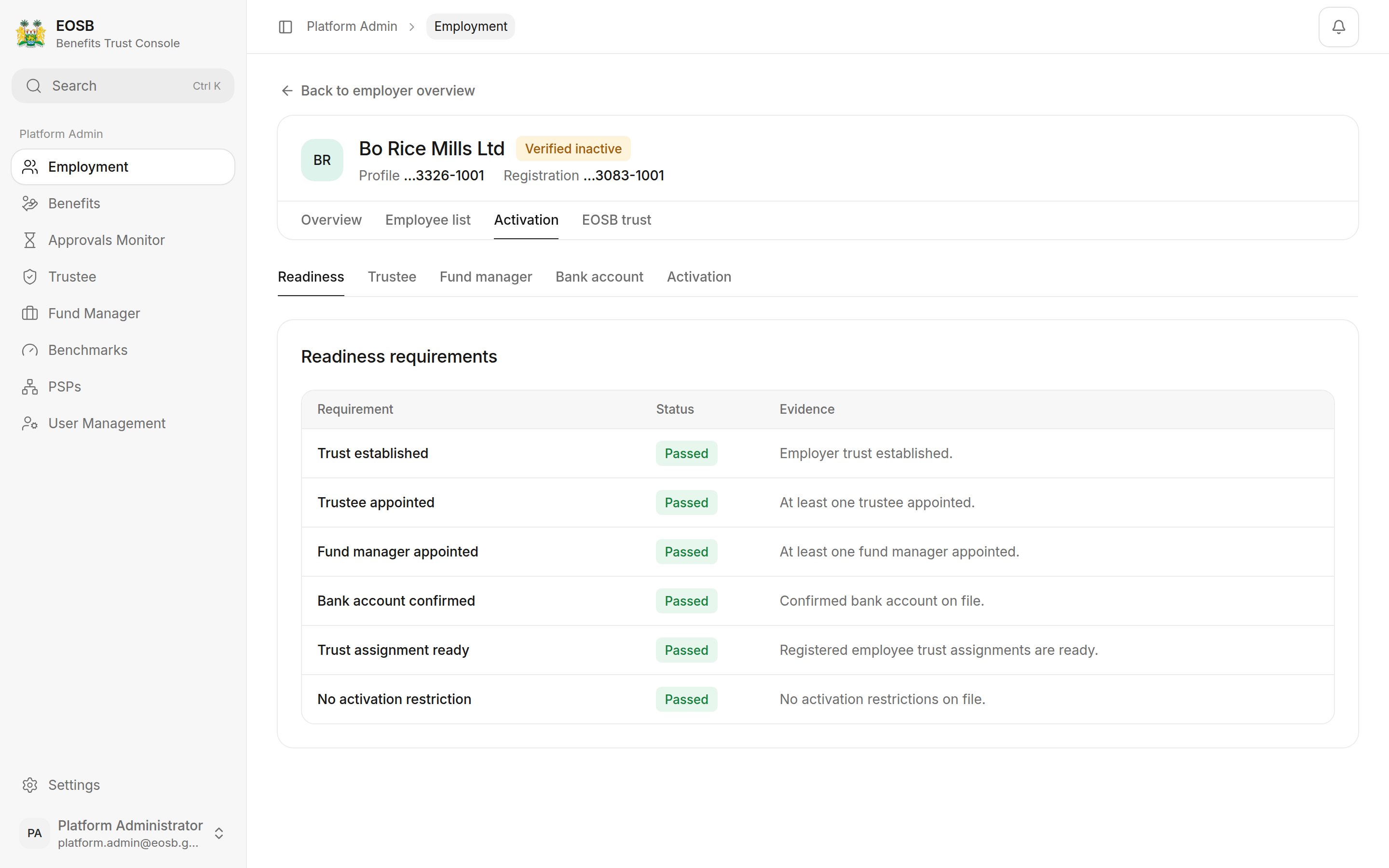
A newly verified employer: the trust, trustee and fund manager are missing
1. Create the EOSB trust
Select the EOSB trust tab.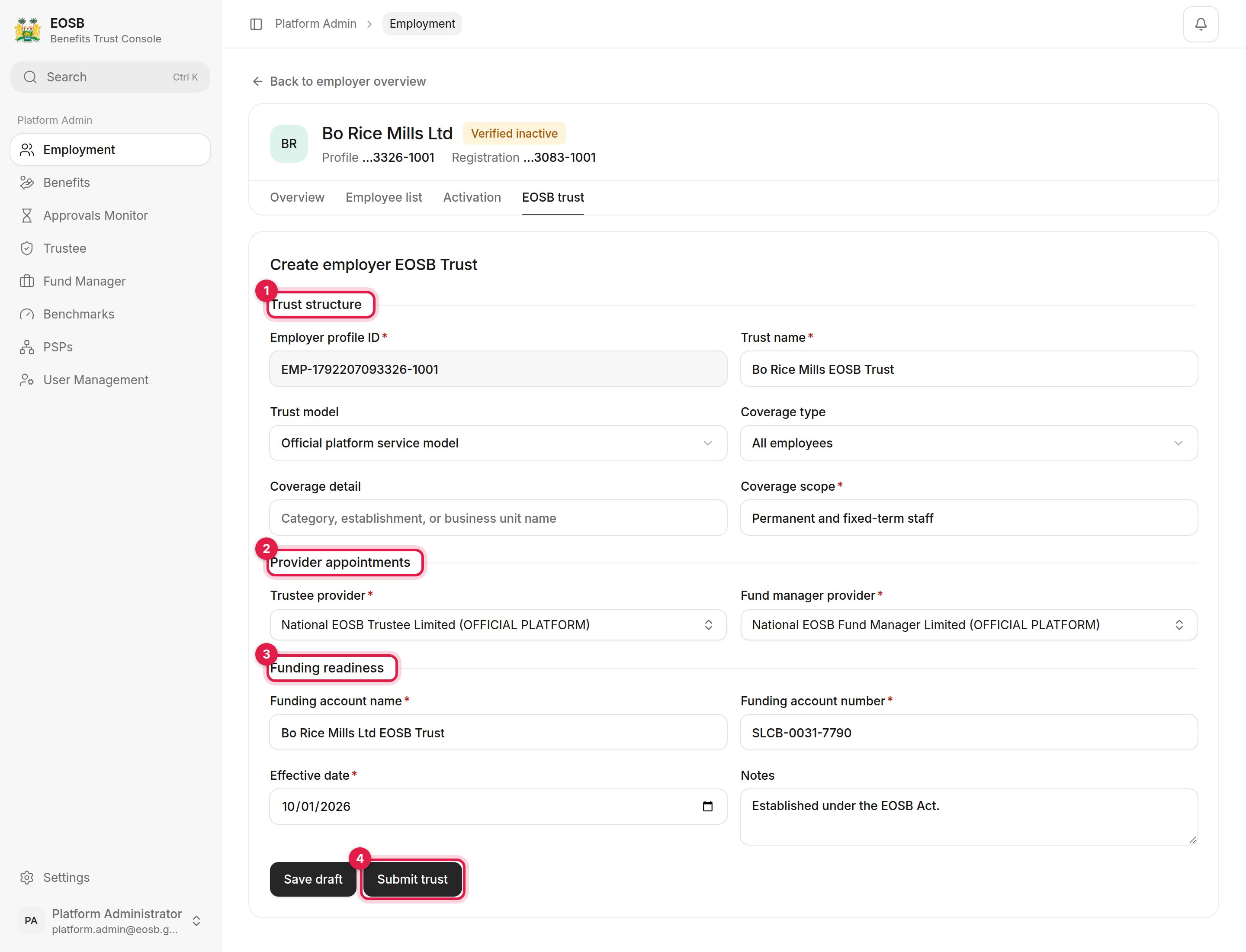
The trust form
1
Trust structure (1)
The employer profile ID is filled in. Enter the Trust name, for example “Bo Rice Mills EOSB Trust”. Keep Official platform service model unless the employer has its own trustee arrangement. Choose who the trust covers under Coverage type and describe it under Coverage scope, for example “Permanent and fixed-term staff”.
2
Provider appointments (2)
Choose the Trustee provider and Fund manager provider. Only verified providers are listed. Type in the box to search.
3
Funding readiness (3)
The Funding account name and Funding account number of the trust bank account the employer pays into, the Effective date of the trust, and any notes.
4
Submit trust (4)
The form checks the details and shows a summary. Save draft keeps the form without creating the trust.
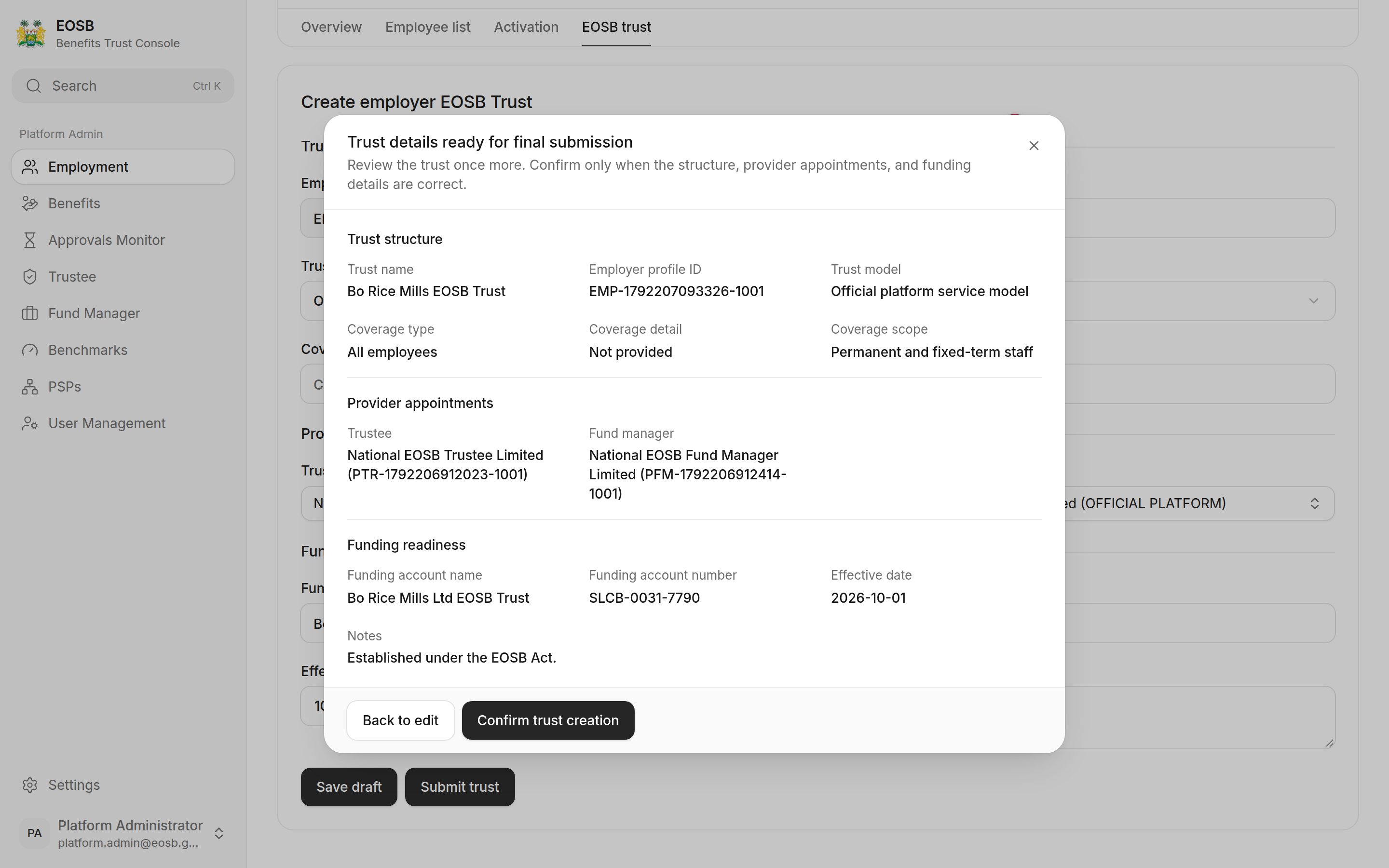
Check the trust before creating it
2. Trustee and fund manager
If you chose the providers in the trust, there is nothing more to do. To change a provider later, select Activation, then Trustee or Fund manager, choose the provider (1) and save (2).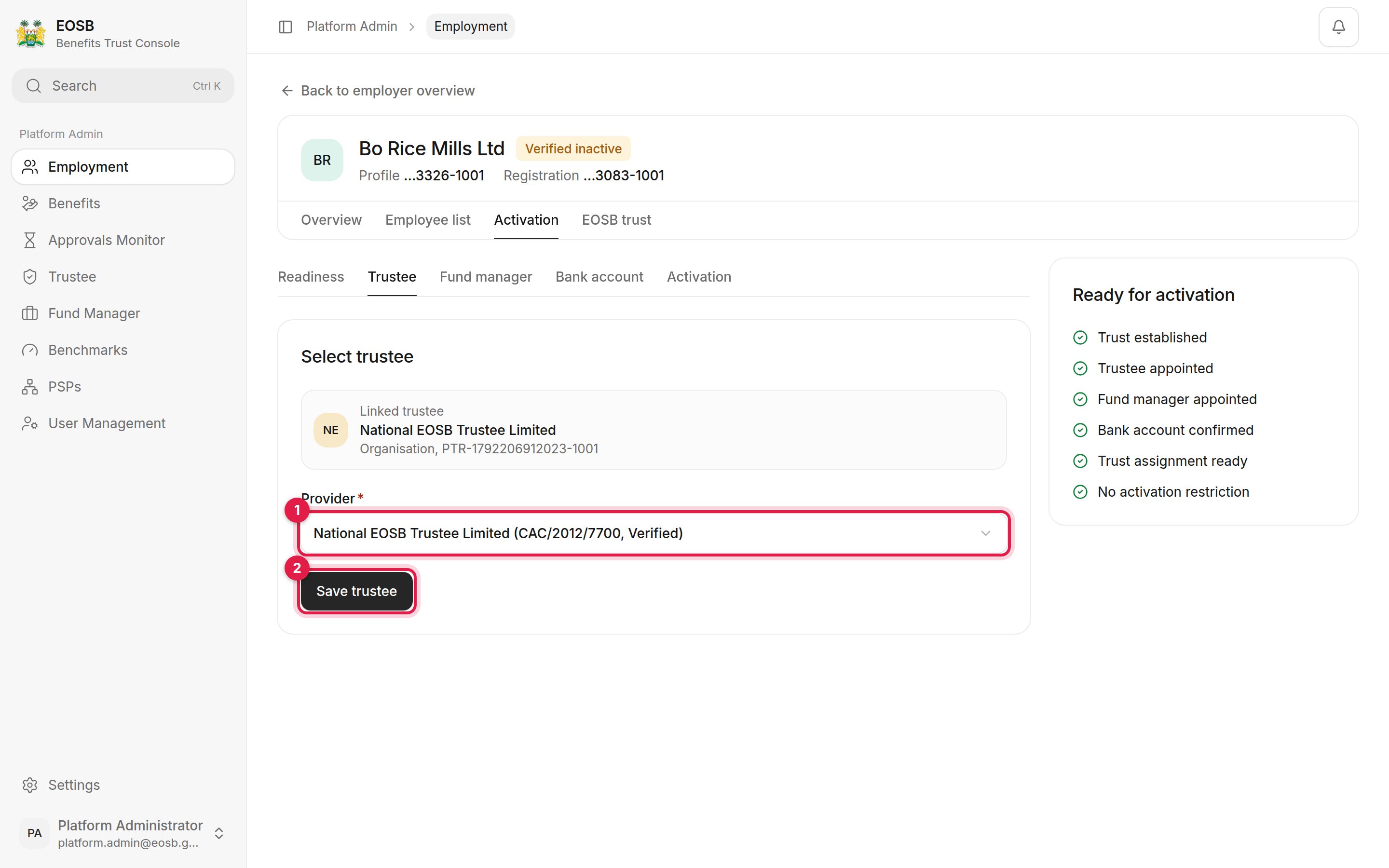
Appointing the trustee
3. Confirm the bank account
Select Bank account, enter the Bank name (1), Account name (2) and Account reference (3) of the trust bank account, and select Save bank account (4).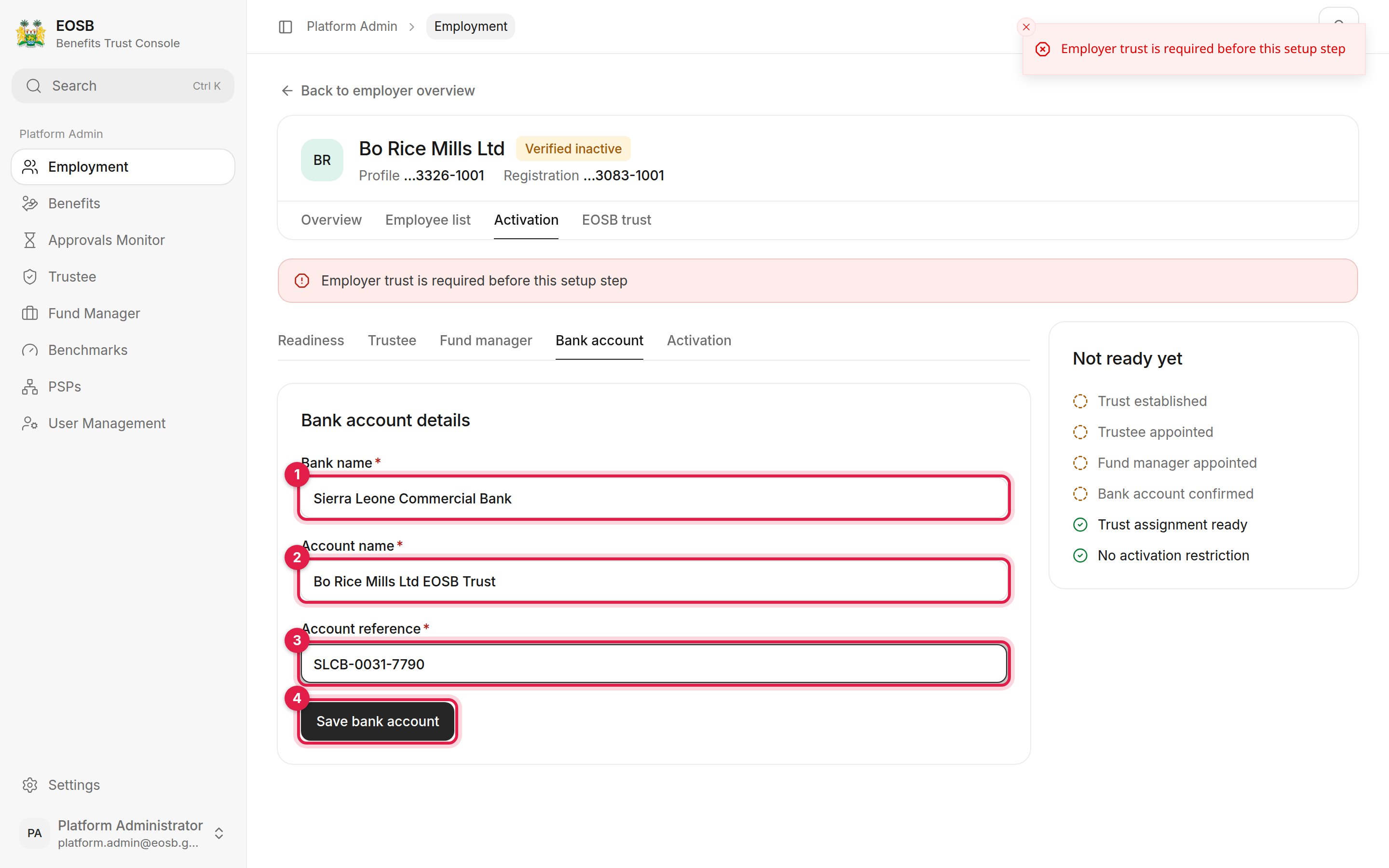
The trust bank account
4. Activate
Select the Activation pane (the last tab under Activation).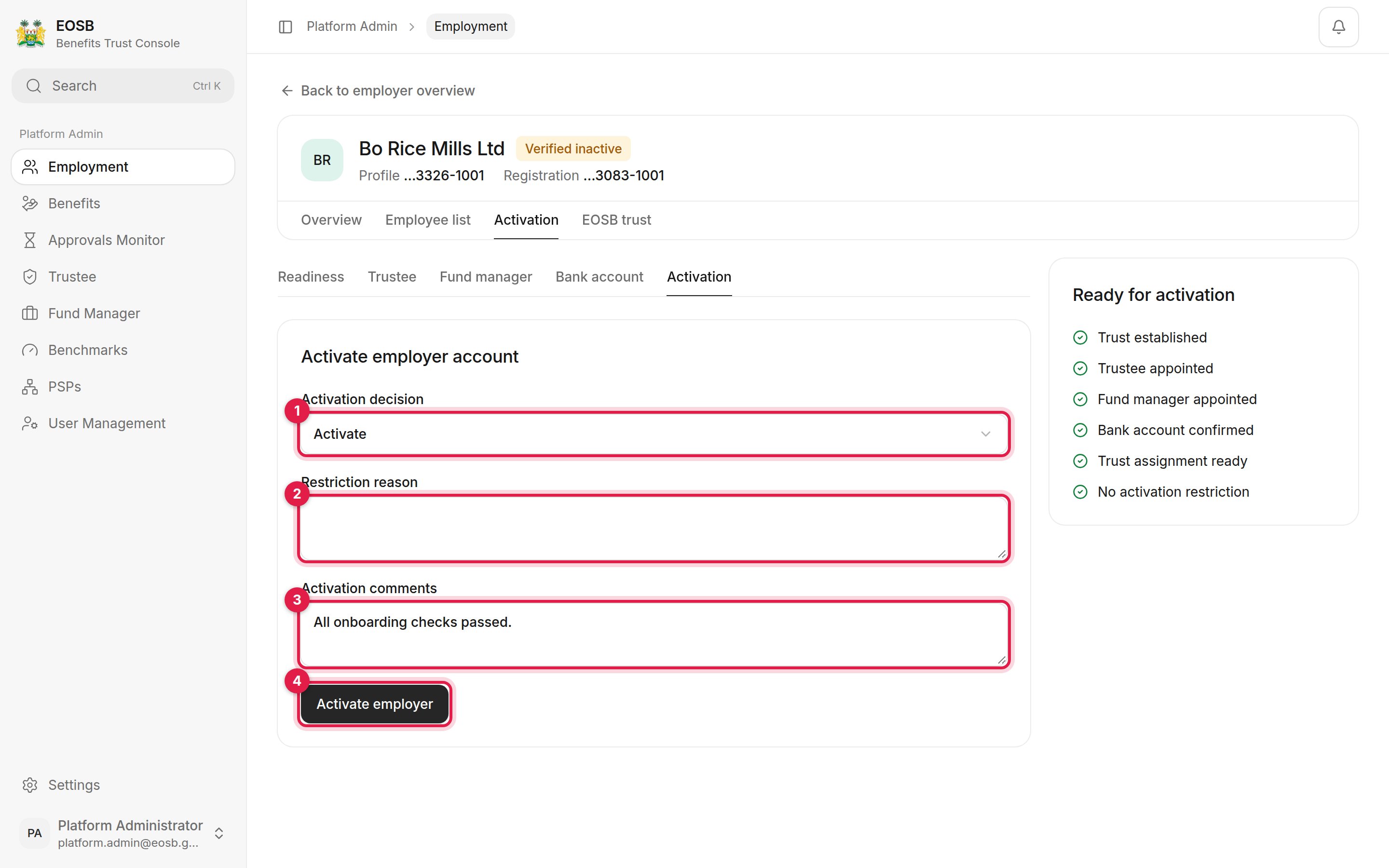
The activation decision
- Activation decision — Activate, or activate with restrictions.
- Restriction reason — only when you activate with restrictions.
- Activation comments — kept on the employer’s record.
- Activate employer — available once every check passes. The panel on the right shows which checks are still open.
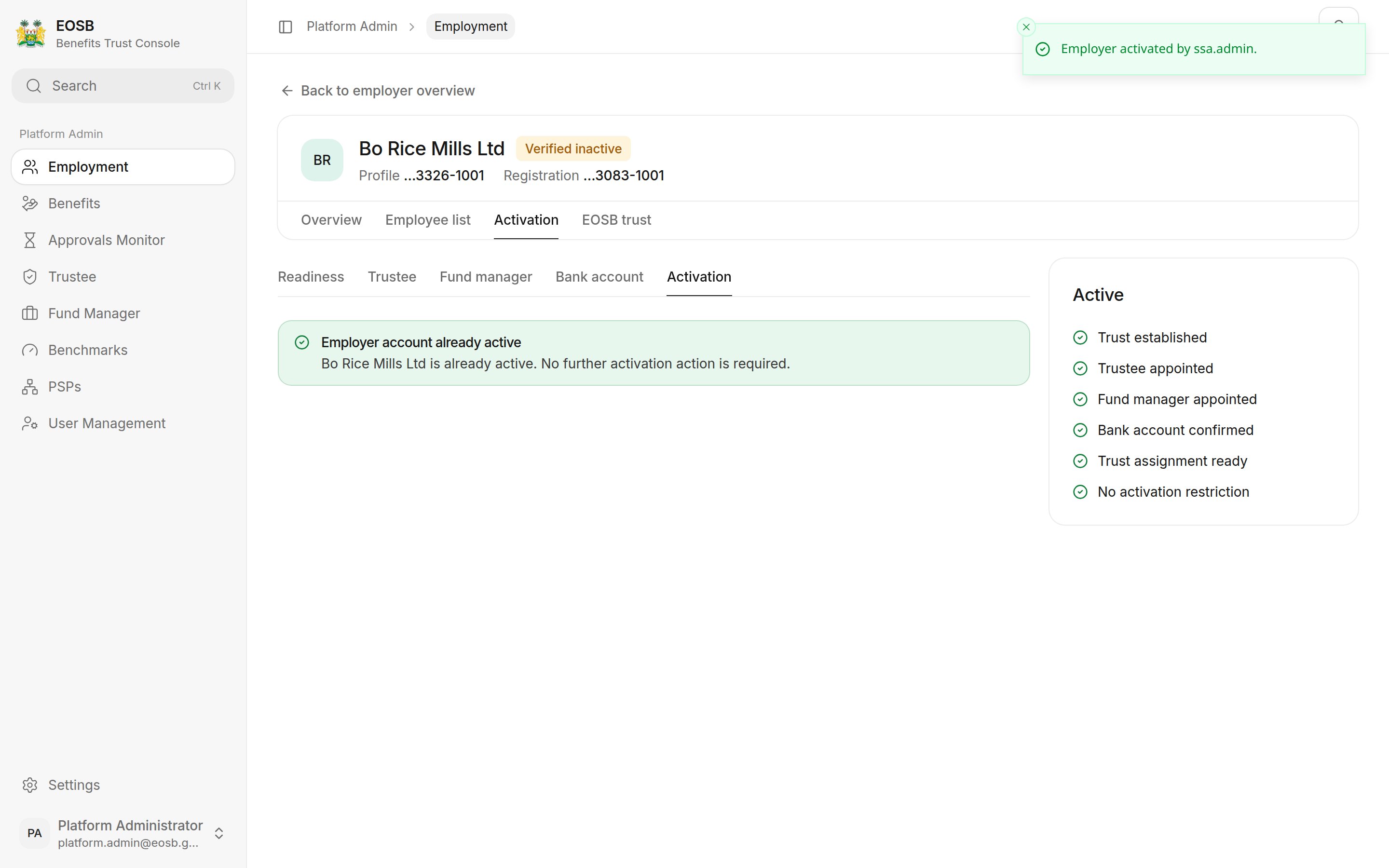
The employer is active
The status badge at the top of the record keeps showing Verified inactive until you leave the record and open it again.
What happens next
The employer gets an Employer account activated notification and can register employees straight away. Each employee is assigned to the trust automatically and their opening balance is calculated. From the next month-end, their benefit accrues every month.The trusts list
Employment › Trusts lists every EOSB trust, its employer, how many employees it covers and its status. Open trust shows the trust record with its trustee and fund manager.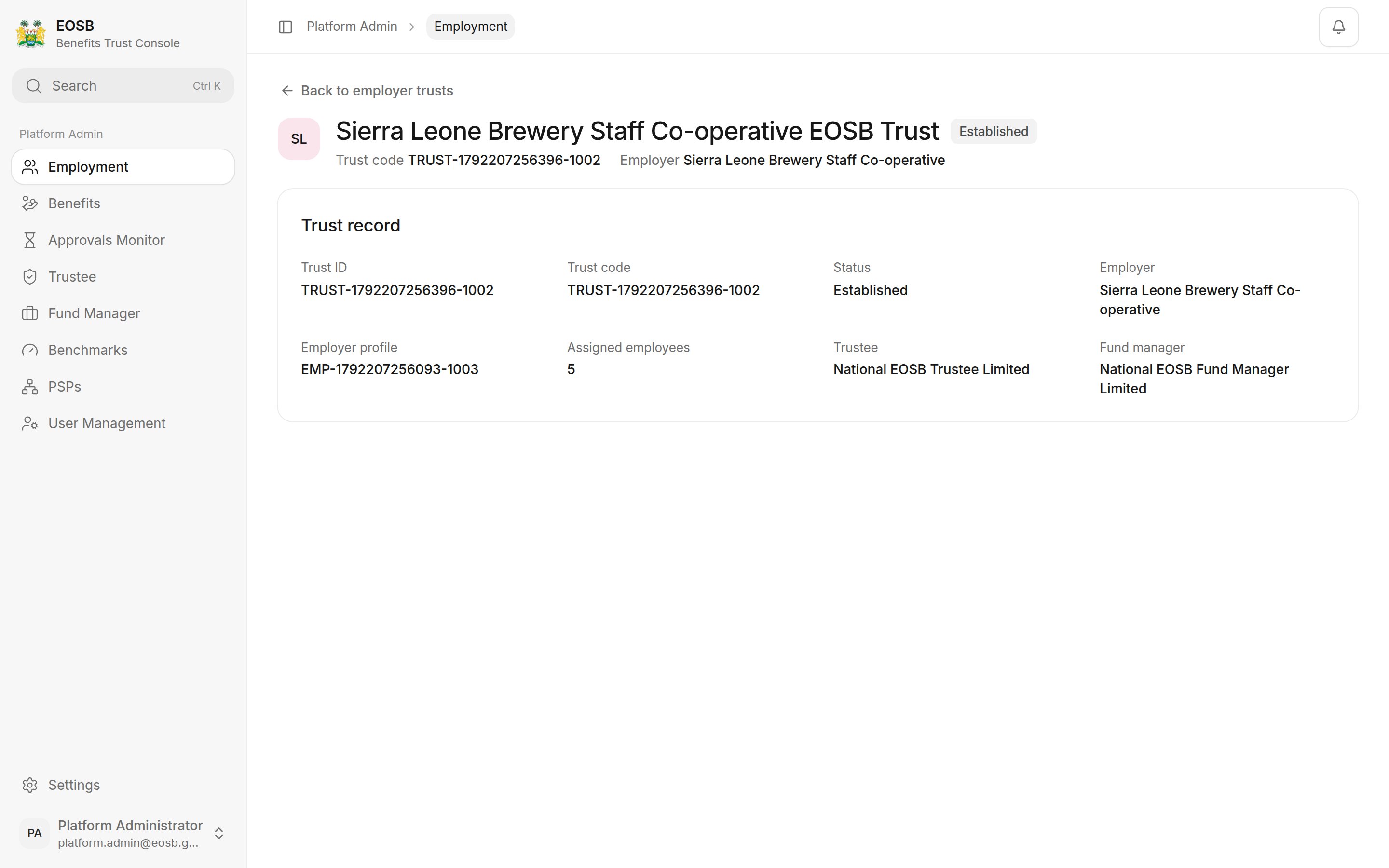
A trust record