A payment service provider (PSP), such as a mobile money operator or a bank, connects to the platform through a signed API to validate trusts, collect payments and push transfers. You register each one, issue its API keys and control its access.
Where: PSPs in the menu.

The directory
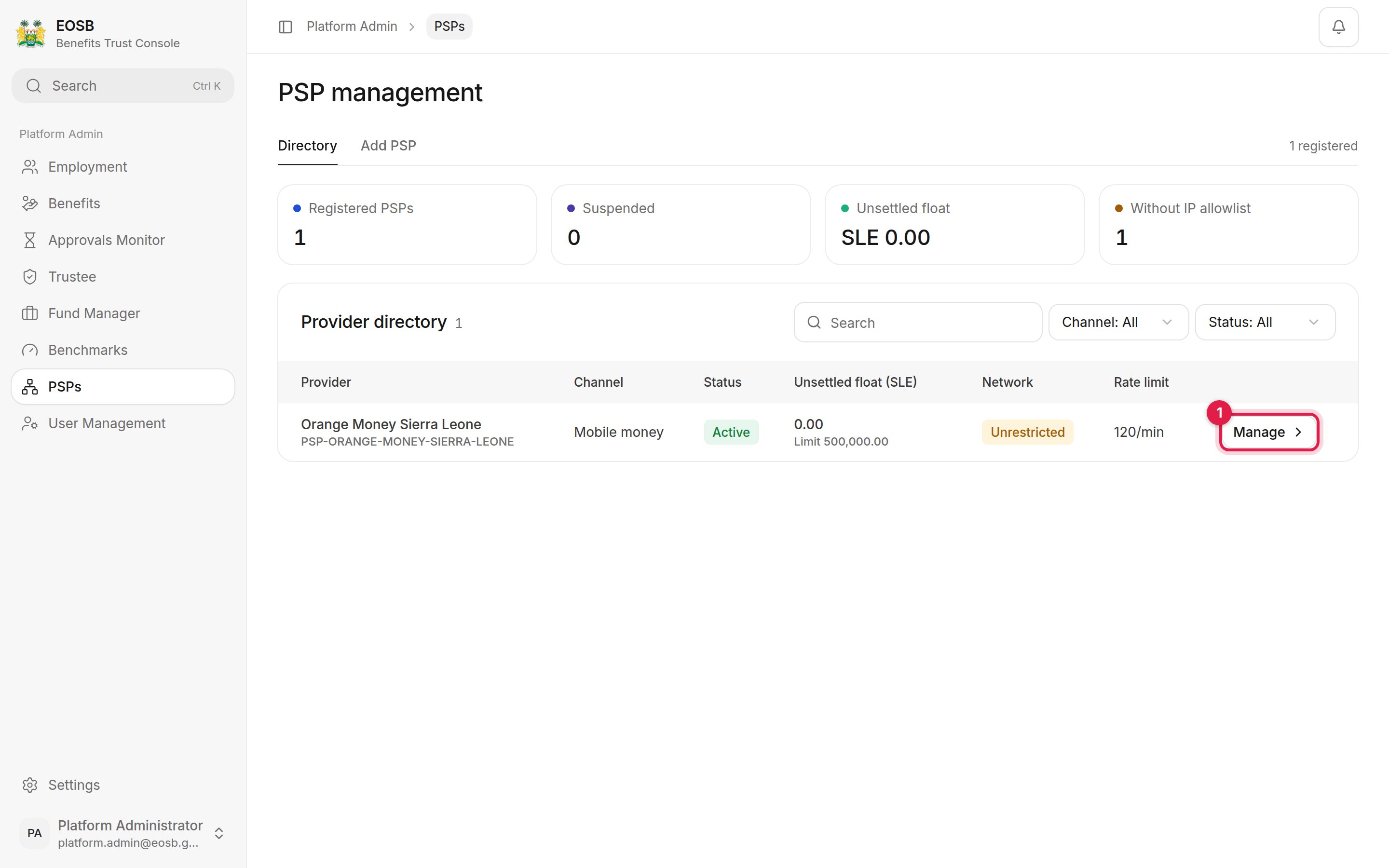
PSP management directory with Manage marked 1

Registered providers

The figures show how many PSPs are registered and suspended, the total Unsettled float they hold, and how many have no IP allowlist. Select Manage (1) to open a provider.

Register a provider

Select Add PSP.
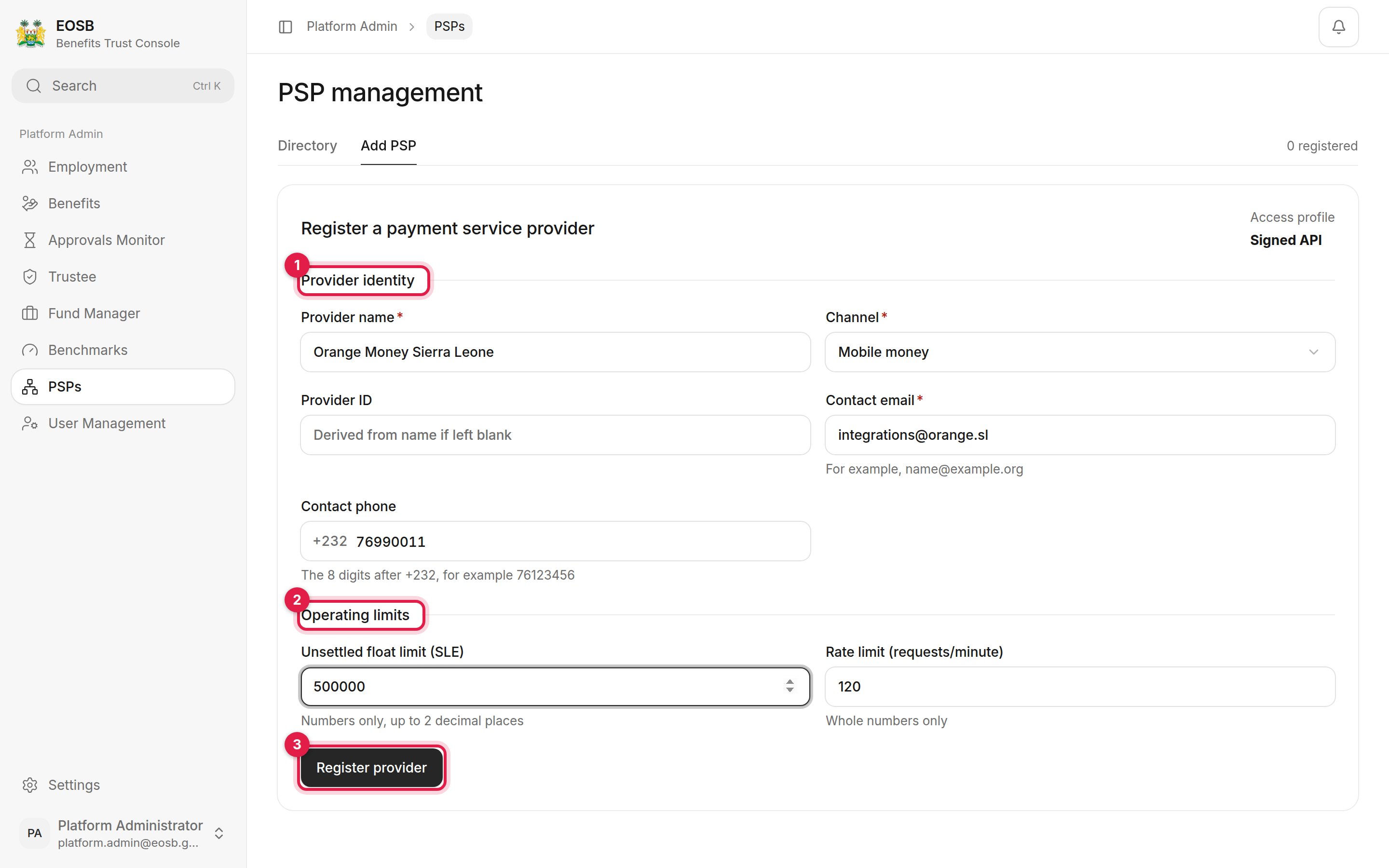
Register a payment service provider with Provider identity, Operating limits and Register provider marked 1 to 3

A new provider

  1. Provider identity — the provider’s name, its Channel (for example mobile money), a Provider ID (made from the name if you leave it blank), and its integration contact email and phone.
  2. Operating limits — the Unsettled float limit in SLE (blank for no cap) and the Rate limit in requests per minute.
  3. Register provider. A message gives the provider ID, for example PSP-ORANGE-MONEY-SIERRA-LEONE, and the provider opens.

Manage a provider
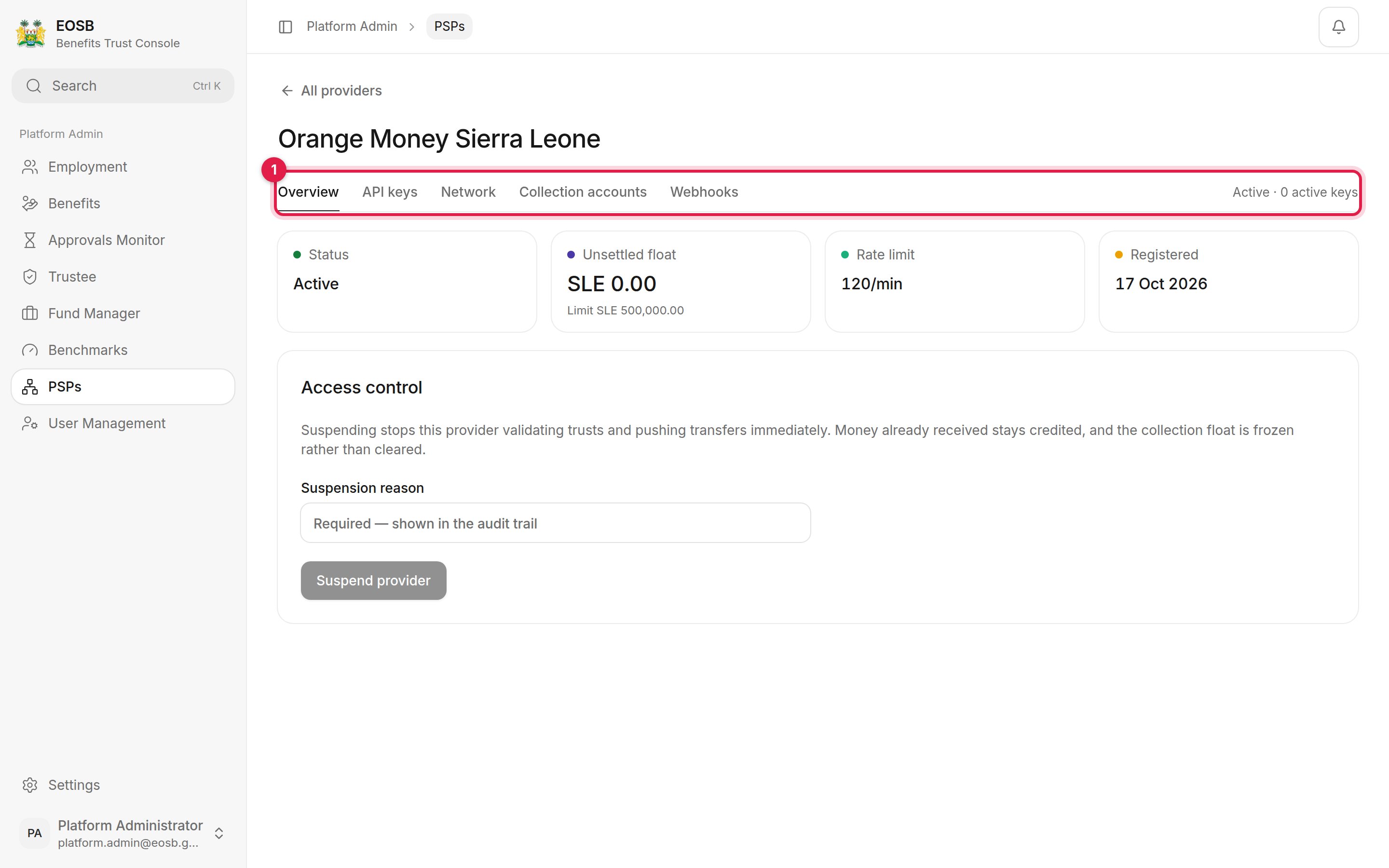
Orange Money Sierra Leone overview with the provider tabs marked 1, status, unsettled float, rate limit and access control

A provider's overview

The tabs (1):
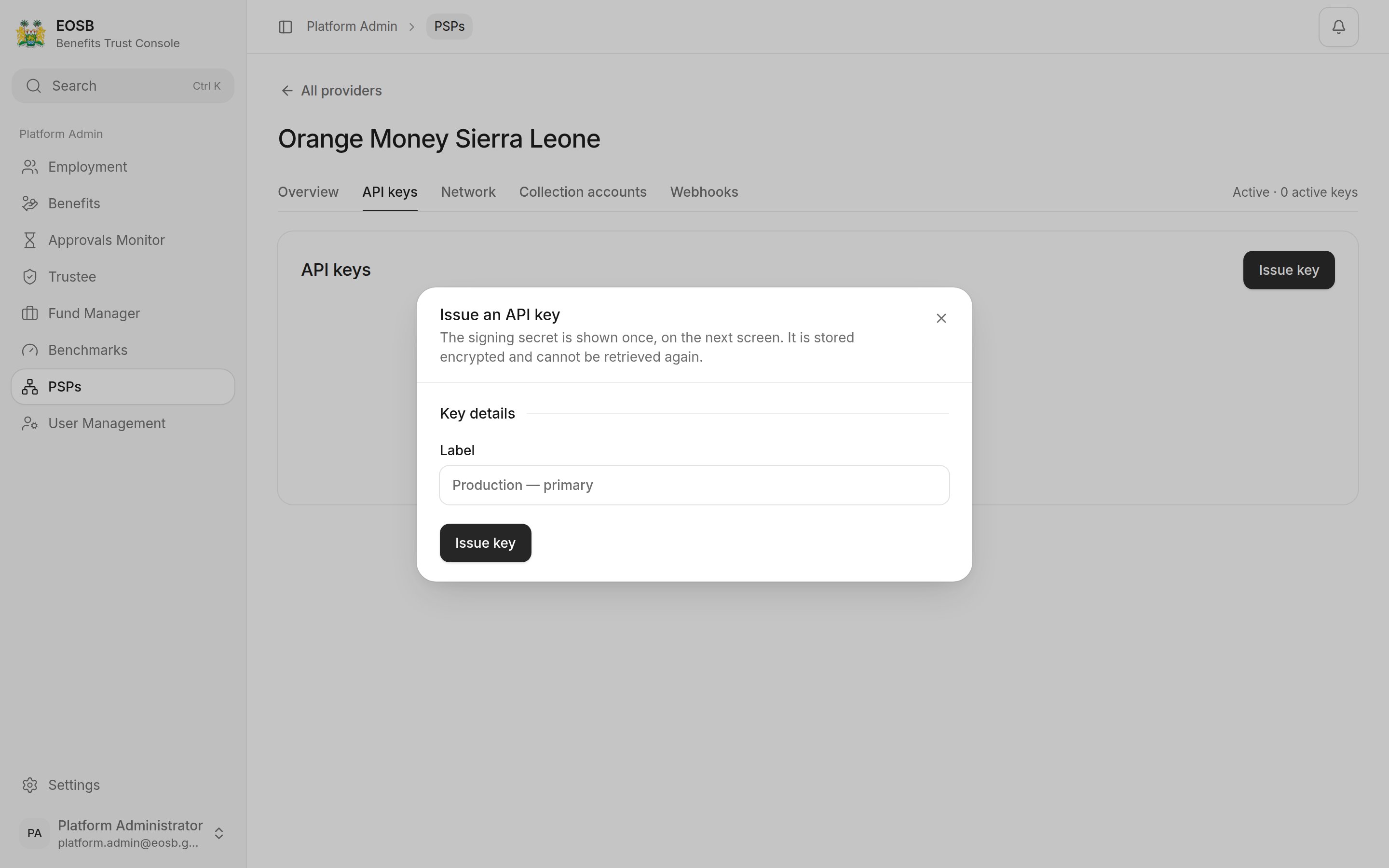
Issue an API key dialog with a Label field and Issue key button

Issuing an API key

A new provider has no API key and no IP allowlist. Issue a key and add the provider’s address ranges before it goes live.