
Where: Benchmarks in the menu.
Create a benchmark
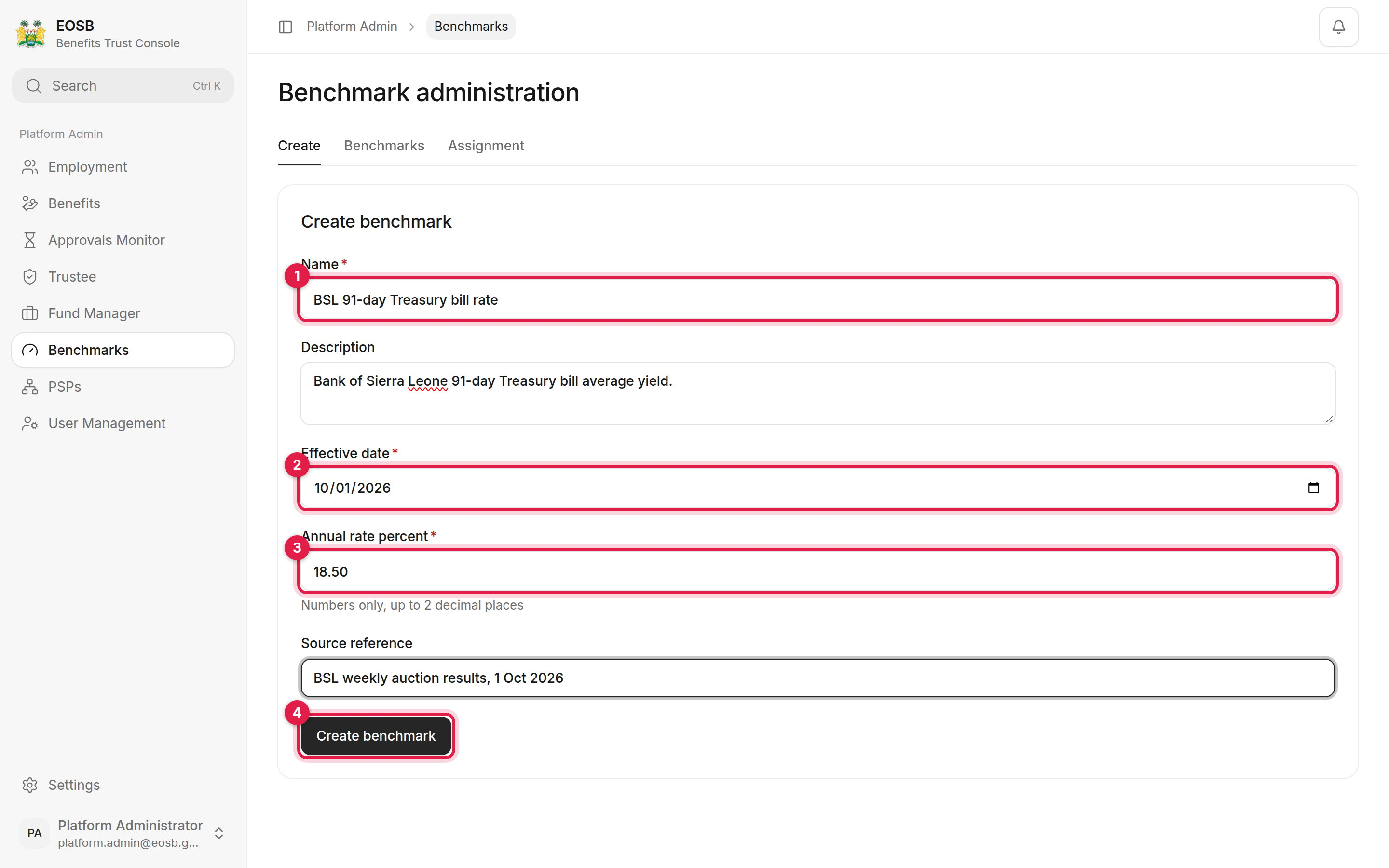
A new benchmark
- Name, for example “BSL 91-day Treasury bill rate”. Add a Description if useful.
- Effective date of the first rate.
- Annual rate percent, up to 2 decimal places, for example
18.50. Add the Source reference, such as the auction it comes from. - Create benchmark.
Update a rate
Select Benchmarks. The list shows each benchmark’s ID, name, category and whether it is active. Select a benchmark, then under Add rate enter the new Effective date, Annual rate percent and source, and select Add rate. The rate history is listed underneath.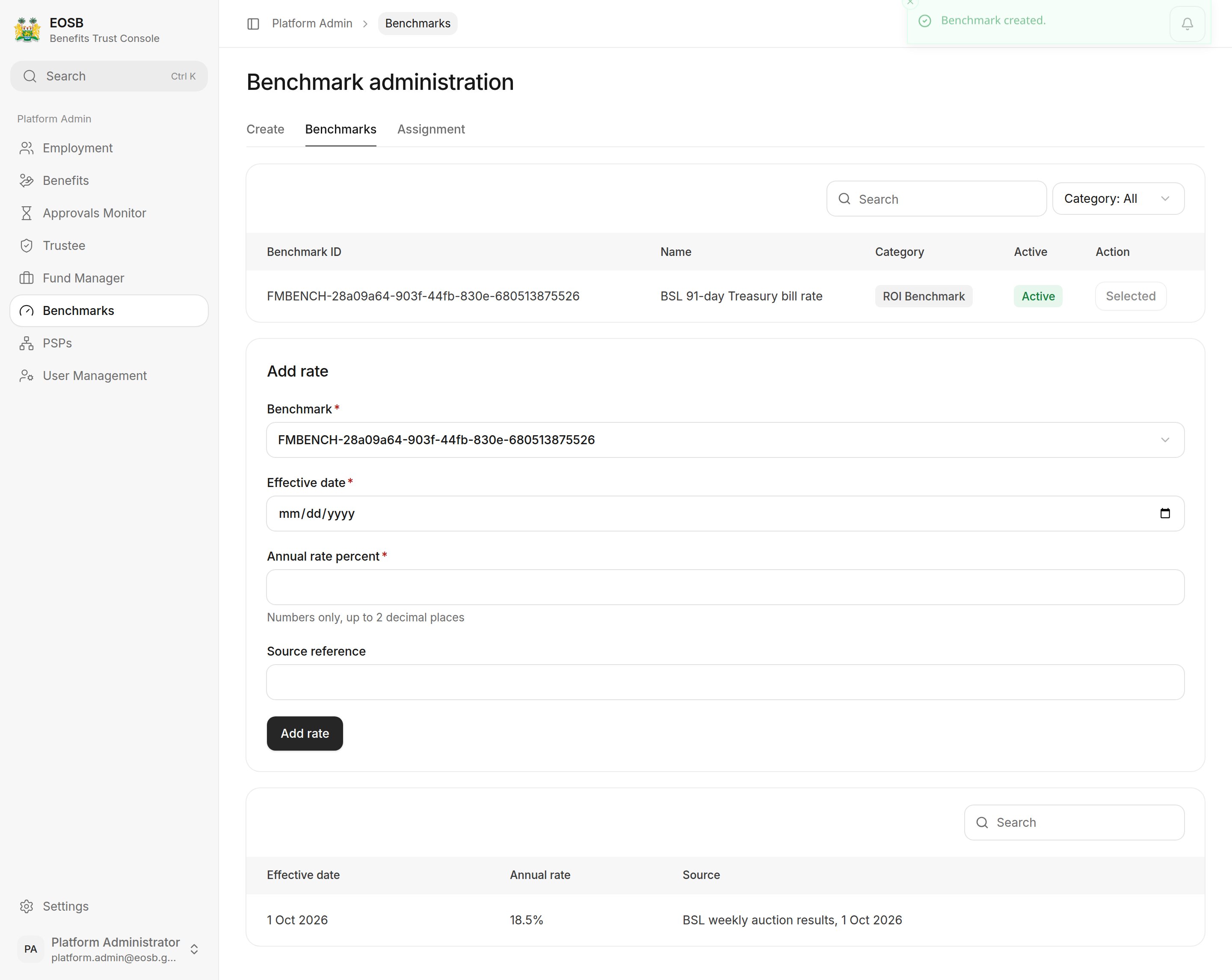
A benchmark and its rates
Assign a benchmark to a portfolio
Select Assignment.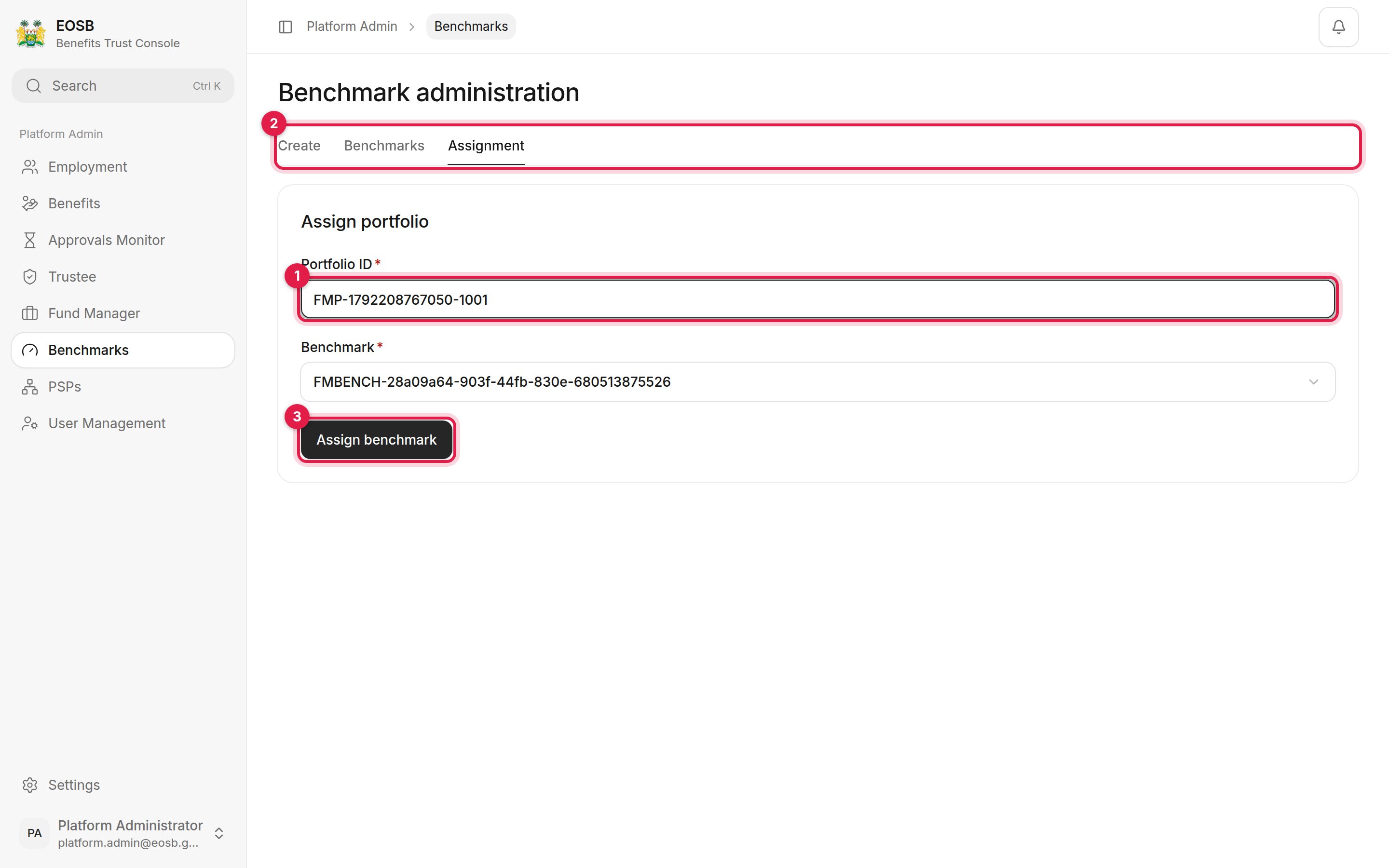
Assigning a benchmark
- Portfolio ID — type the portfolio’s ID, for example
FMP-1792208767050-1001. Ask the fund manager for it. - Benchmark — listed by benchmark ID. Check the ID against the Benchmarks list.
- Assign benchmark. A message confirms Portfolio benchmark assigned.