
Where: User Management in the menu.
Find a user
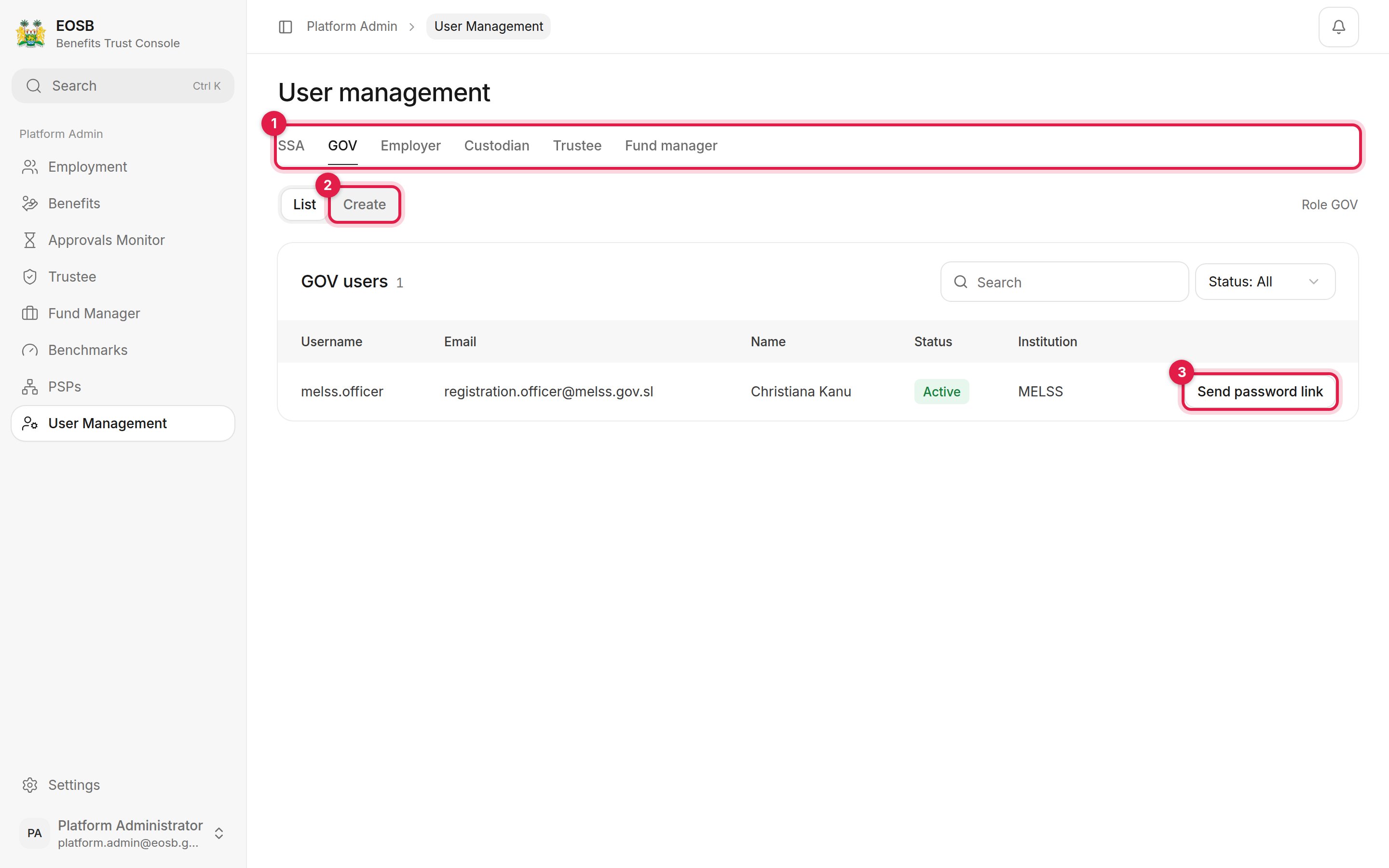
Users with the regulator role
-
Role tabs — one tab per role:
- Create opens the new-user form for that role.
- Send password link emails the user a new link to set their password, for example when they have forgotten it or the first link expired.
Create a user
Pick the role tab, then select Create.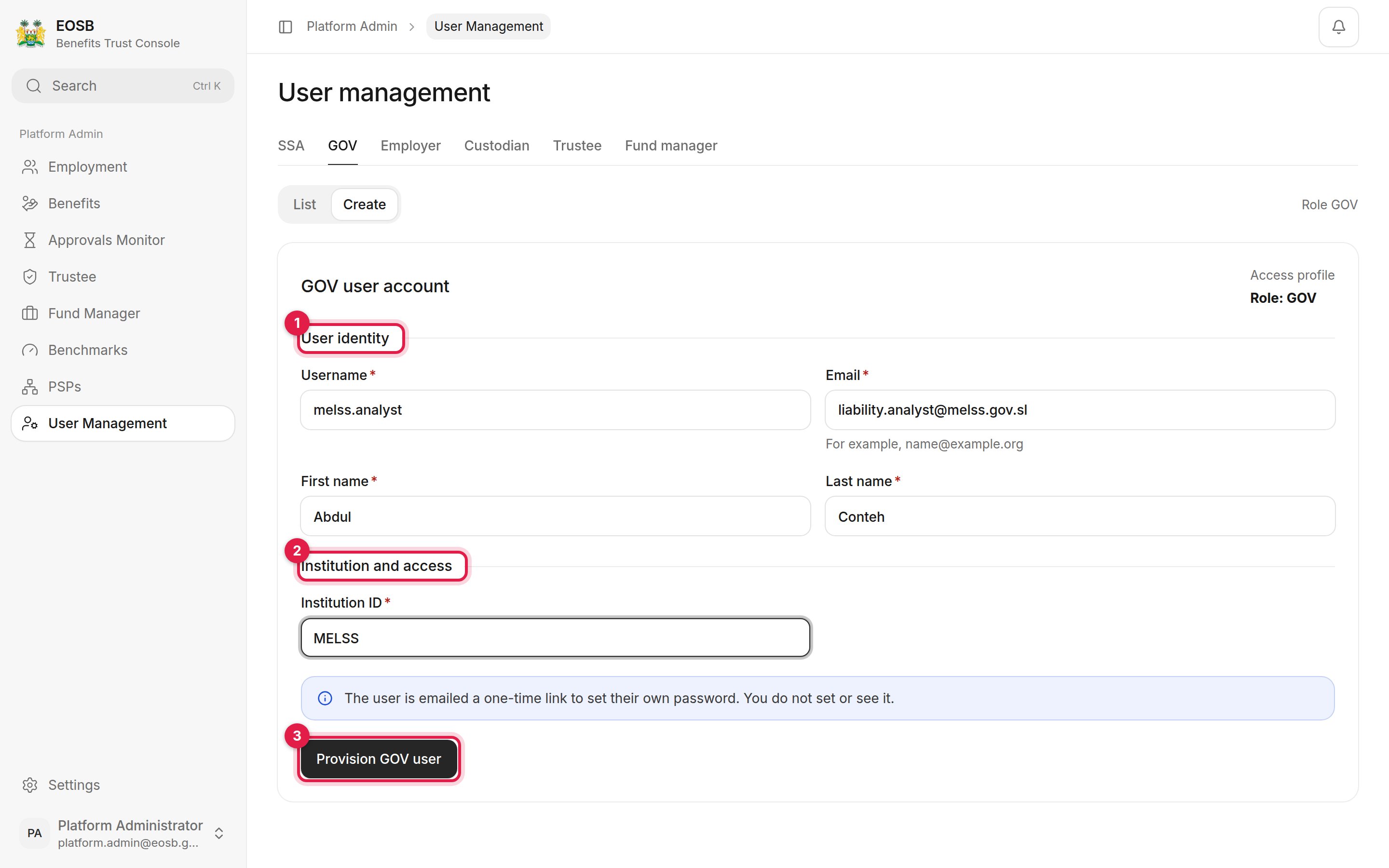
A new regulator officer
1
User identity (1)
A Username such as
firstname.lastname, the person’s work Email, and their first and last name.2
Institution (2)
For SSA, GOV and Custodian, type the institution ID:
EOSB for platform administrators, MELSS for the regulator. (The box shows MELSS as an example on every tab, including SSA.) For the other roles, choose the organisation from the list; only registered organisations are offered.3
Provision user (3)
A message confirms the account and that a set-password link has been emailed.
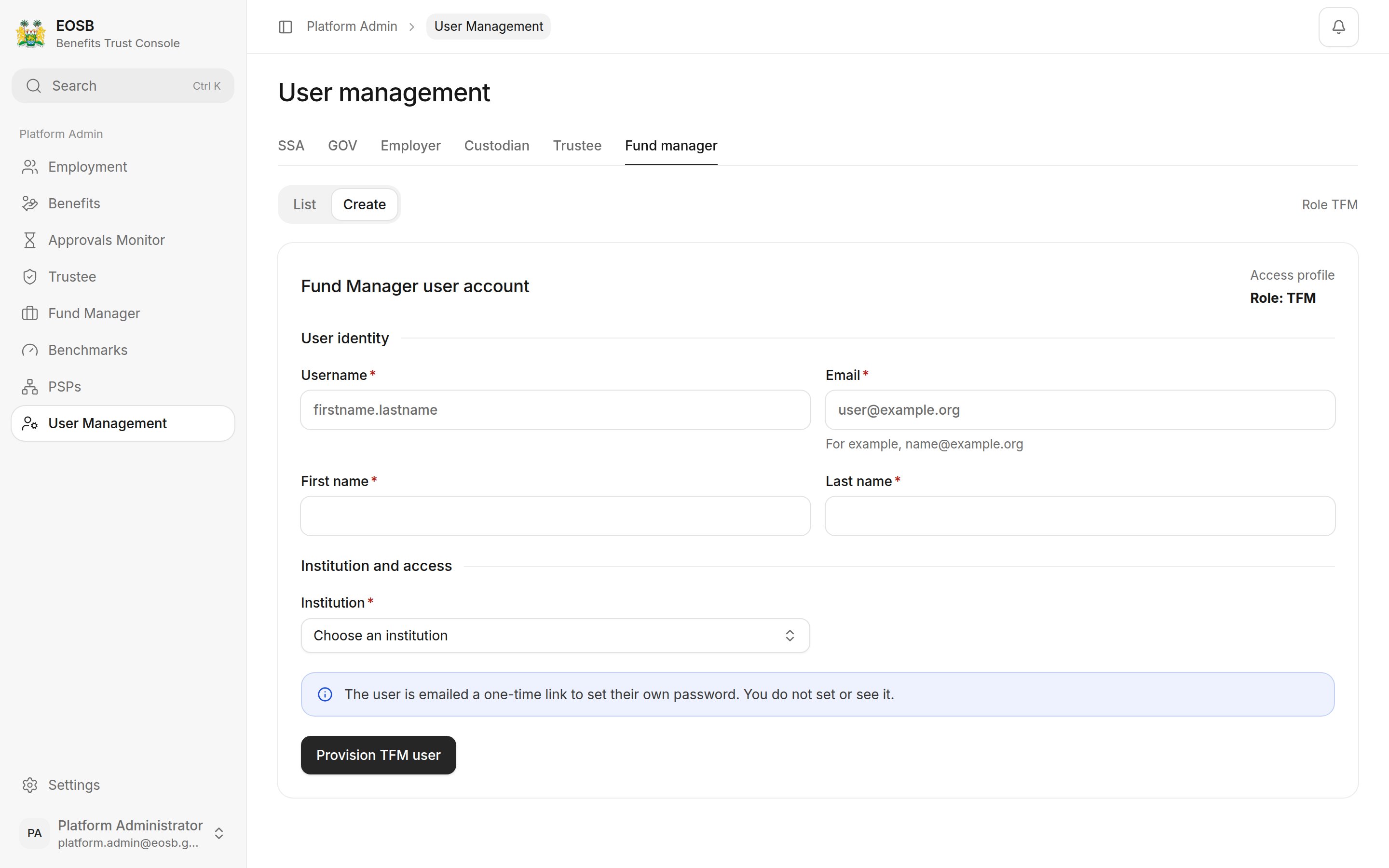
Picking a fund manager as the institution
The first login for each employer, trustee and fund manager is created automatically when the regulator approves it. Create accounts here for regulator officers, other administrators, custodians and any extra users an organisation needs.