
Where: Employment › Registration. Before you start: have the employer’s certificate of registration and tax evidence as PDF or image files, and the contact details of the person responsible at the employer.
Fill in the registration
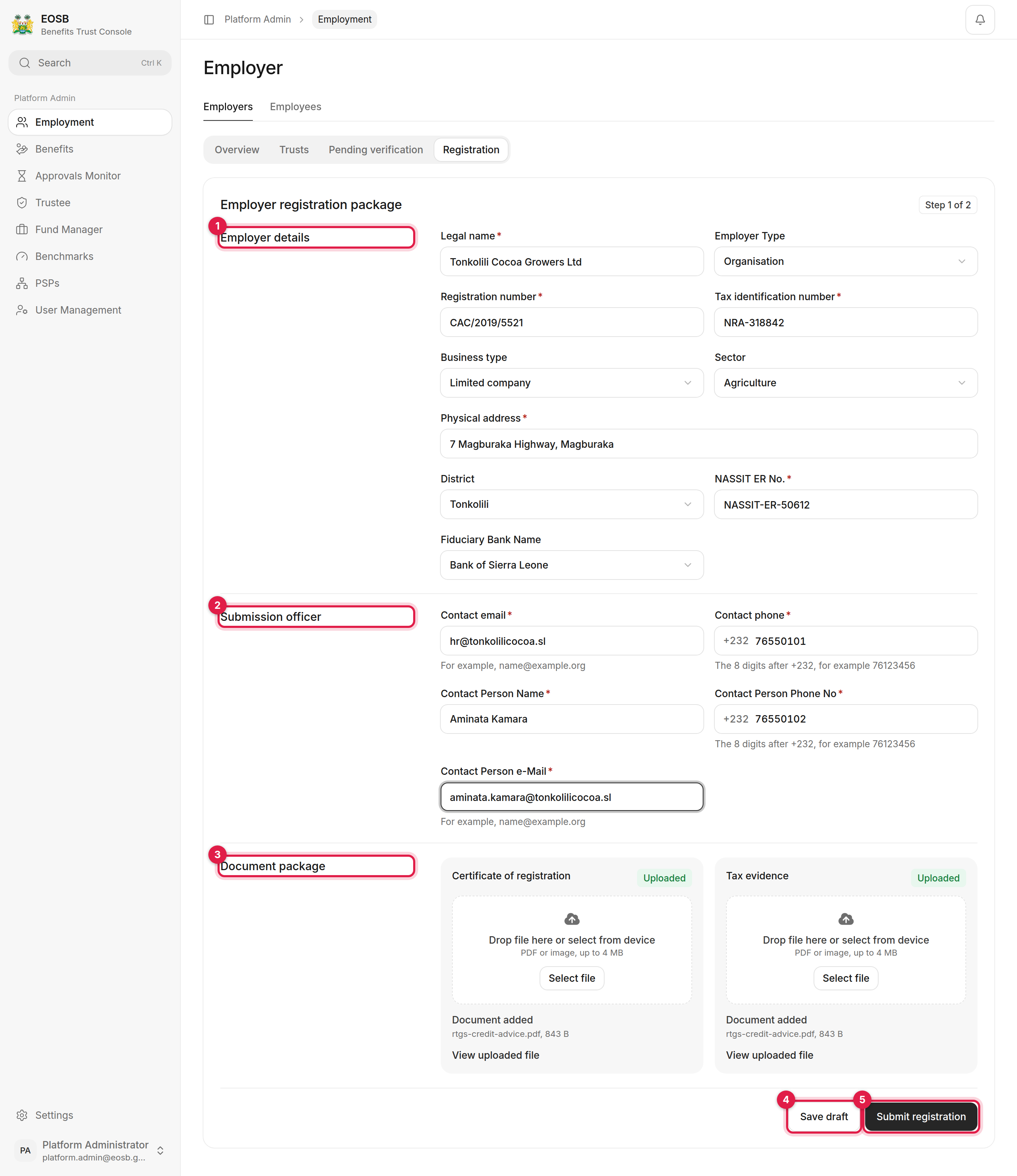
A completed registration with both documents uploaded
1
Employer details (1)
The legal name, registration number and tax identification number exactly as they appear on the certificate of registration and tax clearance. Then the business type, sector, physical address, district, NASSIT employer number and the employer’s fiduciary bank.
2
Submission officer (2)
The employer’s contact email and phone, and the person at the employer who is responsible for the registration. The regulator and the platform write to these addresses.Phone numbers are the 8 digits after +232, for example
76123456.3
Document package (3)
Upload the Certificate of registration and the Tax evidence: drop the file on the card or select Select file. PDF or image, up to 4 MB each. Wait until each card says Document added before you continue.
4
Save draft (4) or Submit registration (5)
Save draft keeps what you have so far. Submit registration checks the form and shows a summary.
Confirm the submission
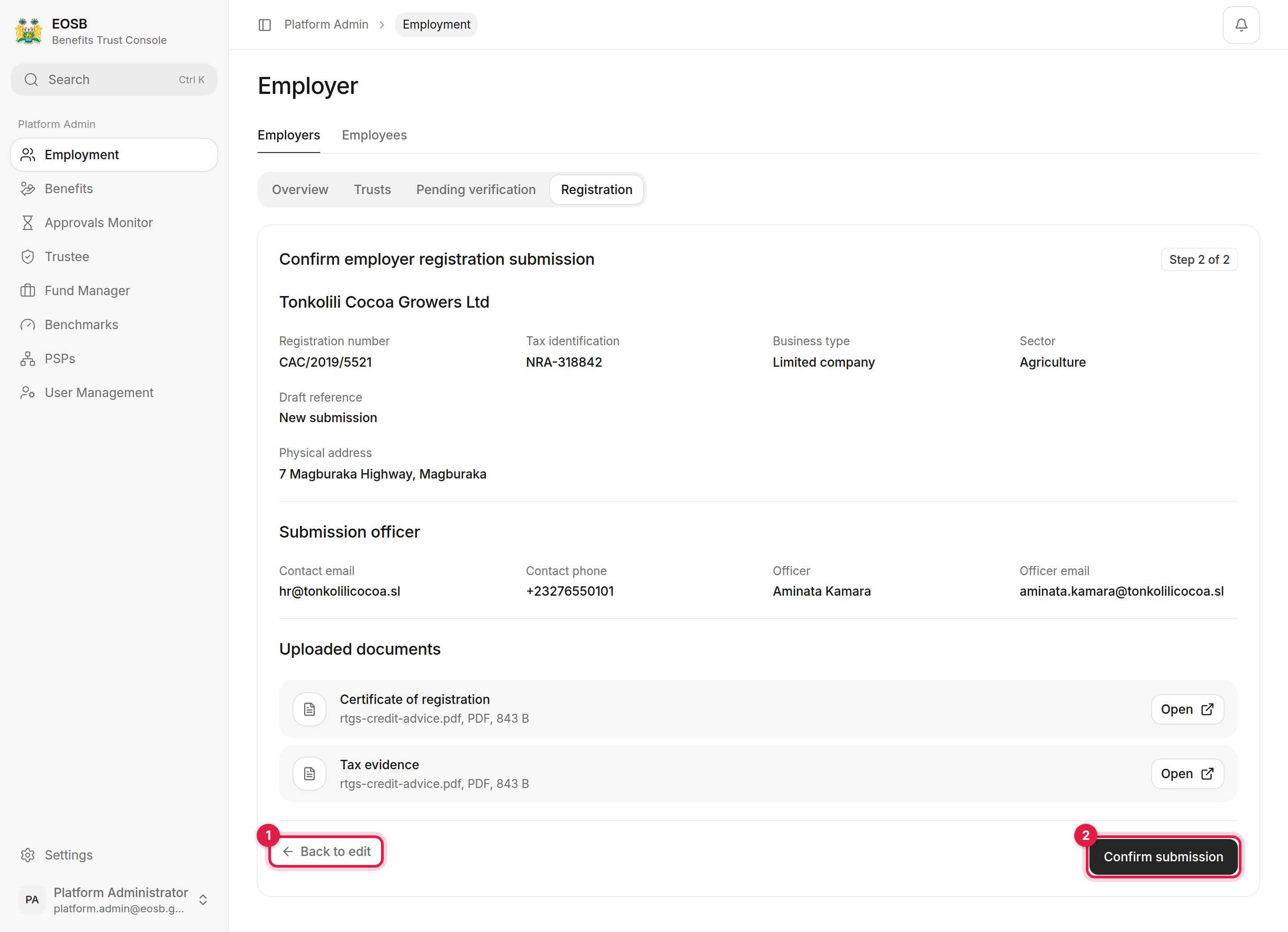
Step 2 of 2: check everything once more
- Back to edit returns to the form without losing anything.
- Confirm submission sends the registration to the regulator. A message shows the new reference, for example
ER-1792235969935-1001, and the form clears for the next employer.
Follow the registration
The registration now waits under Pending verification until the regulator decides.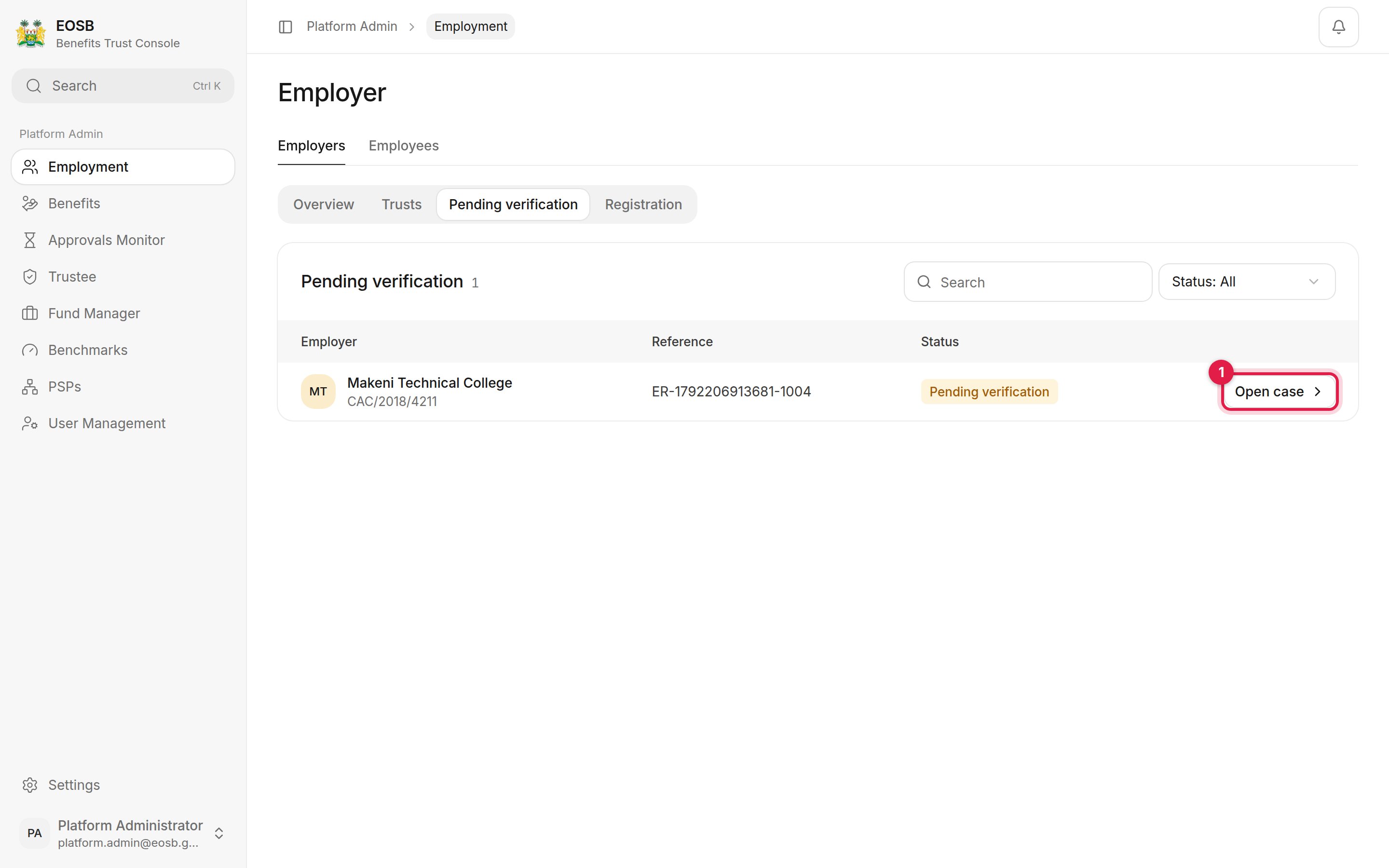
Registrations waiting for the regulator
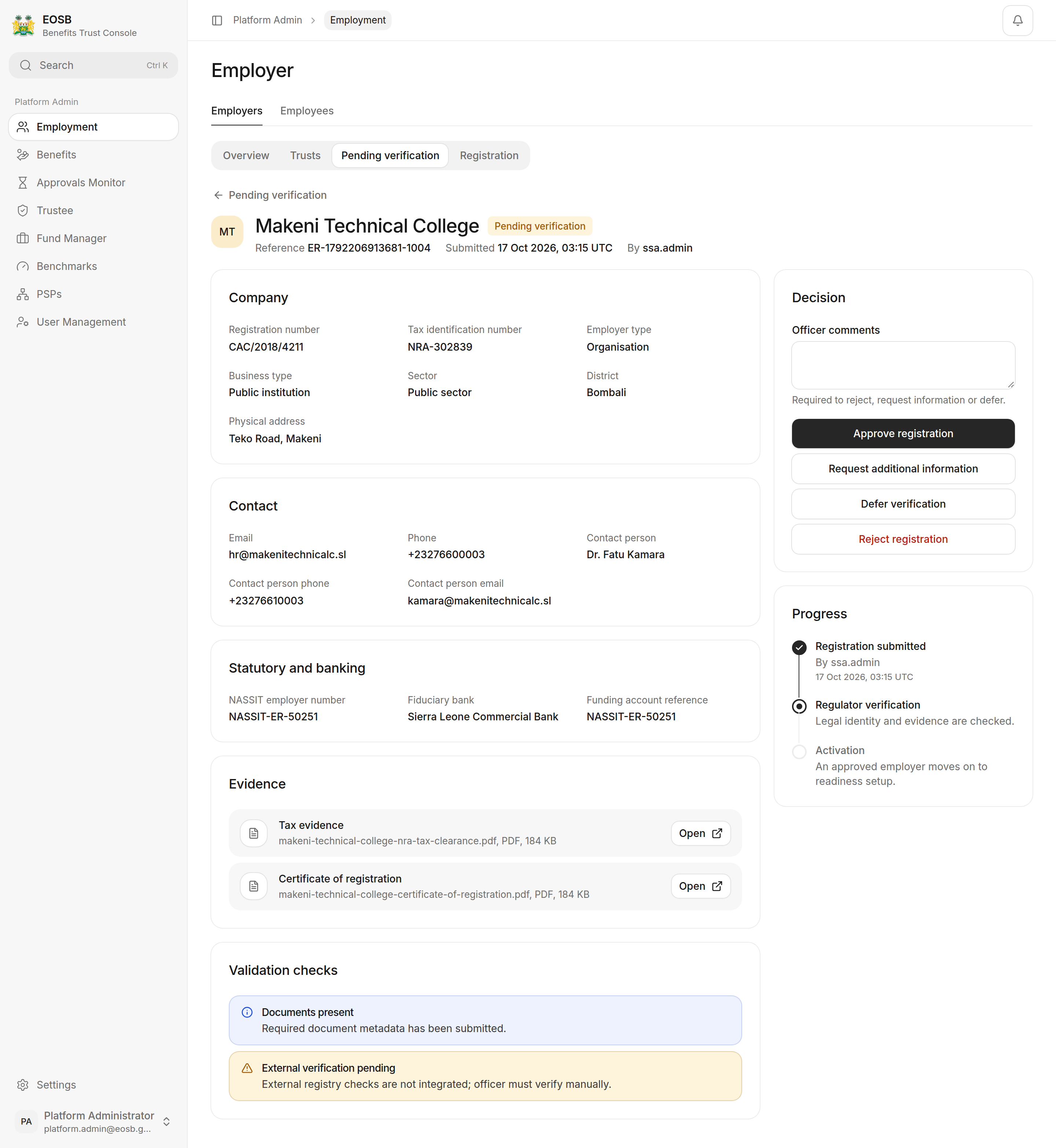
An employer case
The case shows the regulator’s Decision buttons, and they work for you too. Verification is the regulator’s decision, so leave it to MELSS unless they ask you to record a decision for them. How the regulator decides is described in Verify employers.
- the employer gets a user account and an email with a link to set their password, and
- the employer appears under Overview with the status Verified inactive, ready for you to set up and activate.
Good to know: when the regulator requests information
Good to know: when the regulator requests information
Read the regulator’s comments on the case, get what is needed from the employer, correct the registration and submit it again. It returns to the regulator’s queue as Pending verification for a fresh decision.