
Where: Trustee Verification or Fund Manager Verification in the menu. The two work the same way.
- Official platform — the national provider that employers on the official platform service model use. Only one official trustee and one official fund manager can be verified at a time.
- Independent — a provider an employer appoints for its own trust.
Open a case
Select Trustee Verification or Fund Manager Verification. The Trustee registrations (or Fund manager registrations) list shows official platform and independent registrations, pending and decided, with each one’s legal name, reference, category and verification status.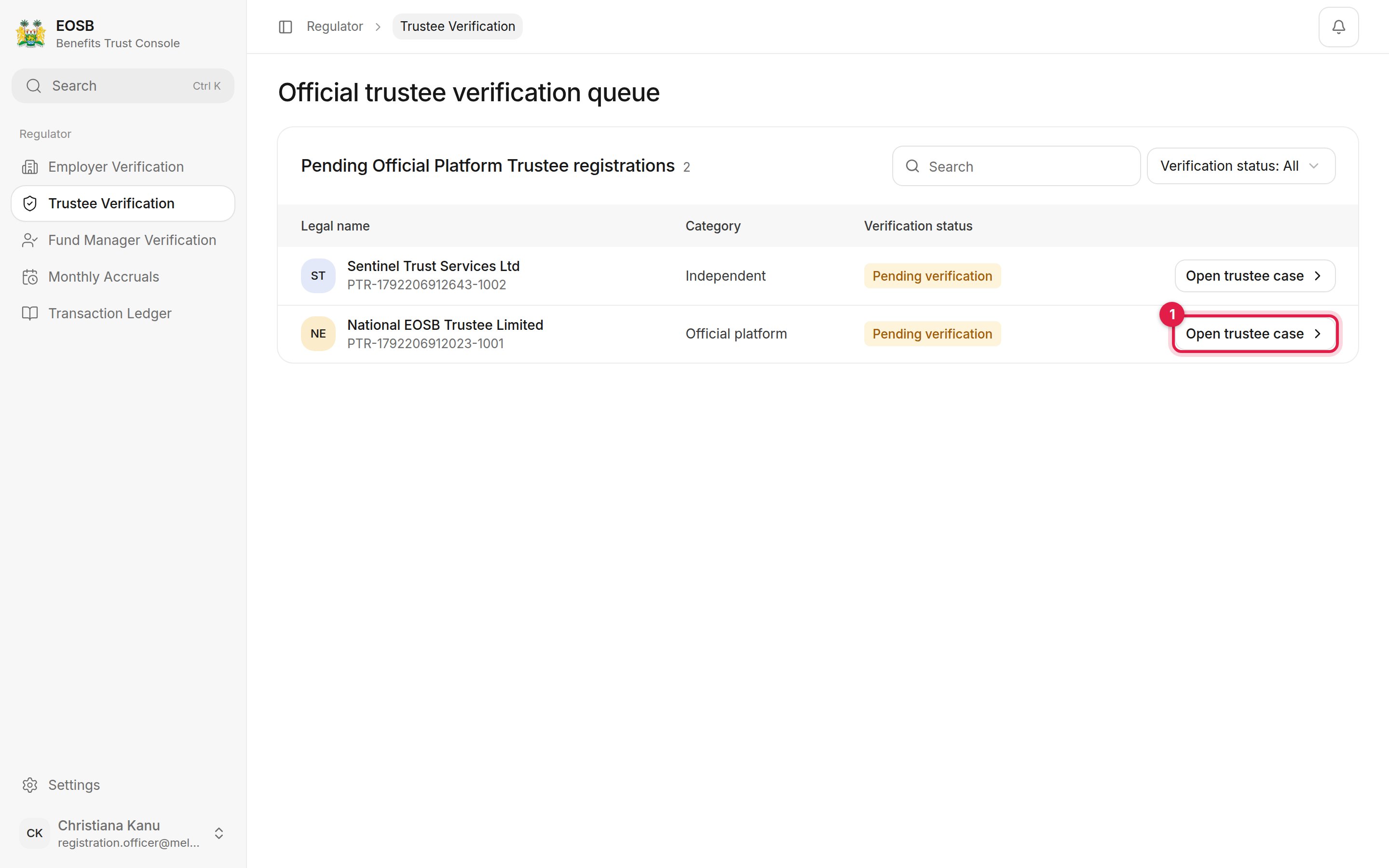
Trustee verification queue
Review the case
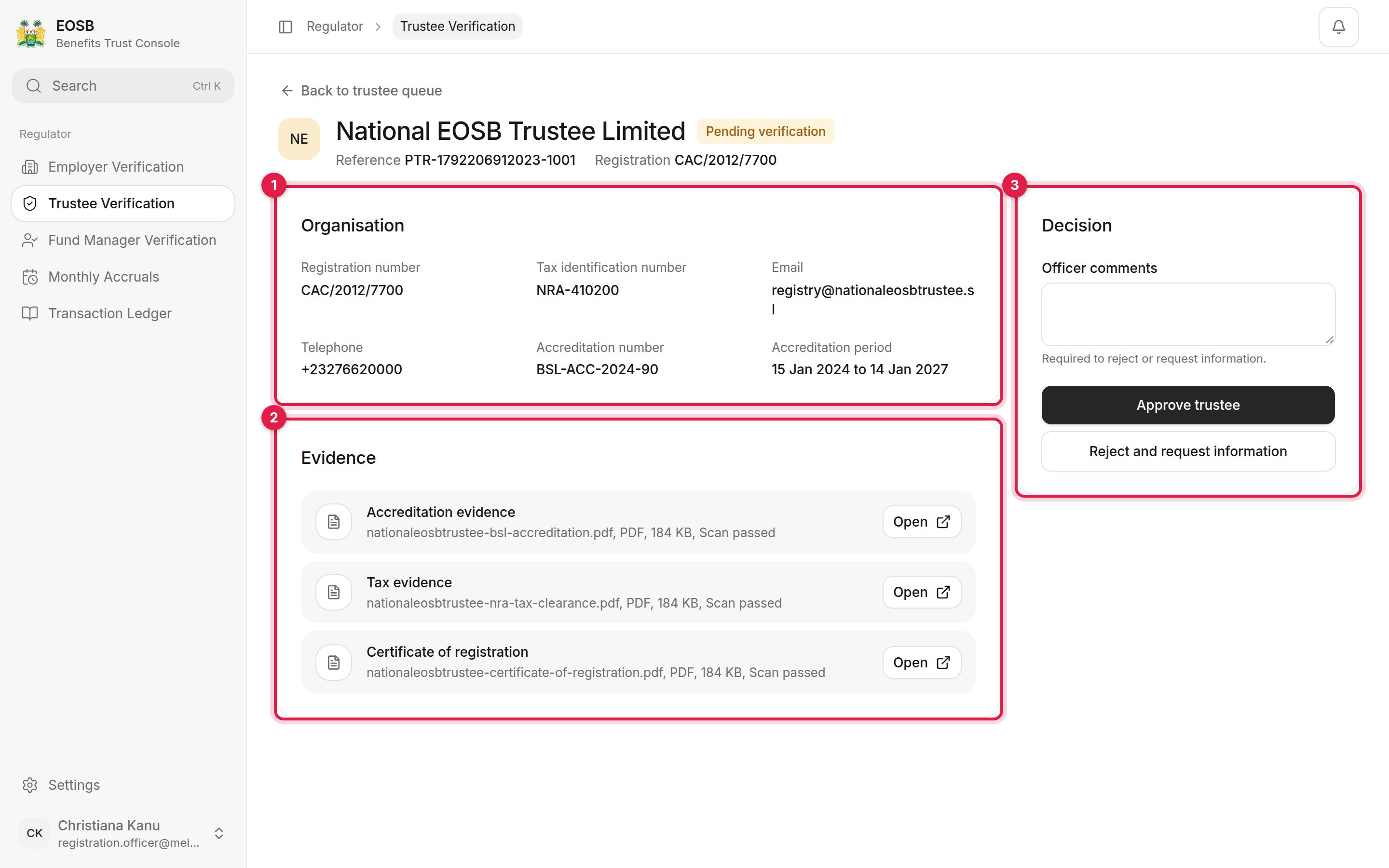
A trustee case
- Organisation — registration and tax numbers, contact details, and the accreditation number and period.
- Evidence — certificate of registration, tax evidence and accreditation evidence, each with its virus-scan result. Select Open to view a file.
- Decision — your comments, Approve, and Reject and request information.
Approve
Add a comment (optional) and select Approve trustee or Approve fund manager. A message confirms, for example Trustee registration marked verified. The status changes to Verified, and the provider can be appointed to employer trusts. Approving also creates the provider’s login — its username is the reference number in lower case — and emails the contact person a link to set their password.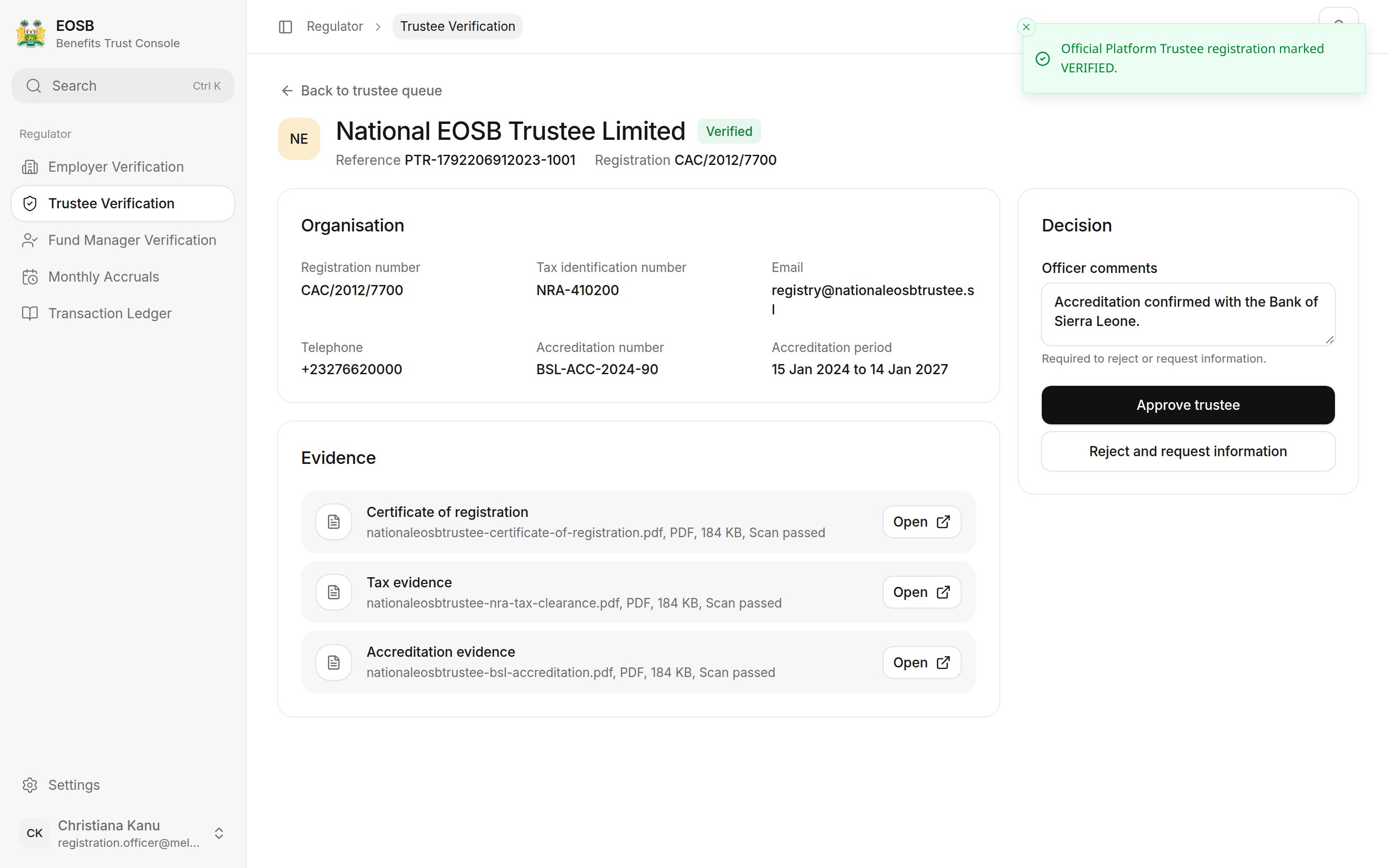
Trustee approved
Reject and request information
Write what is wrong and what the provider must send, then select Reject and request information. Comments are required.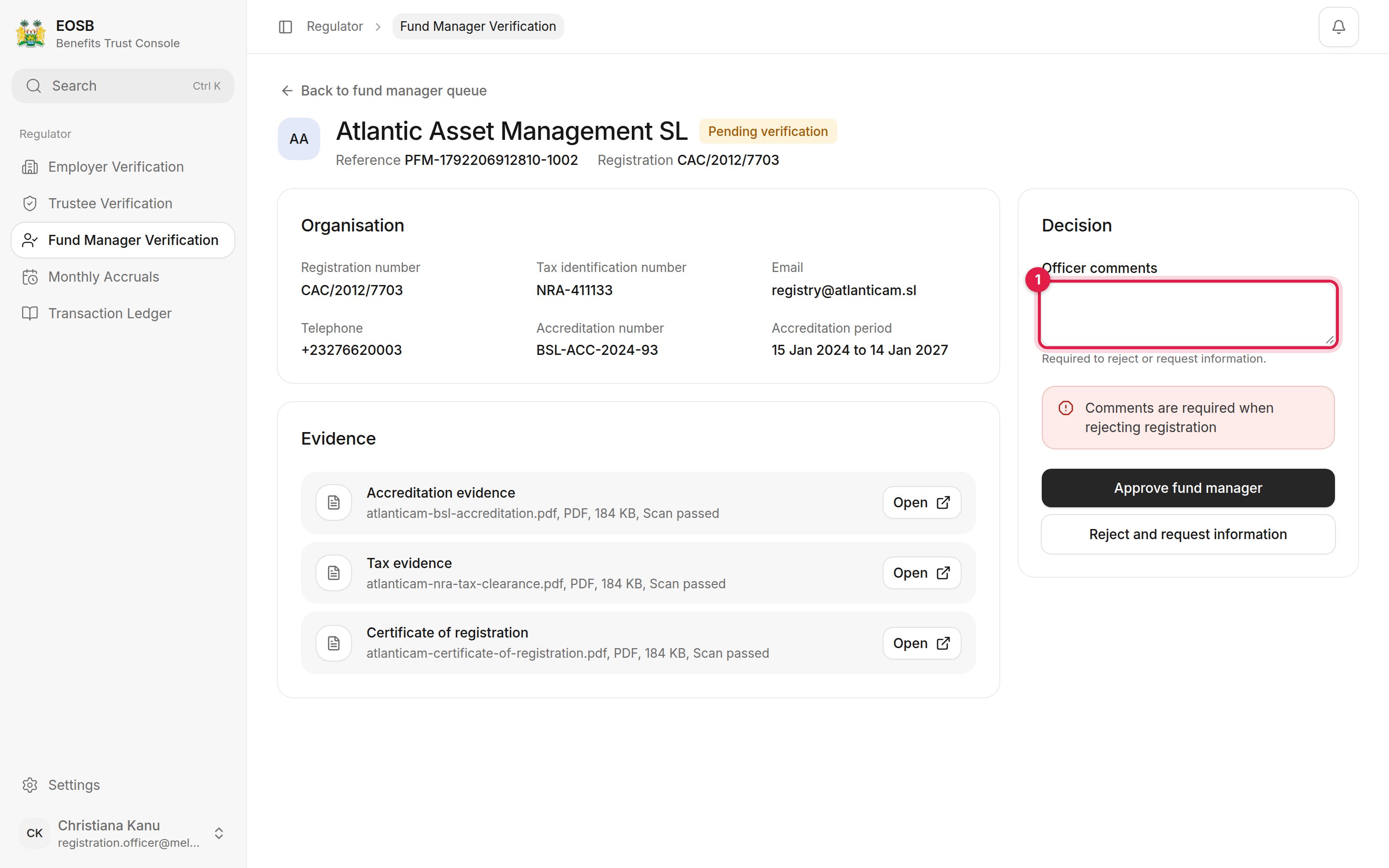
Comments are required to reject
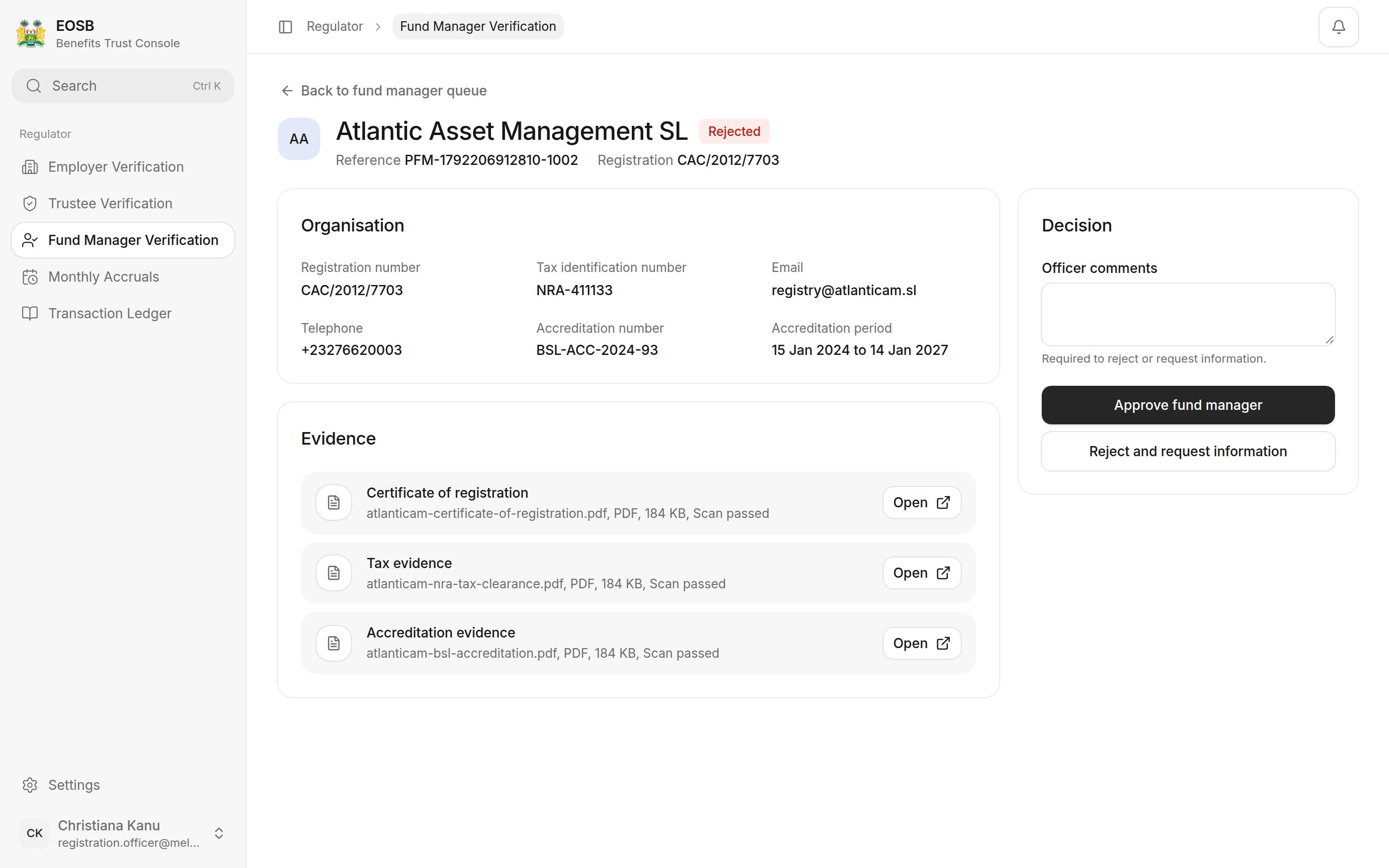
Fund manager rejected
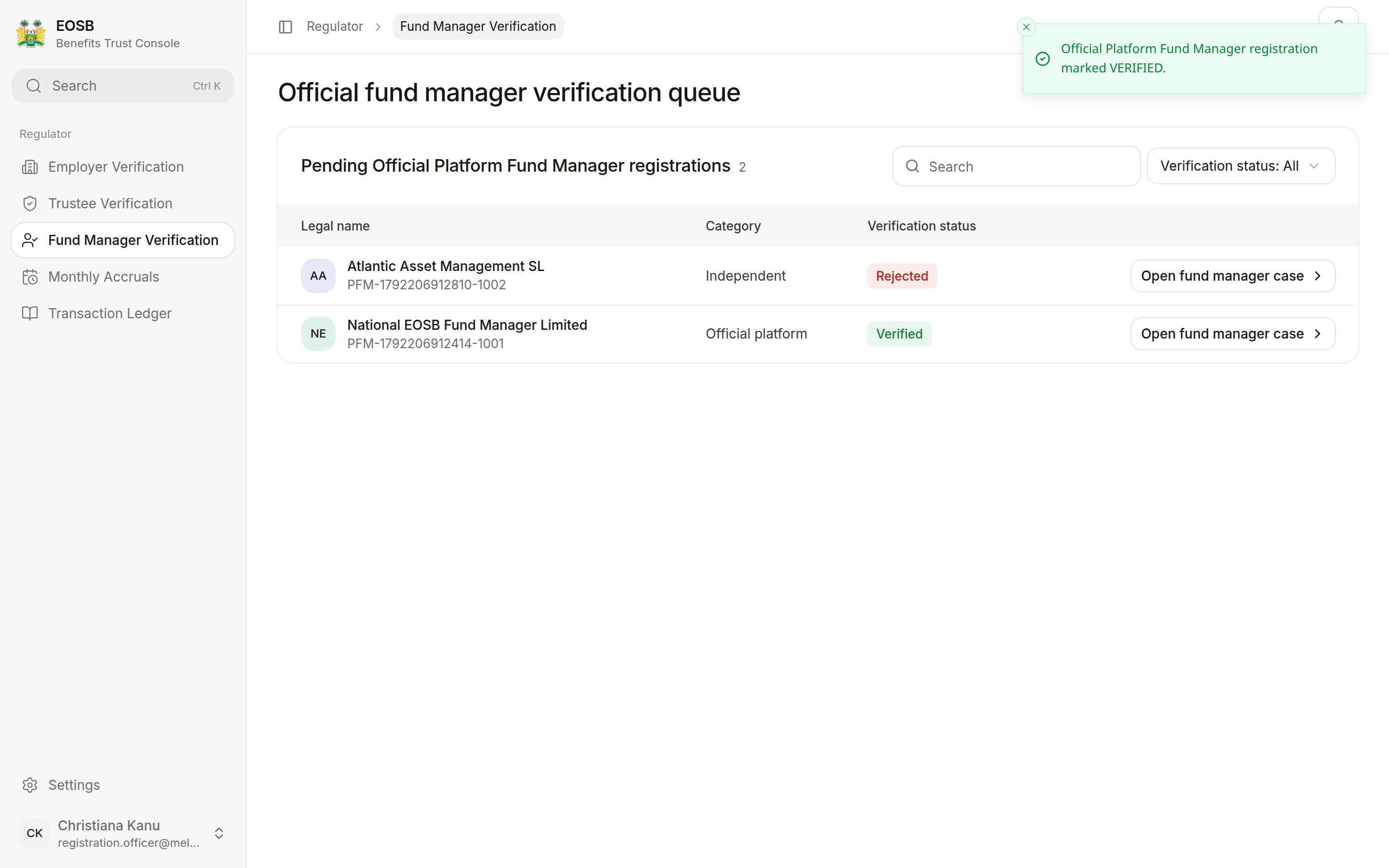
Fund manager list after both decisions
A decision is final. On a decided case the Decision panel shows the outcome, who decided, when, and the comments, instead of the decision buttons.