
Before you start: the platform administrator must have created your account under MELSS.
Your account
The EOSB platform administrator creates your account under MELSS with the regulator role. You receive an email titled Your EOSB account has been created with your username and a link to set your password. Setting the password works the same way for every user; see Set your password.Sign in
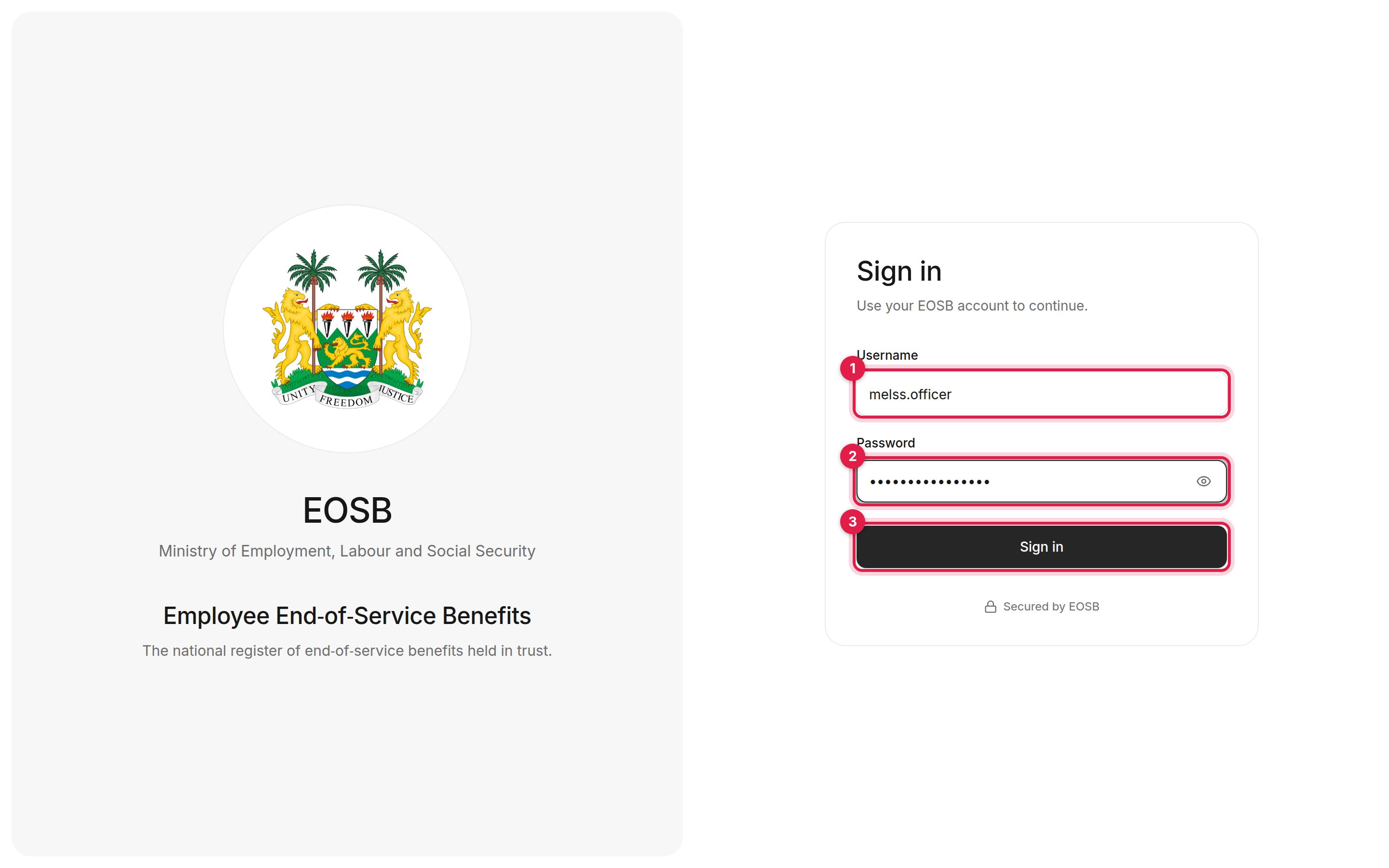
Signing in as a regulator officer
1
Enter your username (1)
The username from your account email, for example
melss.officer.2
Enter your password (2)
3
Select Sign in (3)
You arrive on Employer verification.
Your workspace
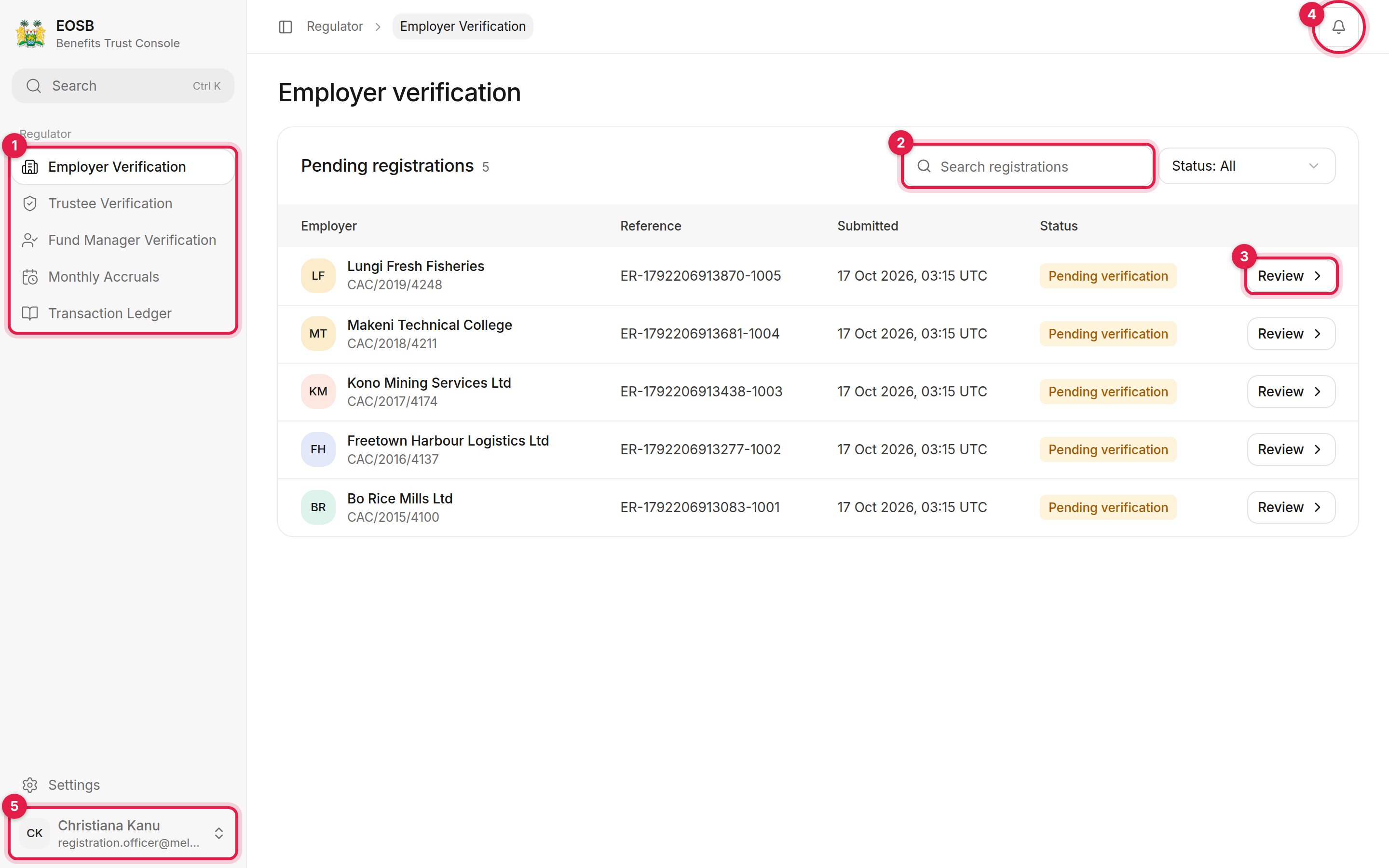
The regulator workspace
- Navigation:
- Employer Verification — employer registrations waiting for your decision
- Trustee Verification and Fund Manager Verification — provider registrations
- Monthly Accruals — each month’s benefit accrual, by employer and employee
- Computation Exceptions — accrual records the monthly run could not finalise
- Transaction Ledger — any active employer’s liability ledger
- Search narrows the list. Use Status next to it to filter.
- Review opens a case.
- Notifications.
- User menu, with Settings and Sign out. Settings work the same for every user; see Your account.