
Maker and checker
Every important action has a maker who starts it and a checker who confirms it. They are always different organisations, so no one can move money or change a benefit on their own.Reminders and the approvals monitor
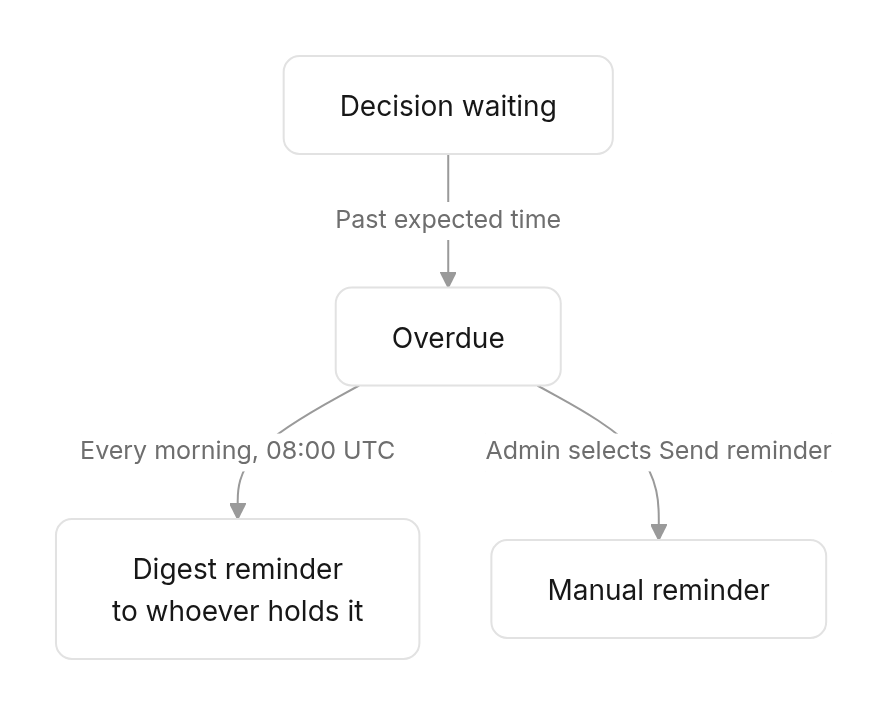
- A decision becomes overdue once it has waited longer than its expected time.
- Whoever holds overdue decisions gets a daily reminder listing them, repeated every day (every 2 days for review decisions such as verifications and budgets; weekly for an employer’s own setup).
- The administrator sees every waiting decision in the Approvals monitor and can send a reminder by hand, at most once every 4 hours per decision.
One-time codes
These actions ask for a 6-digit code, sent by SMS, email and WhatsApp to the contact details on the user’s account:
Codes expire quickly (about a minute); request a new one if needed. Keep your phone and email up to date in Settings, or you will not receive them.
Limits and rules
Evidence
- Uploads are PDF or image, up to 4 MB. Wait for Uploaded before submitting.
- Uploaded documents are virus-scanned; the result is shown next to the file.
- The checker can open every document the maker attached.