
Where: Fund Management in the menu. Before you start: the employer’s payments must be confirmed — you can only send what has been confirmed into the trust. For a bank transfer, make the transfer first and have the bank’s reference and instruction to hand.
Log a bank transfer
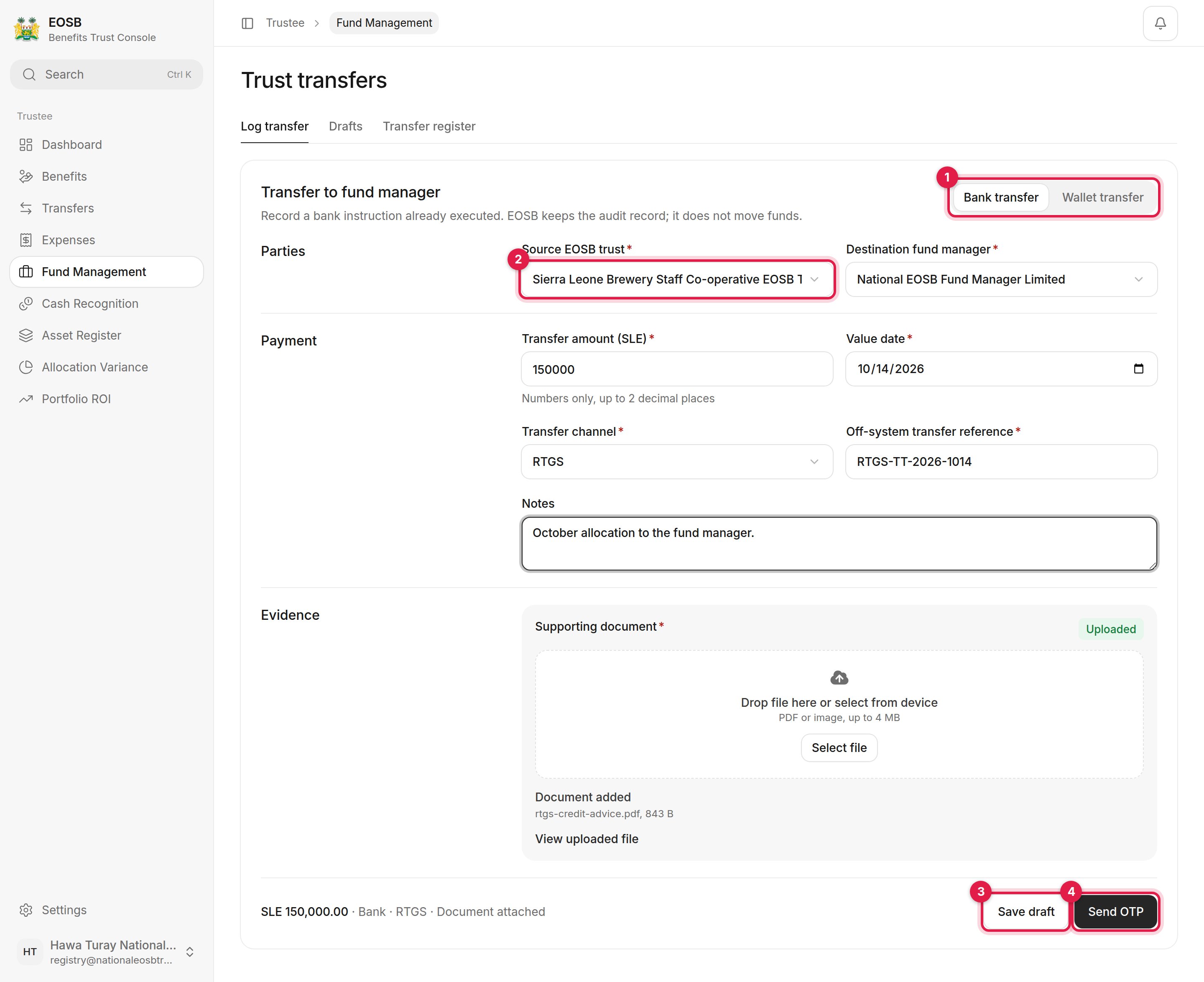
A completed transfer
1
Choose Bank transfer (1)
2
Choose the Source EOSB trust (2)
Destination fund manager fills in with the trust’s linked fund manager.
3
Enter the payment
4
Upload the supporting document
The bank instruction or credit advice; a PDF or image of up to 4 MB. Wait until it says Uploaded.
5
Select Send OTP (4)
Enter the code you receive and select Log Transfer. Select Save draft (3) instead to finish later.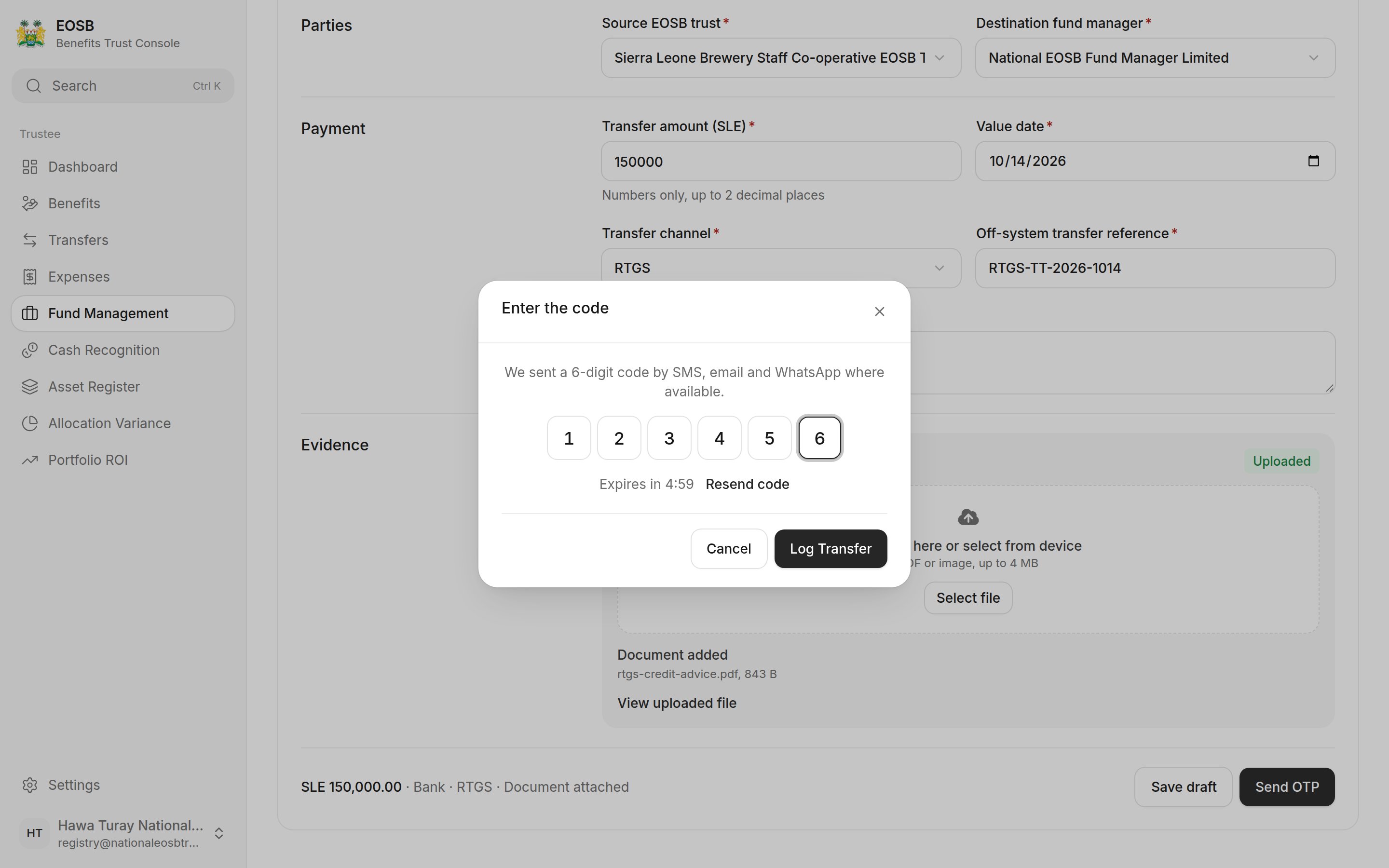
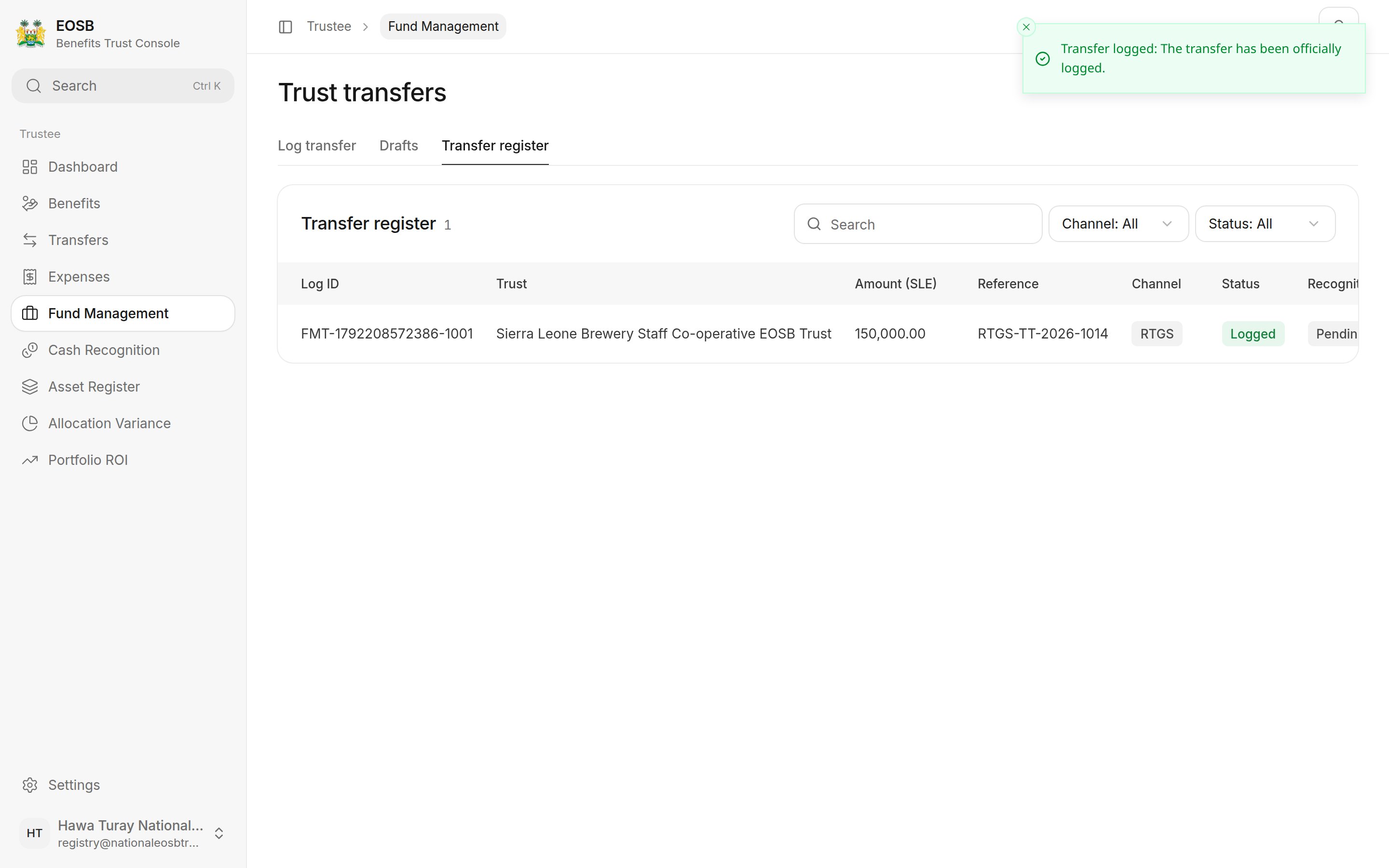
Transfer logged
Wallet transfer
Wallet transfer moves the money for you, from the trust wallet to the fund manager’s wallet, once you confirm with the code. There is no bank reference or document to add.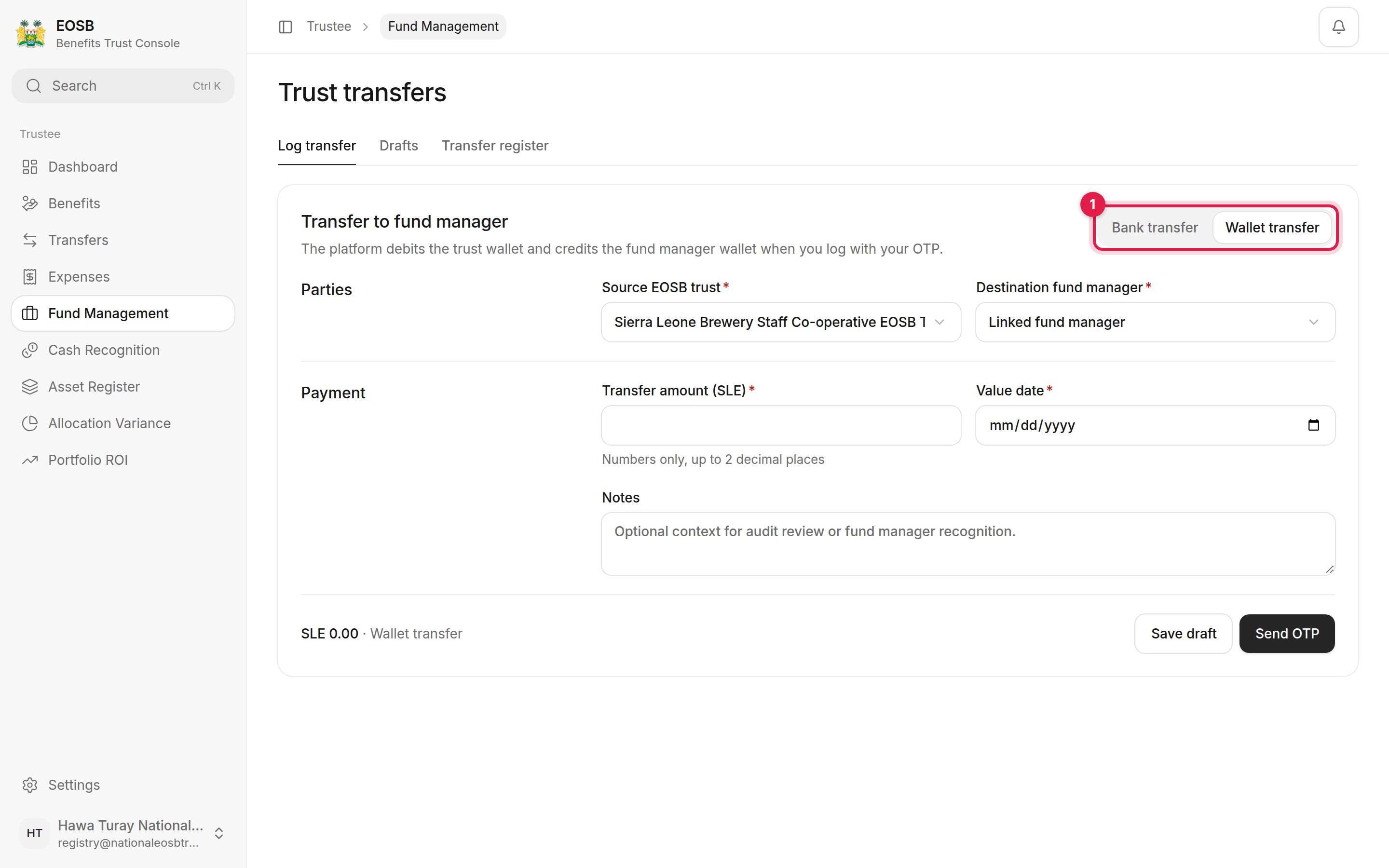
Wallet transfer
Drafts and the register
Drafts lists transfers you saved; select Resume to finish one. The Transfer register lists every logged transfer and the fund manager’s recognition of it.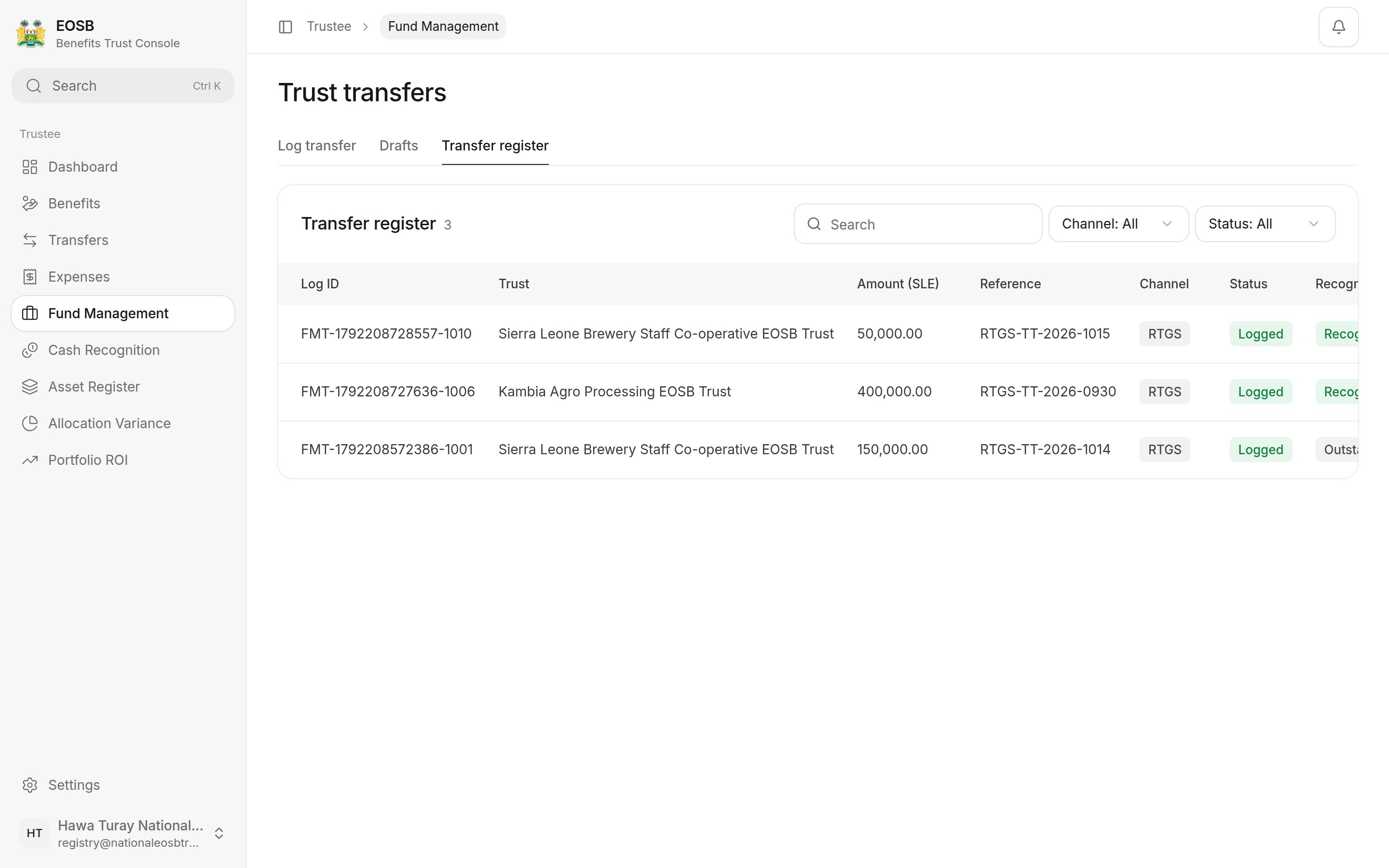
Transfer register
What happens next
The fund manager checks their bank account and recognises what arrived. If it is the amount you logged, the transfer becomes Recognised and nothing more is needed from you. If they recognise a different amount and do not expect the rest, it comes back to you under Cash recognition.If logging is refused
Next: cash recognition.