
Where: Cash Recognition in the menu. Before you start: have your bank statement for the value date to hand.
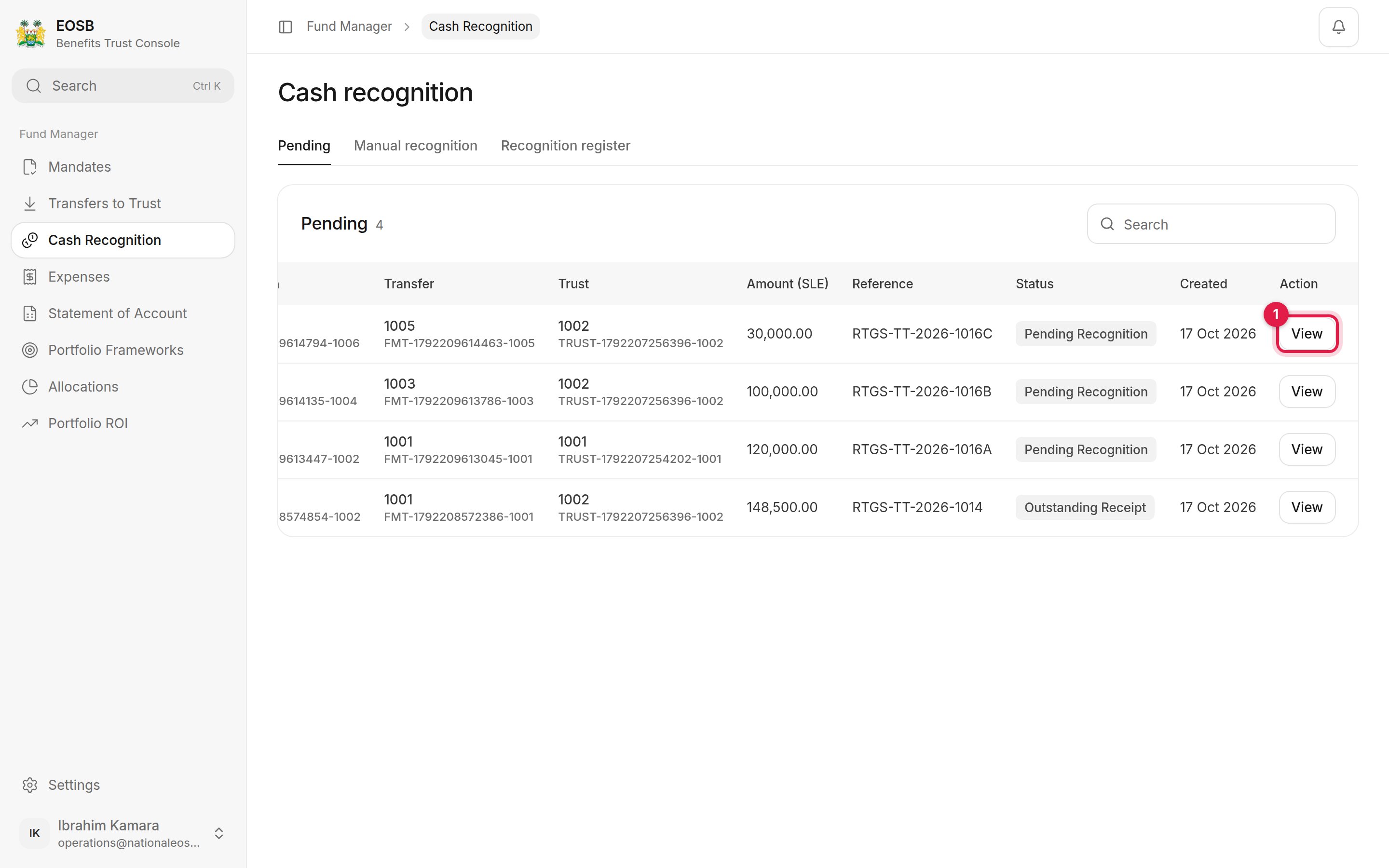
Transfers waiting
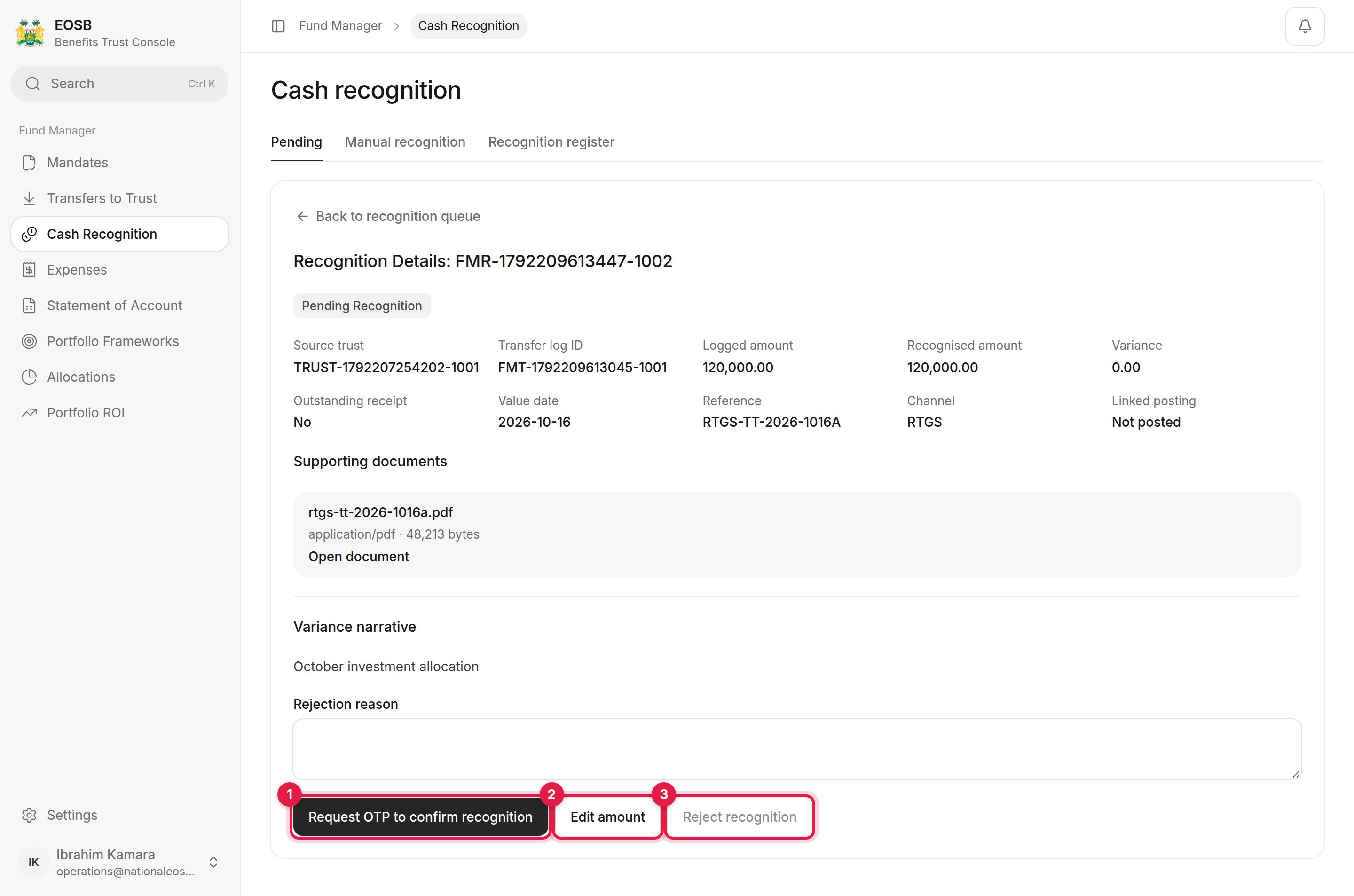
A transfer to recognise
The full amount arrived
1
Select Request OTP to confirm recognition (1)
2
Enter the code and select Recognise cash
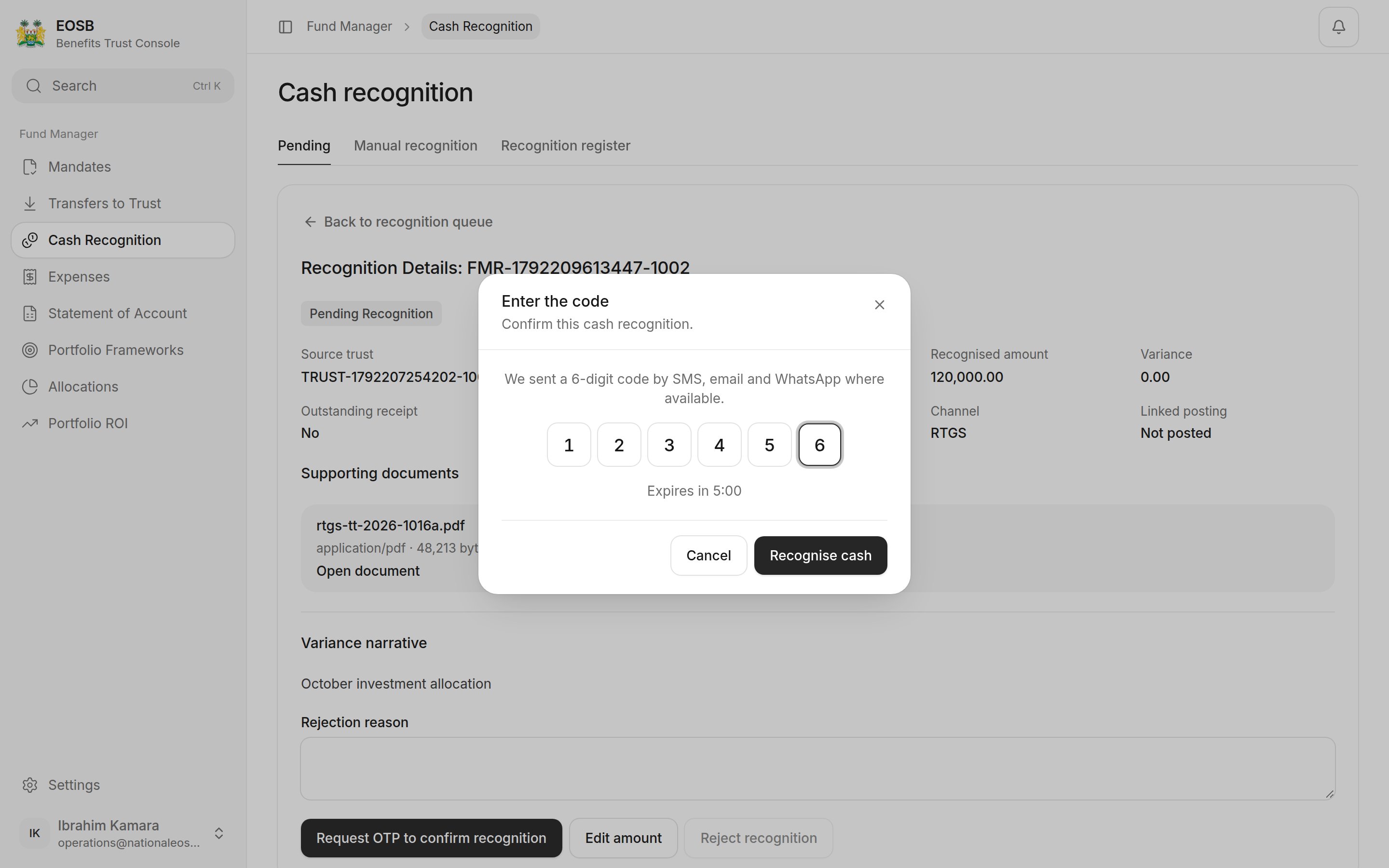
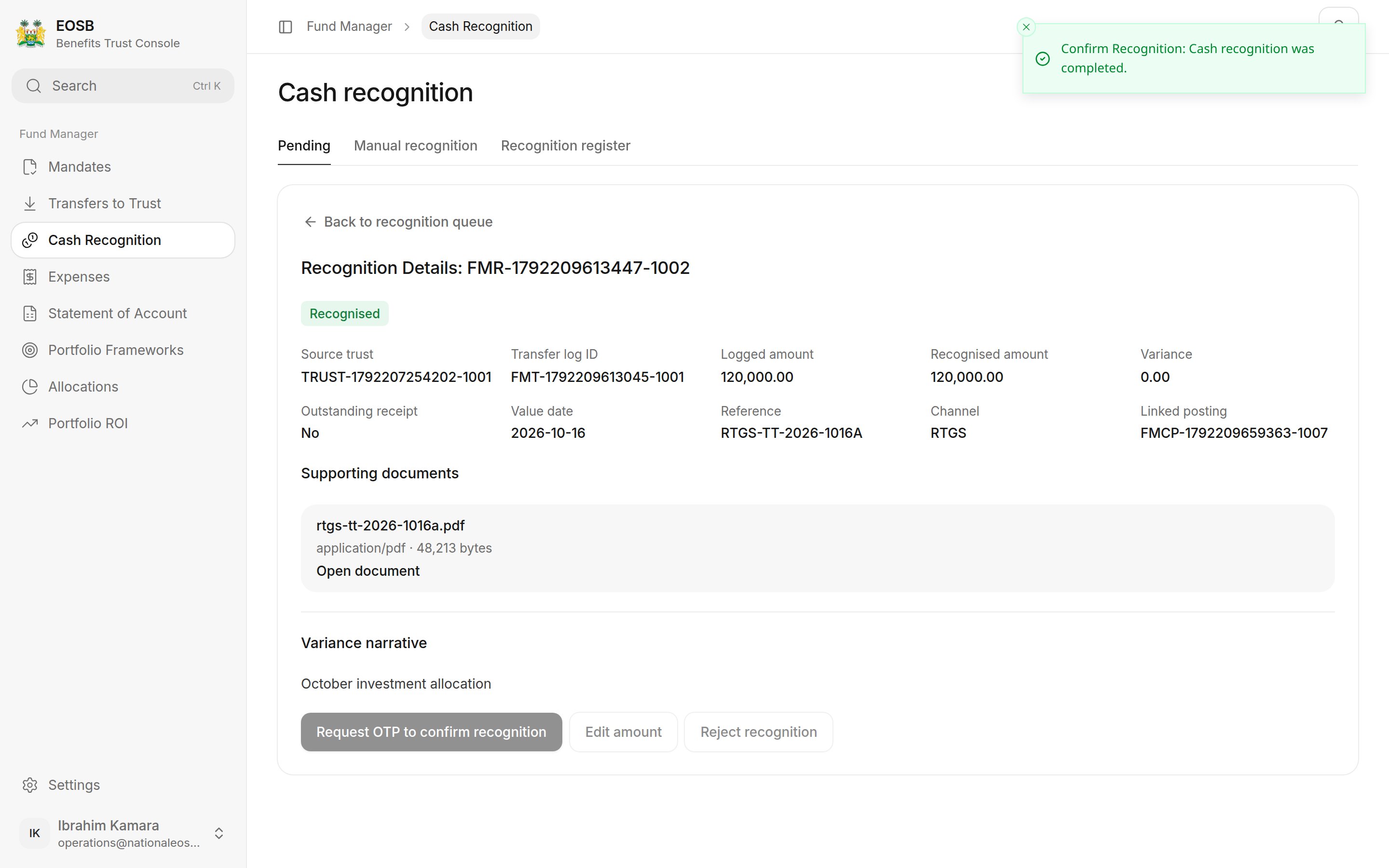
Recognised
A different amount arrived
Select Edit amount (2).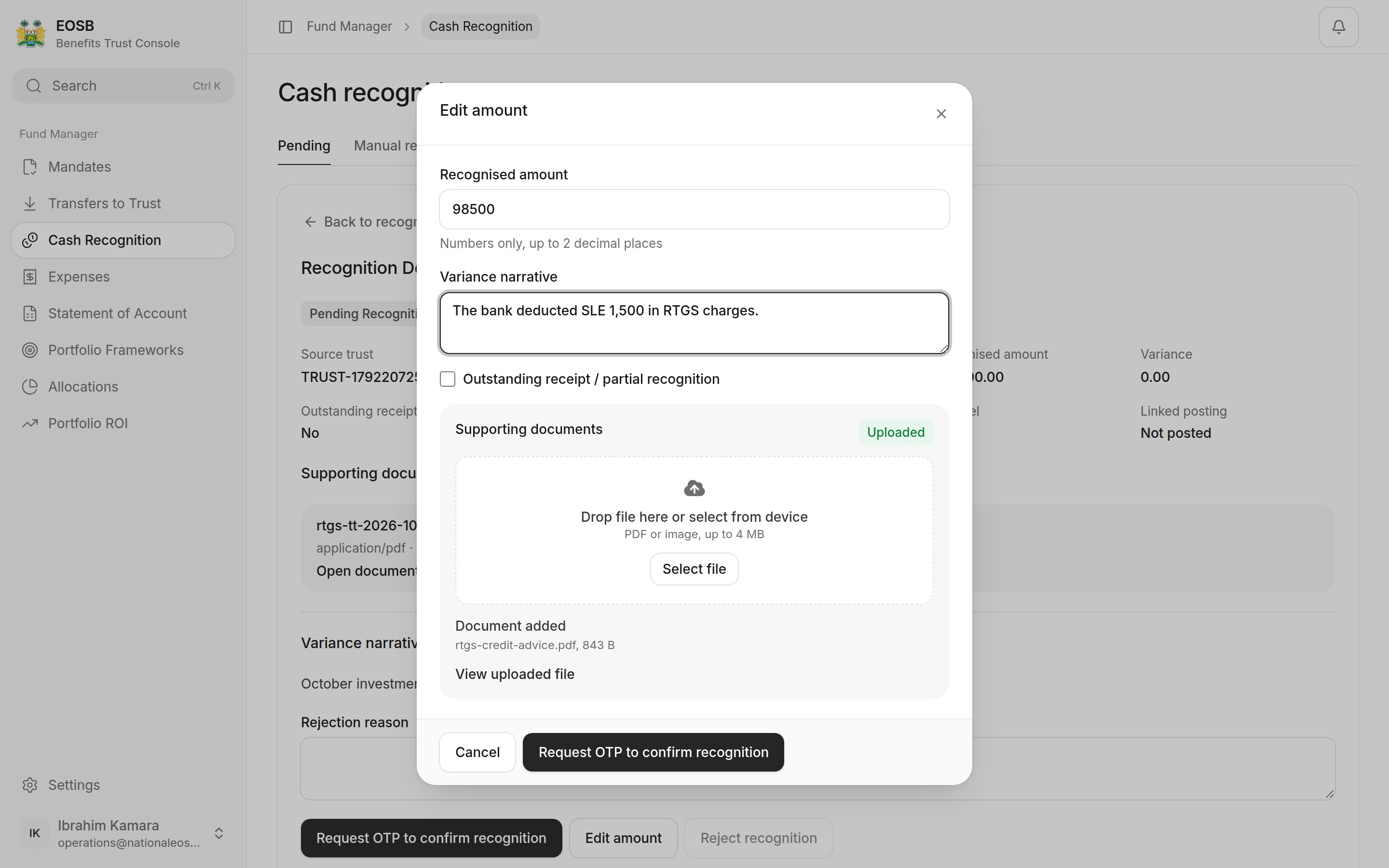
Recognising less than was sent
Select Request OTP to confirm recognition, enter the code, and select Recognise cash.
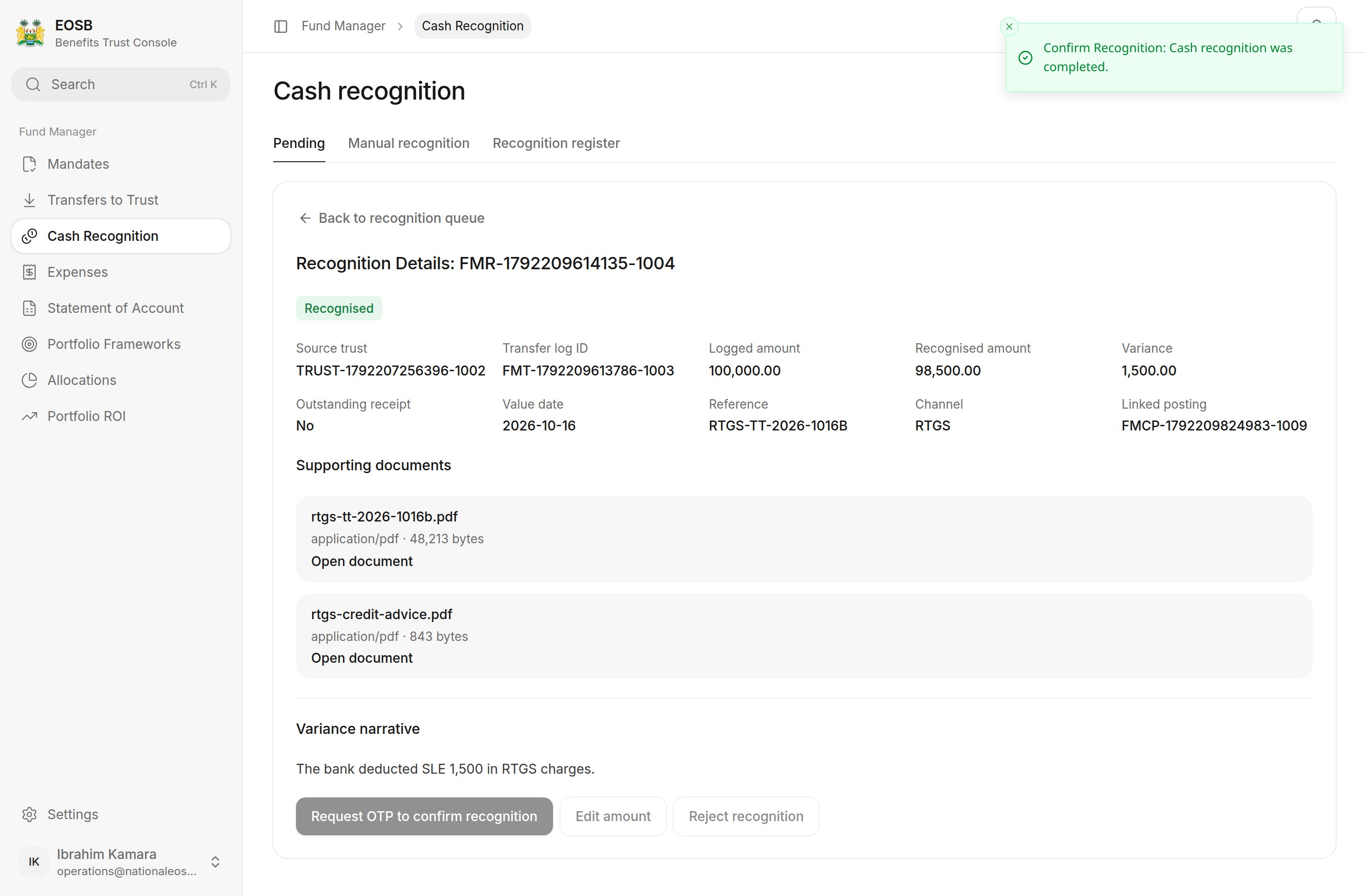
Recognised short
Nothing arrived
Write a Rejection reason, then select Reject recognition (3), enter the code and confirm with Reject recognition.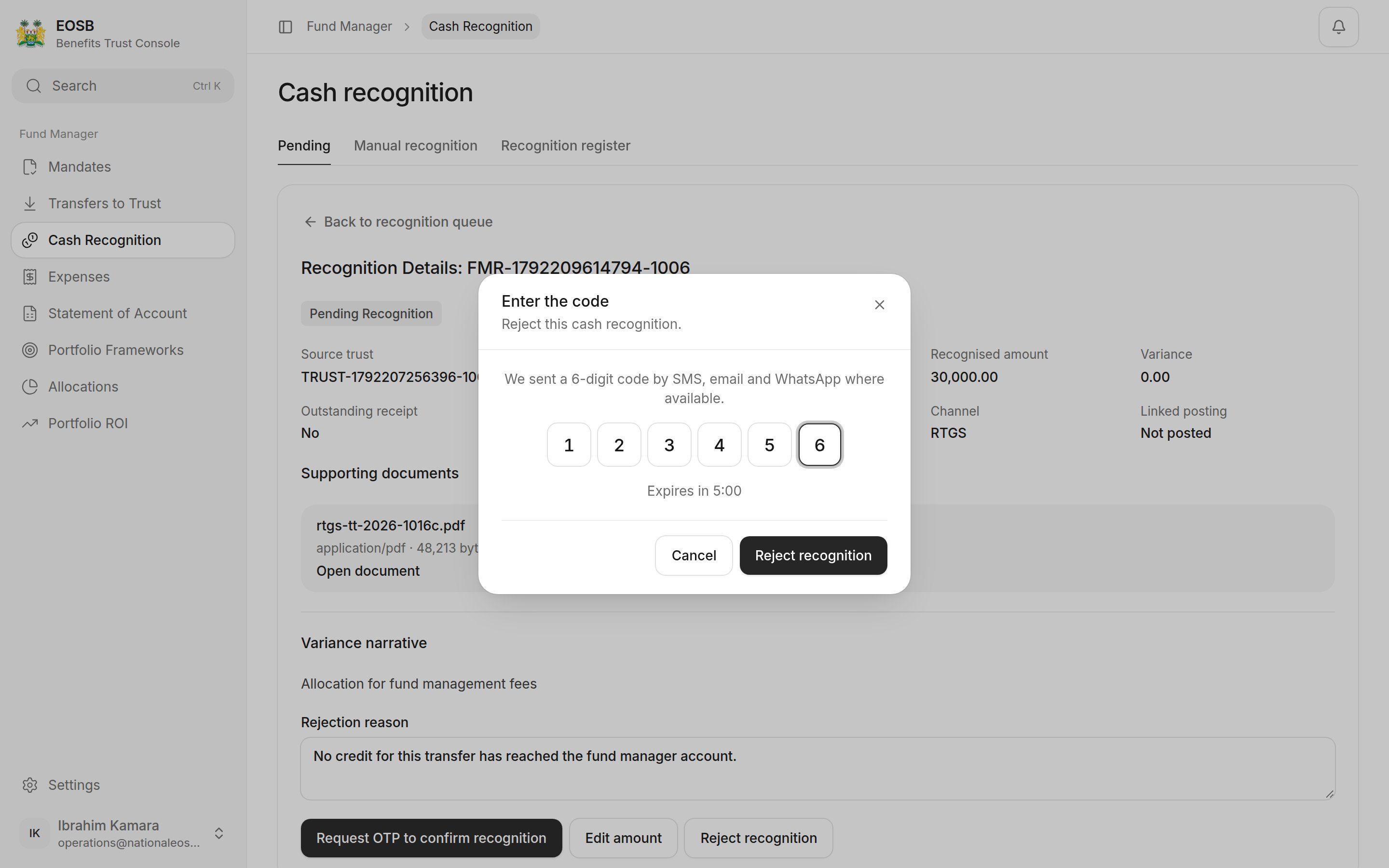
Rejecting
Good to know: which option to choose when the amount differs
Good to know: which option to choose when the amount differs
Ask yourself whether the missing part will still come.
- Yes, it is delayed — tick Outstanding receipt. You can use what arrived straight away, and the rest stays open.
- No, it is gone (for example bank charges) — leave it unticked. The trustee has to agree the loss before it is booked.
- More arrived (for example interest) — the trustee has to agree the extra too.
Recognition register
Recognition register lists every recognition and its outcome. Each row shows the recognition reference with its transfer underneath (or Manual), and the trust by name.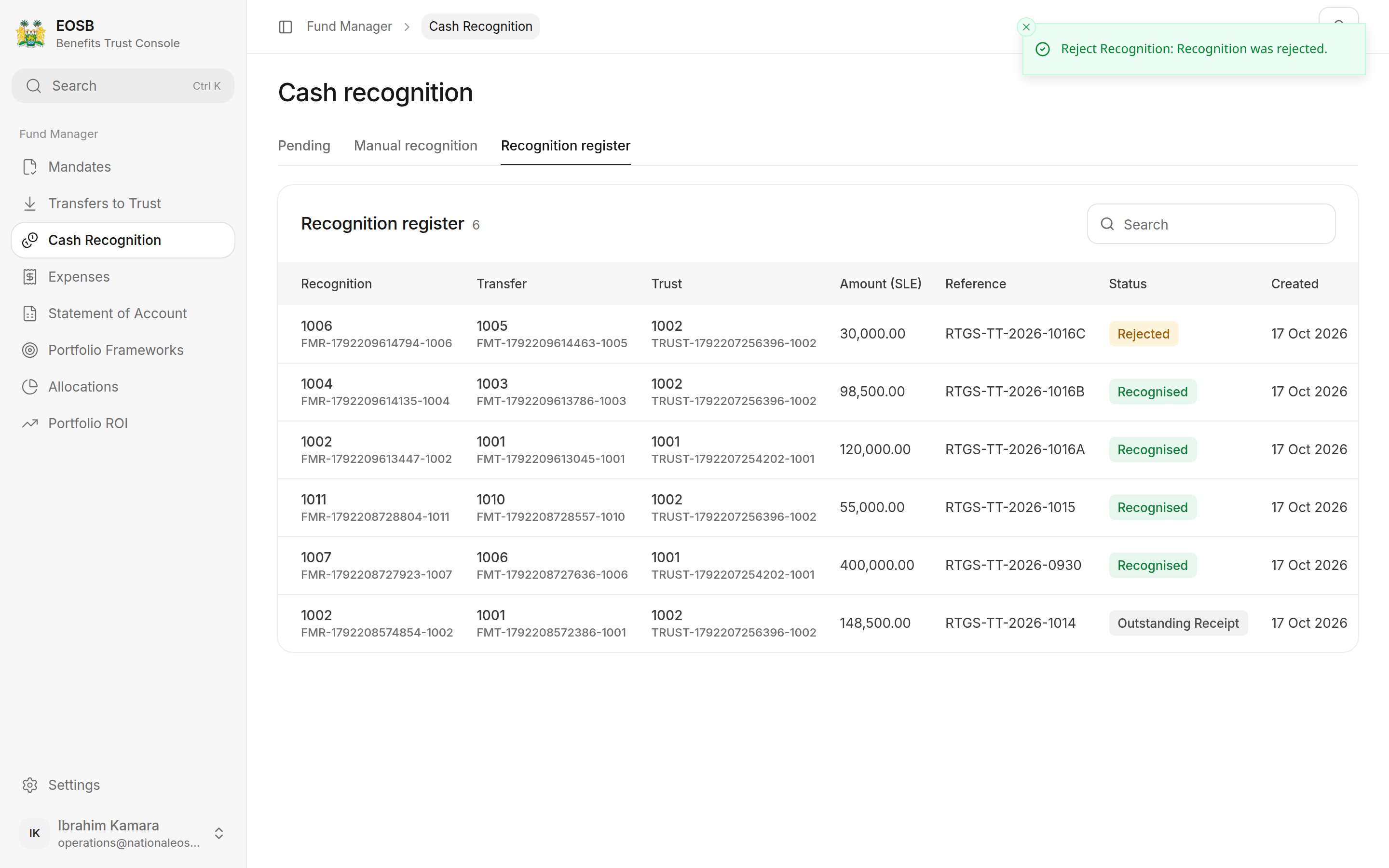
Recognition register
Manual recognition
Use Manual recognition for money that arrived without a trustee transfer being logged. Choose the Source trust from your trusts, then enter the amount, channel, value date, reference and narrative, upload the evidence and select Create manual recognition.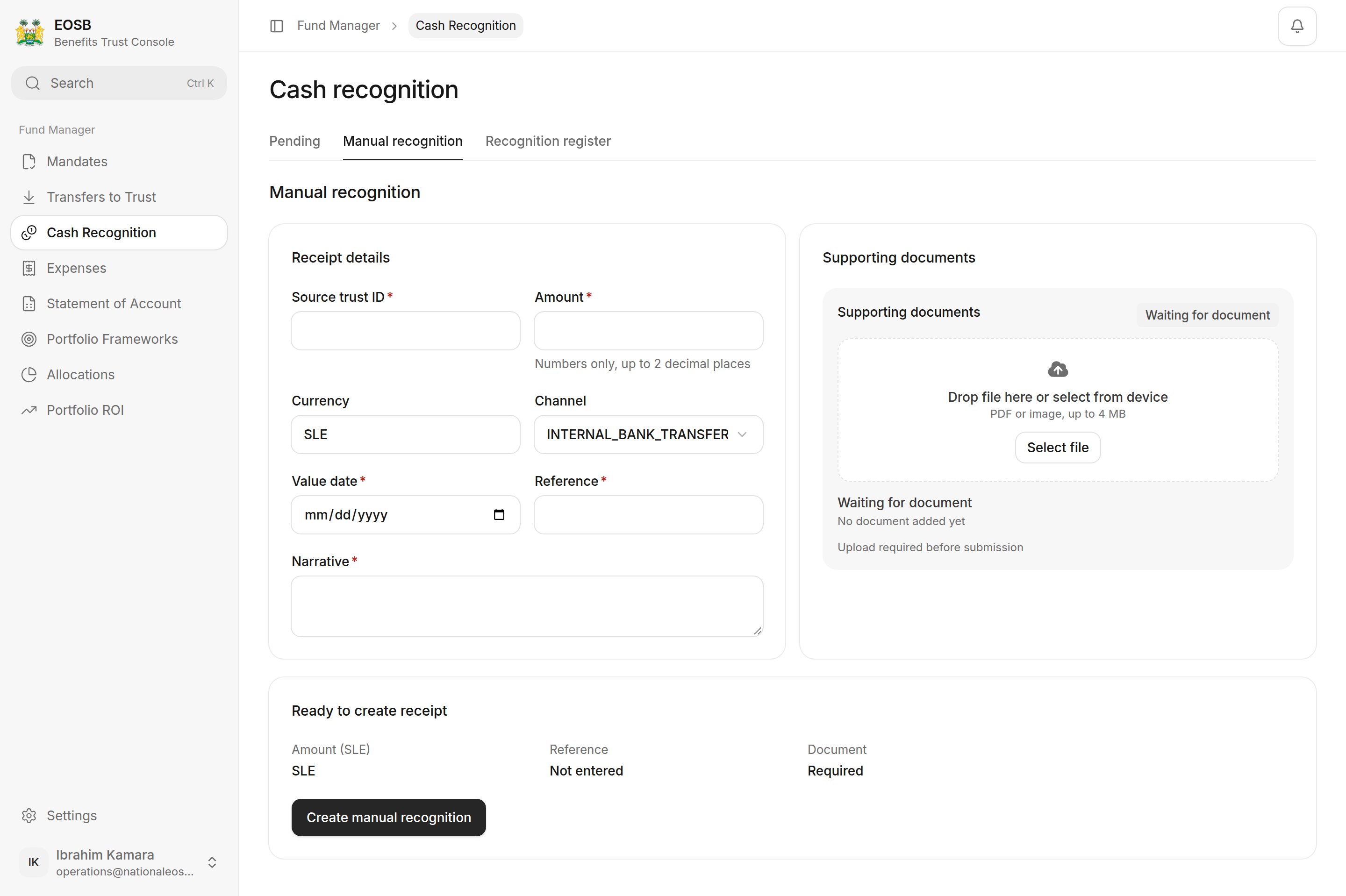
Manual recognition