You send money back to a trust when it needs cash — most often to pay leavers’ benefits — or to pass on investment income, proceeds of a sale, or everything at the end of a mandate.
Where: Transfers to Trust in the menu. Before you start: you can only return cash you hold for that trust. For a bank transfer, make it first and have the bank’s reference to hand.
The trustee then confirms receipt. The page has three tabs: Log transfer, Drafts and Transfer register.
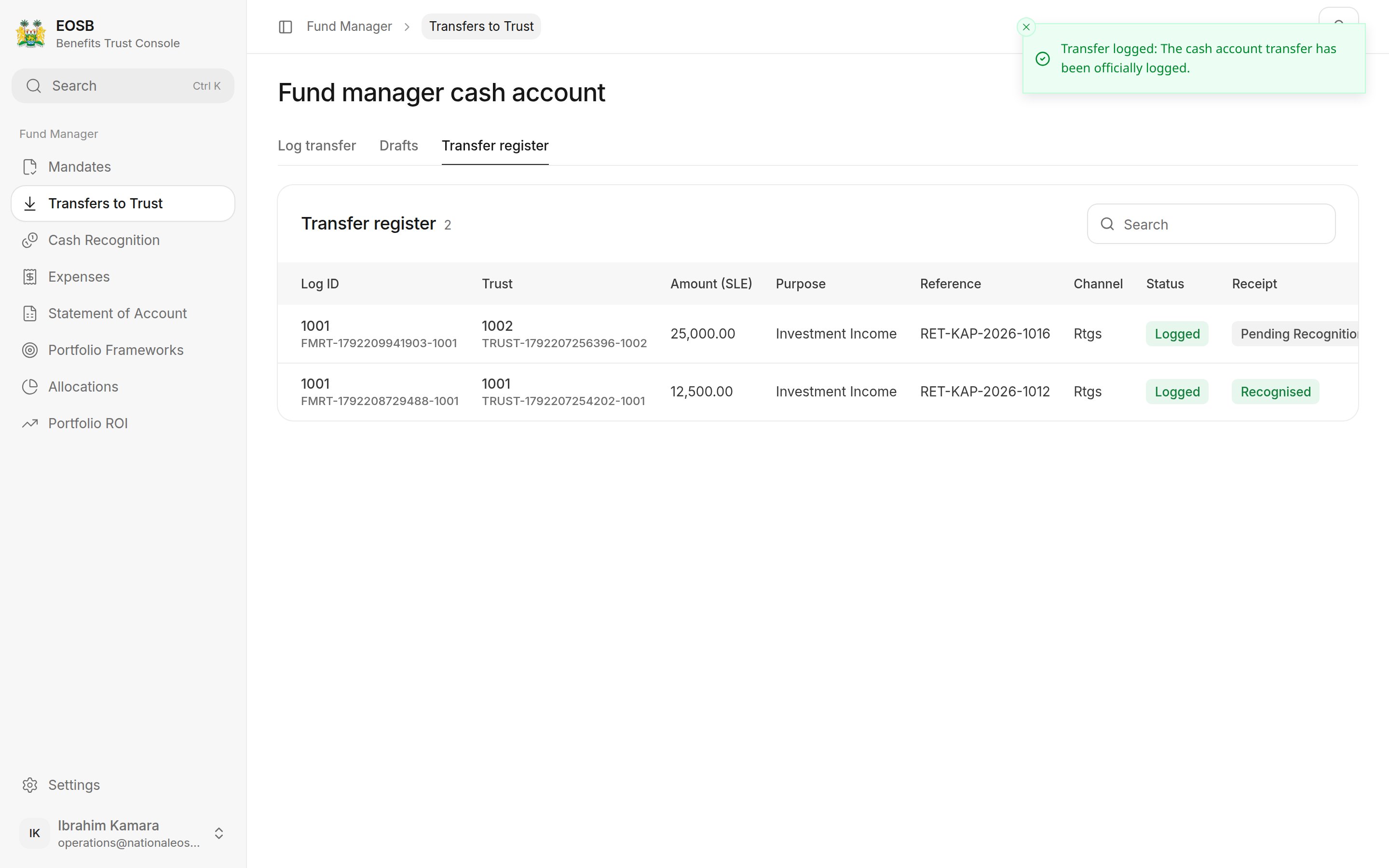
Transfer to EOSB Trust form with Bank transfer, Source cash account, Transfer purpose and Send OTP marked 1 to 4

A return to the trust

1

Choose Bank transfer or Wallet transfer (1)

A bank transfer records an instruction you have already made. A wallet transfer moves the money for you when you confirm.
2

Choose the Source cash account / trust (2)

Destination EOSB trust fills in. Available balance shows the cash you hold for that trust, and Balance after transfer what will be left.
3

Enter the payment

4

Upload the supporting document

Wait until it says Uploaded.
5

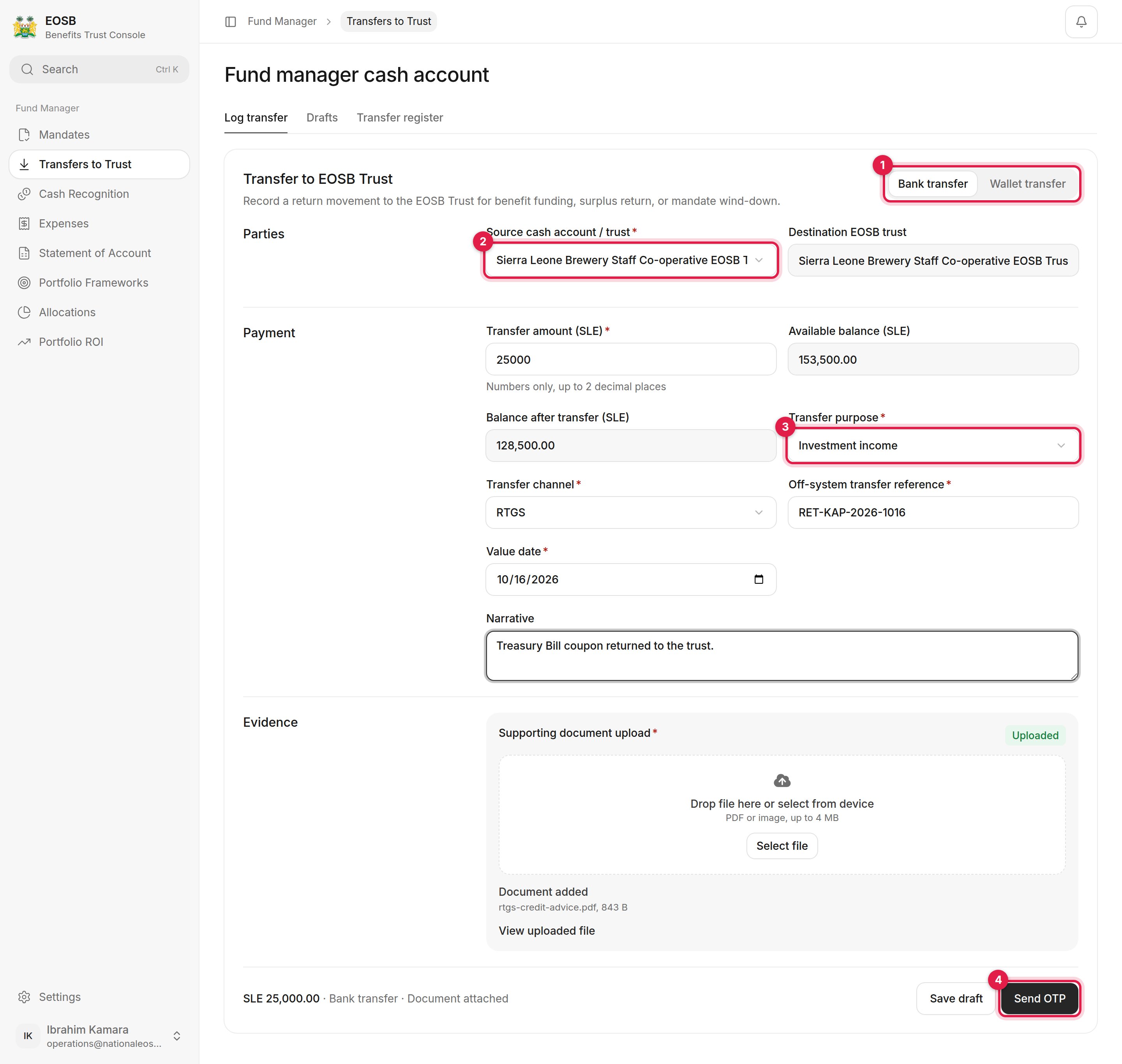
Select Send OTP (4), enter the code and select Log Transfer
Enter the code window with Log Transfer
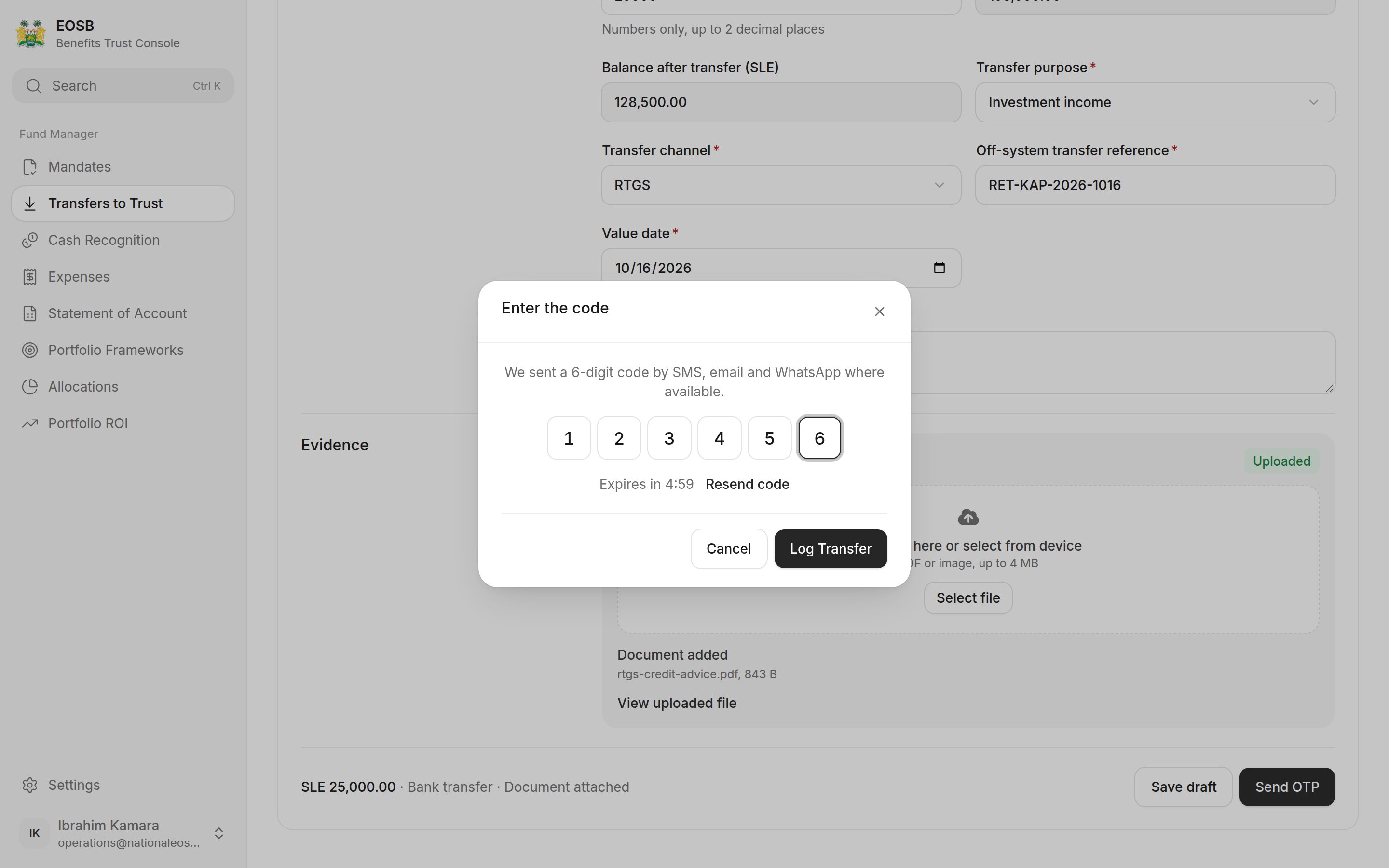
Select Save draft to finish later; drafts are listed under Drafts with Resume. The transfer appears in the Transfer register as Logged, with the trustee’s Receipt status: Pending recognition until they confirm it, then Recognised.
Transfer register with two logged returns, one pending recognition and one recognised

Transfer register

If the same reference was used recently, the page asks you to Confirm duplicate reference before continuing. Check you are not logging the same transfer twice.

What happens next

The trustee checks the trust’s bank statement and confirms receipt. Follow it in the Transfer register: Receipt moves from Pending recognition to Recognised. If the trustee cannot match it, they give a reason; talk to them and correct the record.