A portfolio framework sets out how a trust’s money is to be invested: which asset types, and in what proportions. You must activate a framework before you can buy assets for it.
Where: Portfolio Frameworks in the menu. Before you start: agree the policy mix with the trustee — it is what the trustee measures you against.
Open Portfolio Frameworks. It has two tabs: Create portfolio and Portfolio list.

Create a framework

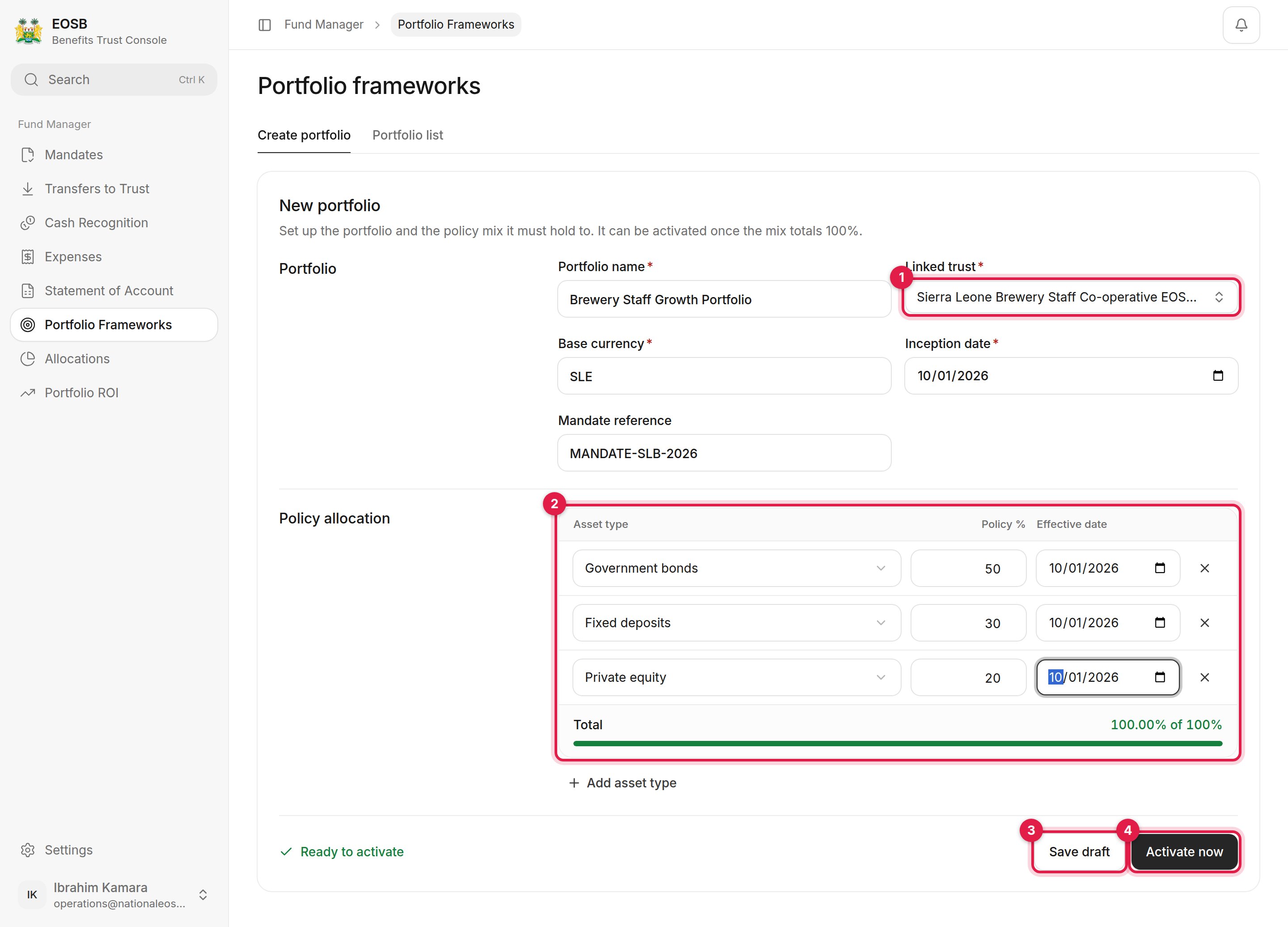
New portfolio form with Linked trust, Policy allocation, Save draft and Activate now marked 1 to 4

A new framework

1

Name the portfolio and choose the Linked trust (1)

Also set the Base currency, Inception date and, optionally, the Mandate reference.
2

Set the policy allocation (2)

One row per asset type, with its Policy % and Effective date. Use Add asset type for more rows. The rows must total exactly 100%; the bar turns green and the page says Ready to activate.
3

Save draft (3) or Activate now (4)

The portfolio list
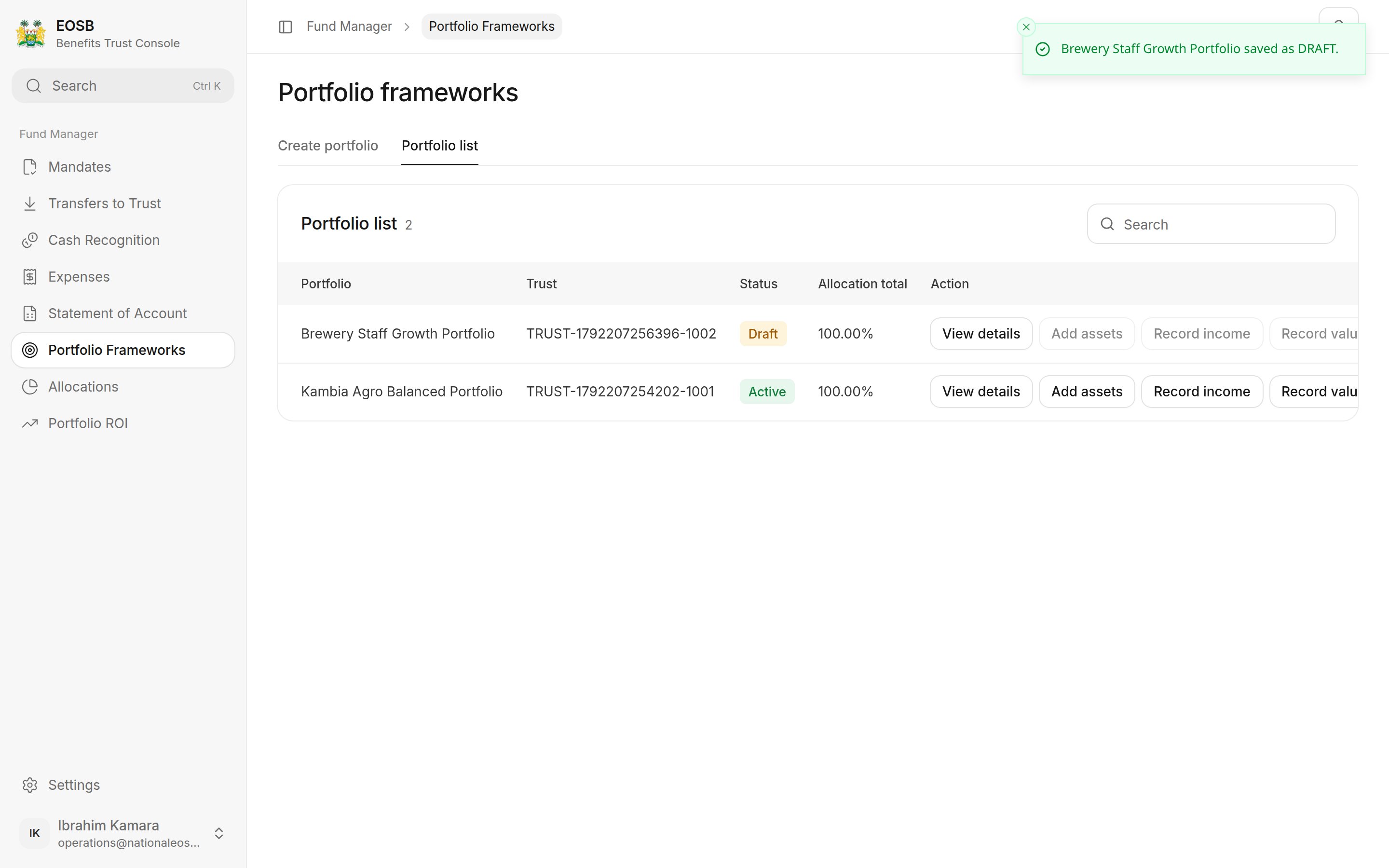
Portfolio list with a draft and an active portfolio and their actions

Portfolio list

Each portfolio shows its trust, status and allocation total, with shortcuts to View details, Add assets, Record income and Record valuation. The shortcuts are disabled for drafts.

Activate a draft

Open the draft with View details and select Activate draft. You can also Edit draft first.
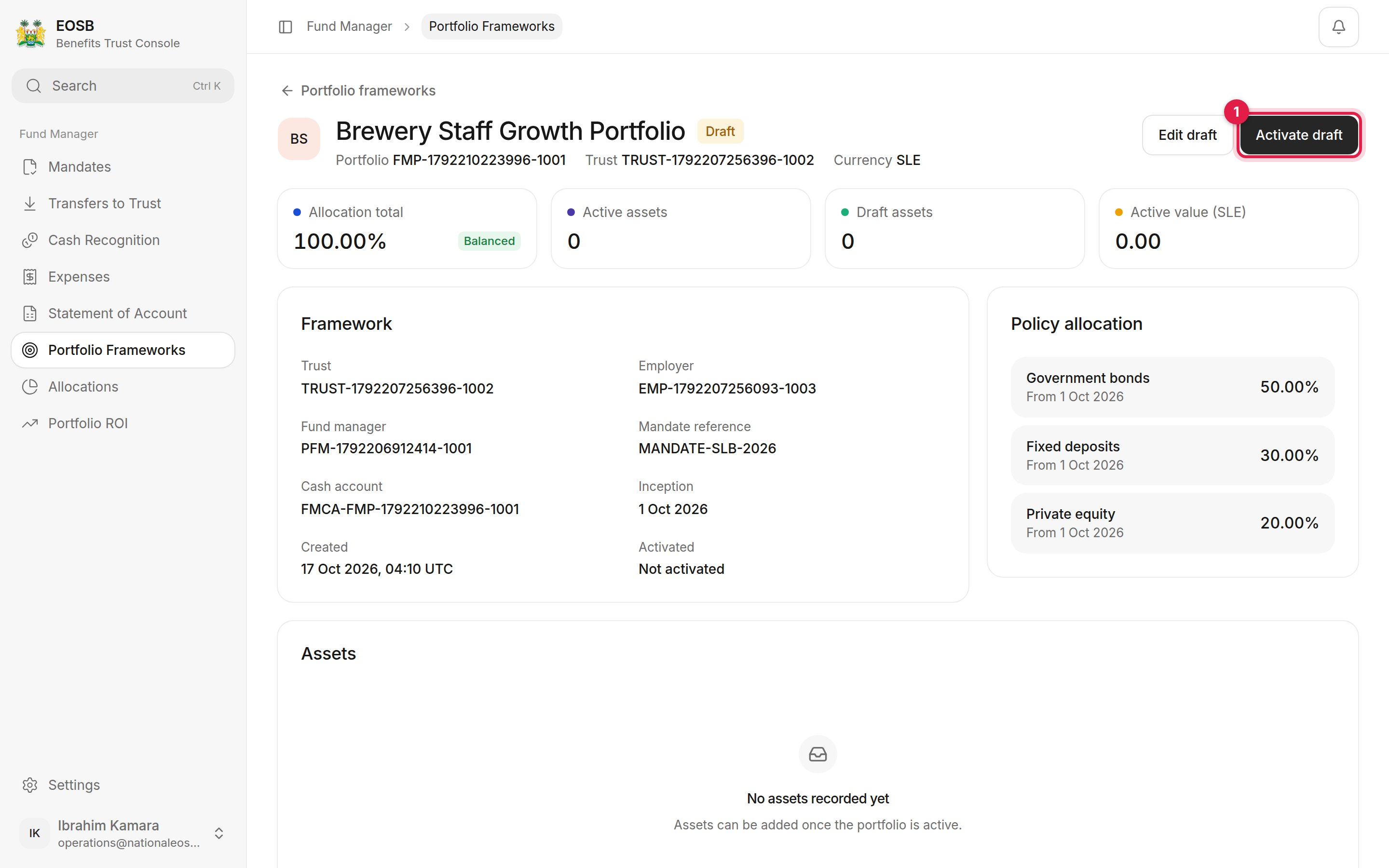
Draft portfolio detail with Activate draft marked 1

A draft framework

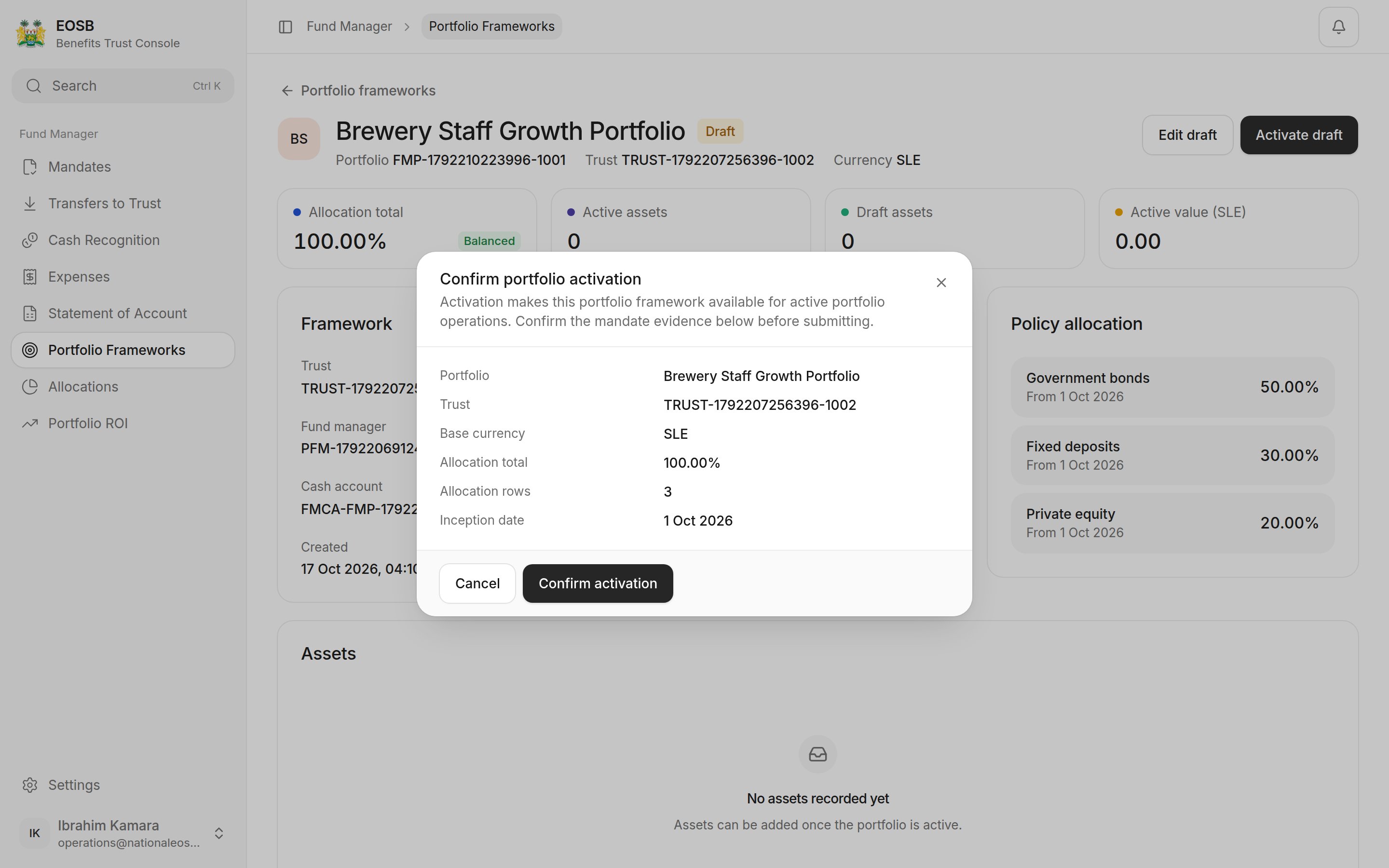
Check the summary and select Confirm activation.
Confirm portfolio activation window

Confirming activation

An active framework
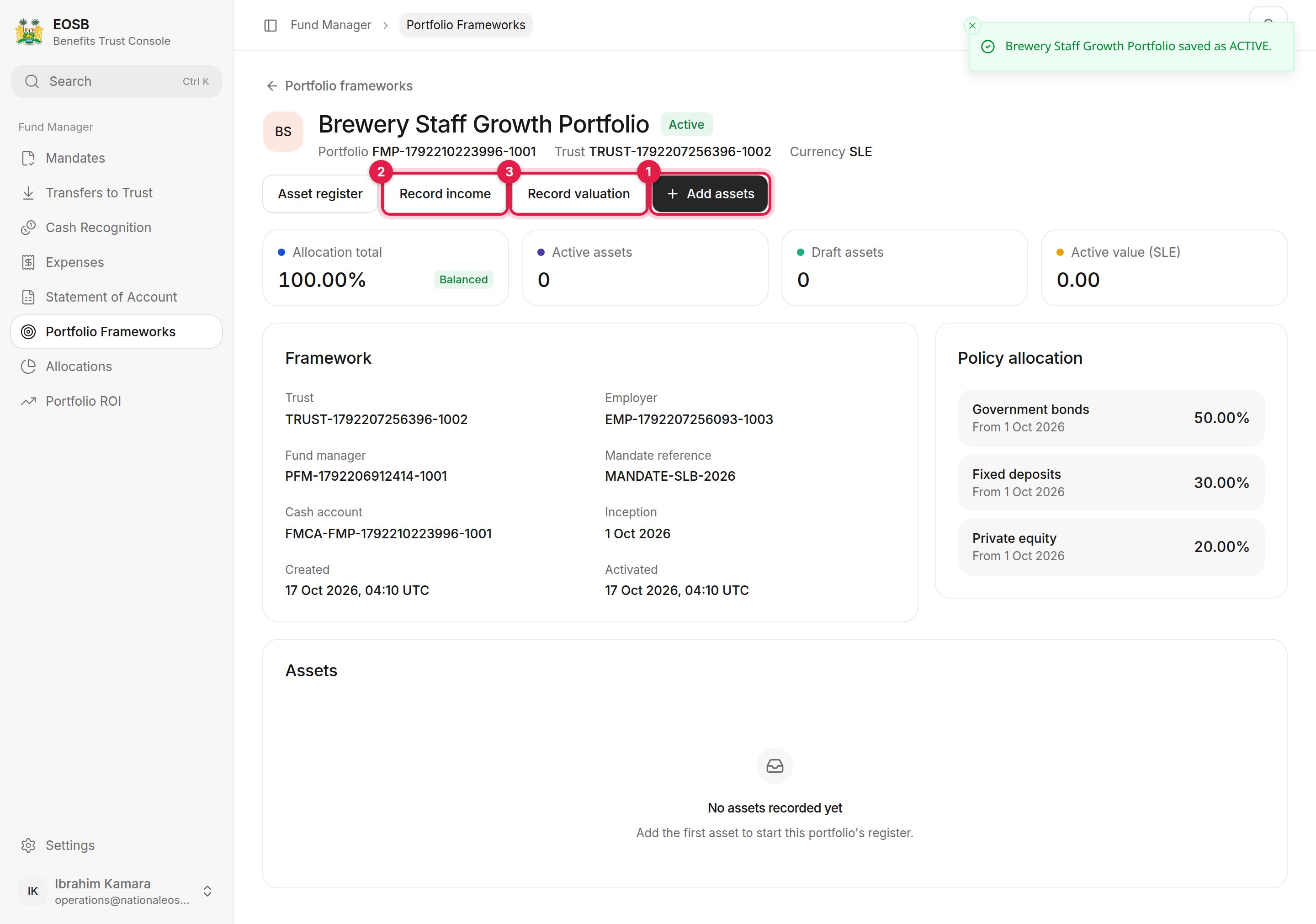
Active portfolio with Add assets, Record income and Record valuation marked 1 to 3, the framework details and the policy allocation

Active framework

From here you can Add assets (1), Record income (2), Record valuation (3) or open the Asset register. See Assets, income and valuations. Next: add assets.