
Where: Expenses in the menu. Before you start: propose a budget first; until one is approved, every expense is blocked.
Propose a budget
Open Budgets.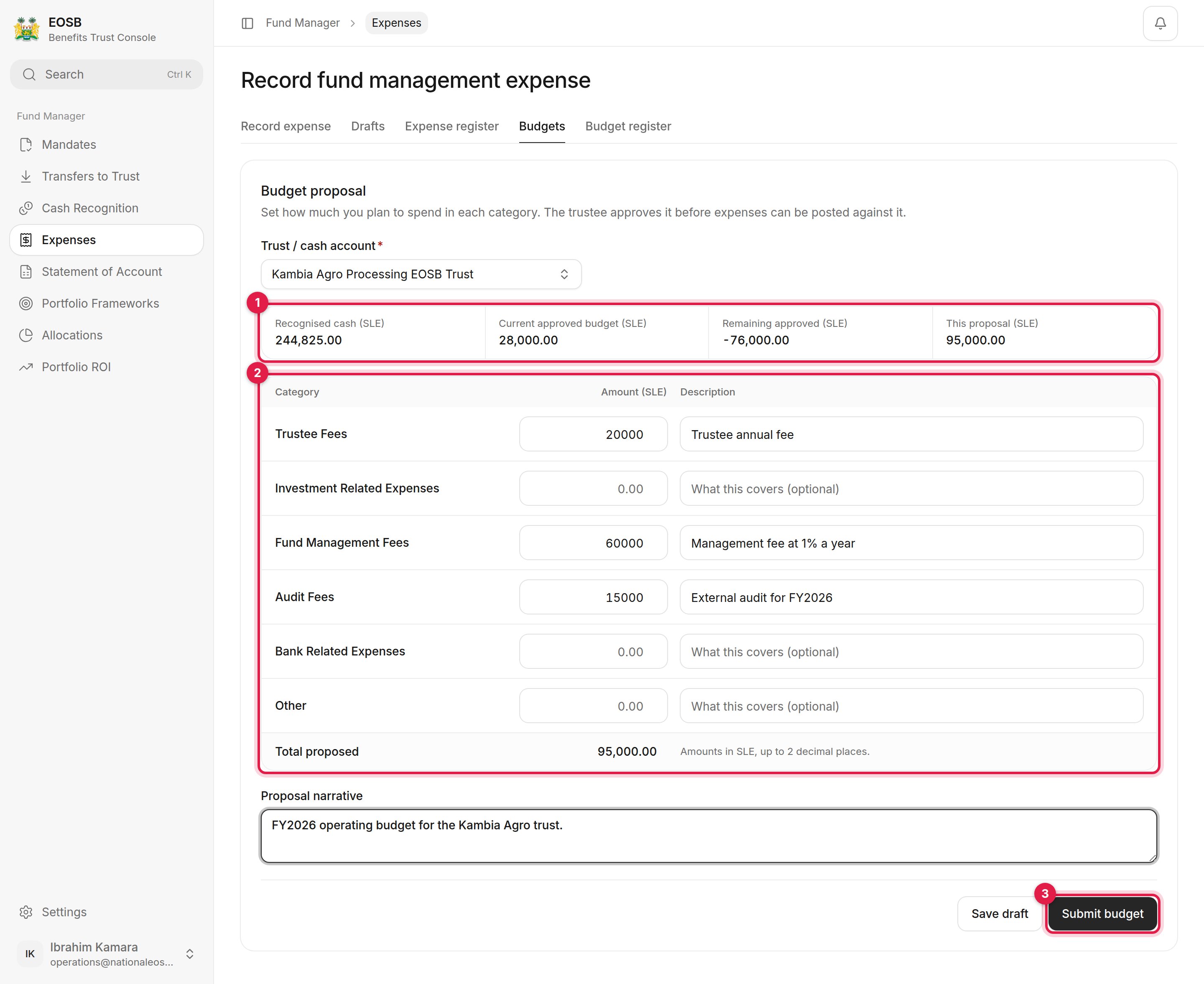
A budget proposal
1
Choose the trust
Budget position (1) shows the recognised cash, the current approved budget, what remains of it, and this proposal’s total.
2
Fill in the budget lines (2)
An amount, and optionally a description, for each category: trustee fees, investment-related expenses, fund management fees, audit fees, bank-related expenses and other.
3
Explain the budget
Write a Proposal narrative for the trustee.
4
Select Submit budget (3)
Or Save draft to finish later.
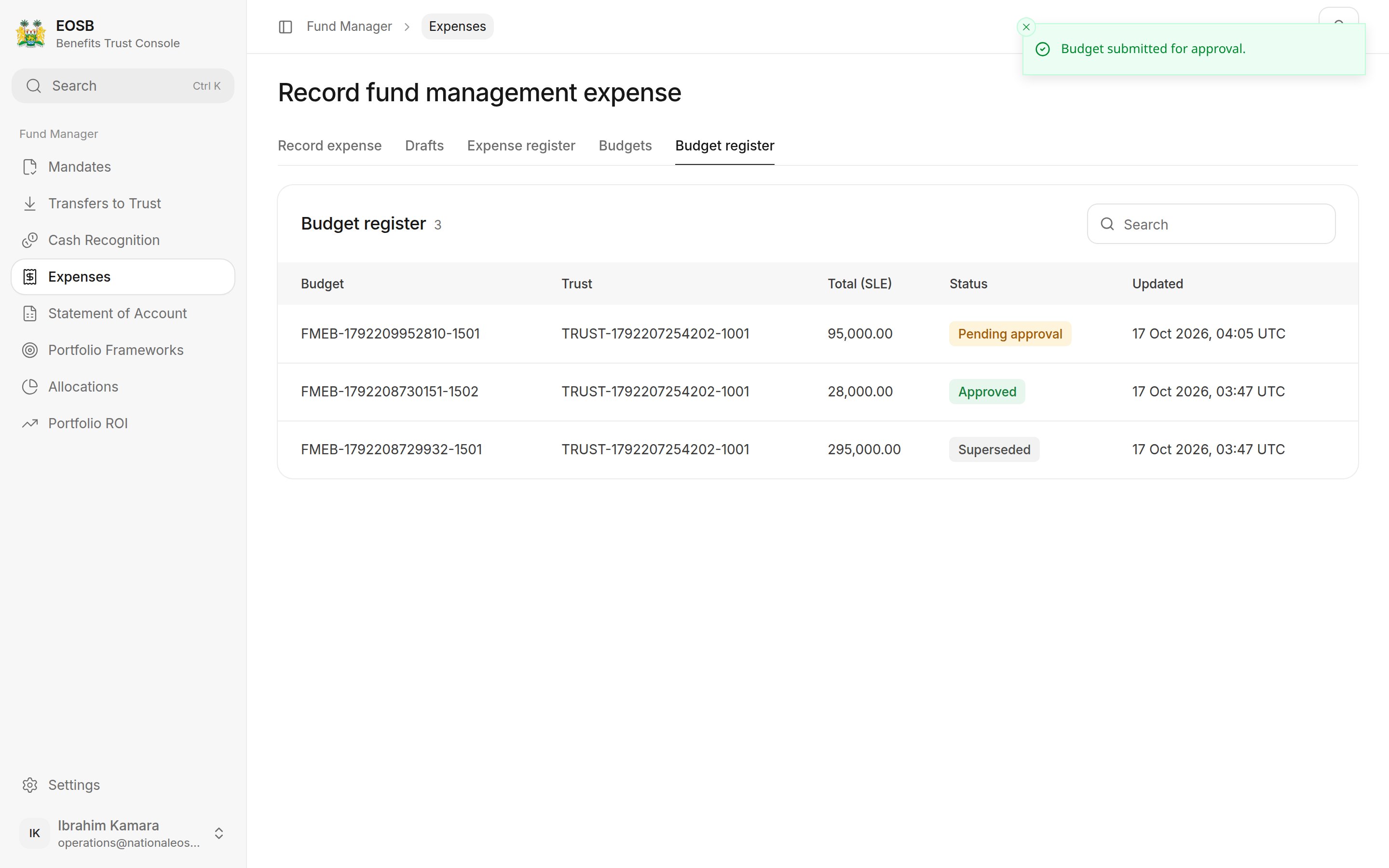
Budget register
Record an expense
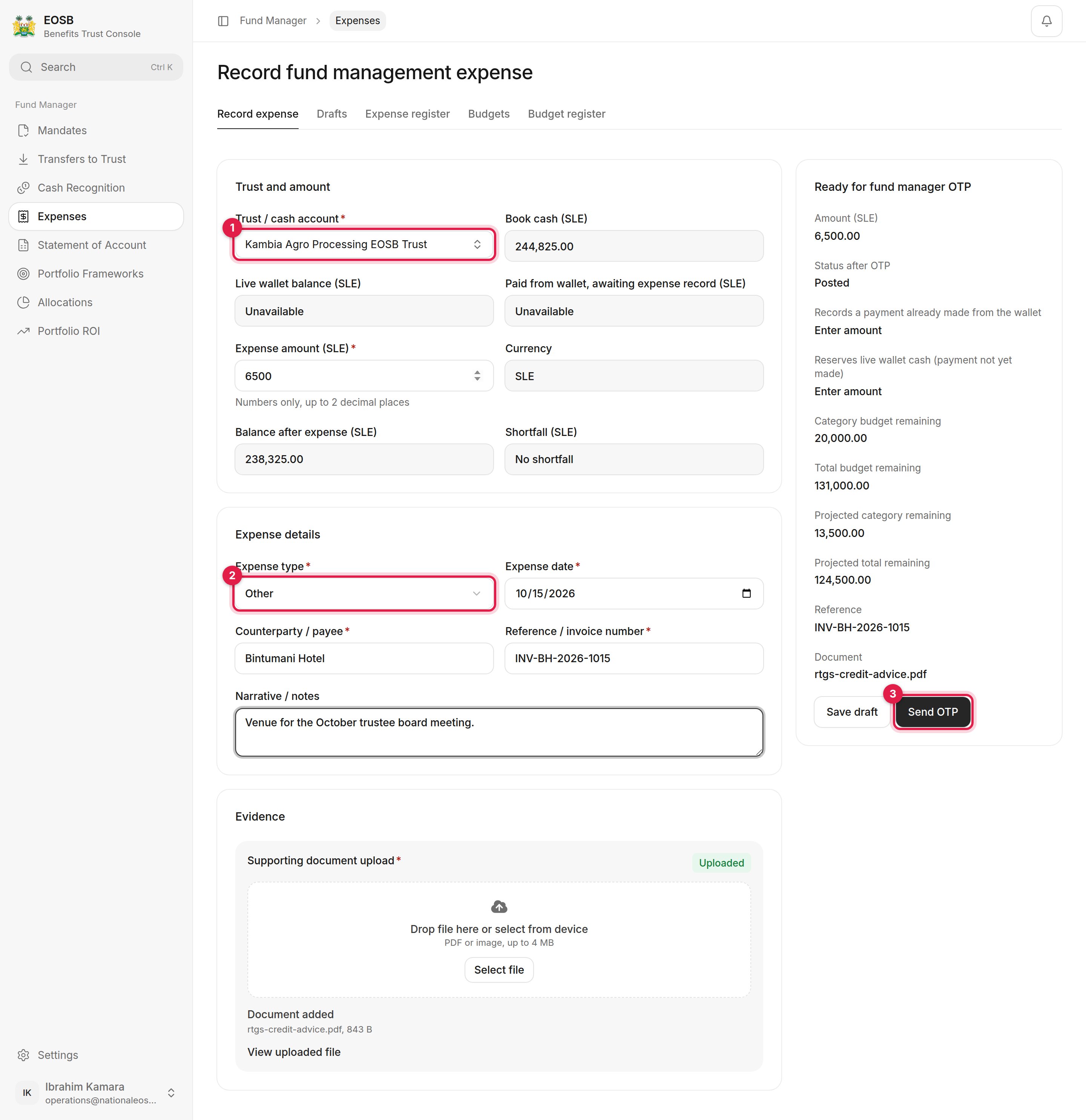
An expense ready to post
1
Choose the trust / cash account (1)
Book cash shows the cash you hold for it.
2
Enter the expense
3
Upload the invoice or receipt
4
Check the panel on the right
It shows the budget remaining for the category and in total, before and after this expense, and the status the expense will have.
5
Select Send OTP (3), enter the code and select Post expense
The Expense register lists every expense, with the payee and reference as you entered them; a posted expense can be Reversed from there.
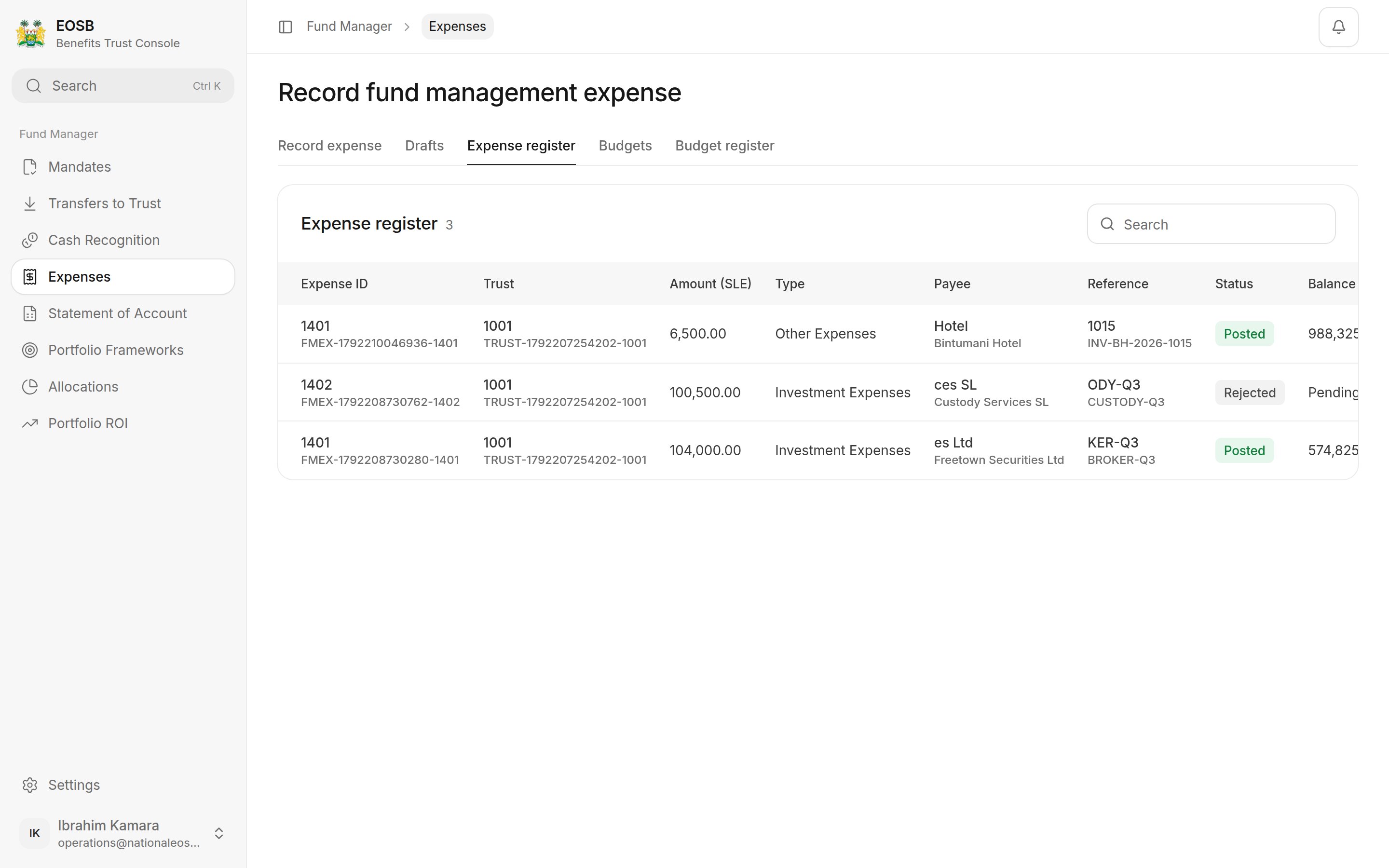
Expense register
When the budget is not enough
Send OTP stays disabled and the panel explains why, for example Expense exceeds the approved total budget by 82,500.00. Propose a new budget that covers the expense and wait for it to be approved.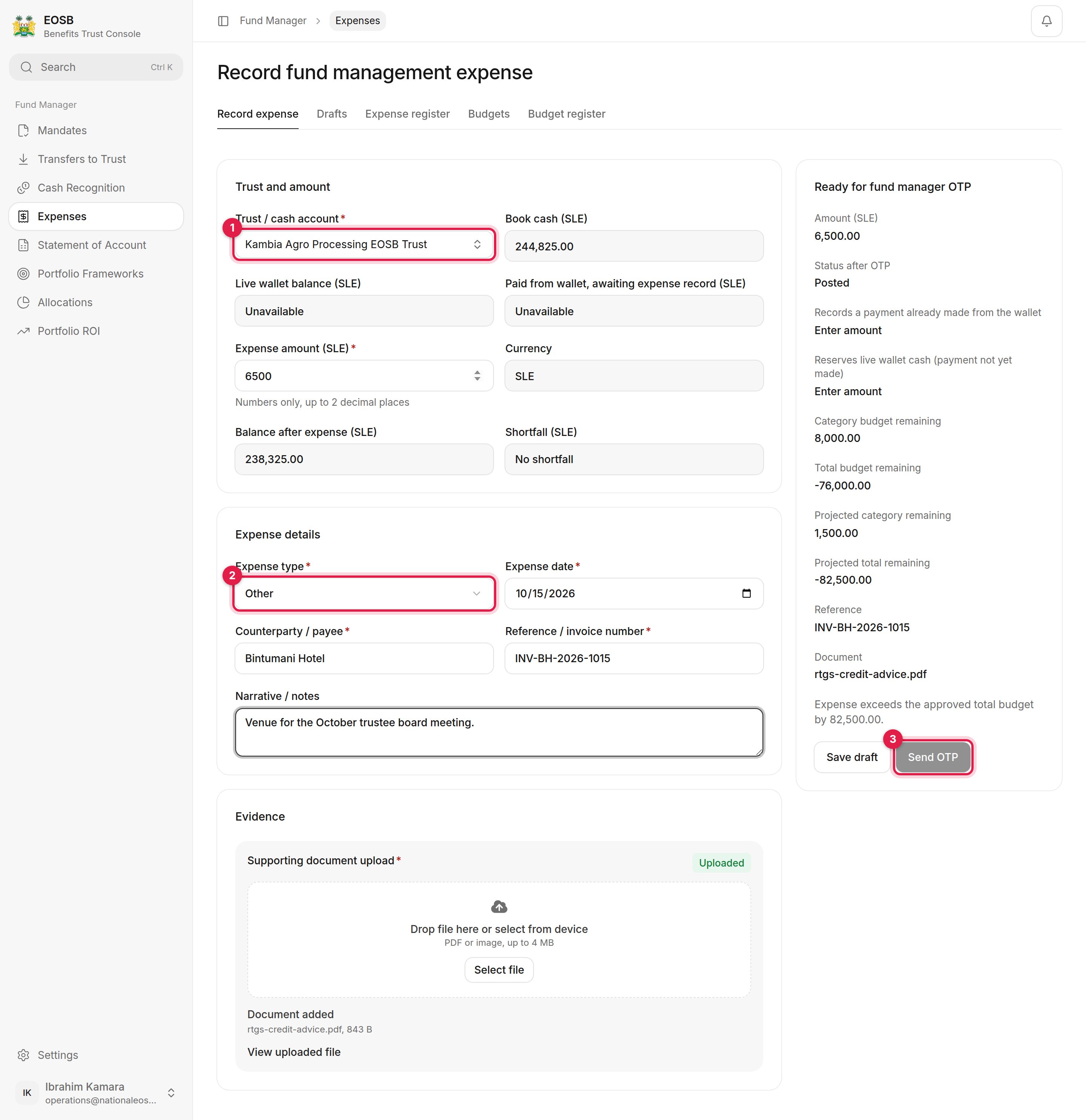
Over budget