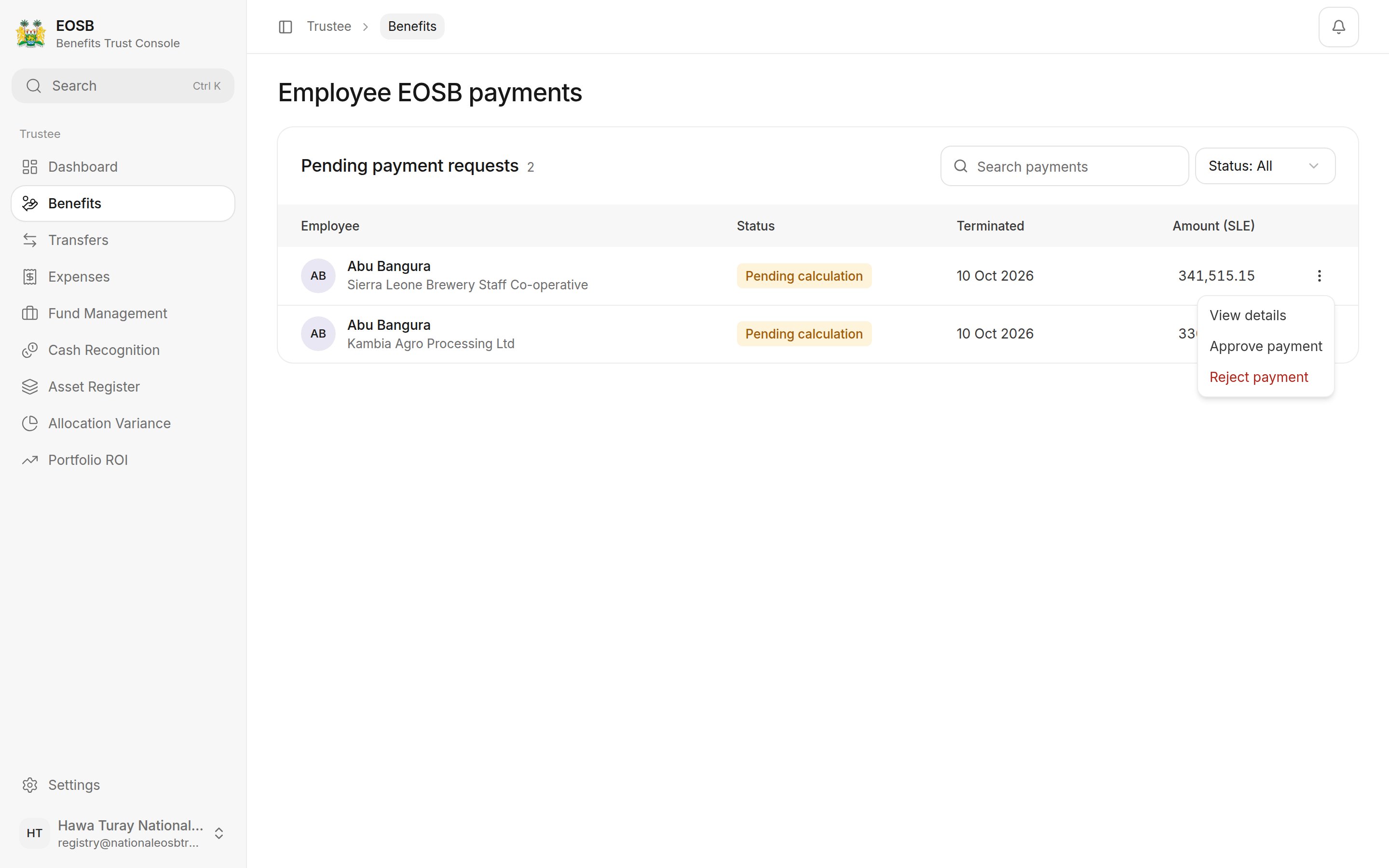
When an employer terminates an employee, the platform works out their final end-of-service benefit: everything they had accrued, up to the termination date. The payment waits for you before it can be paid out.
Where: Benefits in the menu.
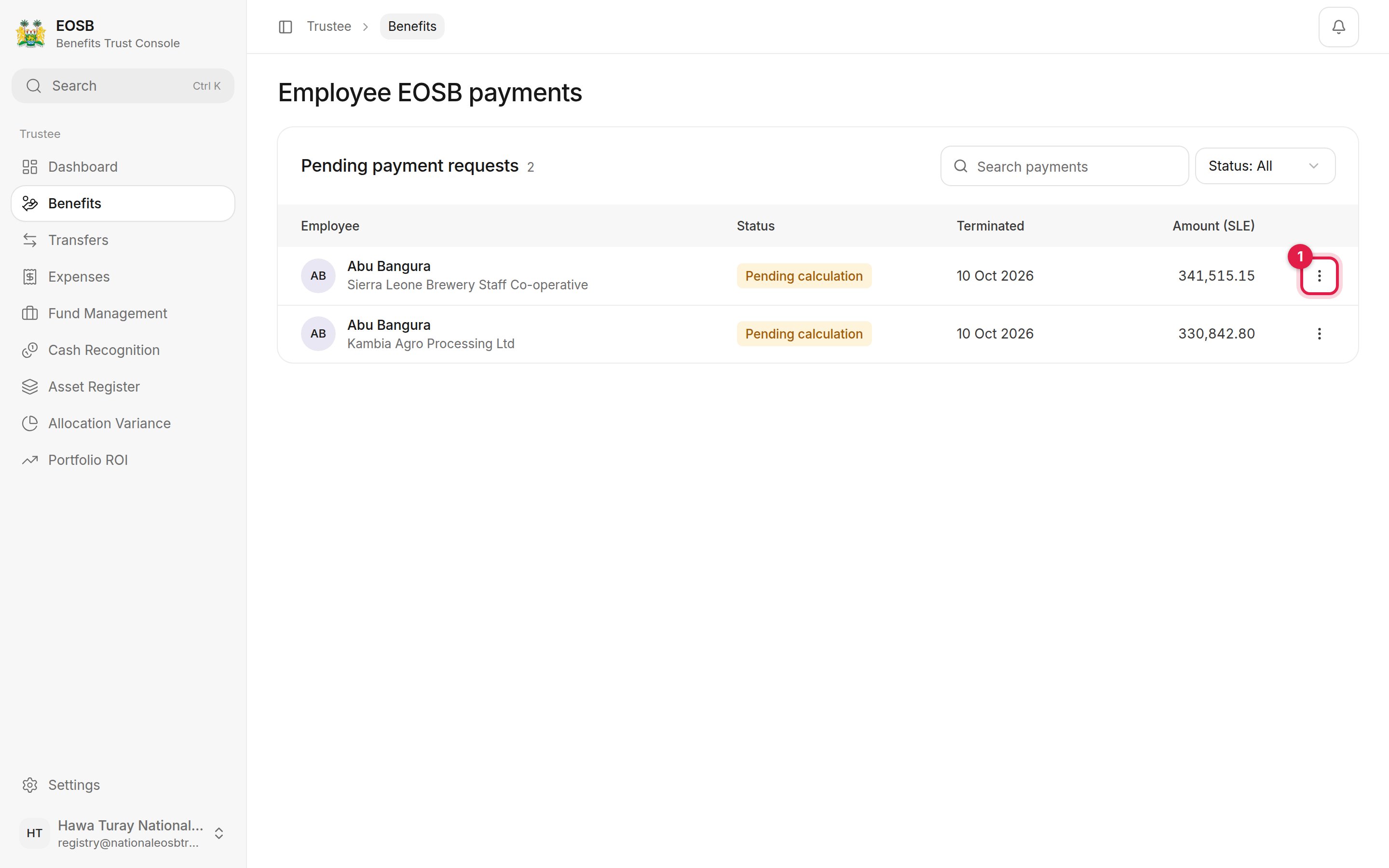
Pending payment requests: two employees with employer, status, termination date and amount, and the row menu marked 1

Payments waiting

Each row shows the employee and employer, the status, the termination date and the amount in SLE. A calculated payment reads Awaiting trustee approval; one still being calculated reads Pending calculation. Open the row menu (1) for the actions.
Row menu with View details, Approve payment and Reject payment

Row menu

Check the details

Select View details.
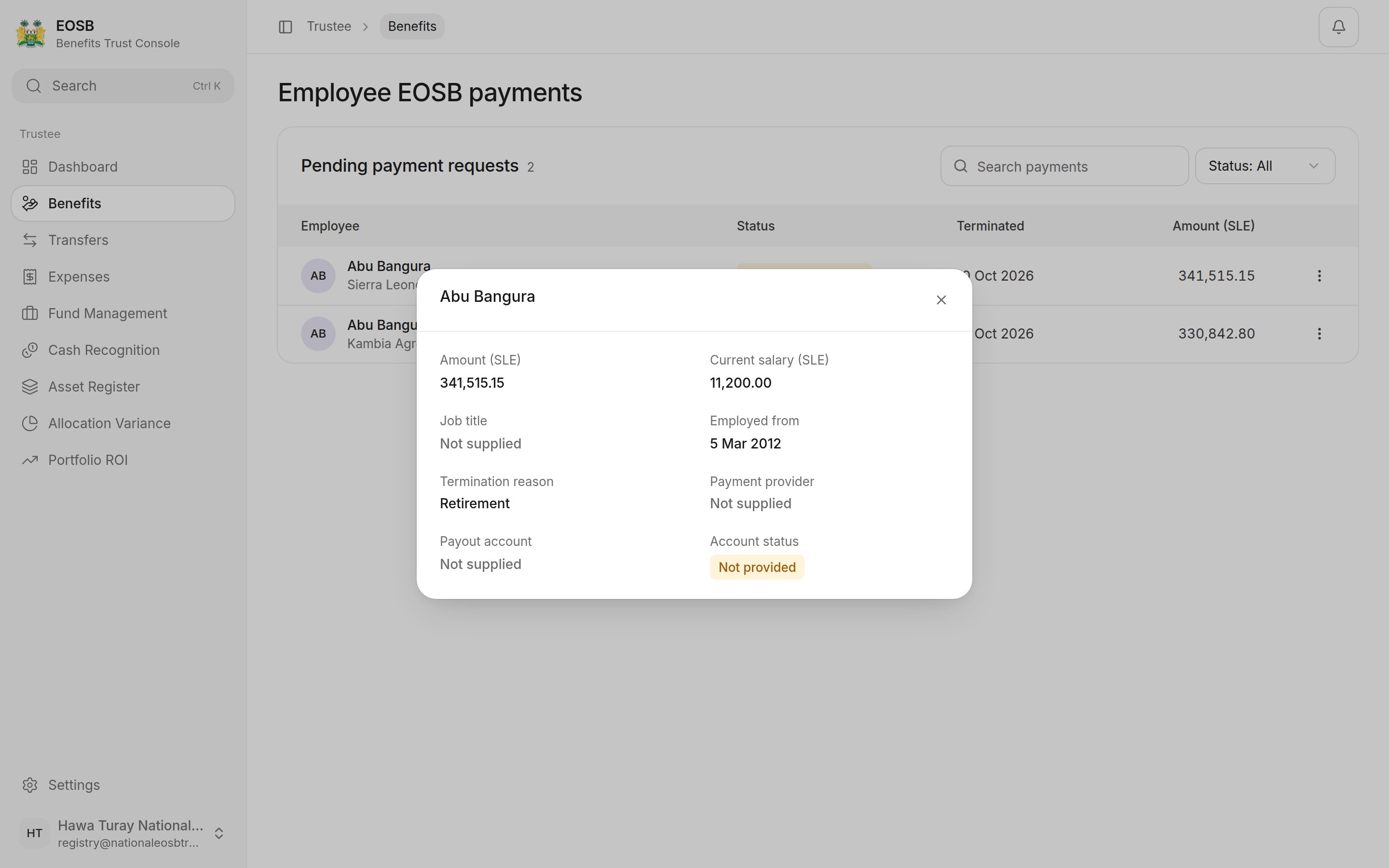
Payment details: amount, current salary, job title, employed from, termination reason, payment provider, payout account and account status

Payment details

Check the amount against the salary, start date and termination reason. Payout account and Account status show where the money will go.
If the payout account is Not provided, you can still approve the payment, and the approval window warns you, but it can’t be paid out until a verified account exists. A terminated employee’s record is locked, so the employer cannot add one now: tell the platform administrator. Where SmartPay wallets are switched on, the platform opens a wallet on the employee’s registered phone before paying. See SmartPay e-wallets.

Approve a payment

1

Select Approve payment in the row menu

A window asks for a one-time code.
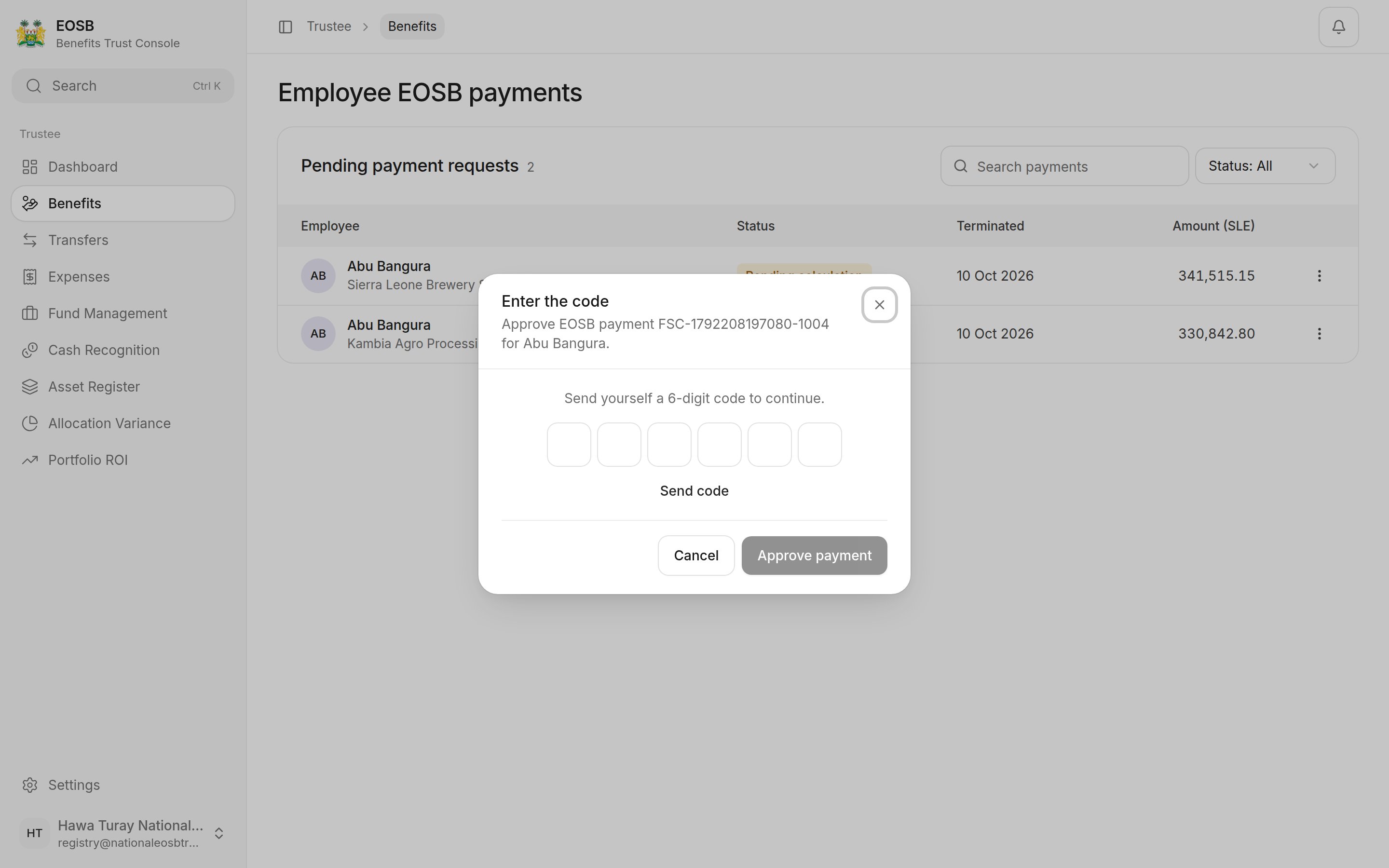
Enter the code window with Send code
2

Select Send code

The 6-digit code arrives by SMS, email and WhatsApp. It expires after a short time; select Resend code if needed.
3

Enter the code and select Approve payment
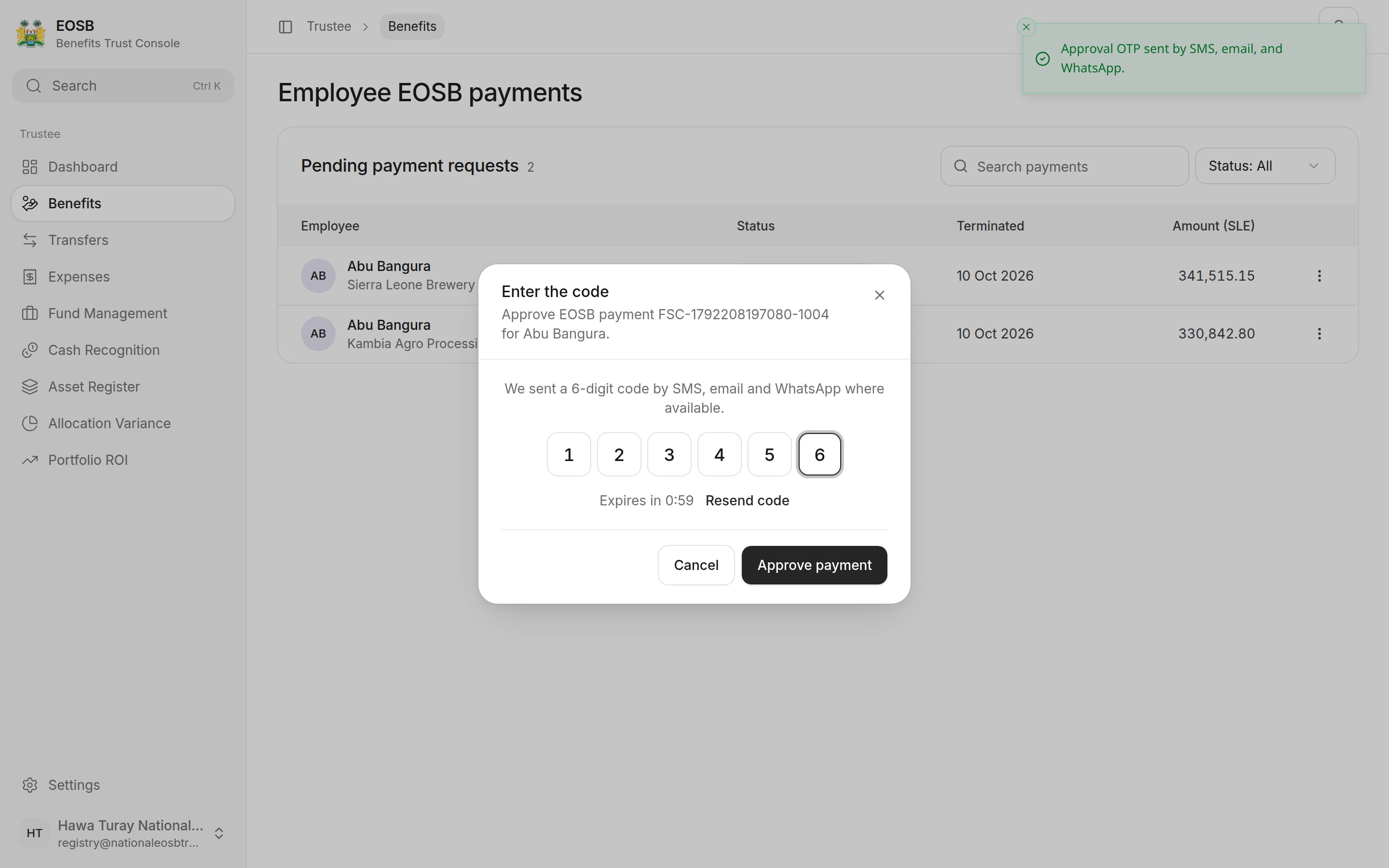
Code 123456 entered, Expires in 0:59, Approve payment button
The page confirms EOSB payment approved. The platform administrator then pays it out.

Reject a payment

Payments can only be rejected for a recognised legal reason.
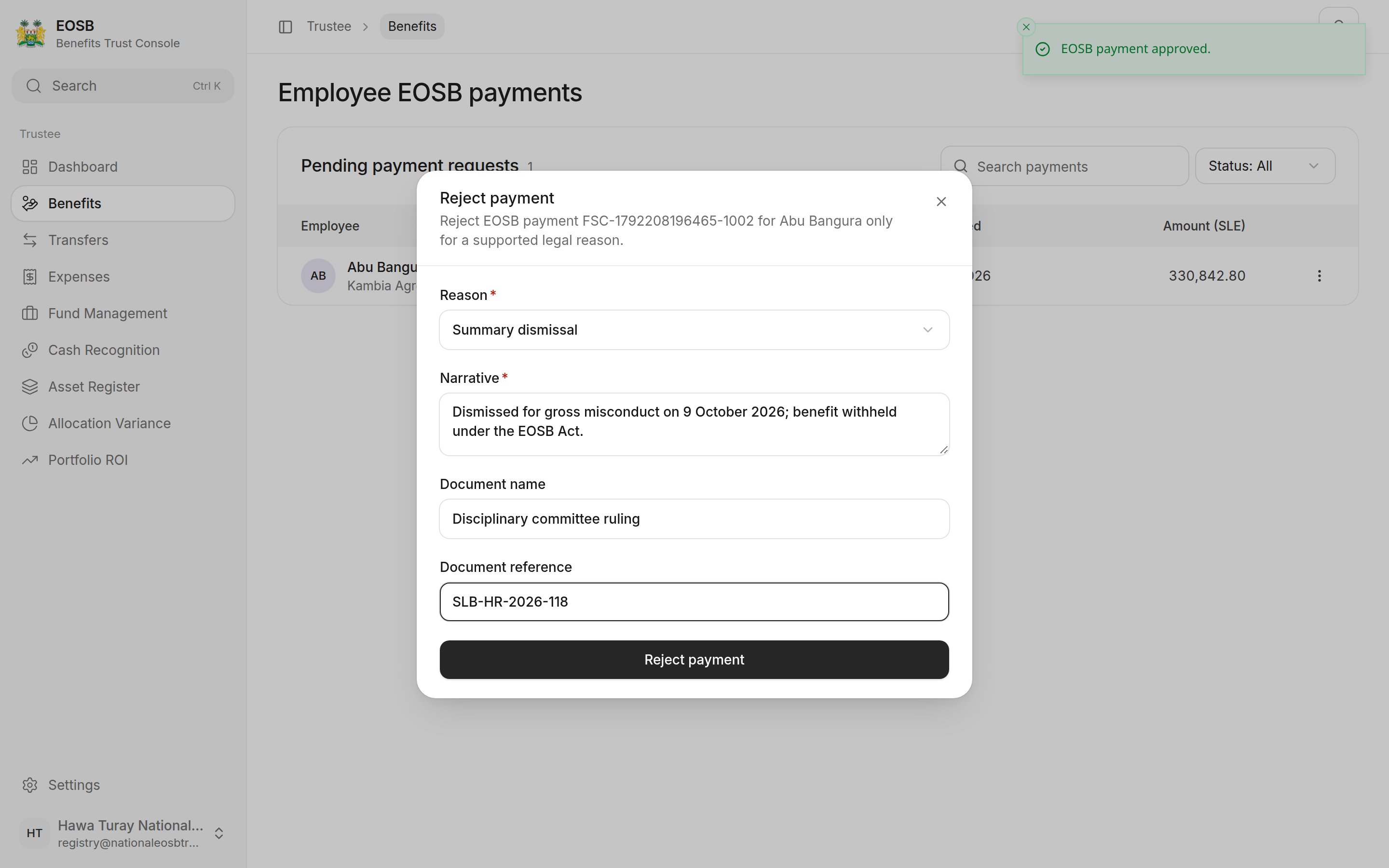
Reject payment window: Reason Summary dismissal, Narrative, Document name and Document reference

Rejecting a payment

Select Reject payment. When nothing is waiting, the page says No payments are waiting.

What happens next

An approved payment goes to the platform administrator’s payout queue. They pay it from the trust to the employee’s payout account or SmartPay wallet, in full or in parts. Once paid, it no longer counts in the employer’s liability.
The amount is worked out from the employee’s salary and length of service; see How benefits are calculated. A long-serving employee on a modest salary can be owed much more than a few months’ pay, because each year of service is worth more days the longer they have worked.