
Where: Asset Register, Allocation Variance or Portfolio ROI in the menu. Before you start: the fund manager must have an active portfolio for the trust. Month-end views need the fund manager’s month-end snapshot.
Choose what to look at
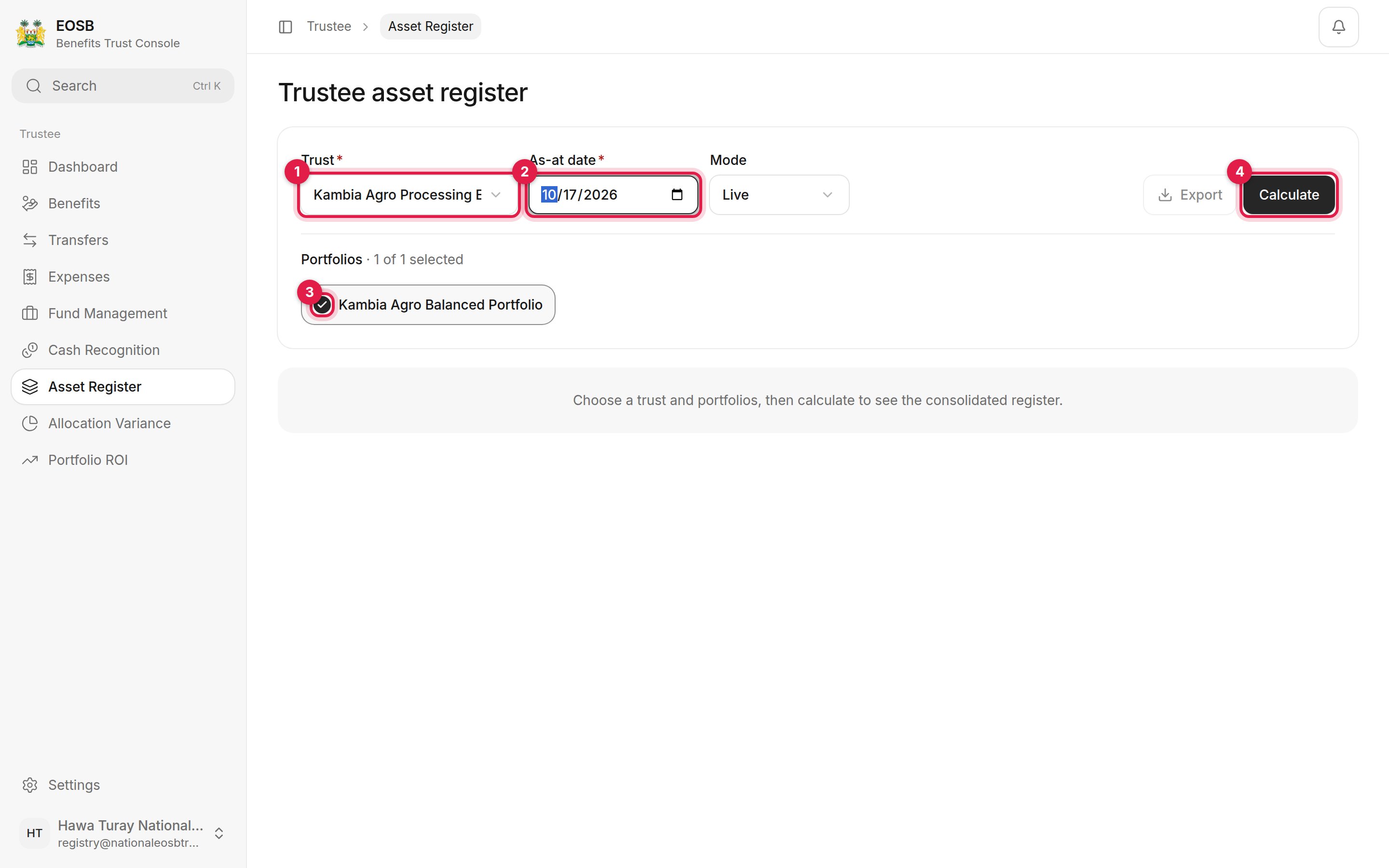
Choosing a trust and portfolio
1
Choose the Trust (1)
The page opens on the first of your trusts that has an active portfolio. Choose another trust from the list if you need it.
2
Set the As-at date (2)
Mode chooses between a live calculation and a saved month-end snapshot.
3
Tick the portfolios (3)
4
Select Calculate (4)
The button is called Run variance or Run portfolio ROI on the other two pages.
Asset register
What the portfolios hold on that date.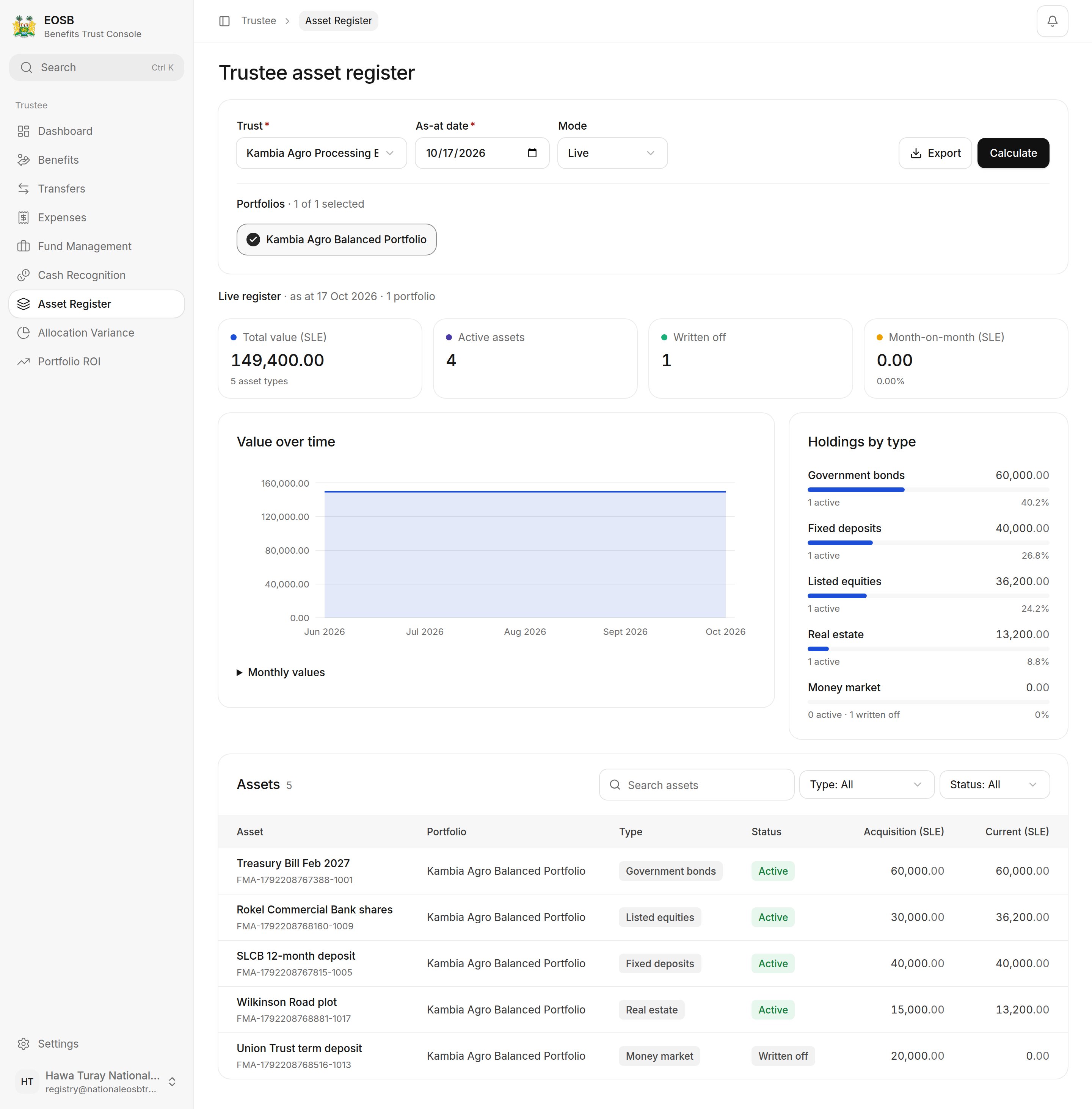
Asset register
Allocation variance
How the actual split compares with the agreed policy.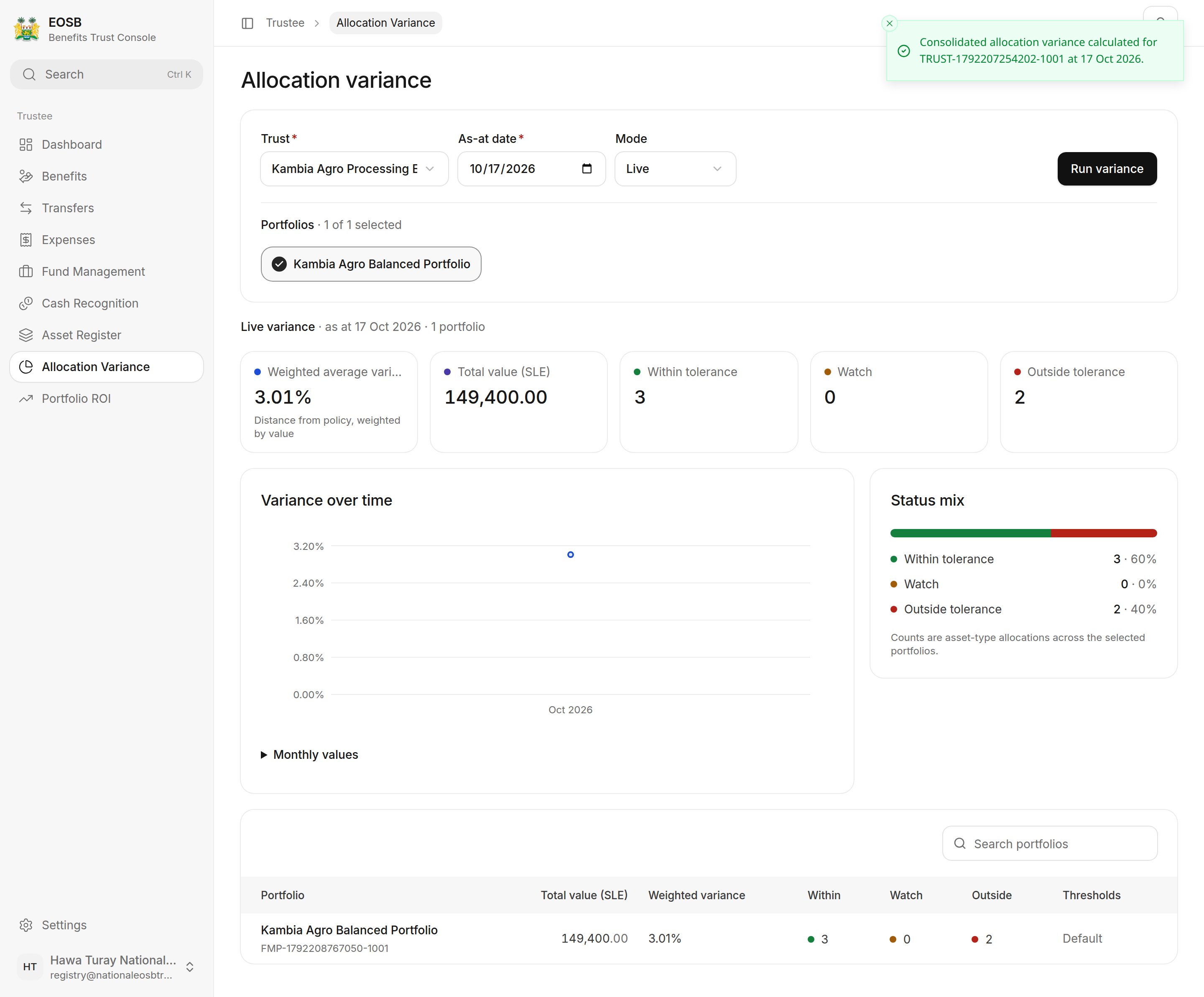
Allocation variance
Portfolio ROI
The return on the portfolios, against their benchmark.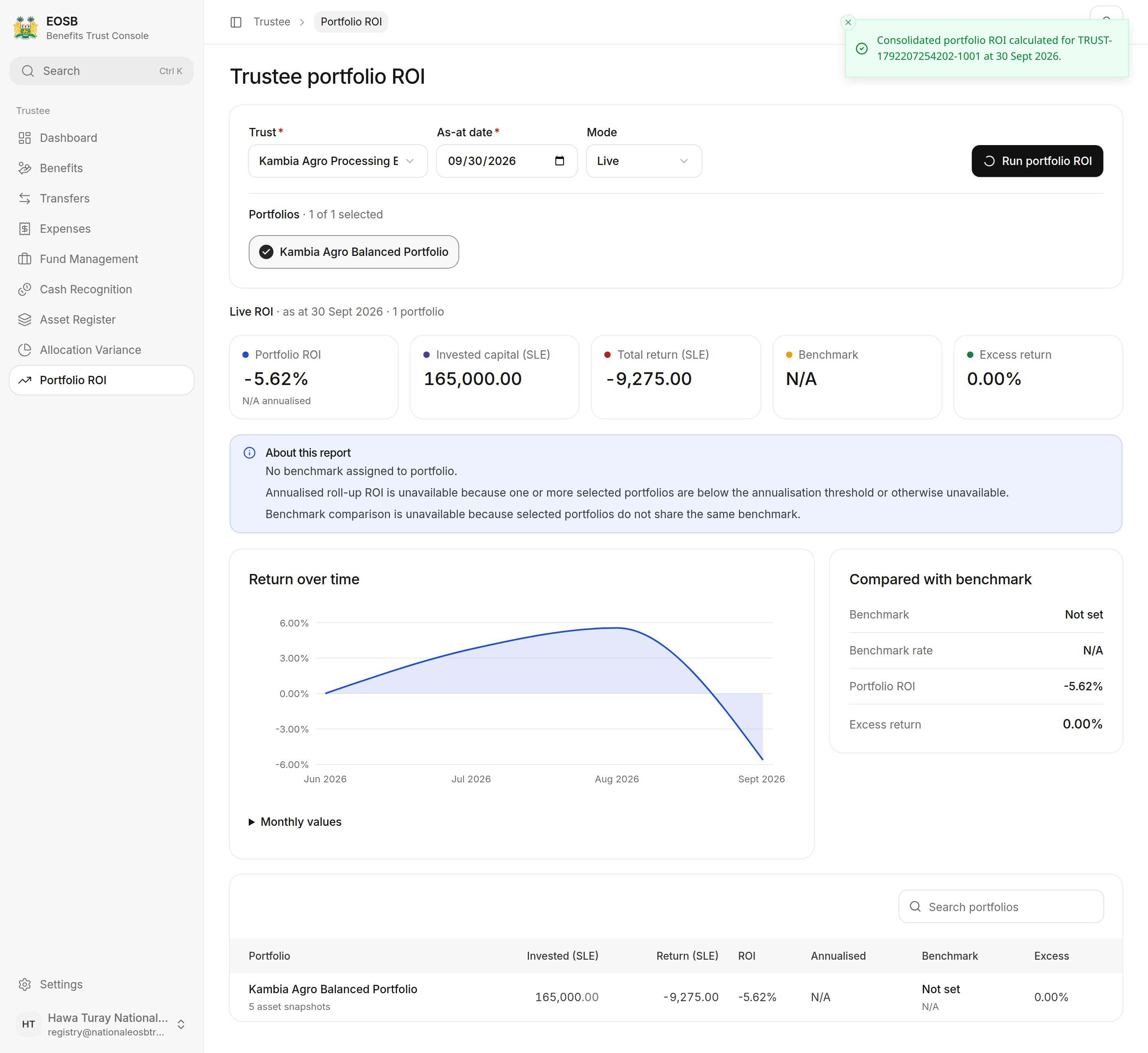
Portfolio ROI
ROI is built from month-end snapshots, so use a month-end As-at date such as 30 September. Annualised ROI and benchmark comparison show N/A until the portfolio has enough history and a benchmark is assigned.