> ## Documentation Index
> Fetch the complete documentation index at: https://docs.eosb.org/llms.txt
> Use this file to discover all available pages before exploring further.
# Cash recognition
> Approve recognitions that differ from what you sent, and confirm cash the fund manager returns.
**Where:** **Cash Recognition** in the menu. **Before you start:** have the bank statements for the trust and, for differences, your own transfer record to hand.
Two kinds of record wait for you under **Cash Recognition**:
* **Fund Manager / Trust Transfer** — the fund manager says a different amount arrived than you logged: more, for example because the bank added interest, or less, closed without keeping the rest as an outstanding receipt, for example because of bank charges.
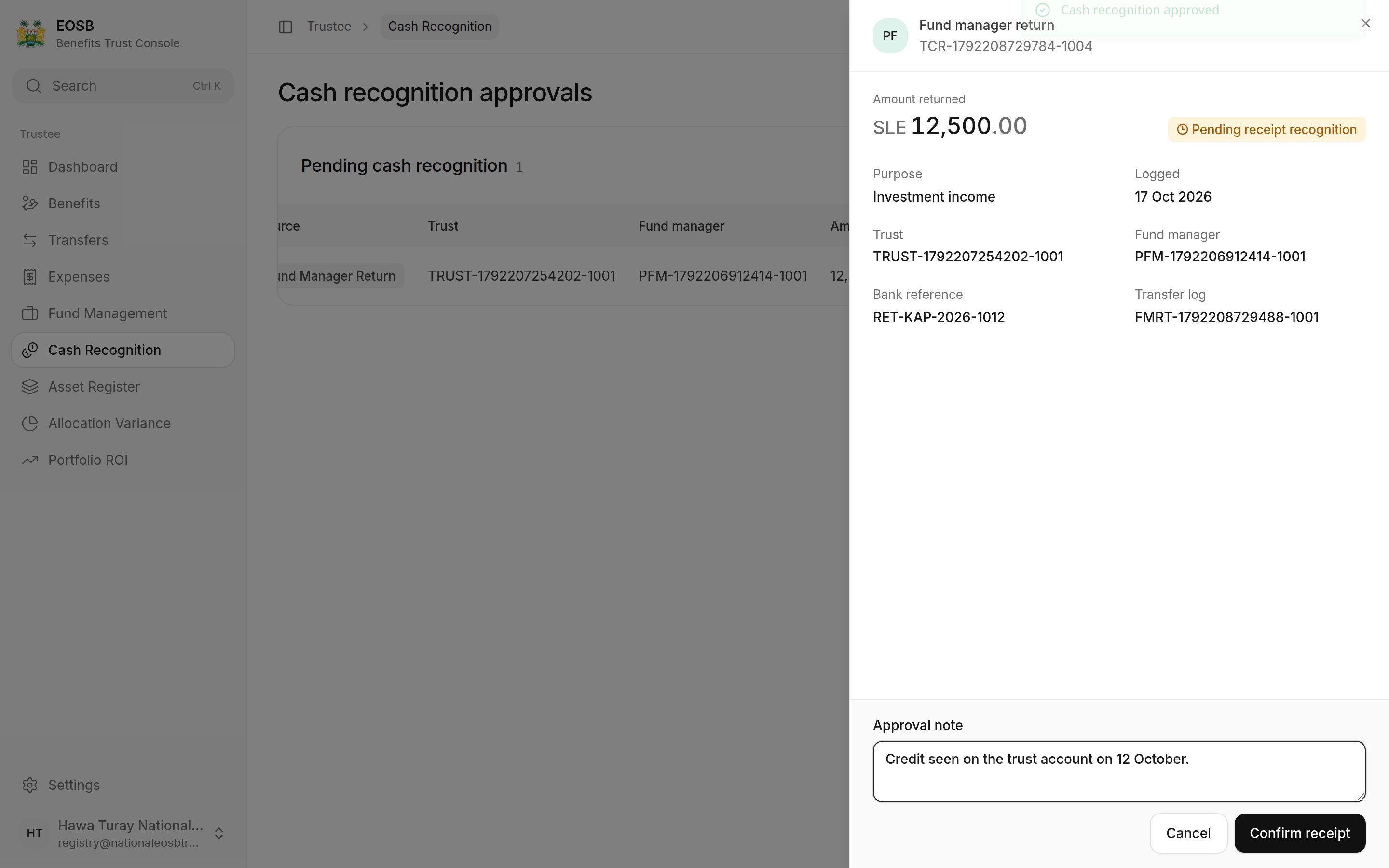
* **Fund Manager Return** — the fund manager has sent money back to the trust.
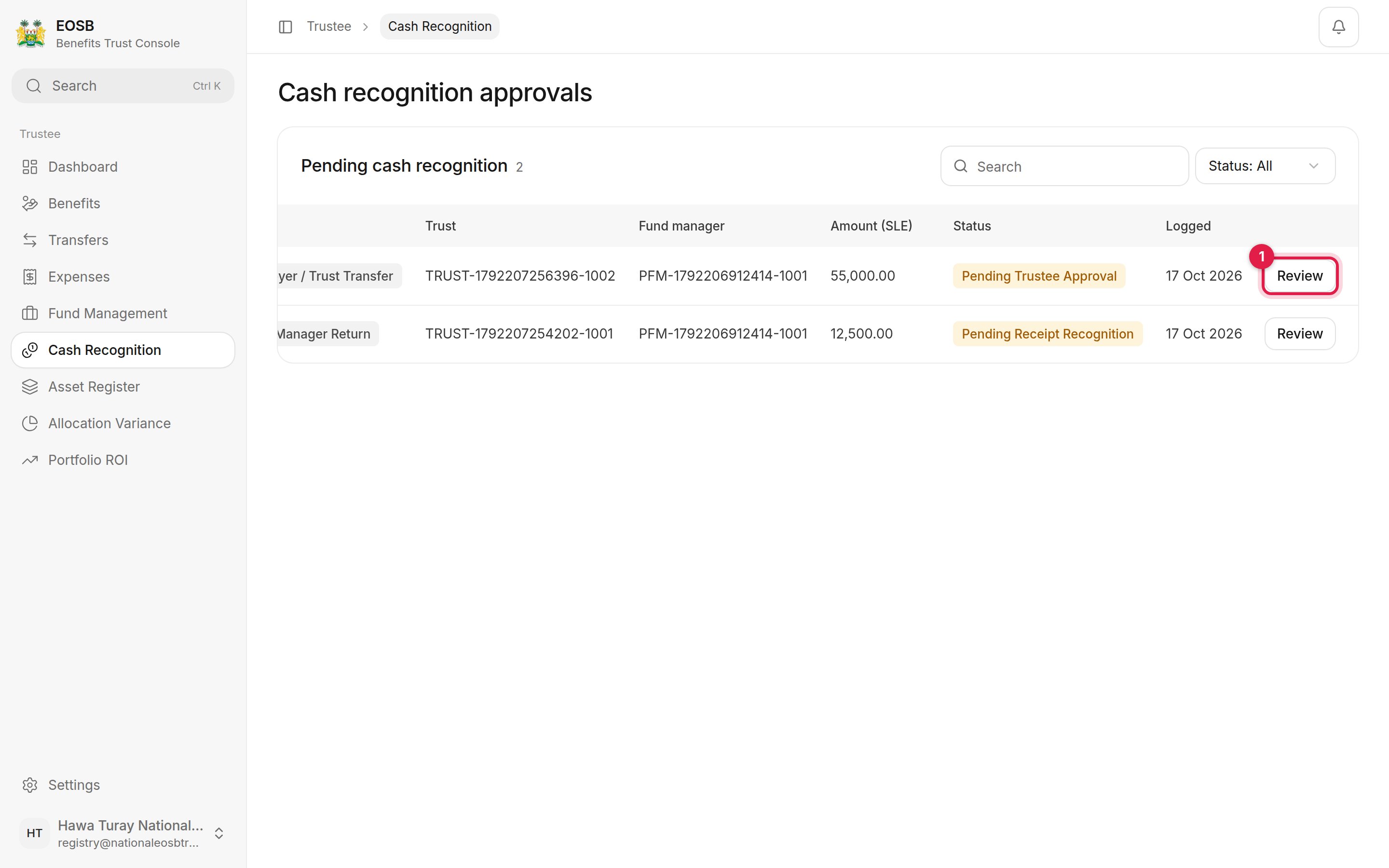 Select **Review (1)** to open a record.
## A recognition that differs from what you sent
Select **Review (1)** to open a record.
## A recognition that differs from what you sent
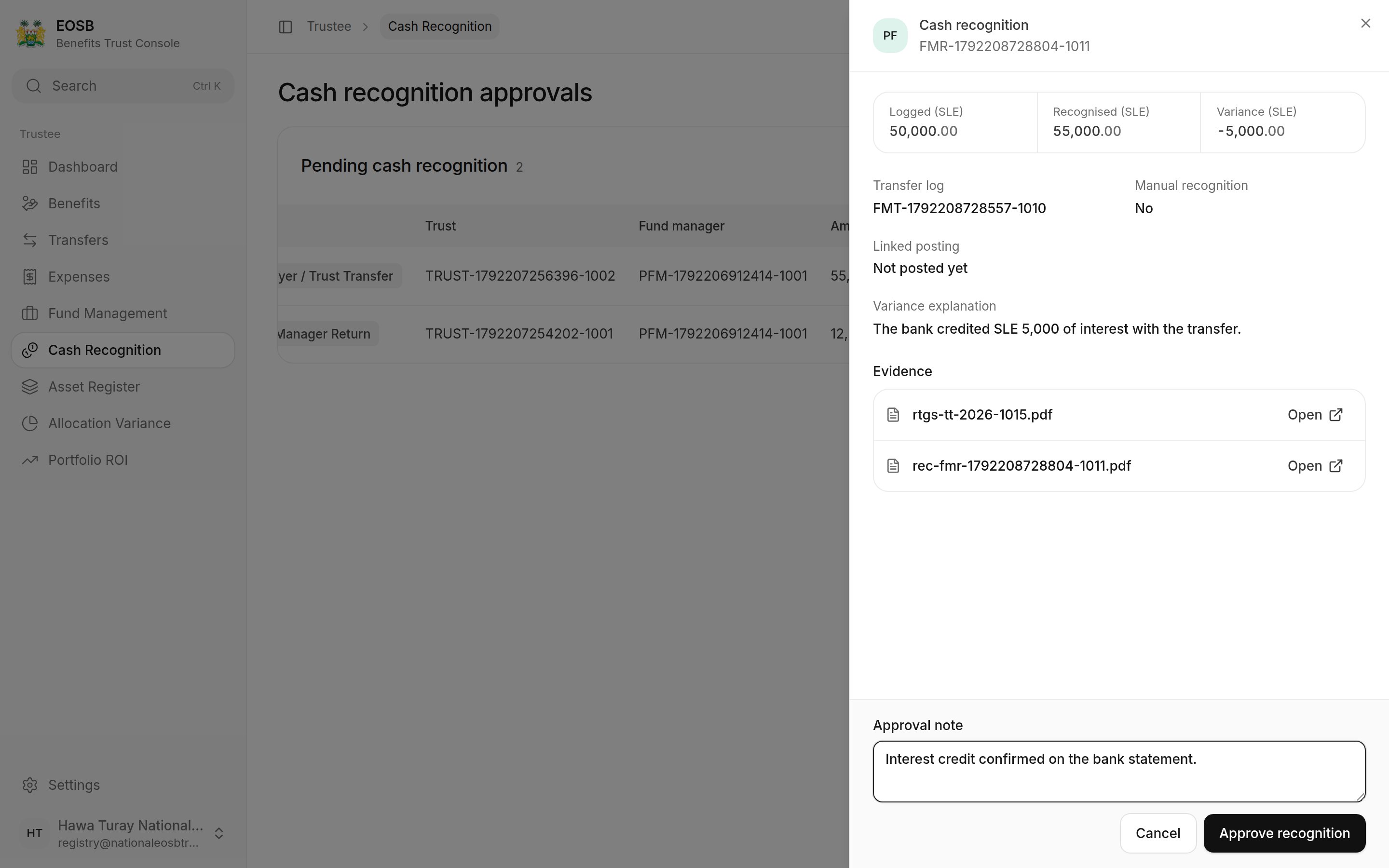
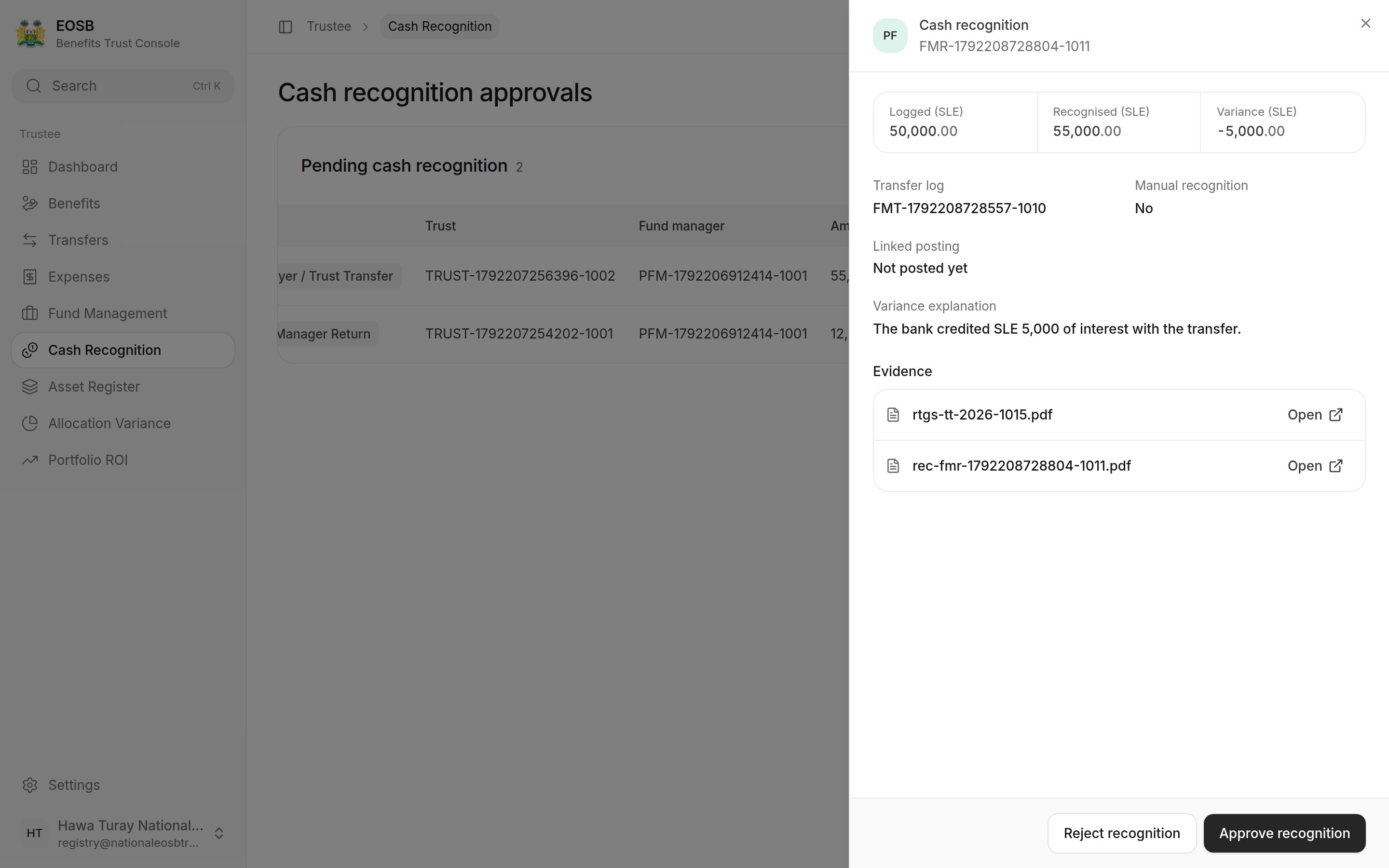 Compare **Logged** and **Recognised**. **Variance** is recognised minus logged: positive when more arrived, negative when less did. Read the **Variance explanation** and open the evidence. Then select **Approve recognition** (with an optional note) or **Reject recognition** (with a reason, required).
 ## Cash returned to the trust
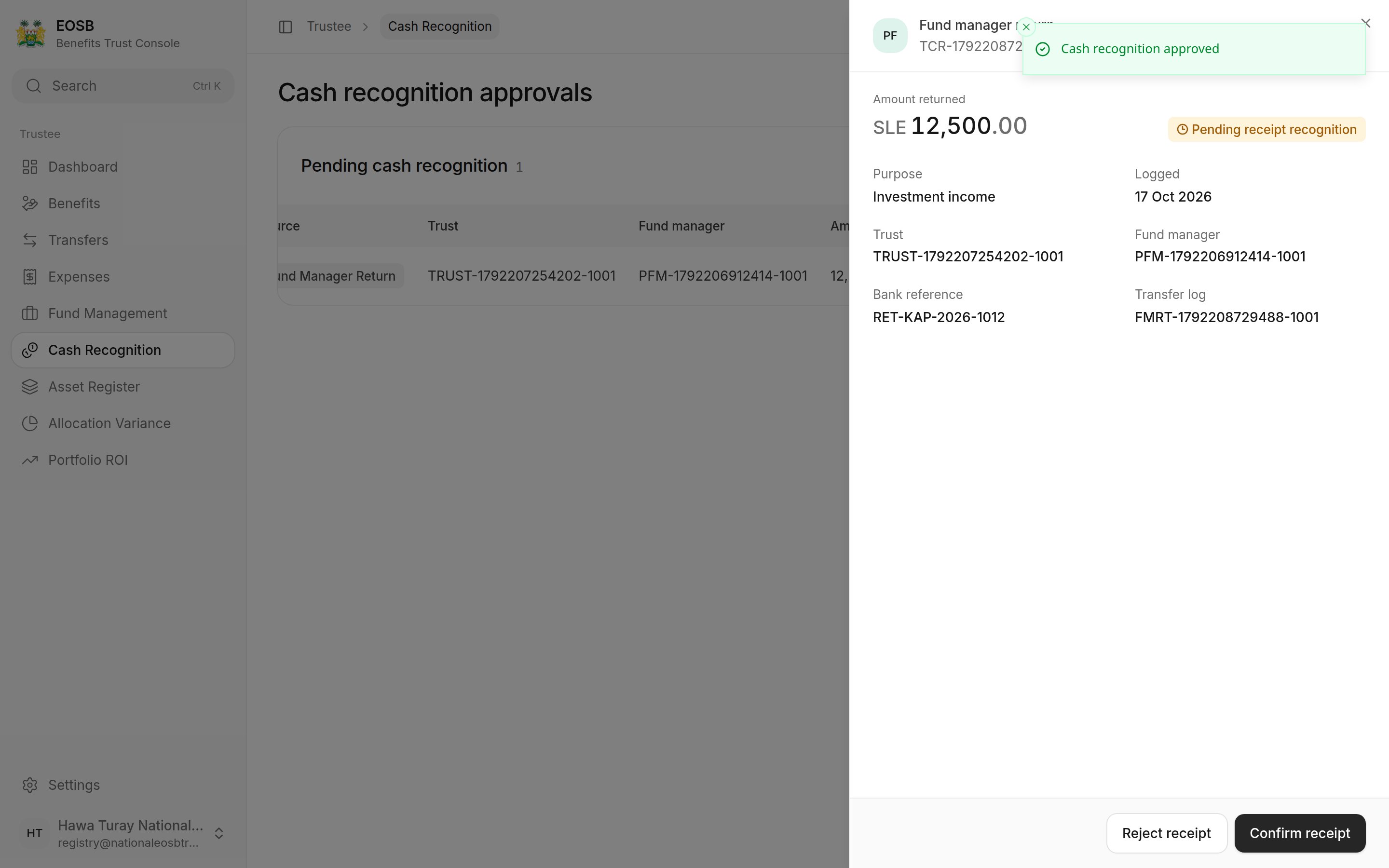 Check the credit on the trust bank statement, then select **Confirm receipt** or **Reject receipt** (with a reason).
 When nothing is waiting, the page says **Nothing to review**.
## What happens next
* An **approved** recognition adds the recognised amount to the fund manager's cash for the trust and closes the difference.
* A **confirmed** return puts the money back in the trust, ready for benefit payments or another transfer.
* A **rejected** one is not booked; the fund manager has to correct it.
**Next:** [expenses and budgets](/trustee/expenses).
This documentation is built and hosted on [Mintlify](https://mintlify.com), a developer documentation platform.
When nothing is waiting, the page says **Nothing to review**.
## What happens next
* An **approved** recognition adds the recognised amount to the fund manager's cash for the trust and closes the difference.
* A **confirmed** return puts the money back in the trust, ready for benefit payments or another transfer.
* A **rejected** one is not booked; the fund manager has to correct it.
**Next:** [expenses and budgets](/trustee/expenses).
This documentation is built and hosted on [Mintlify](https://mintlify.com), a developer documentation platform.