> ## Documentation Index
> Fetch the complete documentation index at: https://docs.eosb.org/llms.txt
> Use this file to discover all available pages before exploring further.
# Verify trustees and fund managers
> Approve or reject the trustees who hold trust money and the fund managers who invest it.
Trustees hold each employer's trust money; fund managers invest it. Because they handle employees' benefits, each must be verified by you before the administrator can appoint it to a trust.
**Where:** **Trustee Verification** or **Fund Manager Verification** in the menu. The two work the same way.
They come in two categories:
* **Official platform** — the national provider that employers on the official platform service model use. Only one official trustee and one official fund manager can be verified at a time.
* **Independent** — a provider an employer appoints for its own trust.
## Open a case
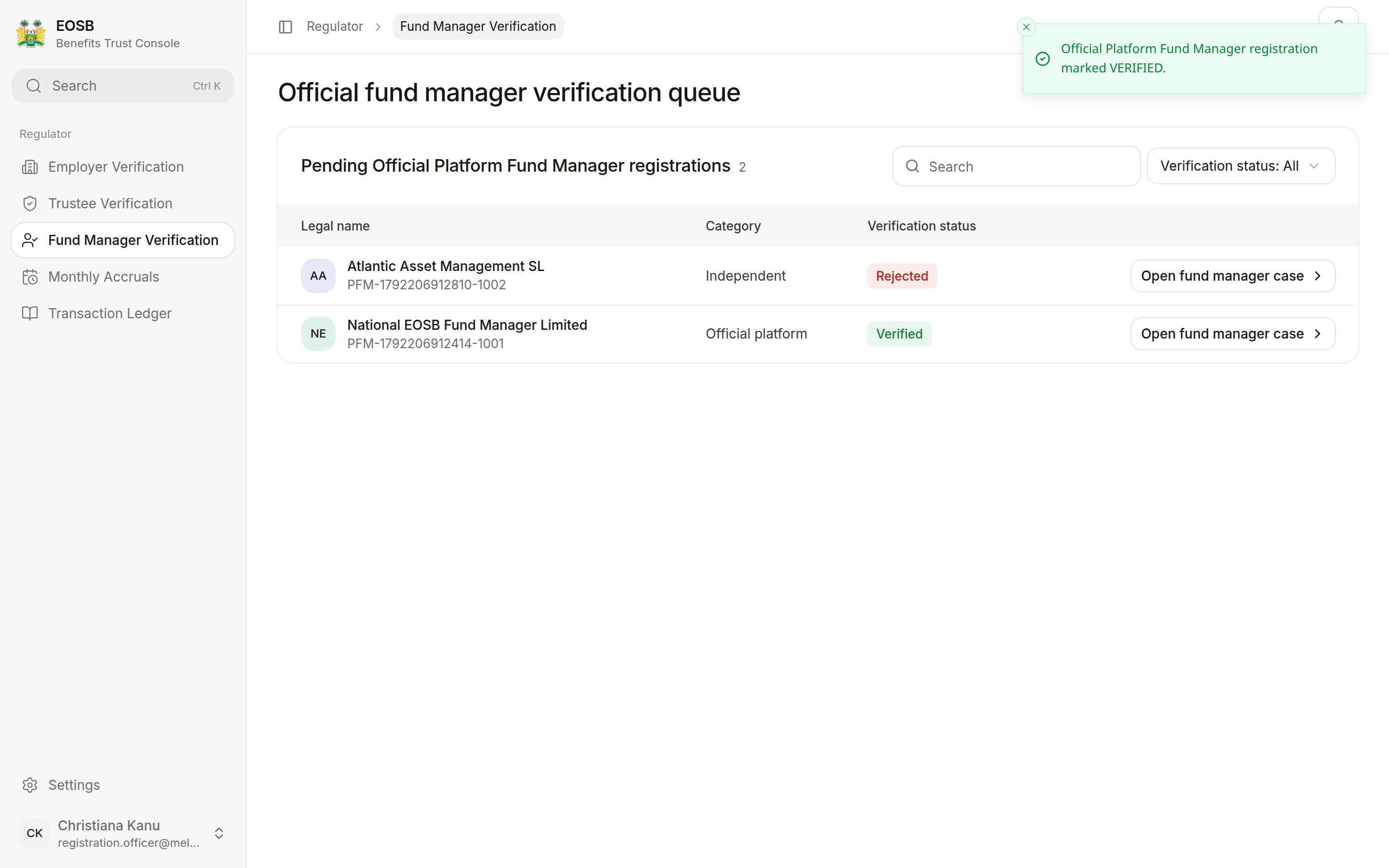
Select **Trustee Verification** or **Fund Manager Verification**. The **Trustee registrations** (or **Fund manager registrations**) list shows official platform and independent registrations, pending and decided, with each one's legal name, reference, category and verification status.
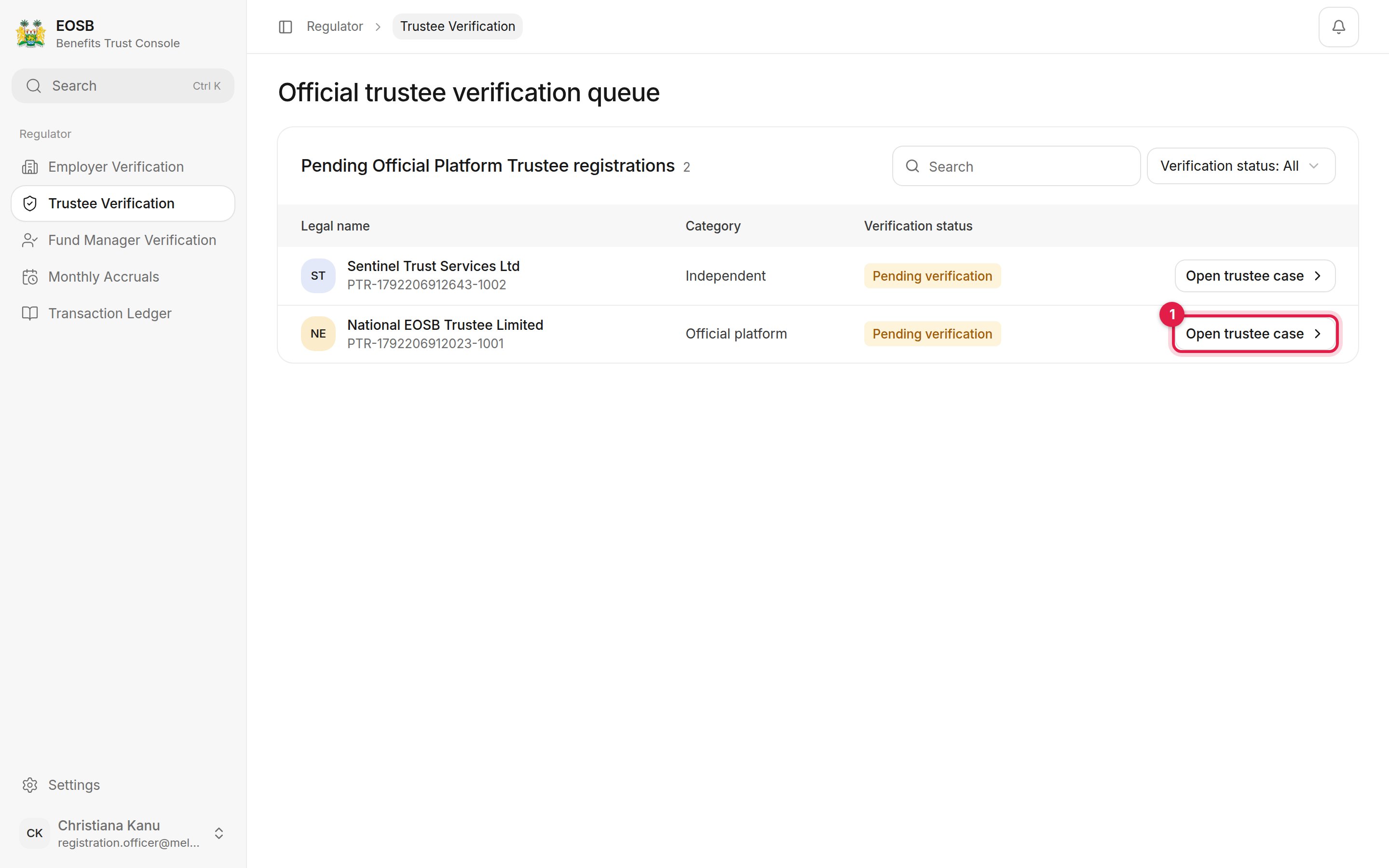 Select **Open trustee case (1)** or **Open fund manager case**.
## Review the case
Select **Open trustee case (1)** or **Open fund manager case**.
## Review the case
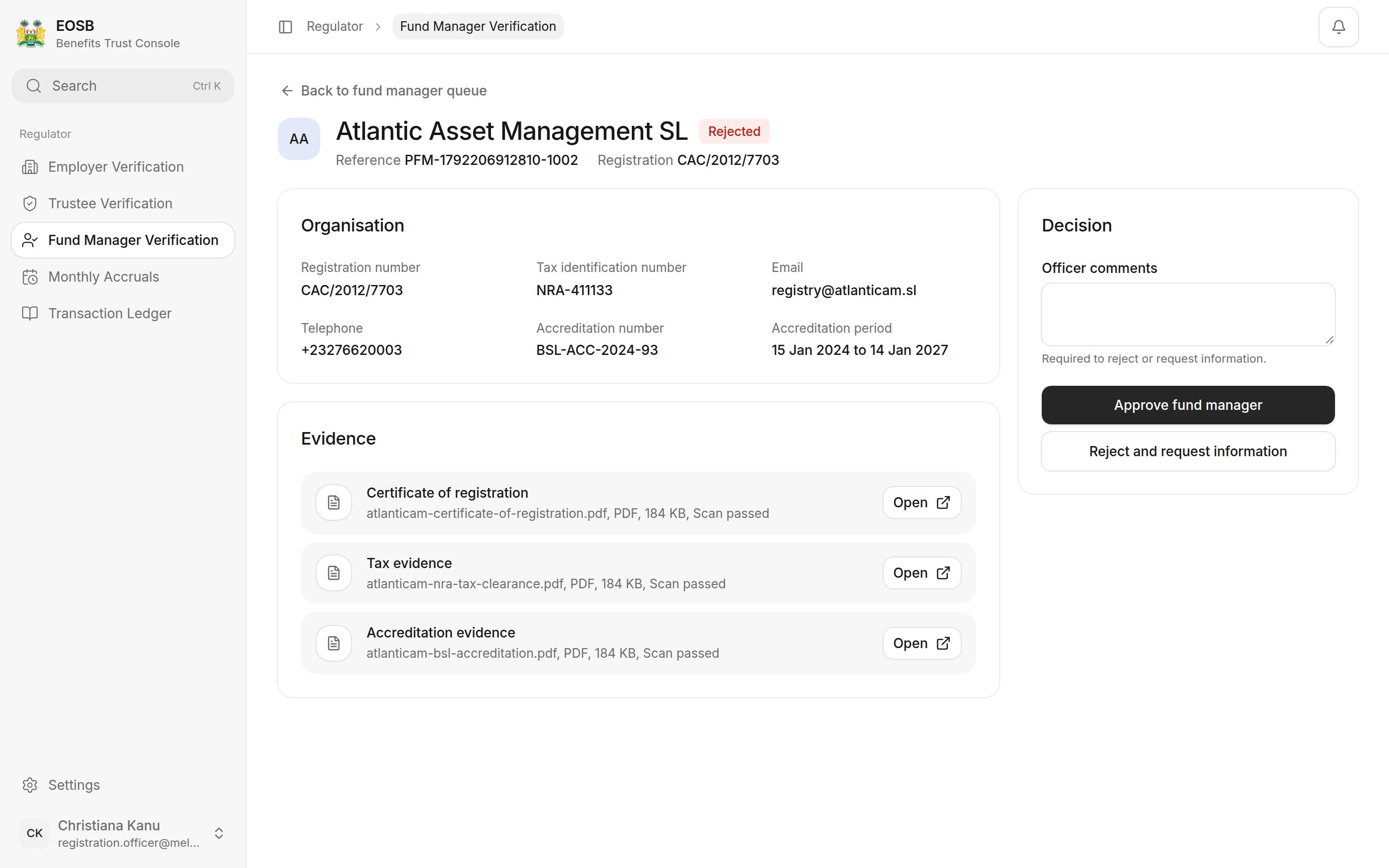
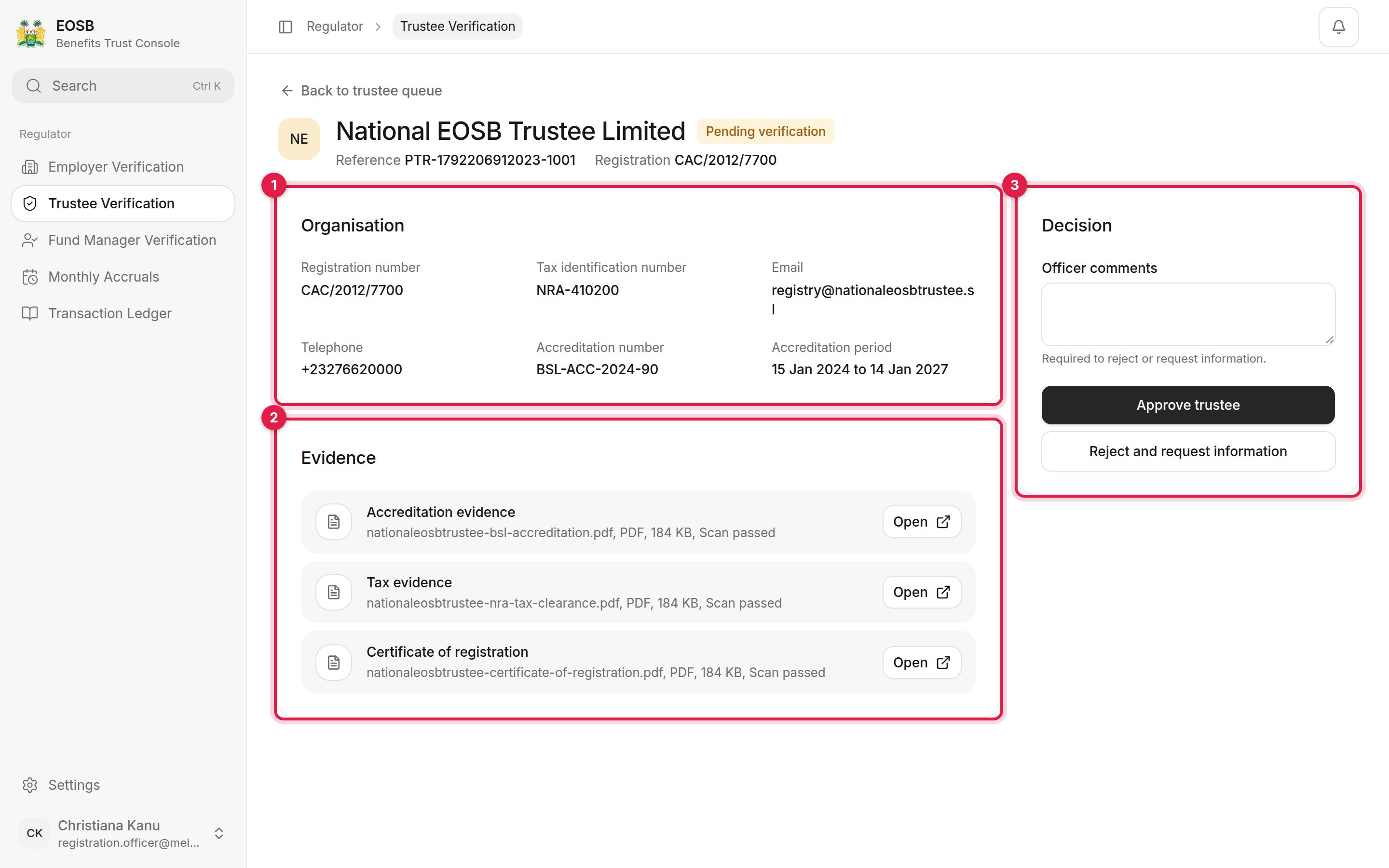 1. **Organisation** — registration and tax numbers, contact details, and the accreditation number and period.
2. **Evidence** — certificate of registration, tax evidence and accreditation evidence, each with its virus-scan result. Select **Open** to view a file.
3. **Decision** — your comments, **Approve**, and **Reject and request information**.
Check that the accreditation period covers today's date before you approve.
## Approve
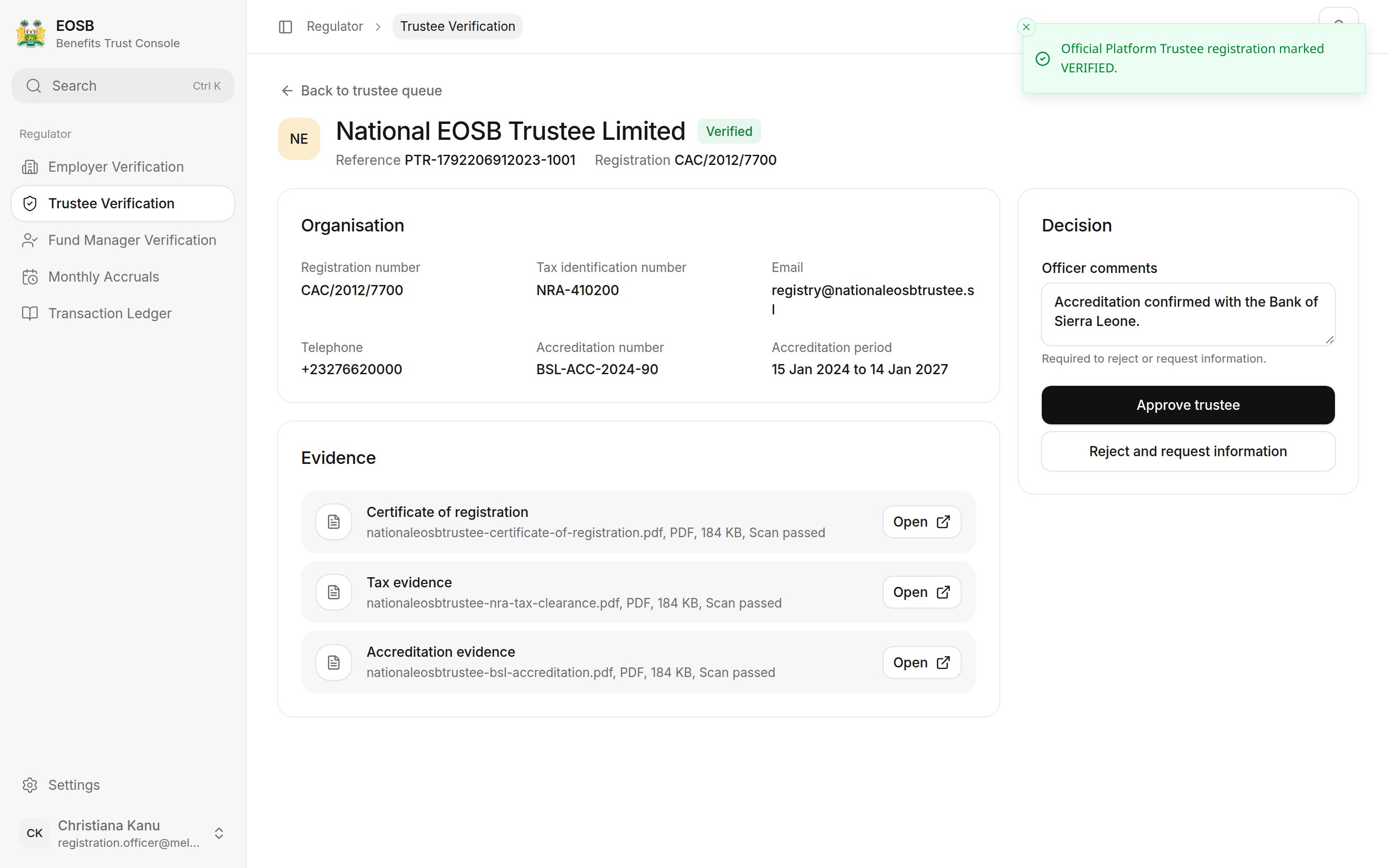
Add a comment (optional) and select **Approve trustee** or **Approve fund manager**. A message confirms, for example **Trustee registration marked verified.** The status changes to **Verified**, and the provider can be appointed to employer trusts.
Approving also creates the provider's login — its username is the reference number in lower case — and emails the contact person a link to set their password.
1. **Organisation** — registration and tax numbers, contact details, and the accreditation number and period.
2. **Evidence** — certificate of registration, tax evidence and accreditation evidence, each with its virus-scan result. Select **Open** to view a file.
3. **Decision** — your comments, **Approve**, and **Reject and request information**.
Check that the accreditation period covers today's date before you approve.
## Approve
Add a comment (optional) and select **Approve trustee** or **Approve fund manager**. A message confirms, for example **Trustee registration marked verified.** The status changes to **Verified**, and the provider can be appointed to employer trusts.
Approving also creates the provider's login — its username is the reference number in lower case — and emails the contact person a link to set their password.
 ## Reject and request information
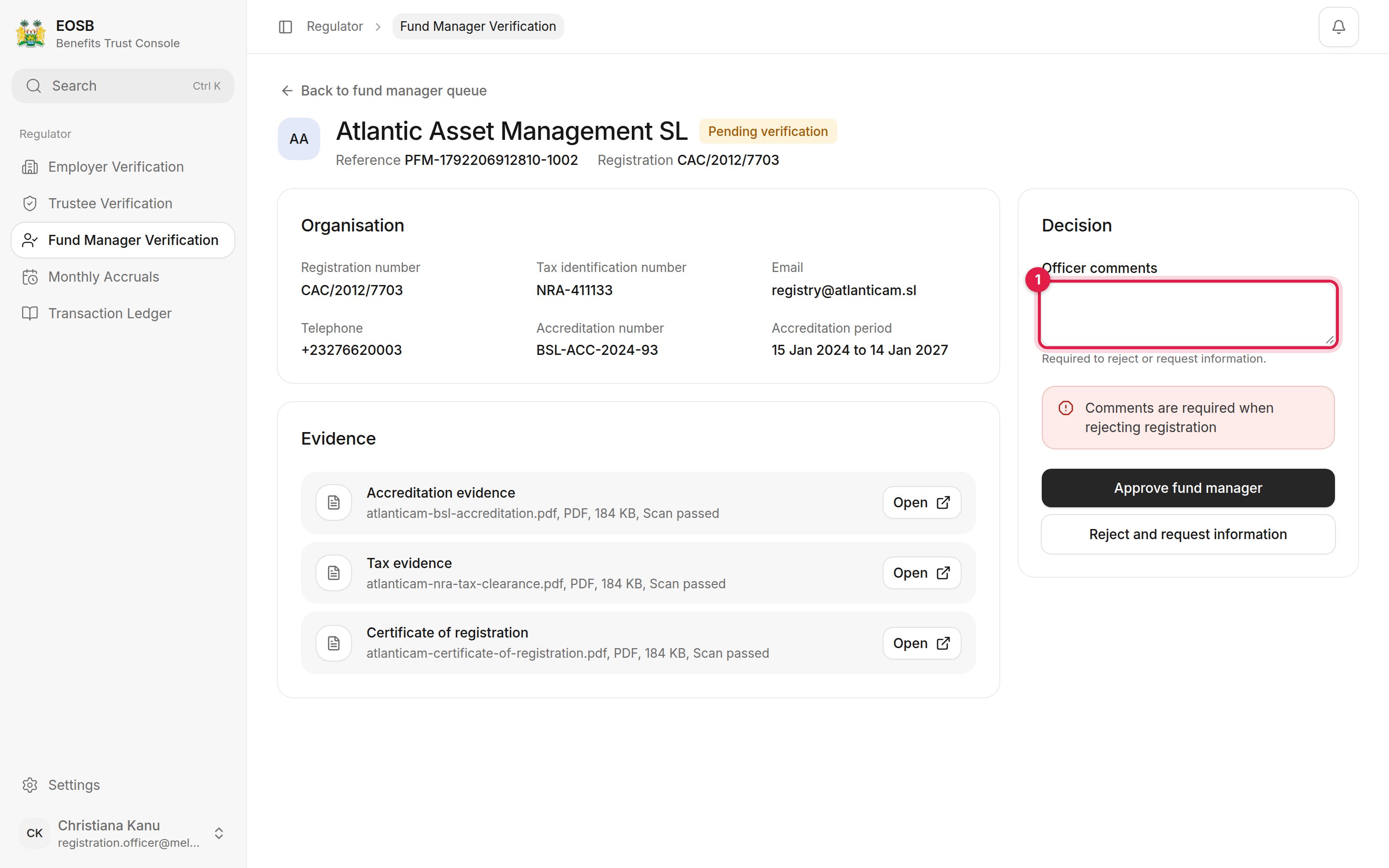
Write what is wrong and what the provider must send, then select **Reject and request information**. Comments are required.
## Reject and request information
Write what is wrong and what the provider must send, then select **Reject and request information**. Comments are required.
 The list then shows each registration's outcome.
 A decision is final. On a decided case the **Decision** panel shows the outcome, who decided, when, and the comments, instead of the decision buttons.
## What happens next
A verified provider appears in the administrator's list of providers that can be appointed to an employer's trust. The provider's contact is emailed the outcome either way.
**Next:** [monthly accruals](/regulator/monthly-accruals).
This documentation is built and hosted on [Mintlify](https://mintlify.com), a developer documentation platform.
A decision is final. On a decided case the **Decision** panel shows the outcome, who decided, when, and the comments, instead of the decision buttons.
## What happens next
A verified provider appears in the administrator's list of providers that can be appointed to an employer's trust. The provider's contact is emailed the outcome either way.
**Next:** [monthly accruals](/regulator/monthly-accruals).
This documentation is built and hosted on [Mintlify](https://mintlify.com), a developer documentation platform.