> ## Documentation Index
> Fetch the complete documentation index at: https://docs.eosb.org/llms.txt
> Use this file to discover all available pages before exploring further.
# Verify employers
> Review an employer's registration and evidence, and record your decision.
Every employer on the platform starts here. The platform administrator submits the employer's registration and documents; you check them and decide. Until you approve, the employer cannot sign in.
**Where:** **Employer Verification** in the menu. It opens when you sign in.
The **Open registrations** list shows every employer registration that is still open: waiting for your decision, waiting on the employer for more information, or deferred. Each row has its reference, submission time and status.
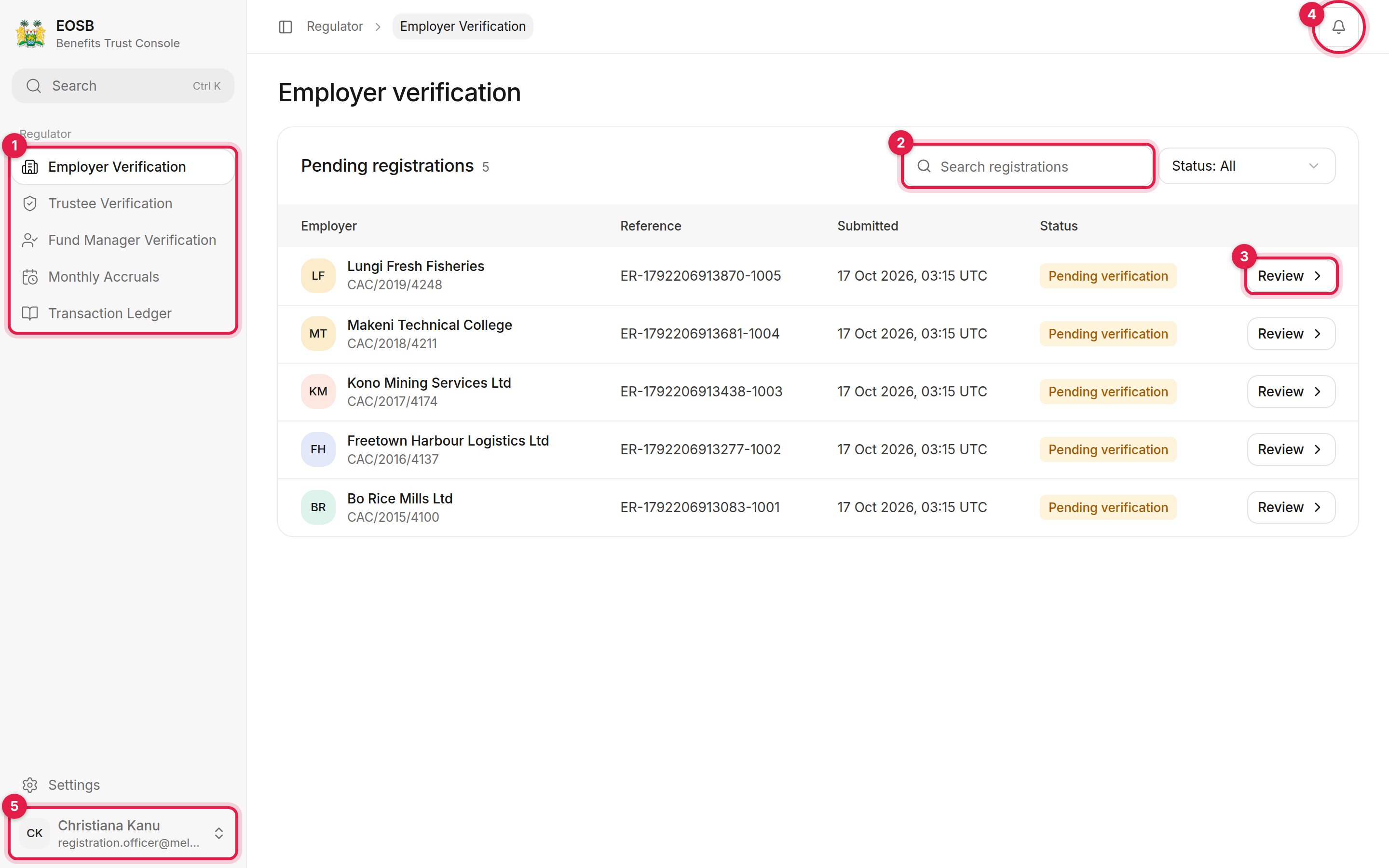 Select **Review** on a row to open the case.
## Review the case
Select **Review** on a row to open the case.
## Review the case
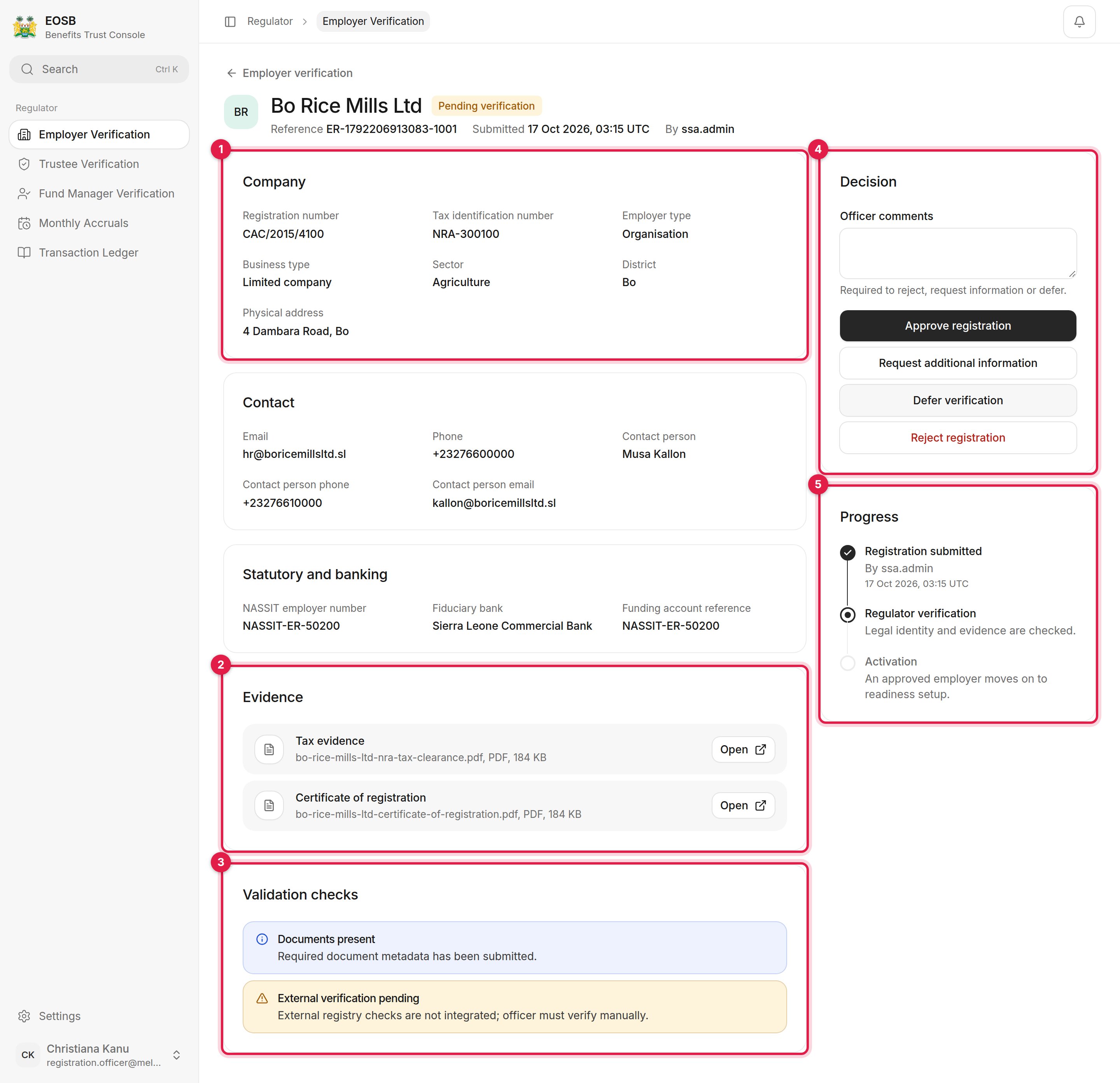 The header shows the employer's name, status, reference, when it was submitted and by whom.
1. **Company** — registration number, tax identification number, employer and business type, sector, district and address. **Contact** and **Statutory and banking** (NASSIT employer number, fiduciary bank) follow.
2. **Evidence** — the certificate of registration and tax evidence. Select **Open** to view each file.
3. **Validation checks** — raised automatically when the registration was submitted. **External verification pending** means the platform has not checked an outside registry, so confirm the details yourself, for example against the CAC and NRA records.
4. **Decision** — your comments and the four decision buttons.
5. **Progress** — where the registration is: submitted, regulator verification, then activation.
## Record your decision
Comments are kept with the decision. They are **required** for every decision except approval.
| Button | Use it when | Result |
| - | - | - |
| **Approve registration** | The employer exists and the evidence checks out. | Status **Verified**. An employer profile and a user account are created and the employer is emailed. |
| **Request additional information** | Something is missing or unclear but could be put right. | Status **Information requested**. |
| **Defer verification** | You are waiting on someone else, for example another agency. | Status **Verification deferred**. |
| **Reject registration** | The employer is not eligible, the evidence is wrong, or it is a duplicate. | Status **Rejected**. |
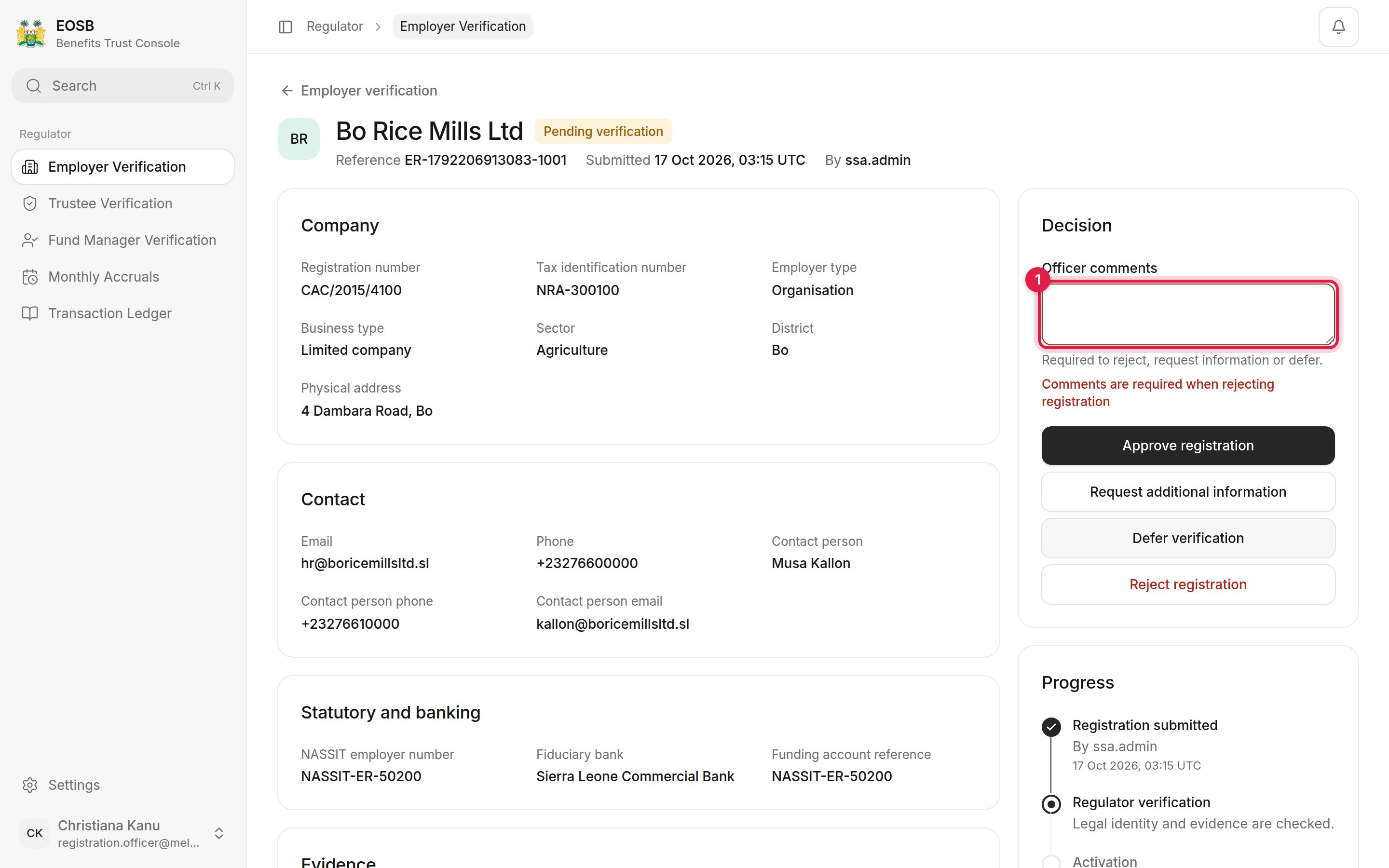
If you select a decision that needs comments without writing any, the form says so and nothing is saved.
The header shows the employer's name, status, reference, when it was submitted and by whom.
1. **Company** — registration number, tax identification number, employer and business type, sector, district and address. **Contact** and **Statutory and banking** (NASSIT employer number, fiduciary bank) follow.
2. **Evidence** — the certificate of registration and tax evidence. Select **Open** to view each file.
3. **Validation checks** — raised automatically when the registration was submitted. **External verification pending** means the platform has not checked an outside registry, so confirm the details yourself, for example against the CAC and NRA records.
4. **Decision** — your comments and the four decision buttons.
5. **Progress** — where the registration is: submitted, regulator verification, then activation.
## Record your decision
Comments are kept with the decision. They are **required** for every decision except approval.
| Button | Use it when | Result |
| - | - | - |
| **Approve registration** | The employer exists and the evidence checks out. | Status **Verified**. An employer profile and a user account are created and the employer is emailed. |
| **Request additional information** | Something is missing or unclear but could be put right. | Status **Information requested**. |
| **Defer verification** | You are waiting on someone else, for example another agency. | Status **Verification deferred**. |
| **Reject registration** | The employer is not eligible, the evidence is wrong, or it is a duplicate. | Status **Rejected**. |
If you select a decision that needs comments without writing any, the form says so and nothing is saved.
 * **Approve** only when you are satisfied the employer exists and the evidence is genuine. Approval creates the employer's login straight away, and it cannot be taken back from this screen.
* **Request information** when the registration can be fixed — a blurry certificate, a mistyped tax number. Say exactly what is needed: your comments are what the administrator works from.
* **Defer** when the answer depends on someone else, such as a check with another agency. Nothing is sent back; the case waits for you.
* **Reject** when the employer should not take part at all, or the registration is a duplicate.
Every decision is recorded with your username, the time and your comments, and the employer's contact is emailed.
## After the decision
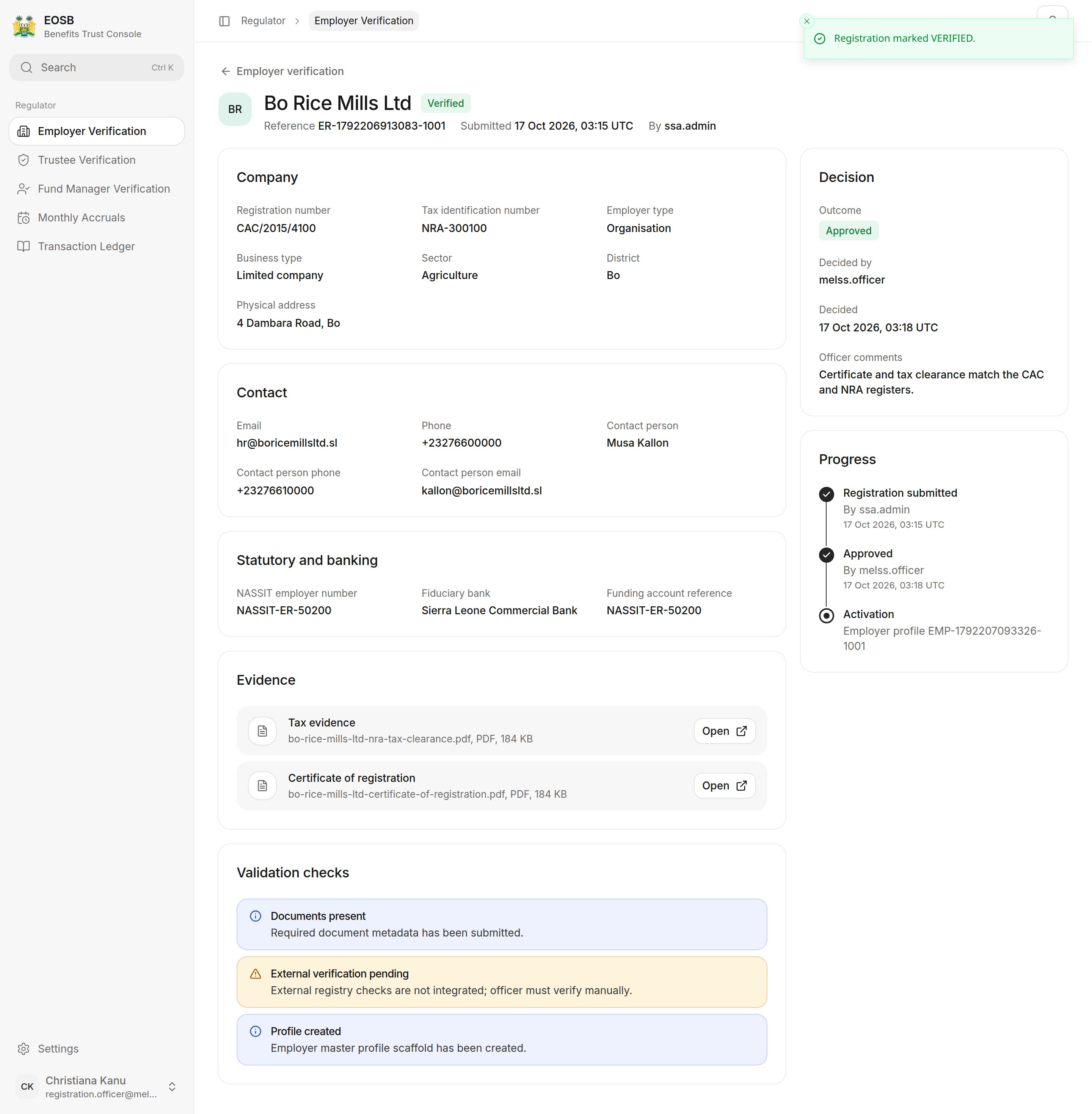
The page confirms the new status. The **Decision** panel now shows the outcome, who decided, when, and the comments, and **Progress** moves on.
**Activation** now shows the new employer profile ID. The platform administrator takes it from here.
* **Approve** only when you are satisfied the employer exists and the evidence is genuine. Approval creates the employer's login straight away, and it cannot be taken back from this screen.
* **Request information** when the registration can be fixed — a blurry certificate, a mistyped tax number. Say exactly what is needed: your comments are what the administrator works from.
* **Defer** when the answer depends on someone else, such as a check with another agency. Nothing is sent back; the case waits for you.
* **Reject** when the employer should not take part at all, or the registration is a duplicate.
Every decision is recorded with your username, the time and your comments, and the employer's contact is emailed.
## After the decision
The page confirms the new status. The **Decision** panel now shows the outcome, who decided, when, and the comments, and **Progress** moves on.
**Activation** now shows the new employer profile ID. The platform administrator takes it from here.
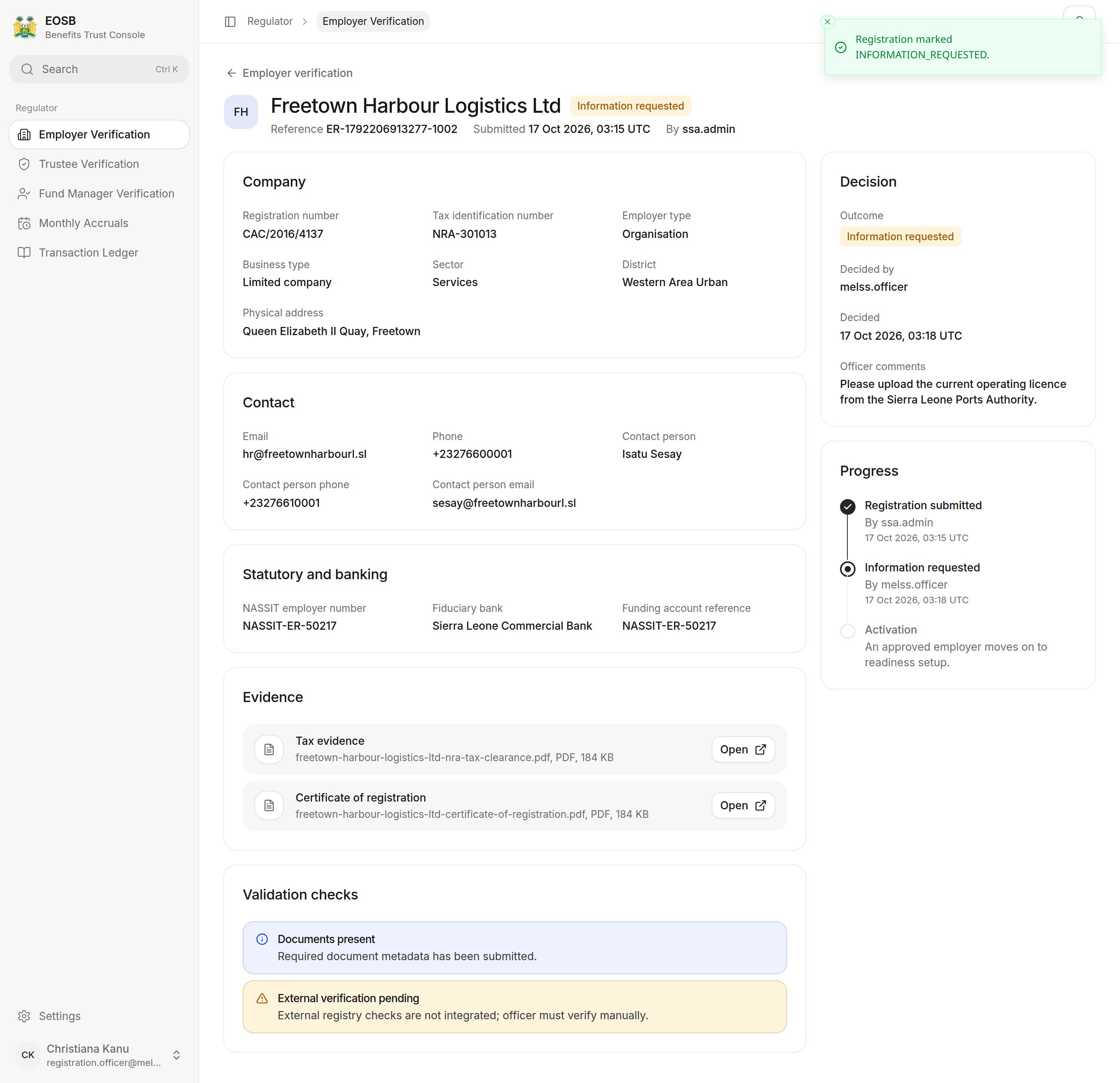
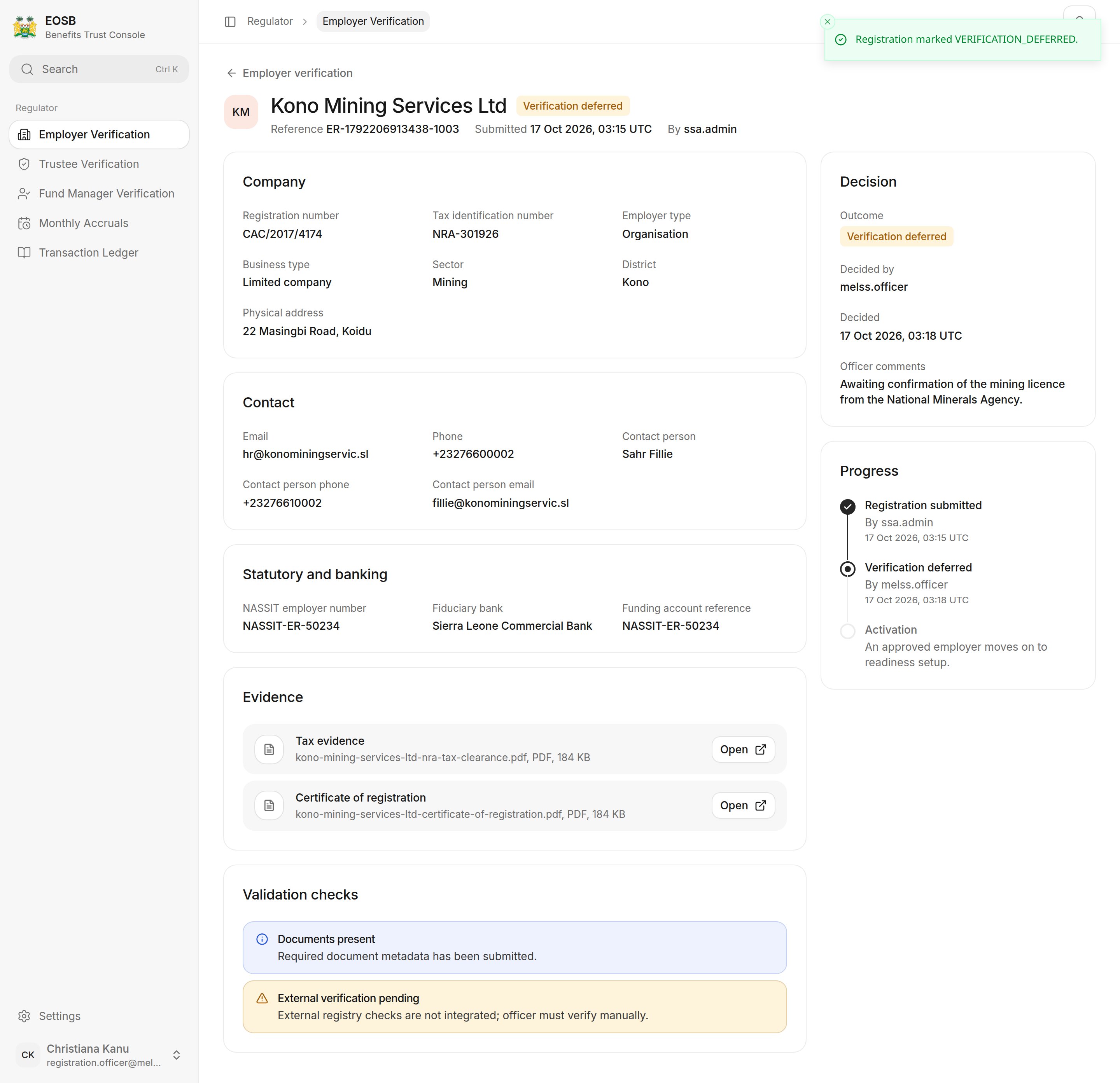
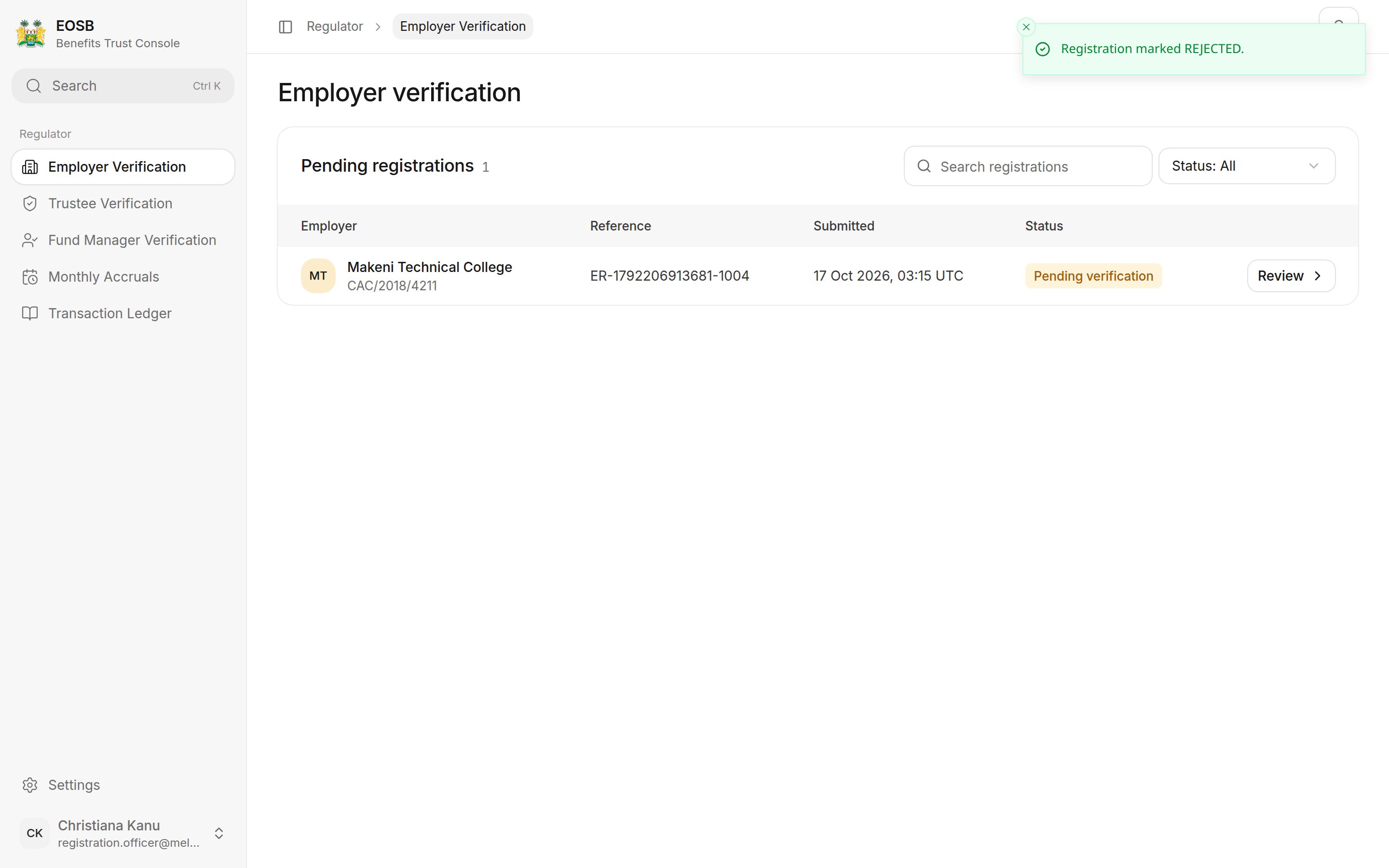
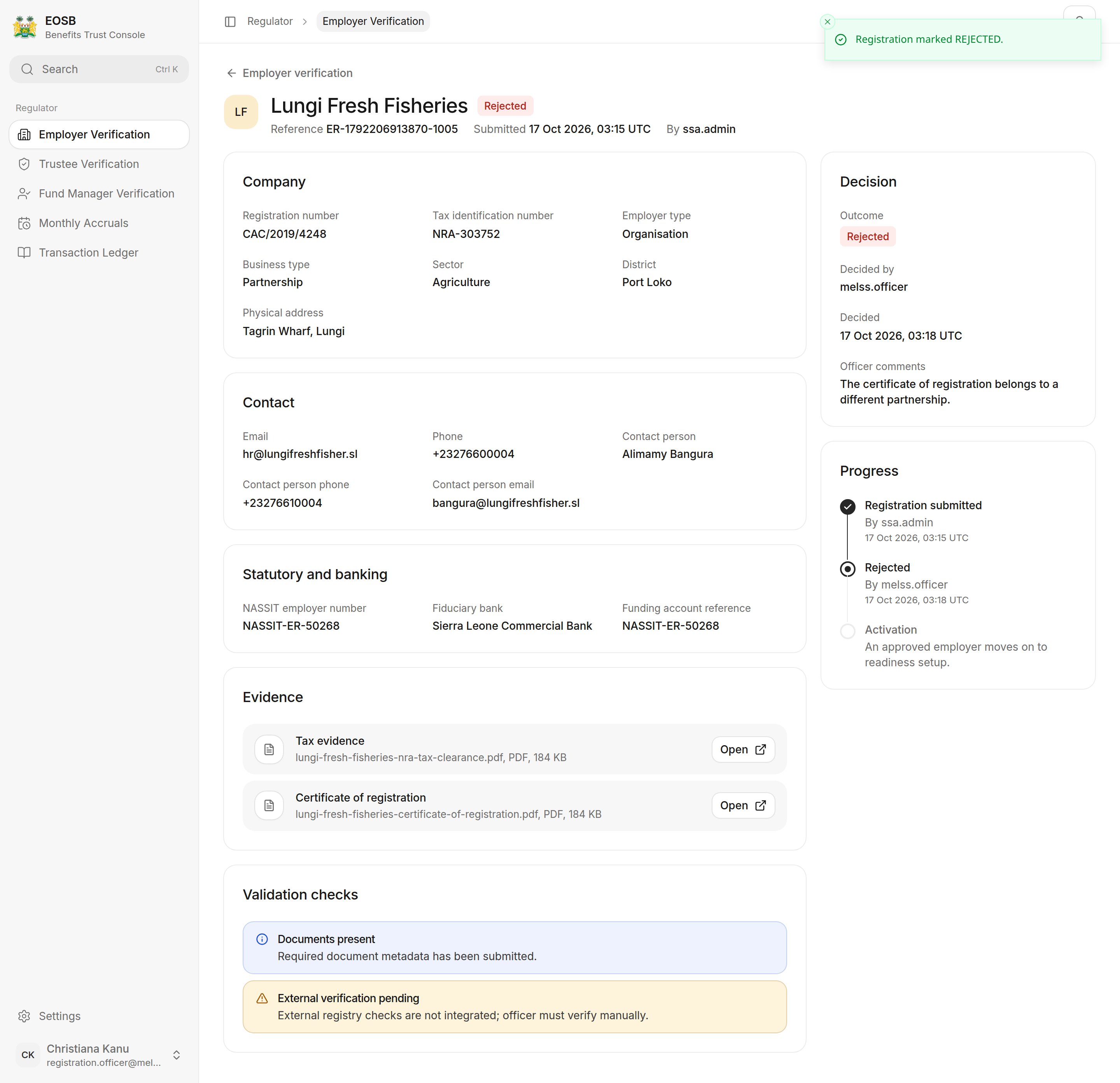 Approved and rejected registrations leave **Open registrations**. The others stay on it with their new status, so you can come back to them:
* **Verification deferred** — open the case when you have what you were waiting for. The decision buttons are still there, and you can approve, request information or reject.
* **Information requested** — the platform administrator corrects the registration with the employer and submits it again. It then returns to **Pending verification** for a fresh decision.
Use the **Status** filter on the list to see only one kind.
Approved and rejected registrations leave **Open registrations**. The others stay on it with their new status, so you can come back to them:
* **Verification deferred** — open the case when you have what you were waiting for. The decision buttons are still there, and you can approve, request information or reject.
* **Information requested** — the platform administrator corrects the registration with the employer and submits it again. It then returns to **Pending verification** for a fresh decision.
Use the **Status** filter on the list to see only one kind.
 ## What happens next
For an approved employer, the platform administrator creates the employer's EOSB trust, appoints its trustee and fund manager, confirms the bank account and activates the employer. Once active, the employer registers employees and their benefits start to accrue — which you follow in [Monthly accruals](/regulator/monthly-accruals).
**Next:** [verify trustees and fund managers](/regulator/provider-verification).
This documentation is built and hosted on [Mintlify](https://mintlify.com), a developer documentation platform.
## What happens next
For an approved employer, the platform administrator creates the employer's EOSB trust, appoints its trustee and fund manager, confirms the bank account and activates the employer. Once active, the employer registers employees and their benefits start to accrue — which you follow in [Monthly accruals](/regulator/monthly-accruals).
**Next:** [verify trustees and fund managers](/regulator/provider-verification).
This documentation is built and hosted on [Mintlify](https://mintlify.com), a developer documentation platform.