> ## Documentation Index
> Fetch the complete documentation index at: https://docs.eosb.org/llms.txt
> Use this file to discover all available pages before exploring further.
# Recognise cash from the trustee
> Confirm how much of each trustee transfer reached your account — in full, short, or not at all.
When the trustee logs a transfer to you, it waits under **Cash Recognition** › **Pending**. Recognising it adds the money to the trust's cash account with you. Until you do, you cannot invest it, spend it or return it.
**Where:** **Cash Recognition** in the menu. **Before you start:** have your bank statement for the value date to hand.
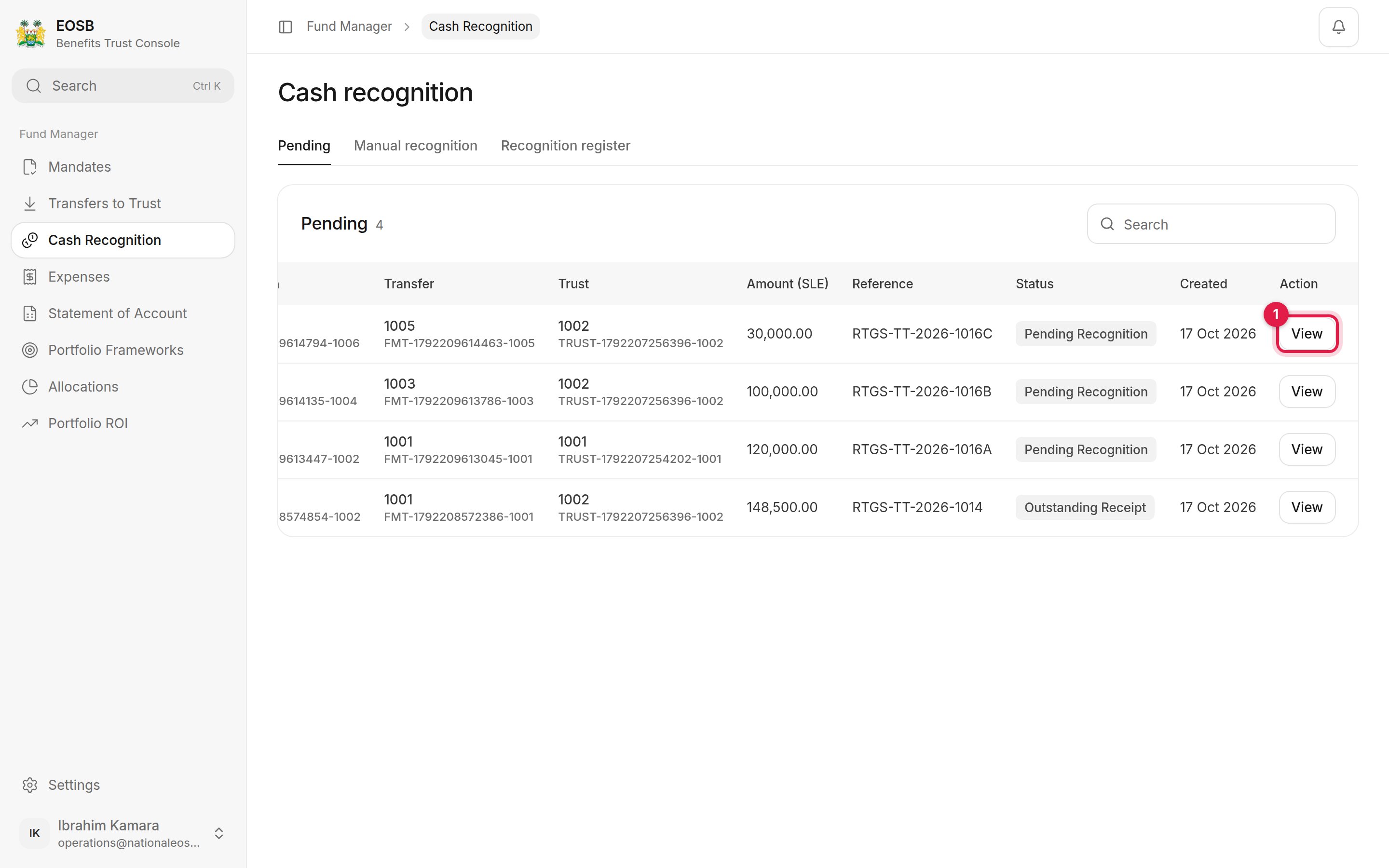 Select **View (1)** on a transfer.
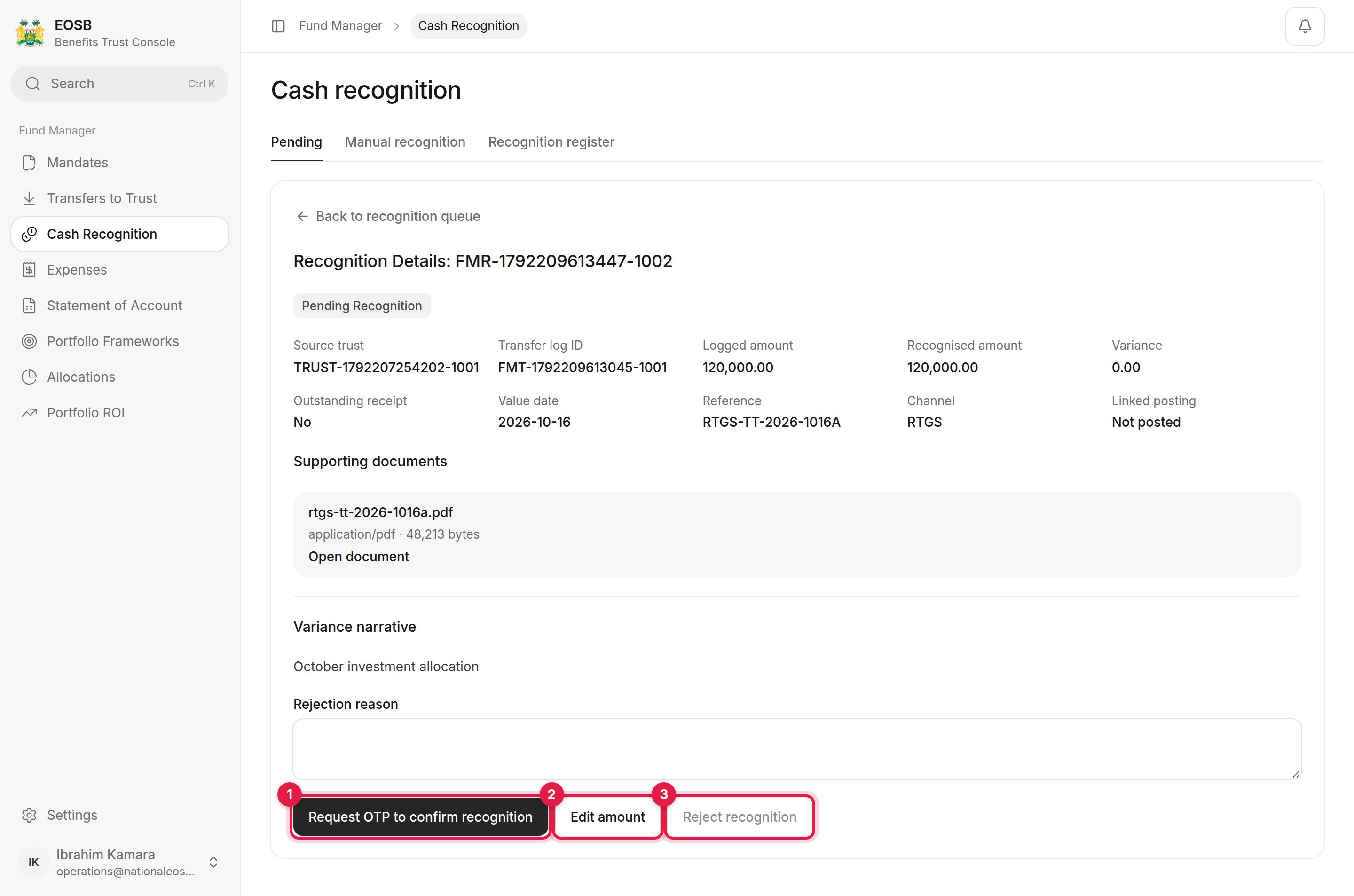 Check the **Logged amount** and **Reference** against your bank statement, then choose one of the three actions.
## The full amount arrived
Check the **Logged amount** and **Reference** against your bank statement, then choose one of the three actions.
## The full amount arrived
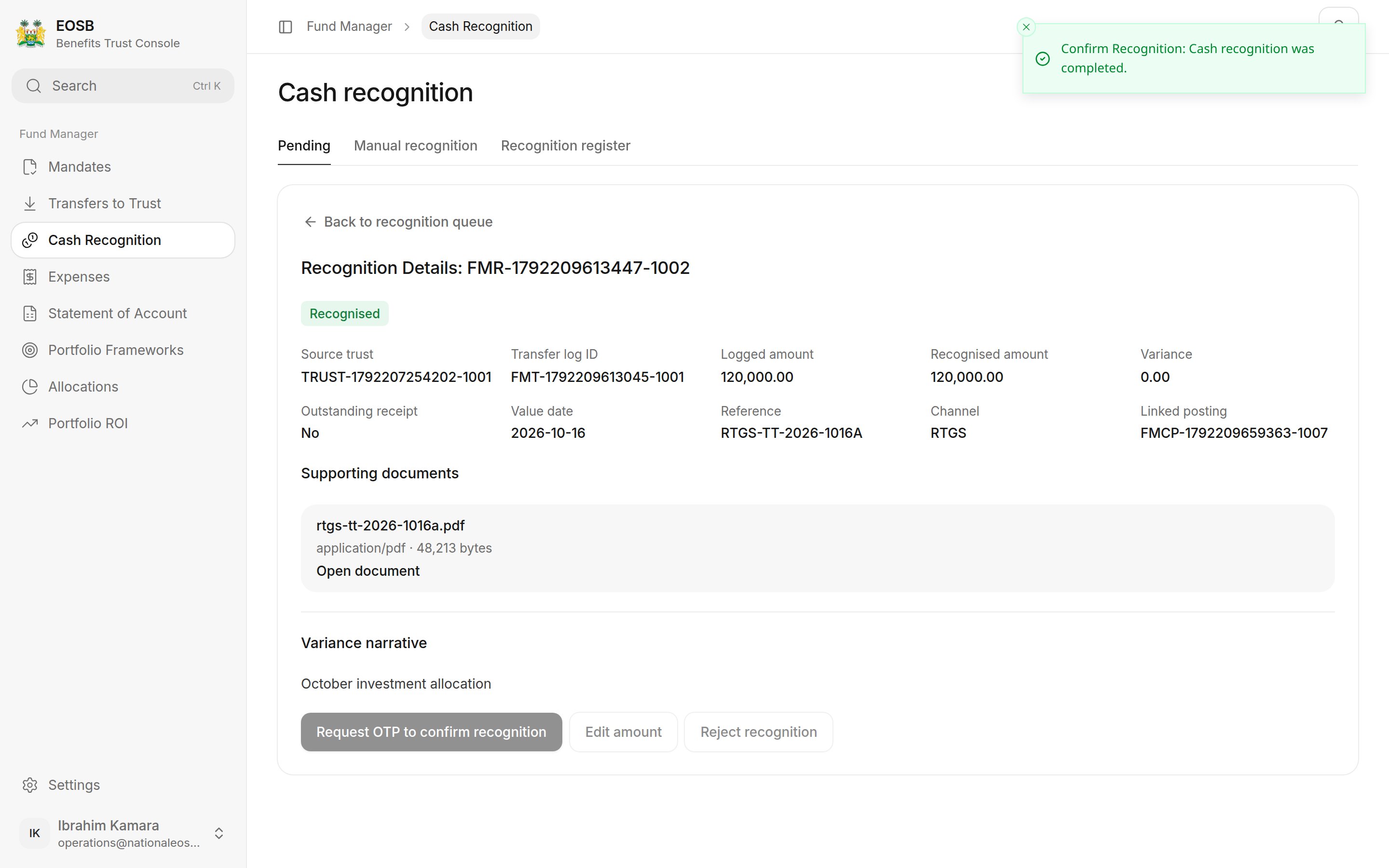
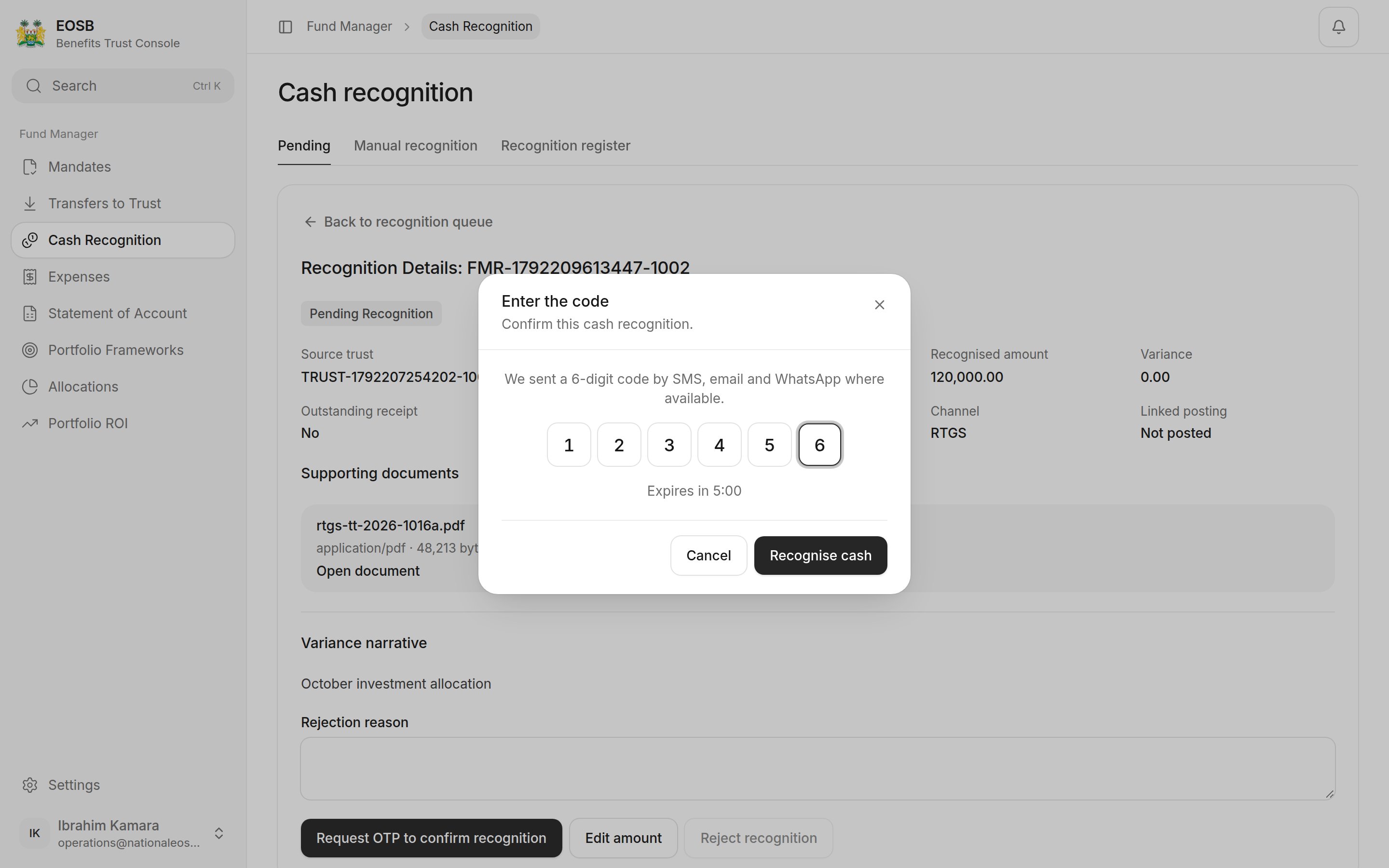 The status changes to **Recognised** and **Linked posting** shows the cash account entry.
 ## A different amount arrived
Select **Edit amount (2)**.
## A different amount arrived
Select **Edit amount (2)**.
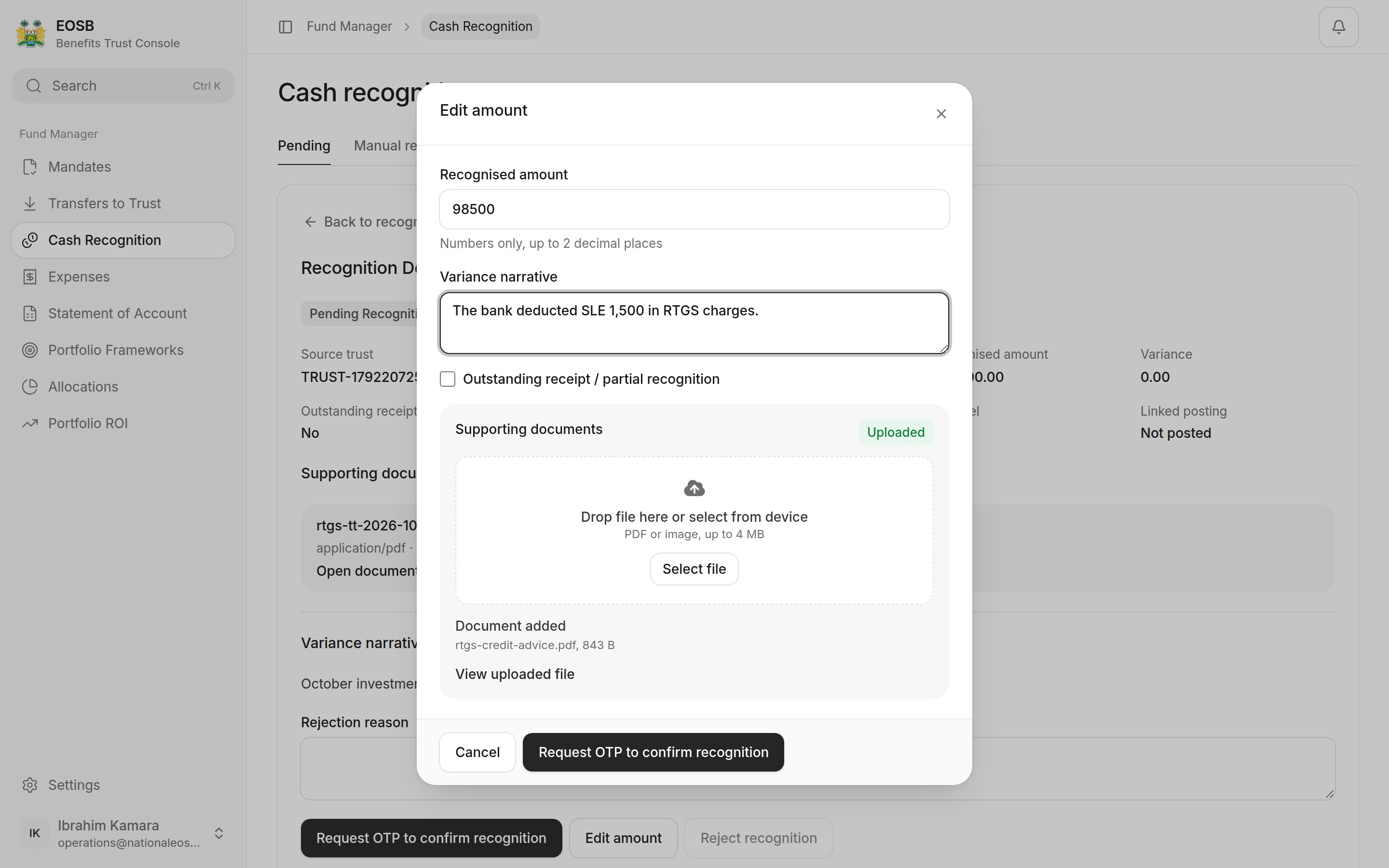 | Field | What to enter |
| - | - |
| Recognised amount | What actually arrived |
| Variance narrative | Why it differs, for example bank charges |
| Outstanding receipt / partial recognition | Tick if the rest is still expected. Leave unticked if the difference will never arrive; the trustee then has to approve it. |
| Supporting documents | The bank advice showing the amount received |
Select **Request OTP to confirm recognition**, enter the code, and select **Recognise cash**.
| Field | What to enter |
| - | - |
| Recognised amount | What actually arrived |
| Variance narrative | Why it differs, for example bank charges |
| Outstanding receipt / partial recognition | Tick if the rest is still expected. Leave unticked if the difference will never arrive; the trustee then has to approve it. |
| Supporting documents | The bank advice showing the amount received |
Select **Request OTP to confirm recognition**, enter the code, and select **Recognise cash**.
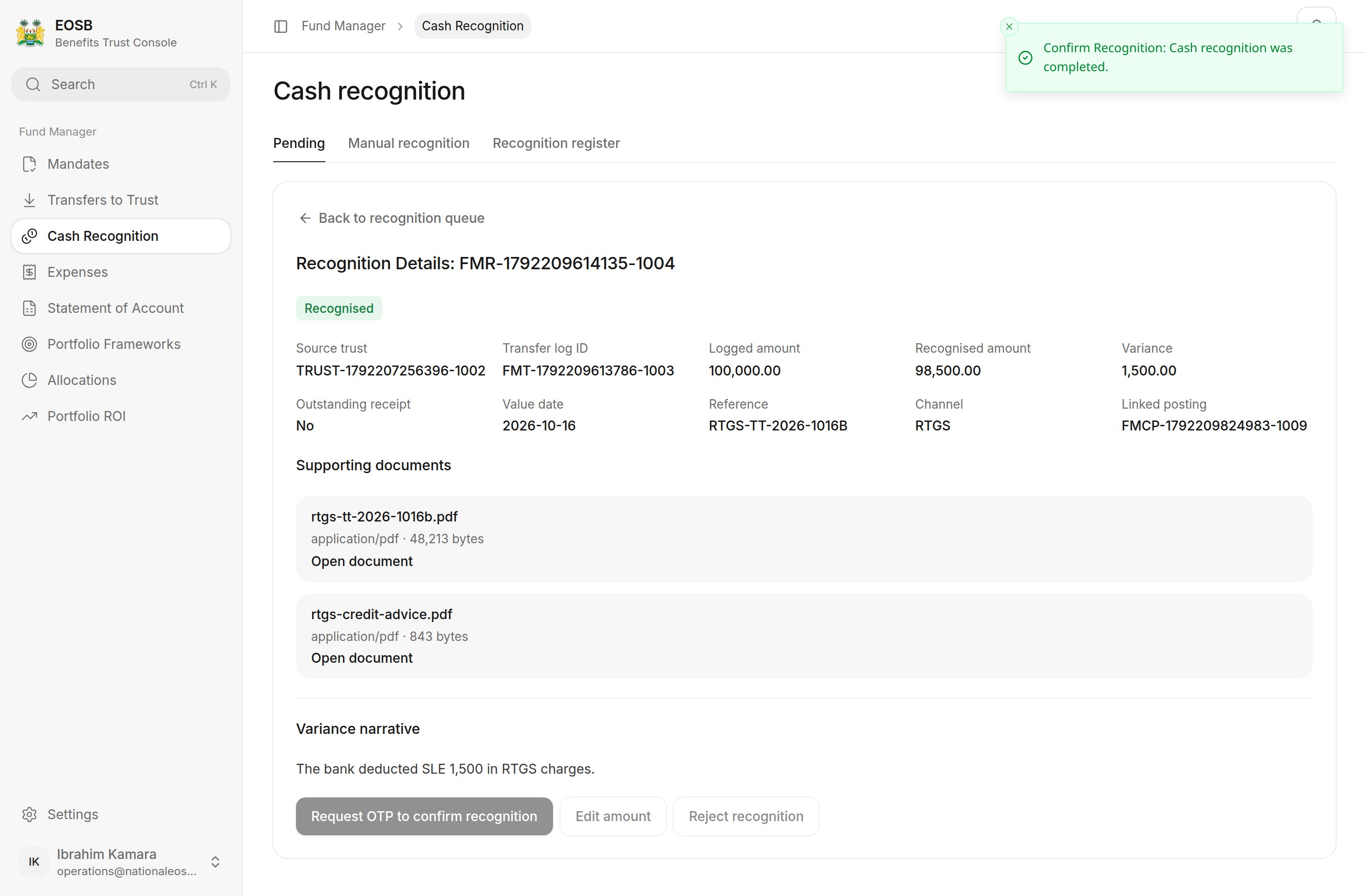 | What you recognise | What happens |
| - | - |
| Less, **Outstanding receipt** ticked | Status **Outstanding receipt**. What arrived is added to your cash now; the rest is still expected. |
| Less, not ticked | Goes to the trustee for approval (status **Pending trustee approval**). Once approved, the status is **Recognised** and the difference is closed. |
| More than was sent | Goes to the trustee for approval (status **Pending trustee approval**). See the [trustee's guide](/trustee/cash-recognition). |
## Nothing arrived
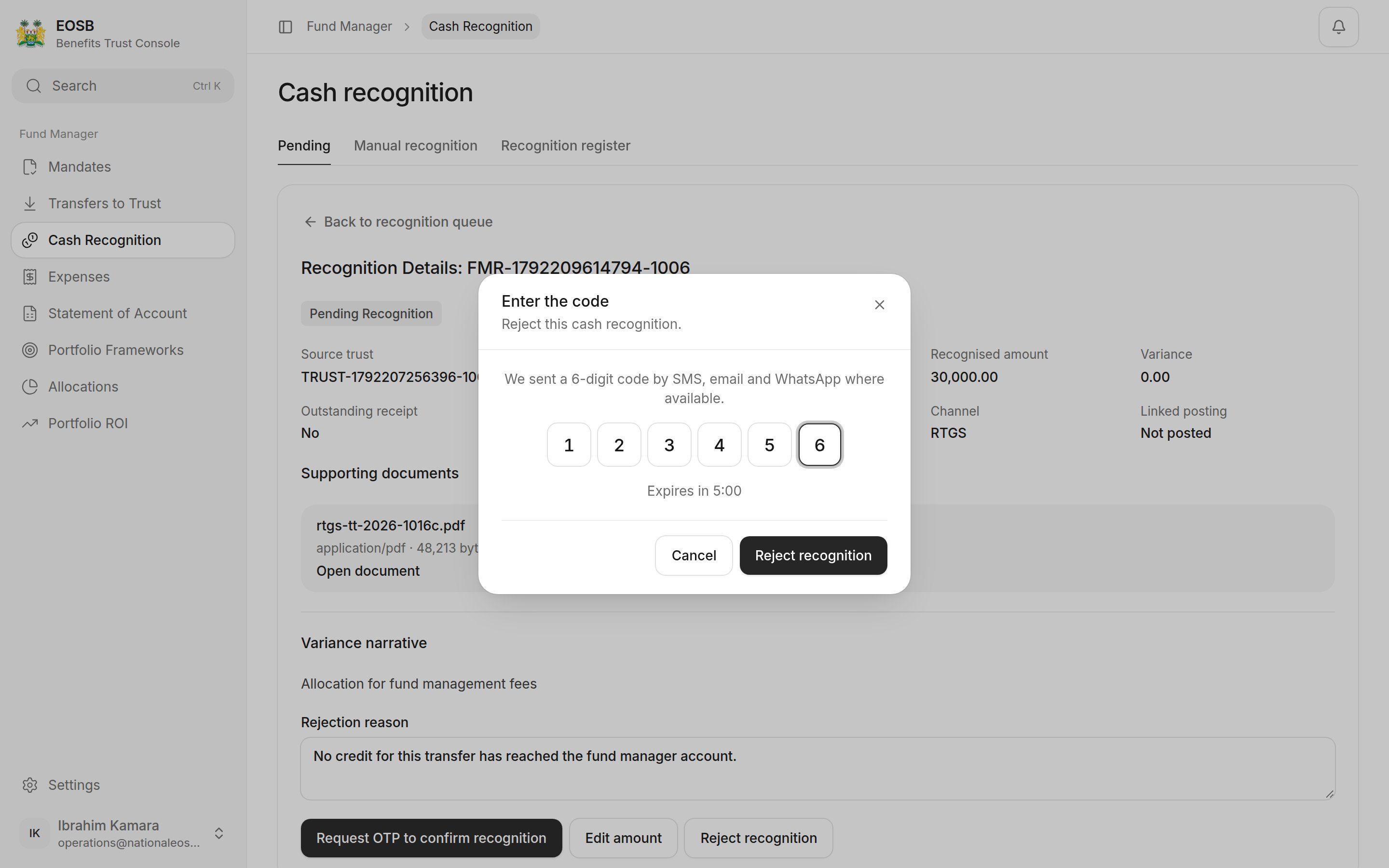
Write a **Rejection reason**, then select **Reject recognition (3)**, enter the code and confirm with **Reject recognition**.
| What you recognise | What happens |
| - | - |
| Less, **Outstanding receipt** ticked | Status **Outstanding receipt**. What arrived is added to your cash now; the rest is still expected. |
| Less, not ticked | Goes to the trustee for approval (status **Pending trustee approval**). Once approved, the status is **Recognised** and the difference is closed. |
| More than was sent | Goes to the trustee for approval (status **Pending trustee approval**). See the [trustee's guide](/trustee/cash-recognition). |
## Nothing arrived
Write a **Rejection reason**, then select **Reject recognition (3)**, enter the code and confirm with **Reject recognition**.
 Ask yourself whether the missing part will still come.
* **Yes, it is delayed** — tick **Outstanding receipt**. You can use what arrived straight away, and the rest stays open.
* **No, it is gone** (for example bank charges) — leave it unticked. The trustee has to agree the loss before it is booked.
* **More arrived** (for example interest) — the trustee has to agree the extra too.
The trustee sees your **Variance narrative** and evidence, so explain the difference plainly.
## Recognition register
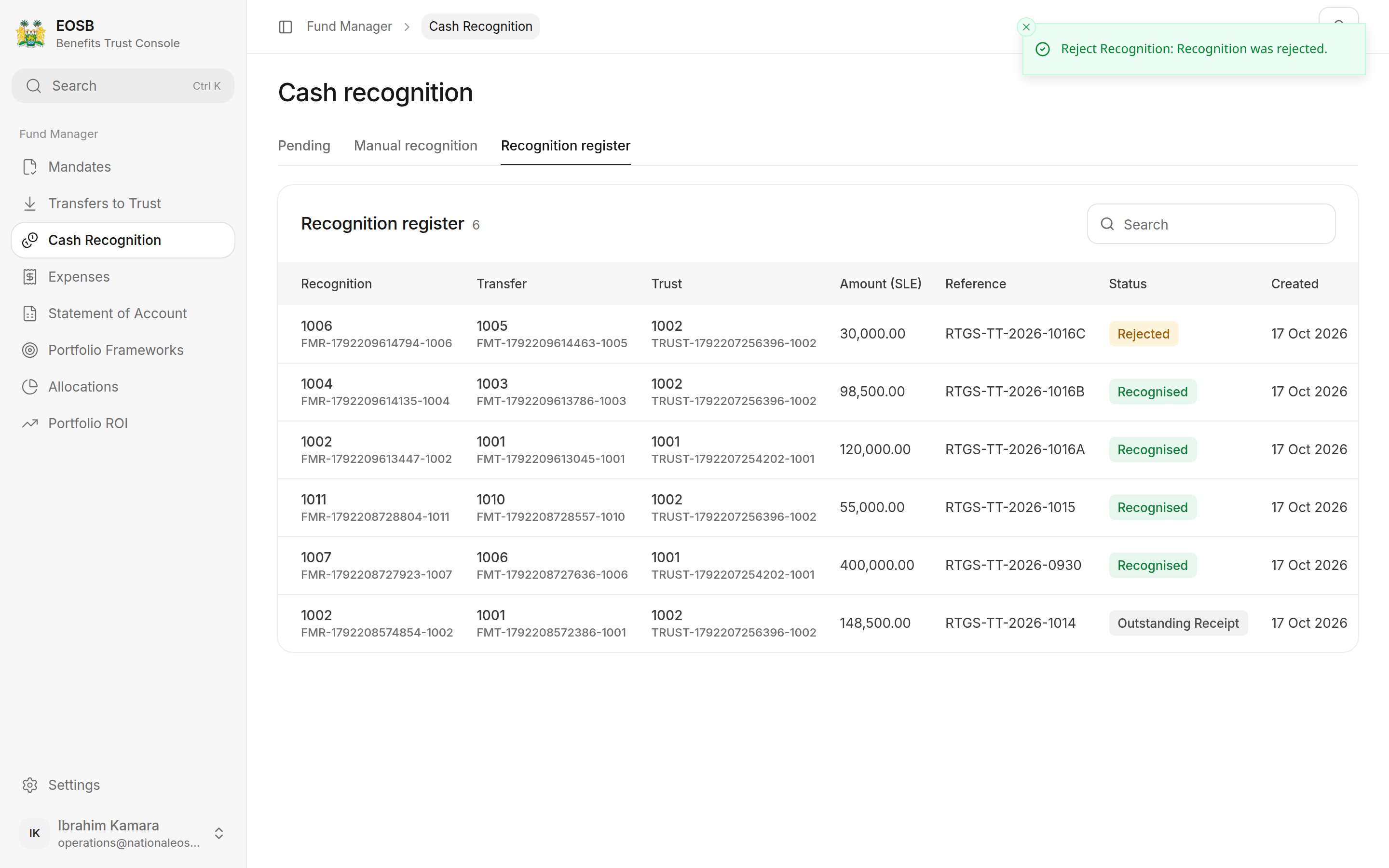
**Recognition register** lists every recognition and its outcome. Each row shows the recognition reference with its transfer underneath (or **Manual**), and the trust by name.
Ask yourself whether the missing part will still come.
* **Yes, it is delayed** — tick **Outstanding receipt**. You can use what arrived straight away, and the rest stays open.
* **No, it is gone** (for example bank charges) — leave it unticked. The trustee has to agree the loss before it is booked.
* **More arrived** (for example interest) — the trustee has to agree the extra too.
The trustee sees your **Variance narrative** and evidence, so explain the difference plainly.
## Recognition register
**Recognition register** lists every recognition and its outcome. Each row shows the recognition reference with its transfer underneath (or **Manual**), and the trust by name.
 ## Manual recognition
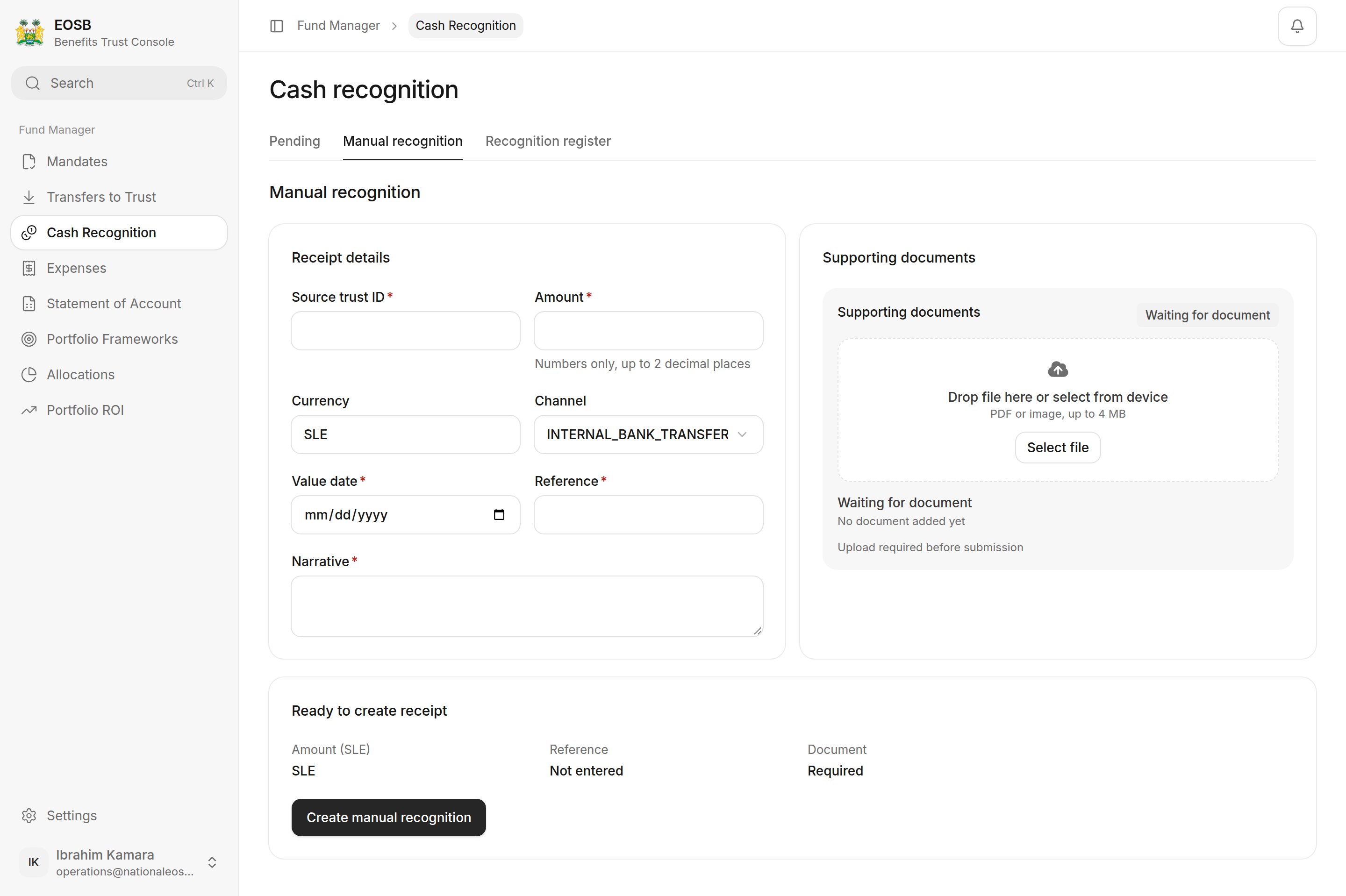
Use **Manual recognition** for money that arrived without a trustee transfer being logged. Choose the **Source trust** from your trusts, then enter the amount, channel, value date, reference and narrative, upload the evidence and select **Create manual recognition**.
## Manual recognition
Use **Manual recognition** for money that arrived without a trustee transfer being logged. Choose the **Source trust** from your trusts, then enter the amount, channel, value date, reference and narrative, upload the evidence and select **Create manual recognition**.
 **Next:** invest the cash through a [portfolio framework](/fund-manager/portfolio-frameworks), or [return money to the trust](/fund-manager/transfers-to-trust).
This documentation is built and hosted on [Mintlify](https://mintlify.com), a developer documentation platform.
**Next:** invest the cash through a [portfolio framework](/fund-manager/portfolio-frameworks), or [return money to the trust](/fund-manager/transfers-to-trust).
This documentation is built and hosted on [Mintlify](https://mintlify.com), a developer documentation platform.