> ## Documentation Index
> Fetch the complete documentation index at: https://docs.eosb.org/llms.txt
> Use this file to discover all available pages before exploring further.
# Activation
> What has to be in place before your employer account is active, and how to check progress.
When you first sign in, your status is **Verified inactive**. The regulator has verified your organisation, but your trust is not set up yet. The platform administrator does the setup; this screen lets you follow it. You do not need to do anything here.
**Where:** Employer › **Activation** tab.
Until your status is **Active** you cannot register or import employees, or pay into the trust. You can sign in, look around and change your [account settings](/employer/account).
## Check your activation progress
Select the **Activation** tab. Each requirement shows **Passed** or **Missing**, with a short explanation under **Evidence**. The list is read-only.
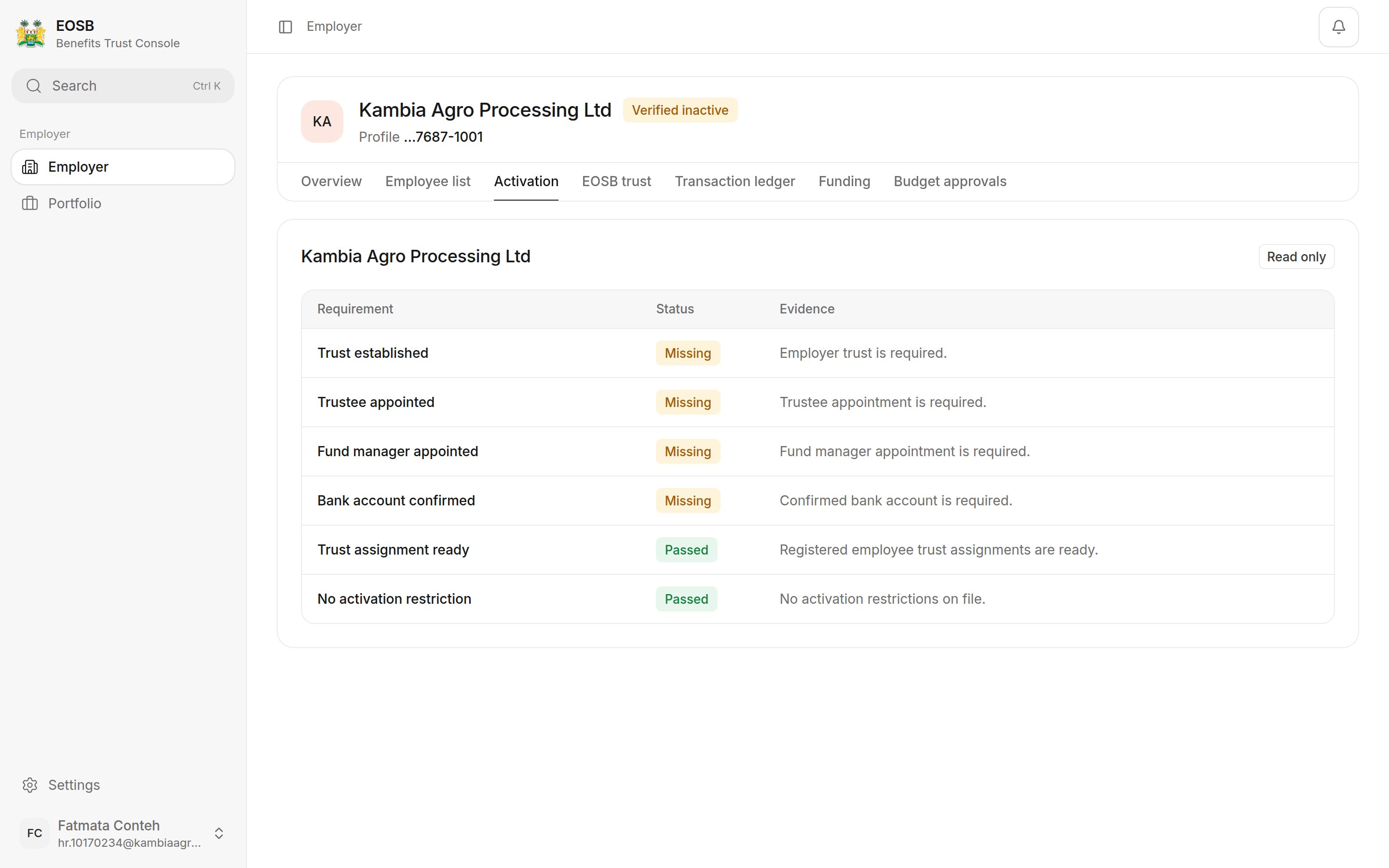 | Requirement | What it means | Who completes it |
| - | - | - |
| Trust established | An EOSB trust exists for your organisation. | Platform administrator |
| Trustee appointed | A trustee is linked to your trust. | Platform administrator |
| Fund manager appointed | A fund manager is linked to your trust. | Platform administrator |
| Bank account confirmed | The trust's bank account is confirmed. | Platform administrator |
| Trust assignment ready | Every registered employee is assigned to an active trust. | Automatic when a trust exists |
| No activation restriction | No restriction is recorded against your account. | Platform administrator |
If a check stays **Missing** for longer than expected, contact the EOSB platform administrator and quote your employer profile ID.
## When your account is active
Once every check passes, the administrator activates your account. You receive an **Employer account activated** notification, and your status changes to **Active**.
| Requirement | What it means | Who completes it |
| - | - | - |
| Trust established | An EOSB trust exists for your organisation. | Platform administrator |
| Trustee appointed | A trustee is linked to your trust. | Platform administrator |
| Fund manager appointed | A fund manager is linked to your trust. | Platform administrator |
| Bank account confirmed | The trust's bank account is confirmed. | Platform administrator |
| Trust assignment ready | Every registered employee is assigned to an active trust. | Automatic when a trust exists |
| No activation restriction | No restriction is recorded against your account. | Platform administrator |
If a check stays **Missing** for longer than expected, contact the EOSB platform administrator and quote your employer profile ID.
## When your account is active
Once every check passes, the administrator activates your account. You receive an **Employer account activated** notification, and your status changes to **Active**.
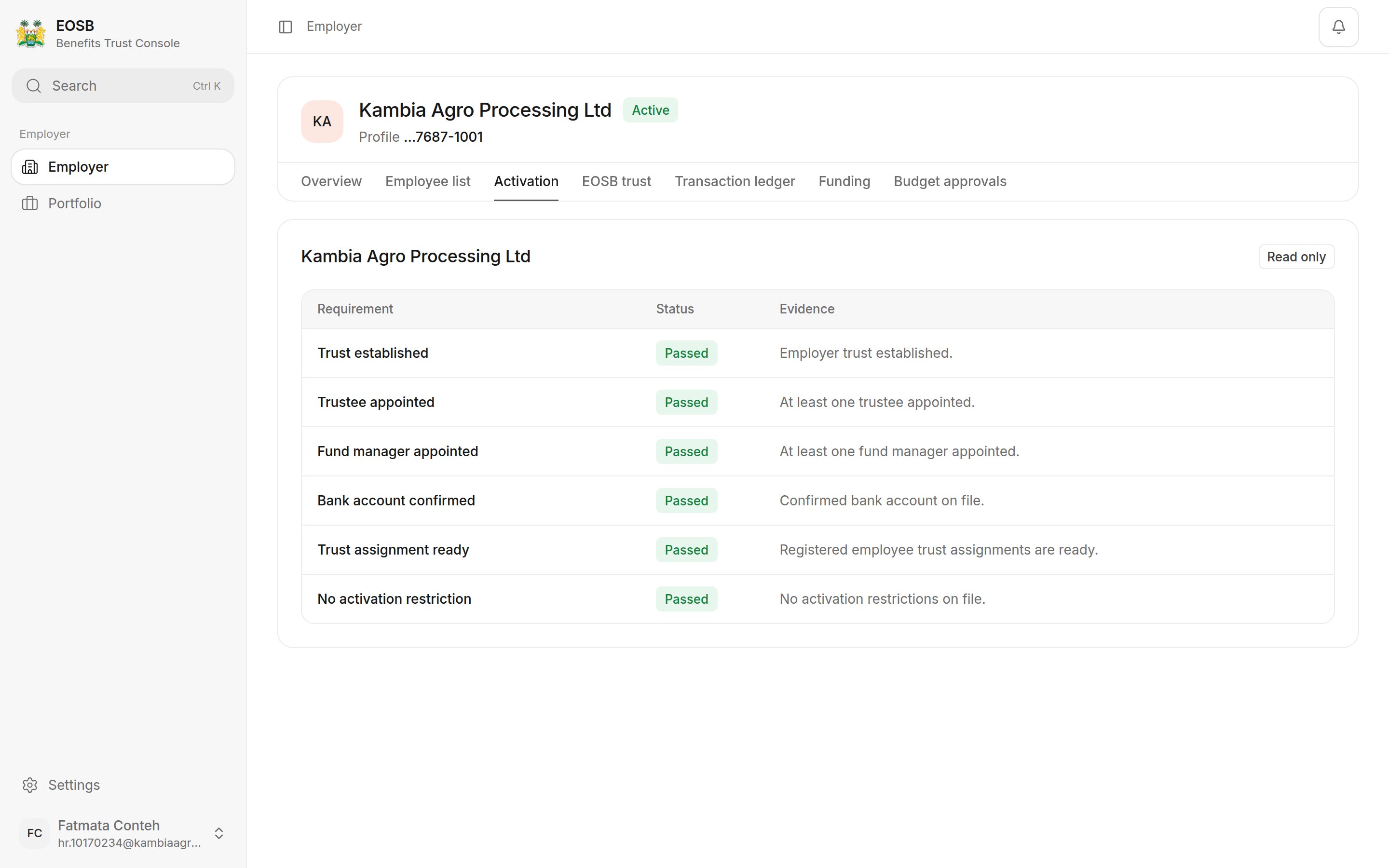 The [Overview tab](/employer/overview-tab) now shows your trustee, fund manager and confirmed bank account.
## Status meanings
| Status | What you can do |
| - | - |
| Verified inactive | Your organisation is verified and you can sign in, but setup is still in progress. Follow the Activation tab. |
| Active | All the work described in this manual. |
| Active with restrictions | Only the functions the administrator has allowed. The restriction reason appears on the Activation tab. |
Every employee's benefit has to be held somewhere, so the platform will not take employees or money until the trust is complete. The **trust** is where the benefits are held, the **trustee** confirms every payment into it, the **fund manager** invests it, and the **bank account** is where your payments go. **Trust assignment ready** confirms every employee has a trust to belong to. **No activation restriction** confirms nothing has been recorded against your account.
**Next:** [the Overview tab](/employer/overview-tab), then [add your employees](/employer/employees/register).
This documentation is built and hosted on [Mintlify](https://mintlify.com), a developer documentation platform.
The [Overview tab](/employer/overview-tab) now shows your trustee, fund manager and confirmed bank account.
## Status meanings
| Status | What you can do |
| - | - |
| Verified inactive | Your organisation is verified and you can sign in, but setup is still in progress. Follow the Activation tab. |
| Active | All the work described in this manual. |
| Active with restrictions | Only the functions the administrator has allowed. The restriction reason appears on the Activation tab. |
Every employee's benefit has to be held somewhere, so the platform will not take employees or money until the trust is complete. The **trust** is where the benefits are held, the **trustee** confirms every payment into it, the **fund manager** invests it, and the **bank account** is where your payments go. **Trust assignment ready** confirms every employee has a trust to belong to. **No activation restriction** confirms nothing has been recorded against your account.
**Next:** [the Overview tab](/employer/overview-tab), then [add your employees](/employer/employees/register).
This documentation is built and hosted on [Mintlify](https://mintlify.com), a developer documentation platform.