> ## Documentation Index
> Fetch the complete documentation index at: https://docs.eosb.org/llms.txt
> Use this file to discover all available pages before exploring further.
# Payment service providers
> Register the payment service providers that collect employer contributions and send benefit payments, and control how they connect.
A payment service provider (PSP), such as a mobile money operator or a bank, connects to the platform through a signed API to validate trusts, collect payments and push transfers. You register each one, issue its API keys and control its access.
**Where:** **PSPs** in the menu.
## The directory
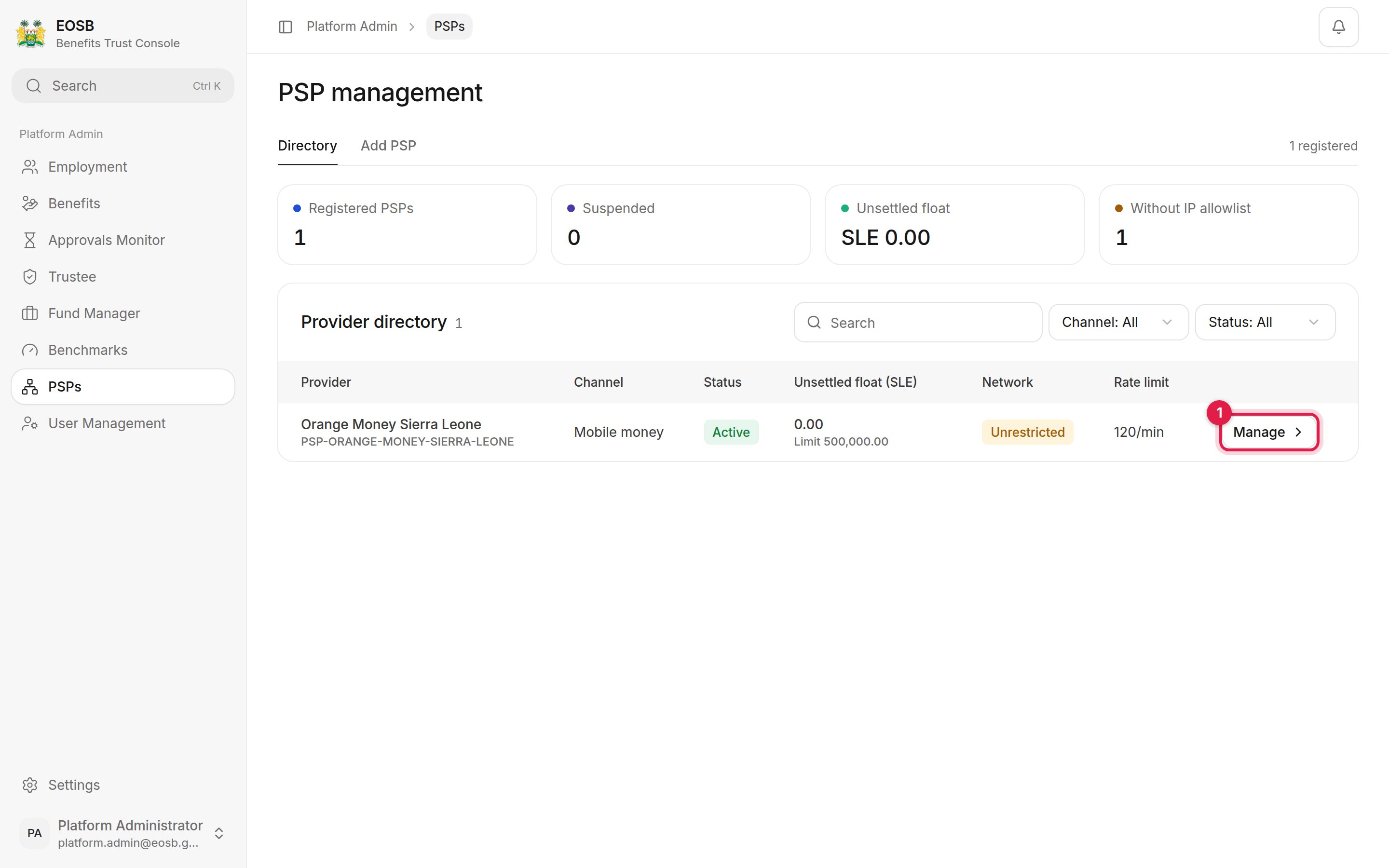 The figures show how many PSPs are registered and suspended, the total **Unsettled float** they hold, and how many have no IP allowlist. Select **Manage** (1) to open a provider.
## Register a provider
Select **Add PSP**.
The figures show how many PSPs are registered and suspended, the total **Unsettled float** they hold, and how many have no IP allowlist. Select **Manage** (1) to open a provider.
## Register a provider
Select **Add PSP**.
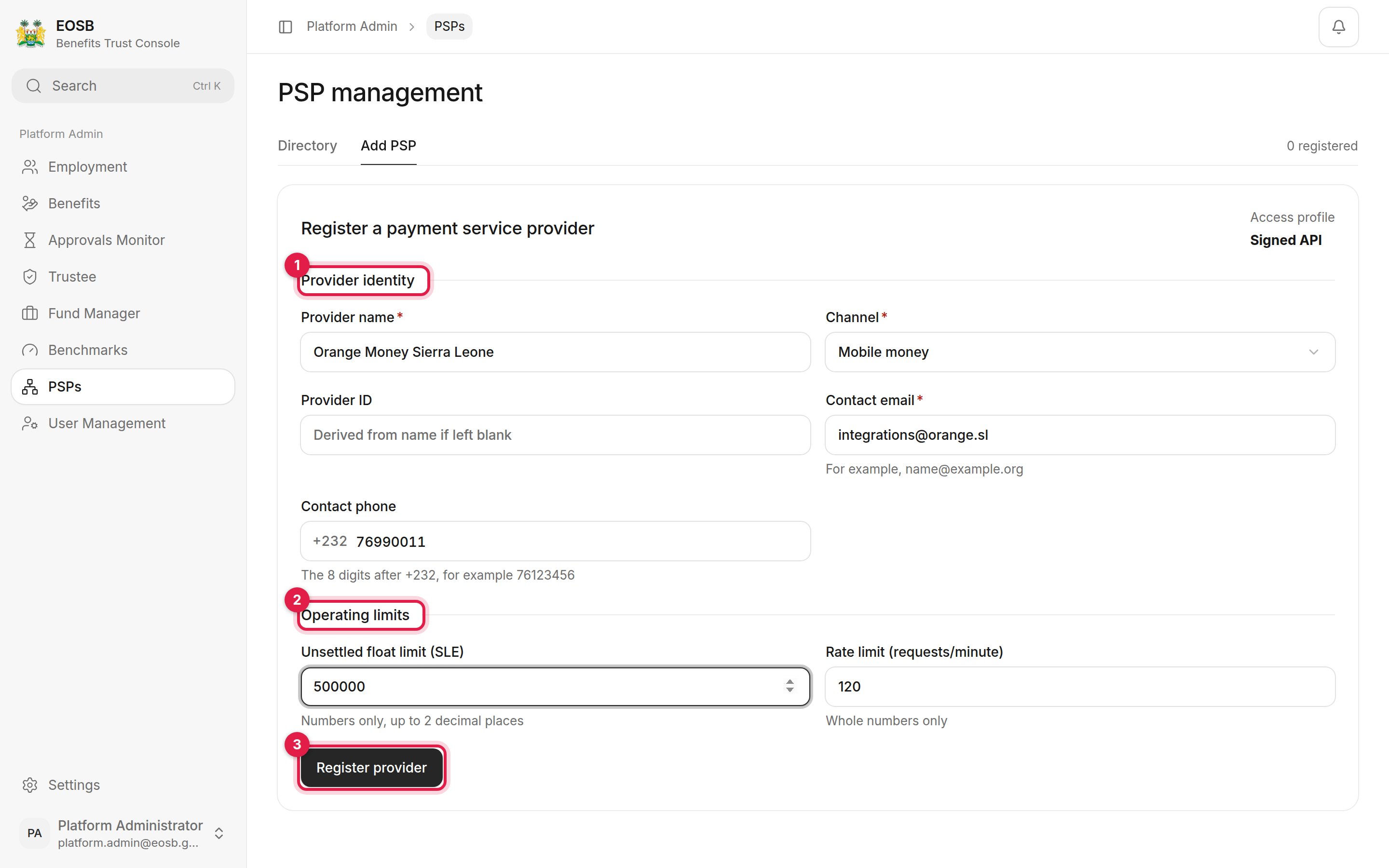 1. **Provider identity** — the provider's name, its **Channel** (for example mobile money), a **Provider ID** (made from the name if you leave it blank), and its integration contact email and phone.
2. **Operating limits** — the **Unsettled float limit** in SLE (blank for no cap) and the **Rate limit** in requests per minute.
3. **Register provider**. A message gives the provider ID, for example `PSP-ORANGE-MONEY-SIERRA-LEONE`, and the provider opens.
## Manage a provider
1. **Provider identity** — the provider's name, its **Channel** (for example mobile money), a **Provider ID** (made from the name if you leave it blank), and its integration contact email and phone.
2. **Operating limits** — the **Unsettled float limit** in SLE (blank for no cap) and the **Rate limit** in requests per minute.
3. **Register provider**. A message gives the provider ID, for example `PSP-ORANGE-MONEY-SIERRA-LEONE`, and the provider opens.
## Manage a provider
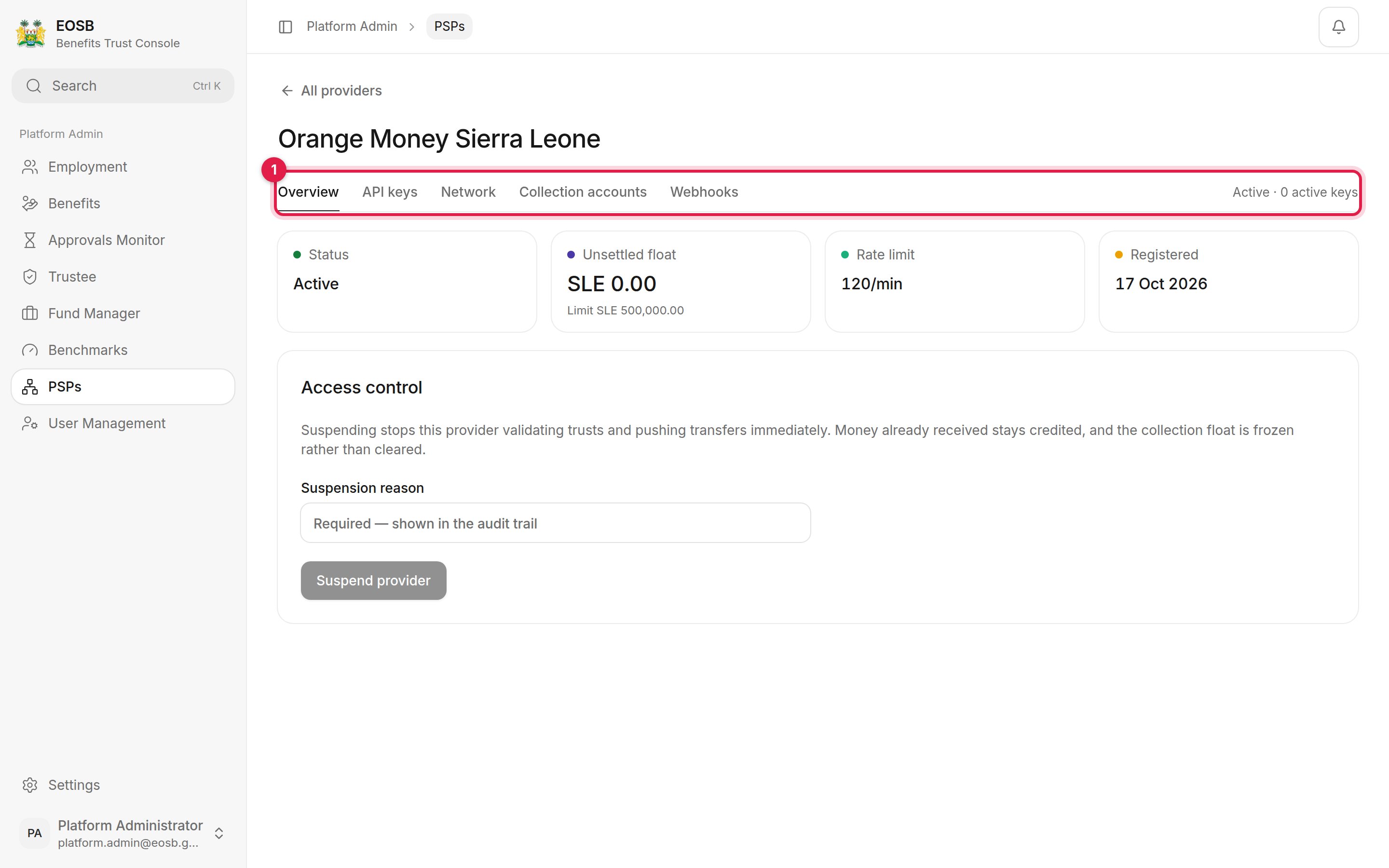 The tabs (1):
| Tab | Use it to |
| - | - |
| **Overview** | See the status, unsettled float and rate limit. **Suspend provider** stops it validating trusts and pushing transfers immediately; a reason is required. Money already received stays credited. |
| **API keys** | **Issue key** for the provider to connect. The signing secret is shown once, on the next screen — copy it and pass it to the provider securely. Revoke keys that are no longer used. |
| **Network** | Restrict the addresses the provider may connect from. **Add range** takes an IPv4 or IPv6 address or CIDR range. With no ranges, any address is accepted. |
| **Collection accounts** | The accounts the provider collects into for each trust, and **Record settlement** when the provider settles its float. |
| **Webhooks** | The endpoints the platform notifies, and the delivery log. |
The tabs (1):
| Tab | Use it to |
| - | - |
| **Overview** | See the status, unsettled float and rate limit. **Suspend provider** stops it validating trusts and pushing transfers immediately; a reason is required. Money already received stays credited. |
| **API keys** | **Issue key** for the provider to connect. The signing secret is shown once, on the next screen — copy it and pass it to the provider securely. Revoke keys that are no longer used. |
| **Network** | Restrict the addresses the provider may connect from. **Add range** takes an IPv4 or IPv6 address or CIDR range. With no ranges, any address is accepted. |
| **Collection accounts** | The accounts the provider collects into for each trust, and **Record settlement** when the provider settles its float. |
| **Webhooks** | The endpoints the platform notifies, and the delivery log. |
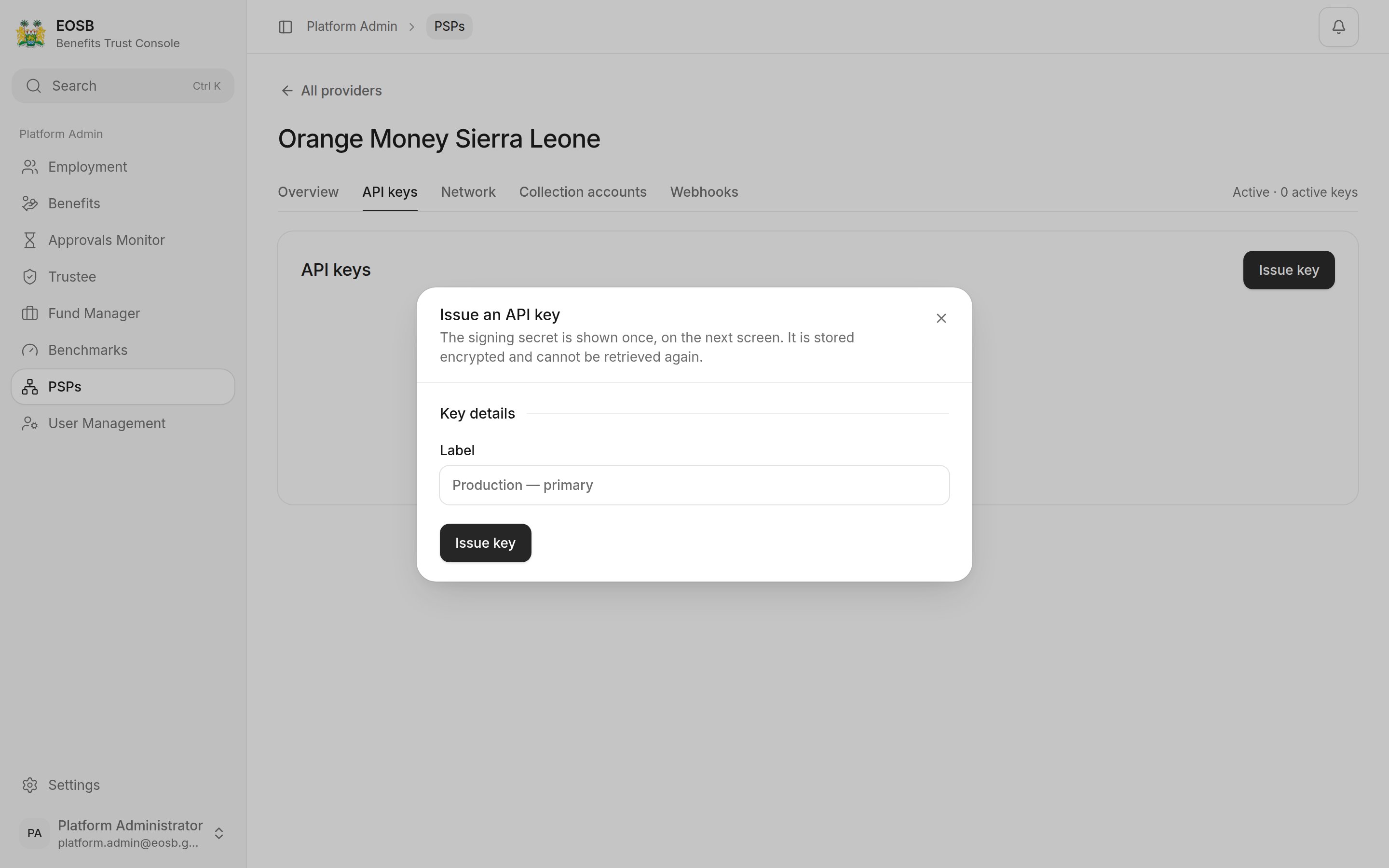 A new provider has no API key and no IP allowlist. Issue a key and add the provider's address ranges before it goes live.
This documentation is built and hosted on [Mintlify](https://mintlify.com), a developer documentation platform.
A new provider has no API key and no IP allowlist. Issue a key and add the provider's address ranges before it goes live.
This documentation is built and hosted on [Mintlify](https://mintlify.com), a developer documentation platform.